SentinelOne Singularity is an AI-powered XDR (Extended Detection and Response) platform that unifies endpoint protection (EPP), detection and response (EDR), and cloud workload security. In this lab, we deploy SentinelOne agents across Windows and Linux endpoints, inspect and mitigate malicious obfuscated scripts, leverage Deep Visibility and Singularity Data Lake for forensic analysis, enforce local endpoint firewall policies, and ingest perimeter syslog data from a Check Point firewall to construct cross-layer custom XDR detection rules.
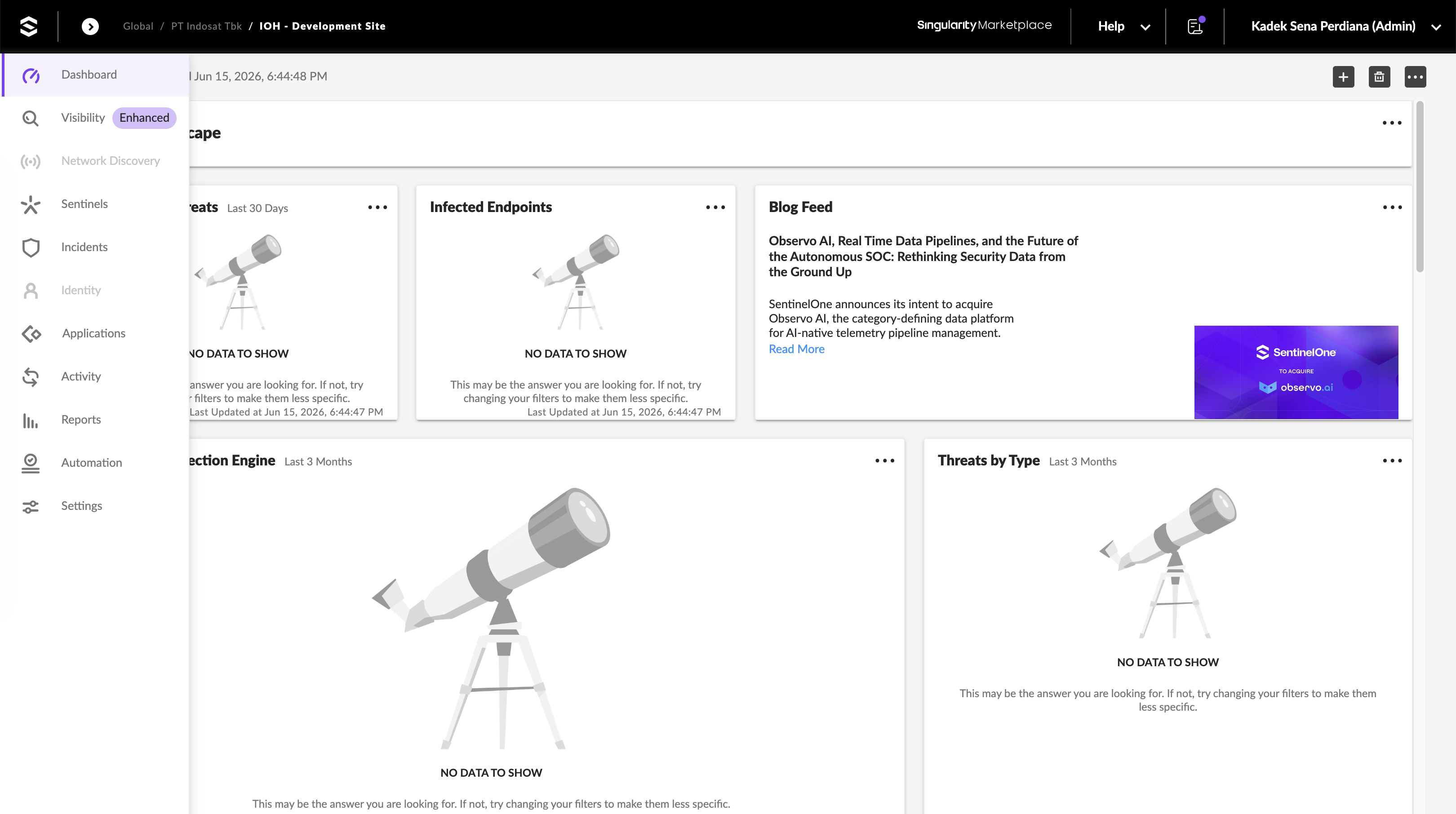
We begin on the SentinelOne Singularity console dashboard for our development tenant.
Endpoint Agent Installation
We review the Packages dashboard under the SentinelOne Management console to retrieve the latest compatible agent installers. For our deployment, we will use Windows Agent version 26.1.2.175 and Linux Agent version 26.1.1.31.
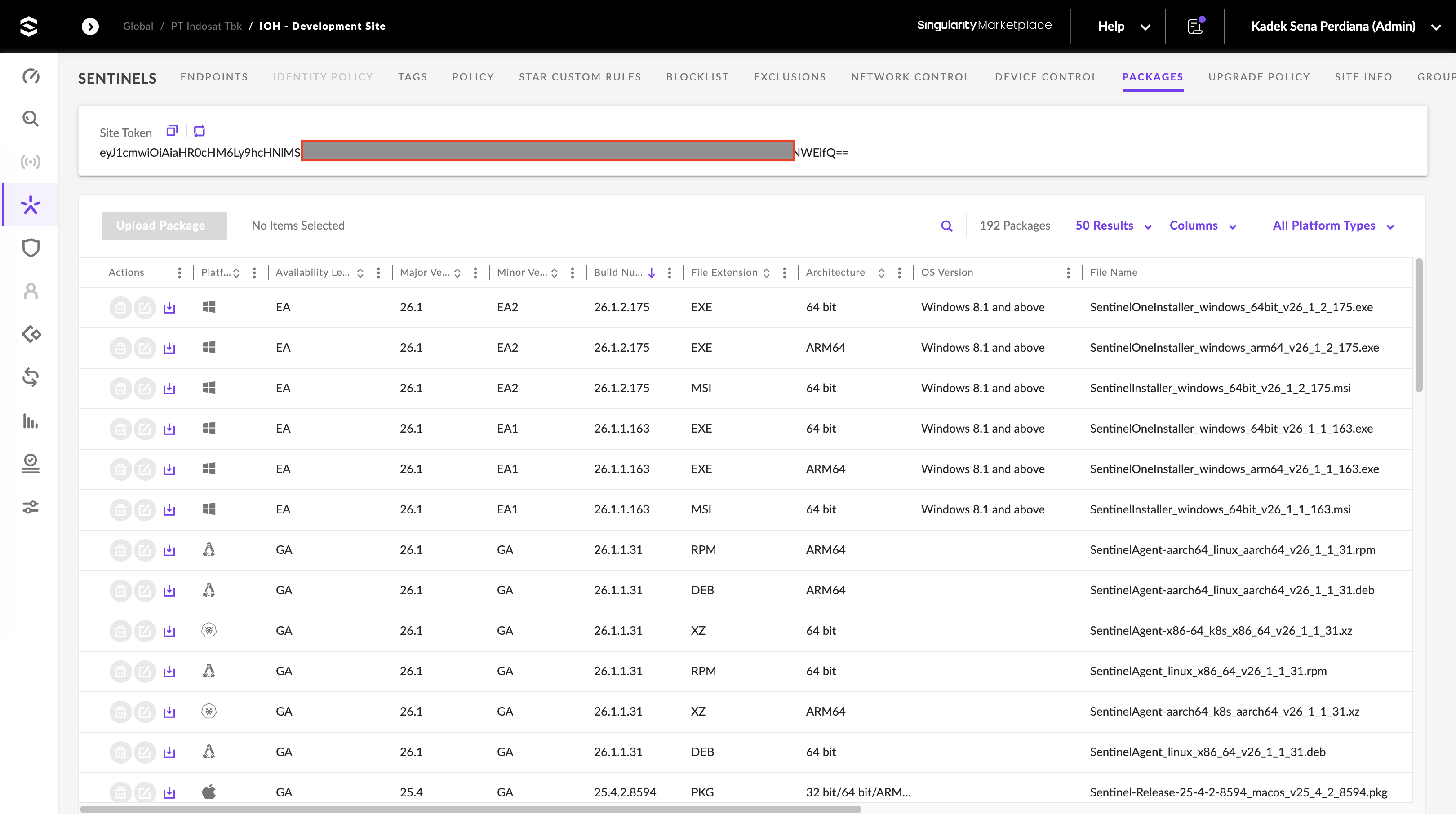
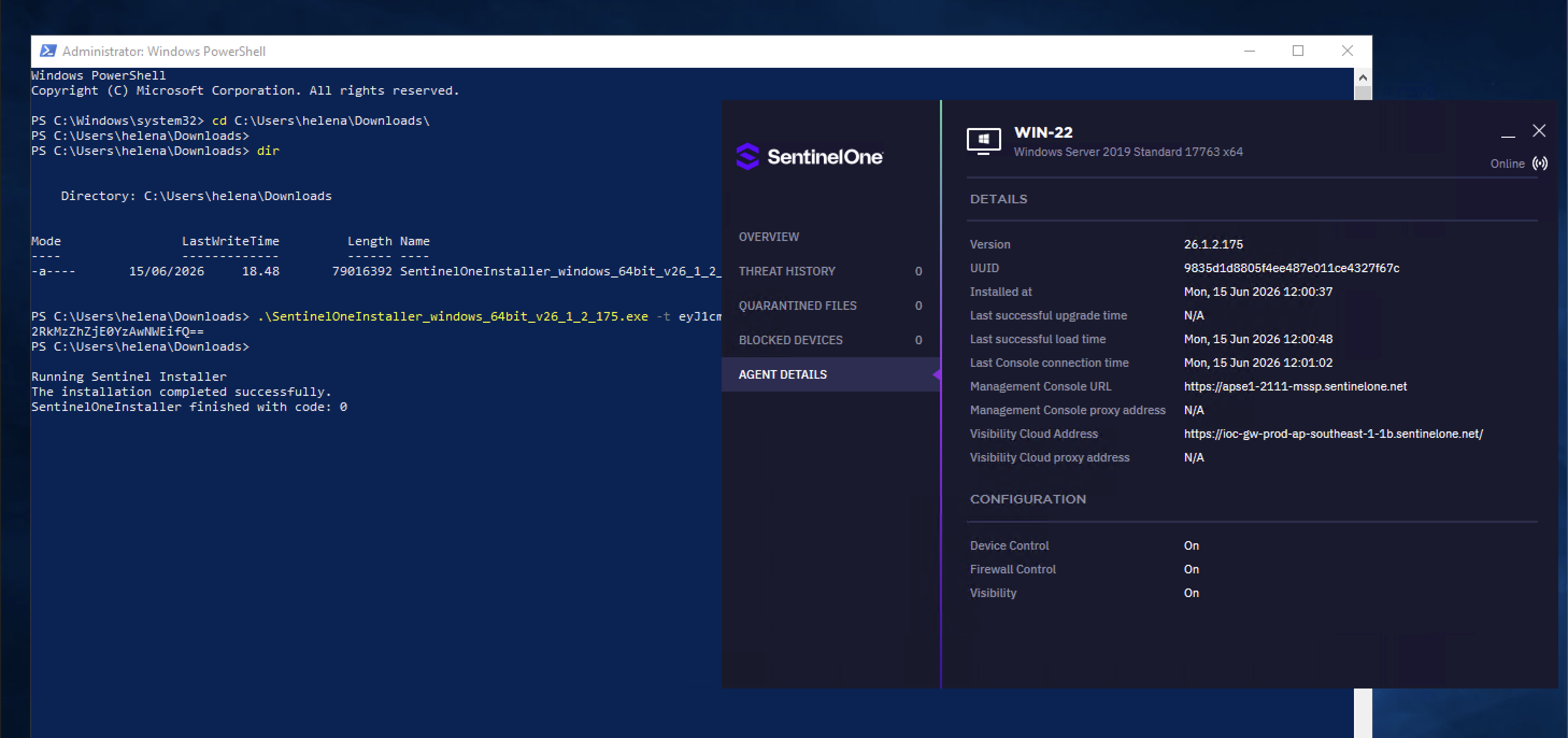
We copy our unique site registration token and install the SentinelOne agent on the target systems. On WIN-22, we execute the installer from an elevated PowerShell console, passing the site token (-t flag) for automatic enrollment. Once completed, the local agent UI shows the endpoint is Online and connected to the console.
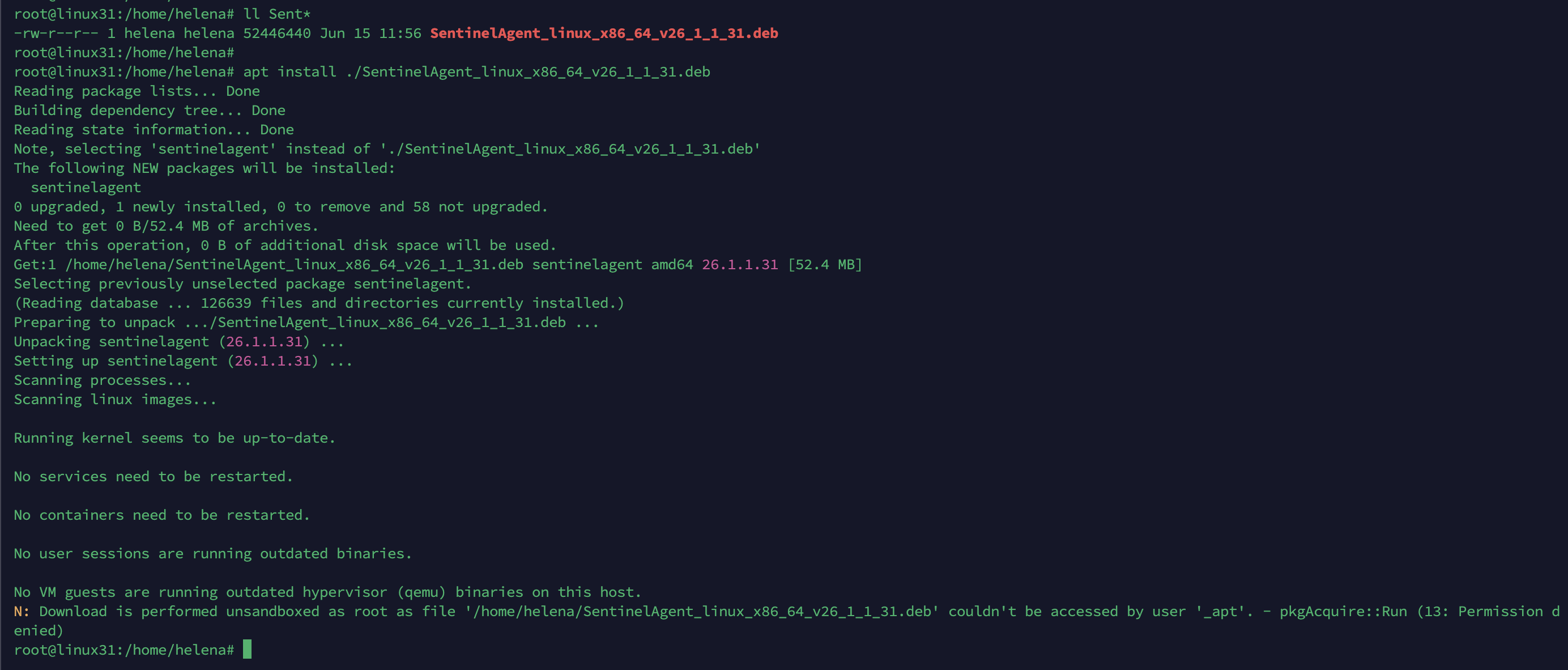
On linux31, we copy the Debian package and install it using apt install ./SentinelAgent_linux_x86_64_v26_1_1_31.deb.
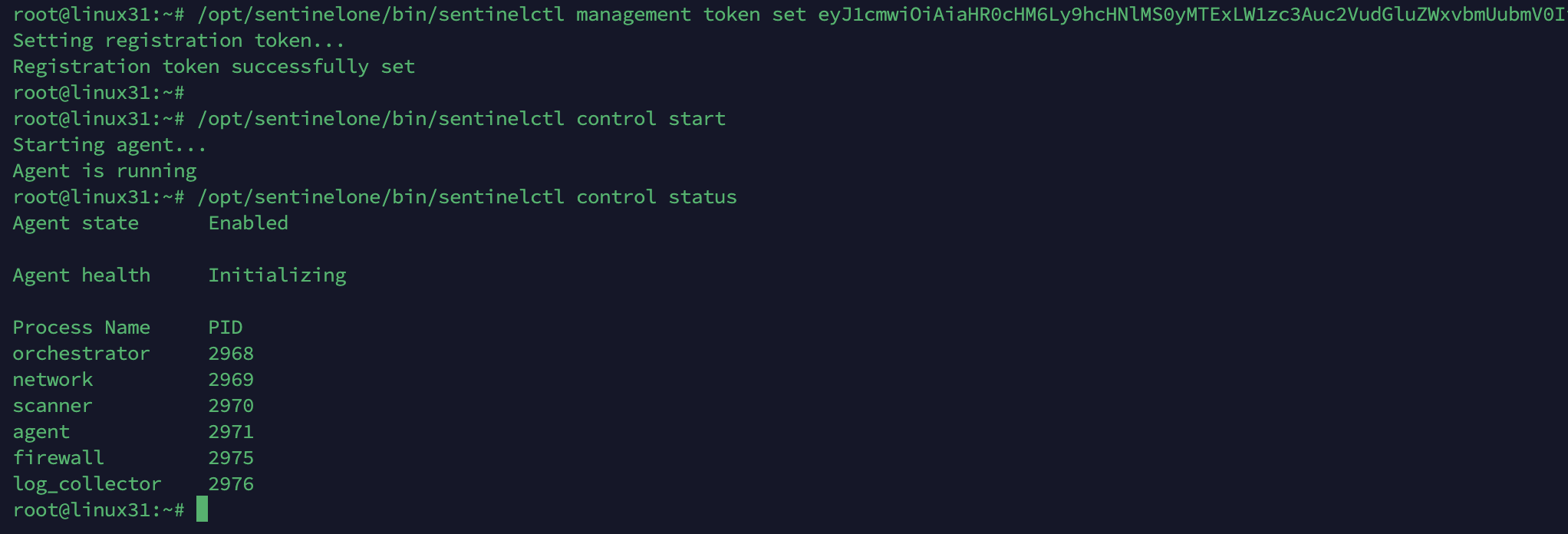
Next, we register the Linux agent using /opt/sentinelone/bin/sentinelctl management token set <Site Token>. We start the agent daemon and verify its status using sentinelctl control status. The output shows all core agent processes (orchestrator, network, scanner, agent, firewall, log_collector) are running.
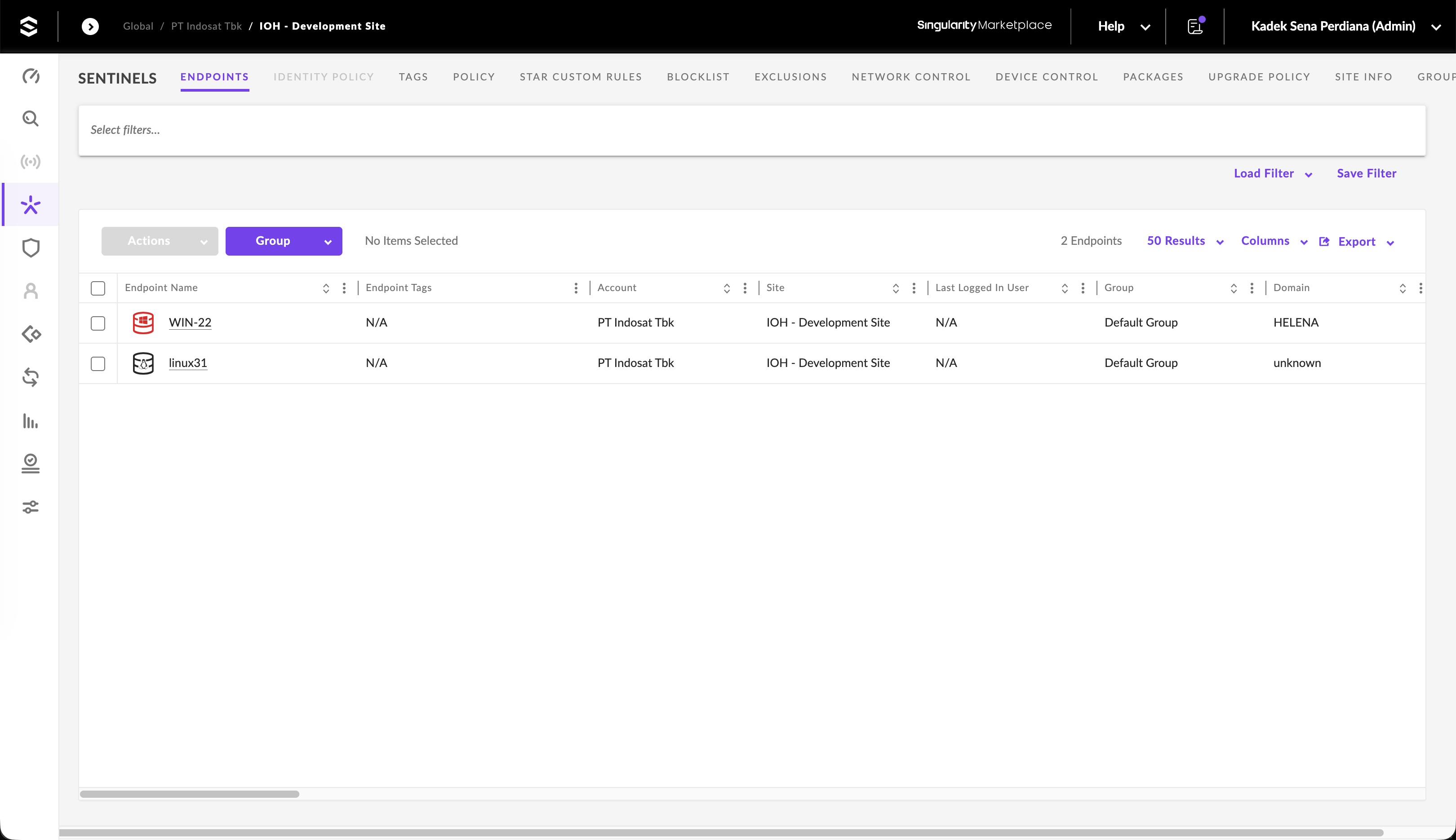
In the Sentinels console, we verify that both the Windows target (WIN-22) and the Linux gateway (linux31) show as healthy and online.
Endpoint Protection Policies
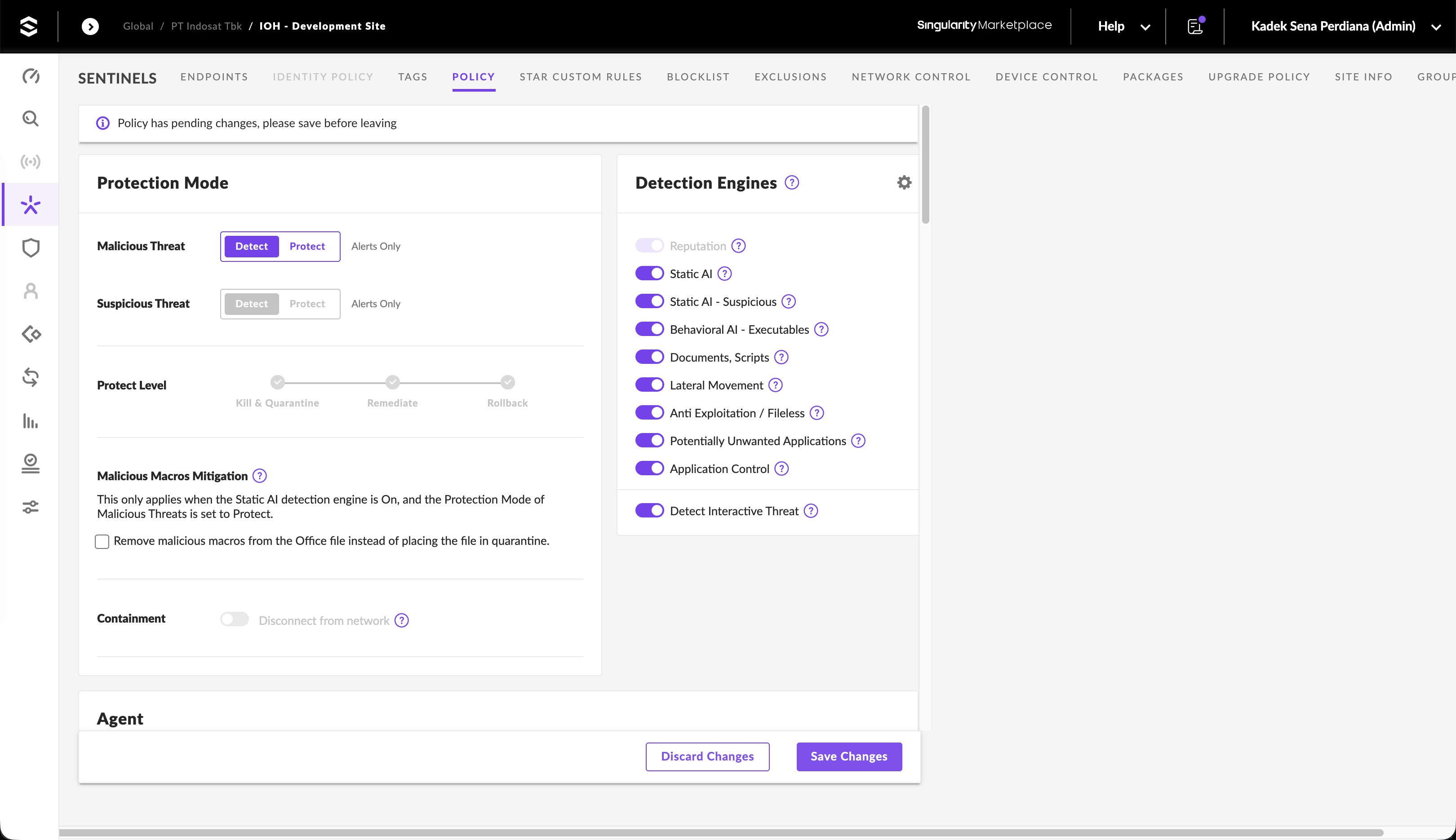
Before simulating attacks, we review our group policy settings. SentinelOne separates threat classifications into Malicious and Suspicious categories, allowing administrators to configure separate responses (Detect vs. Protect). In Protect mode, we can enforce response levels:
- Kill & Quarantine: Terminate malicious processes and move files to quarantine.
- Remediate: Revert changes made by the malware (such as registry edits and file creations).
- Rollback: Leverage VSS shadow copies to restore files and system states modified during the attack.
We ensure that Reputation, Static AI, Behavioral AI, Lateral Movement, and Anti-Exploitation engines are enabled.
Threat Detection and Investigation
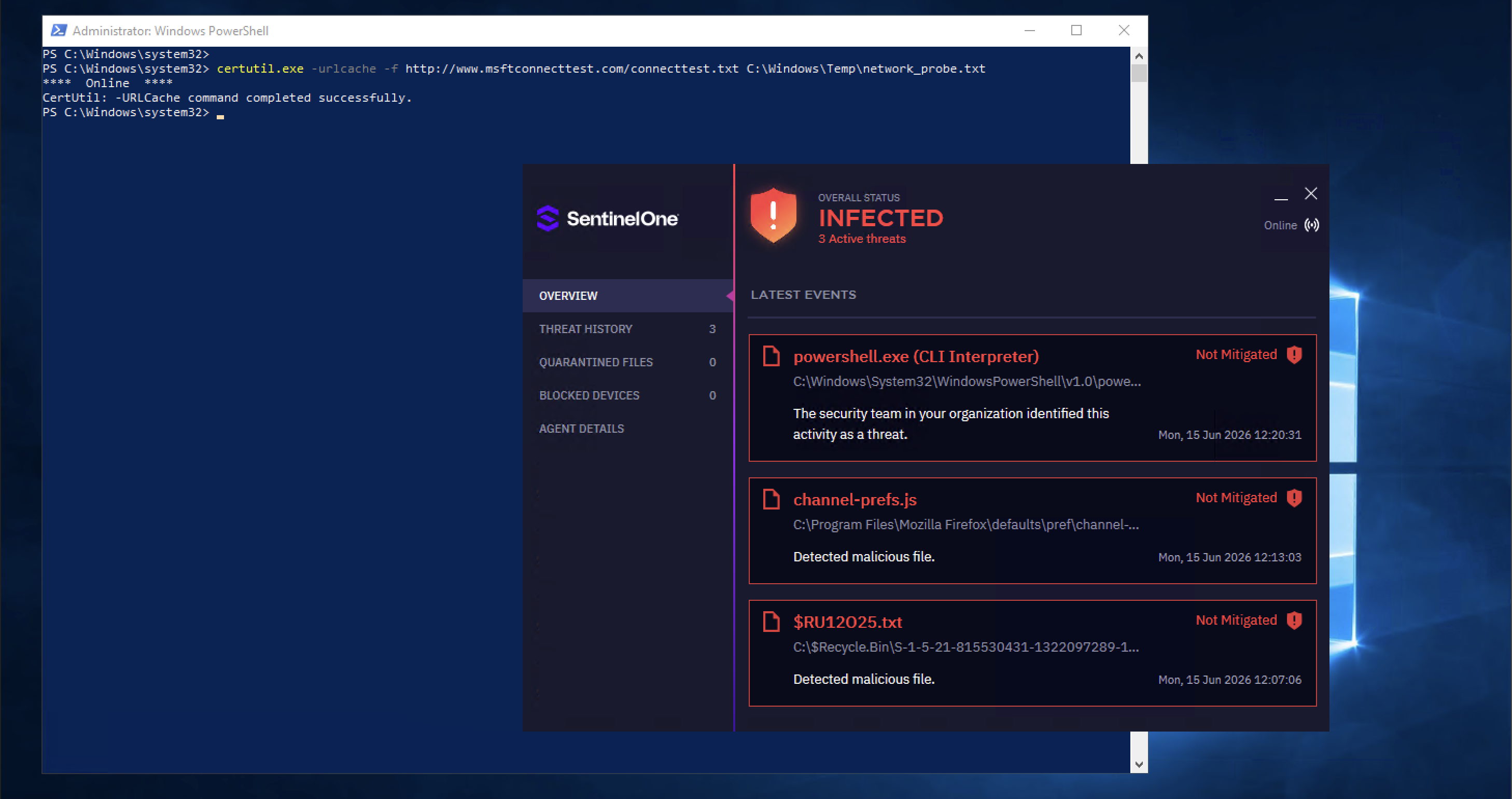
To test detection capabilities, we simulate a malicious payload delivery on WIN-22. In Command Prompt, we attempt to download a file using certutil.exe:
certutil.exe -urlcache -f http://www.msftconnecttest.com/connecttest.txt C:\Windows\Temp\network_probe.txt
The local SentinelOne agent instantly detects the behavior, displaying a desktop notification flagging a powershell-based threat execution.
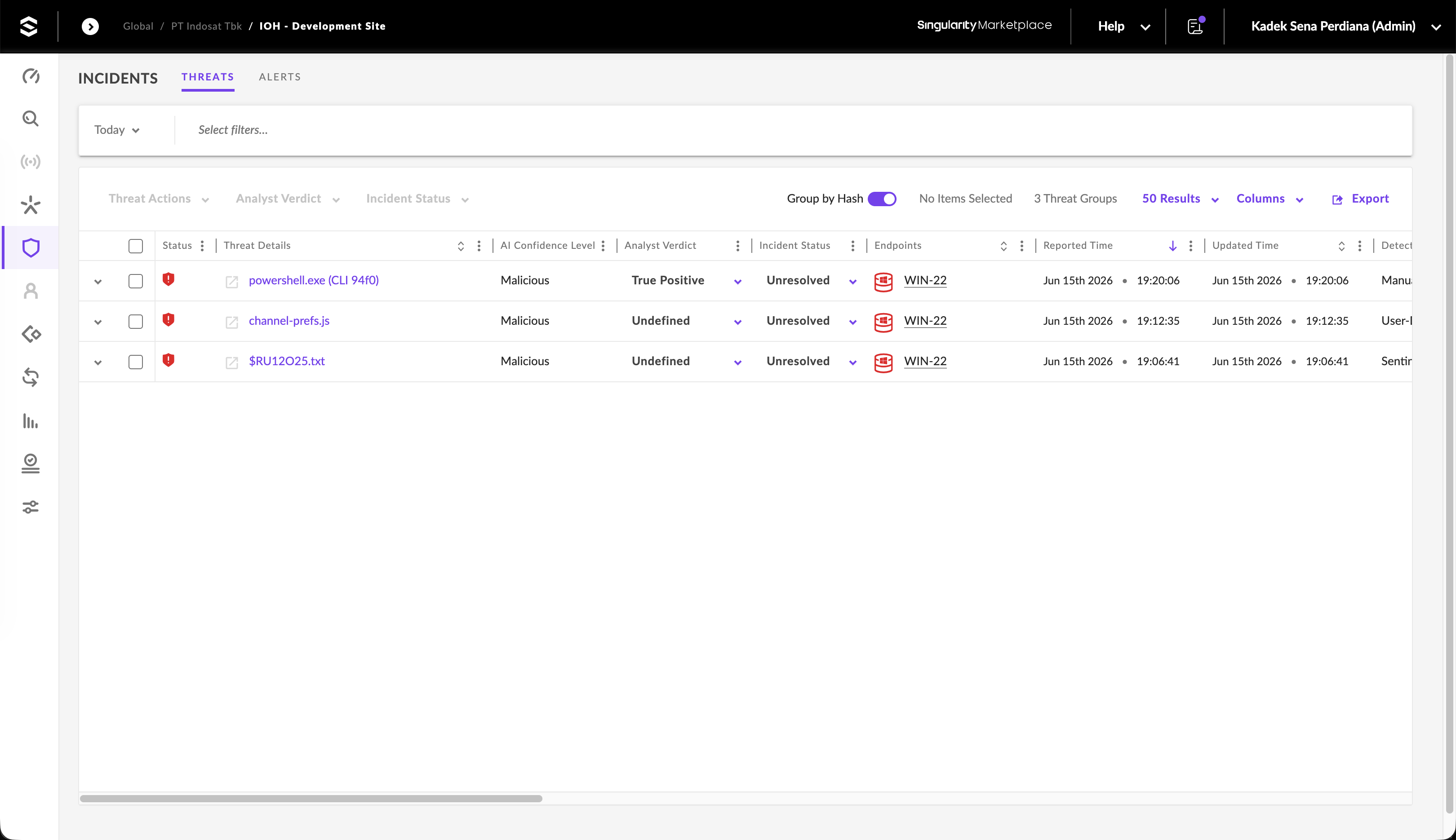
In the console’s Incidents dashboard, the alert generates a new threat group with an AI Confidence Level of Malicious. The analyst verdict defaults to Undefined while waiting for triage.
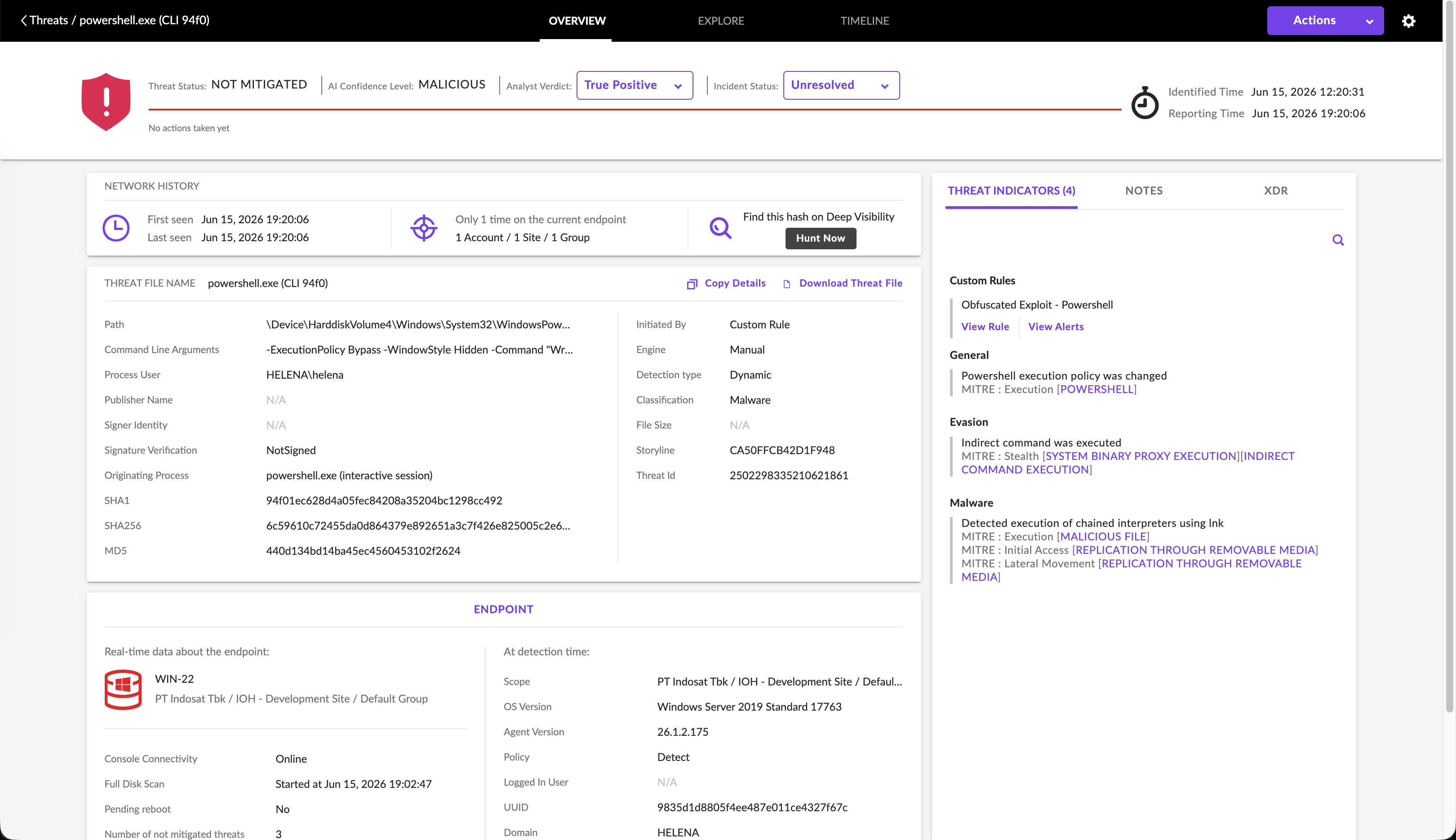
We open the threat details for powershell.exe (CLI 94f0). The panel tracks:
- Command Line Arguments: The execution arguments (
-ExecutionPolicy Bypass -Windowstyle Hidden -Command "W.r..."). - Storyline (Storyline ID):
CA50FFCB42D1F948(the unique tracker linking all process telemetry related to this thread). - MITRE ATT&CK Indicators: Flags Powershell Execution policy change (Execution), System Binary Proxy Execution (Stealth/Evasion), and execution of chained interpreters.
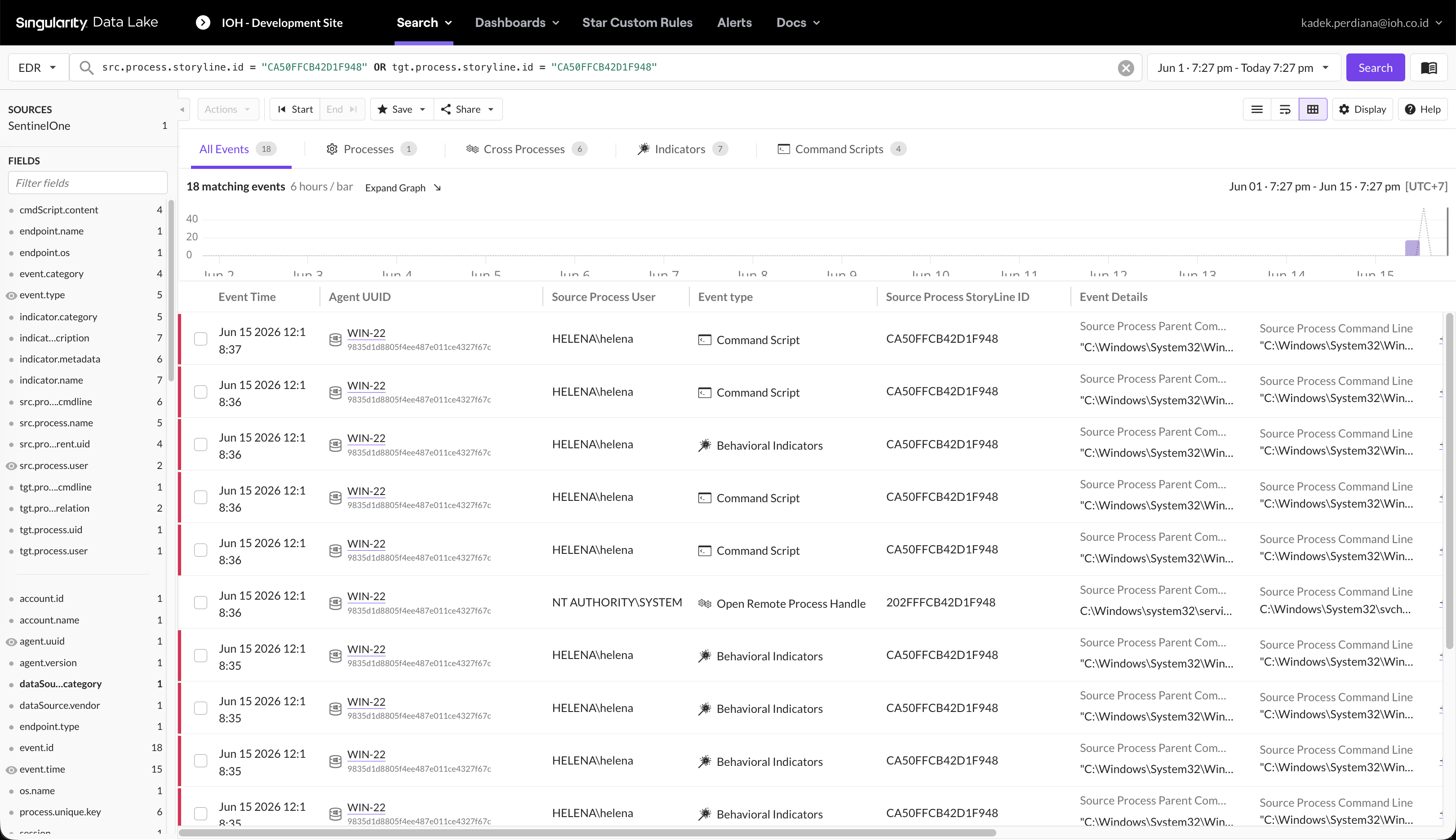
We utilize SentinelOne’s Deep Visibility query engine to trace events sharing the storyline ID:
src.process.storyline.id = "CA50FFCB42D1F948" OR tgt.process.storyline.id = "CA50FFCB42D1F948"
The query returns 18 matching behavioral indicators and script executions across our target host.
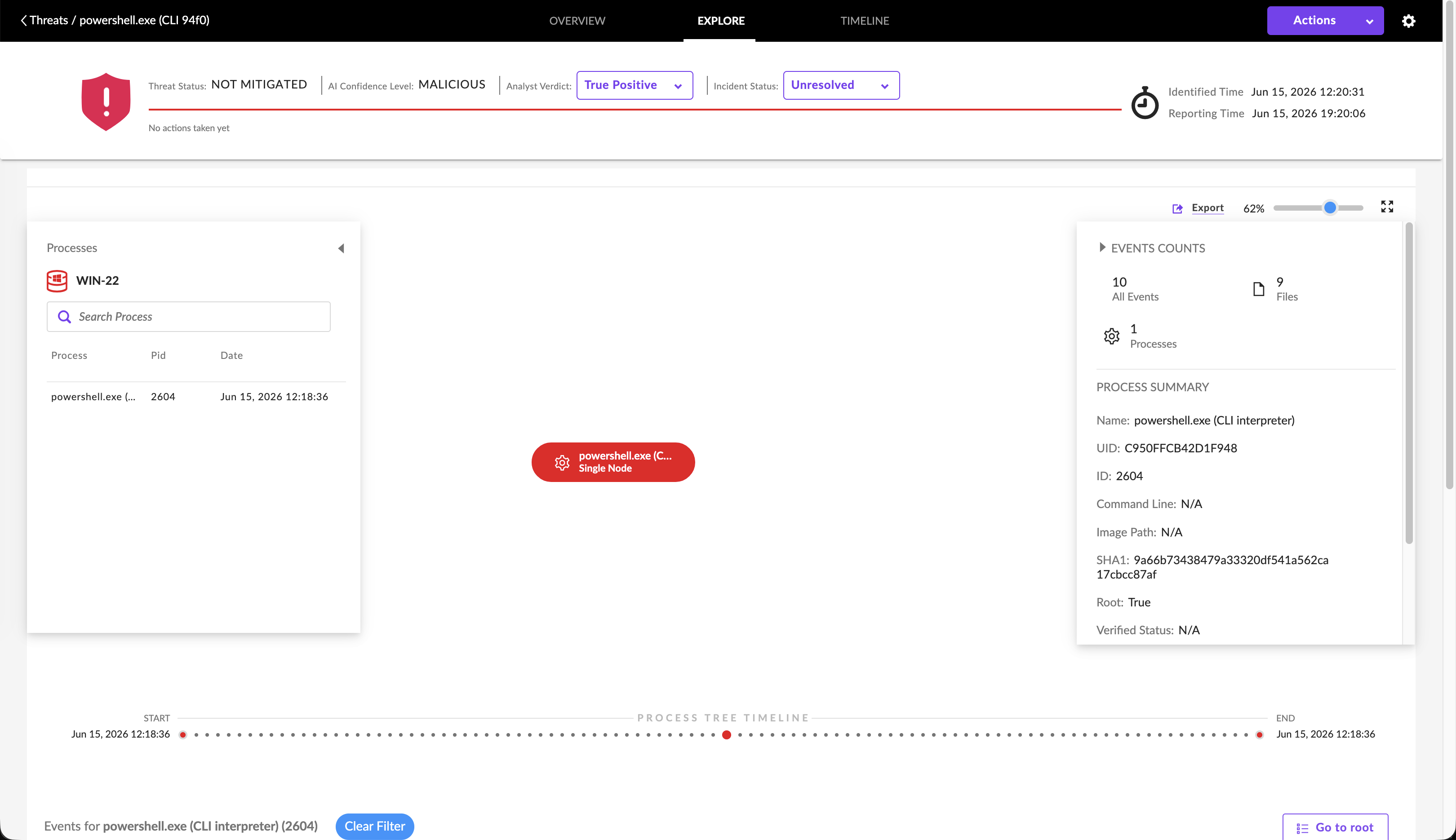
We load the timeline view to examine the process tree. The process node details the originating parent process (cmd.exe) spawning the malicious PowerShell session.
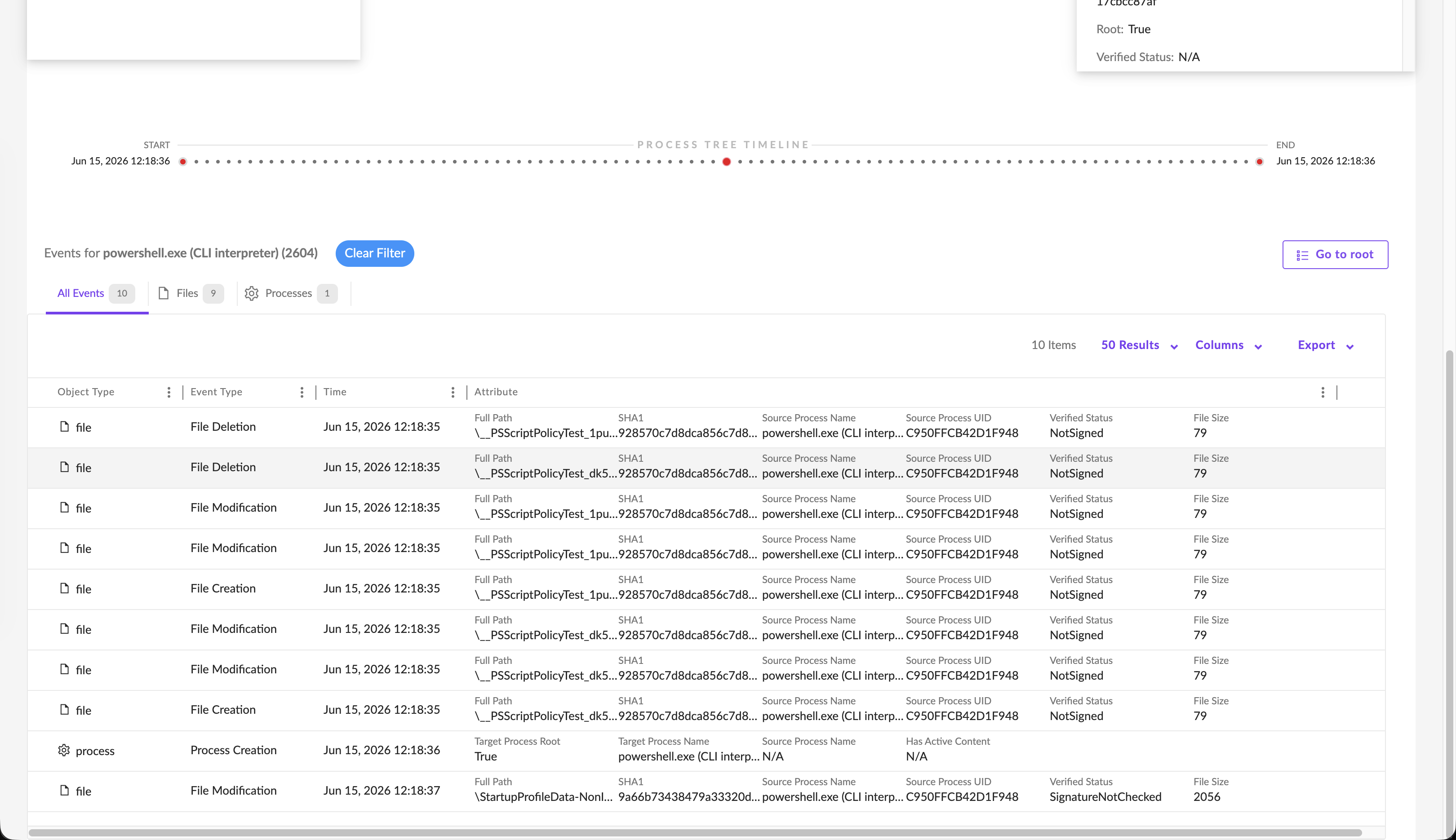
Under the events tab, we view the exact file modifications and process creation logs associated with the incident.
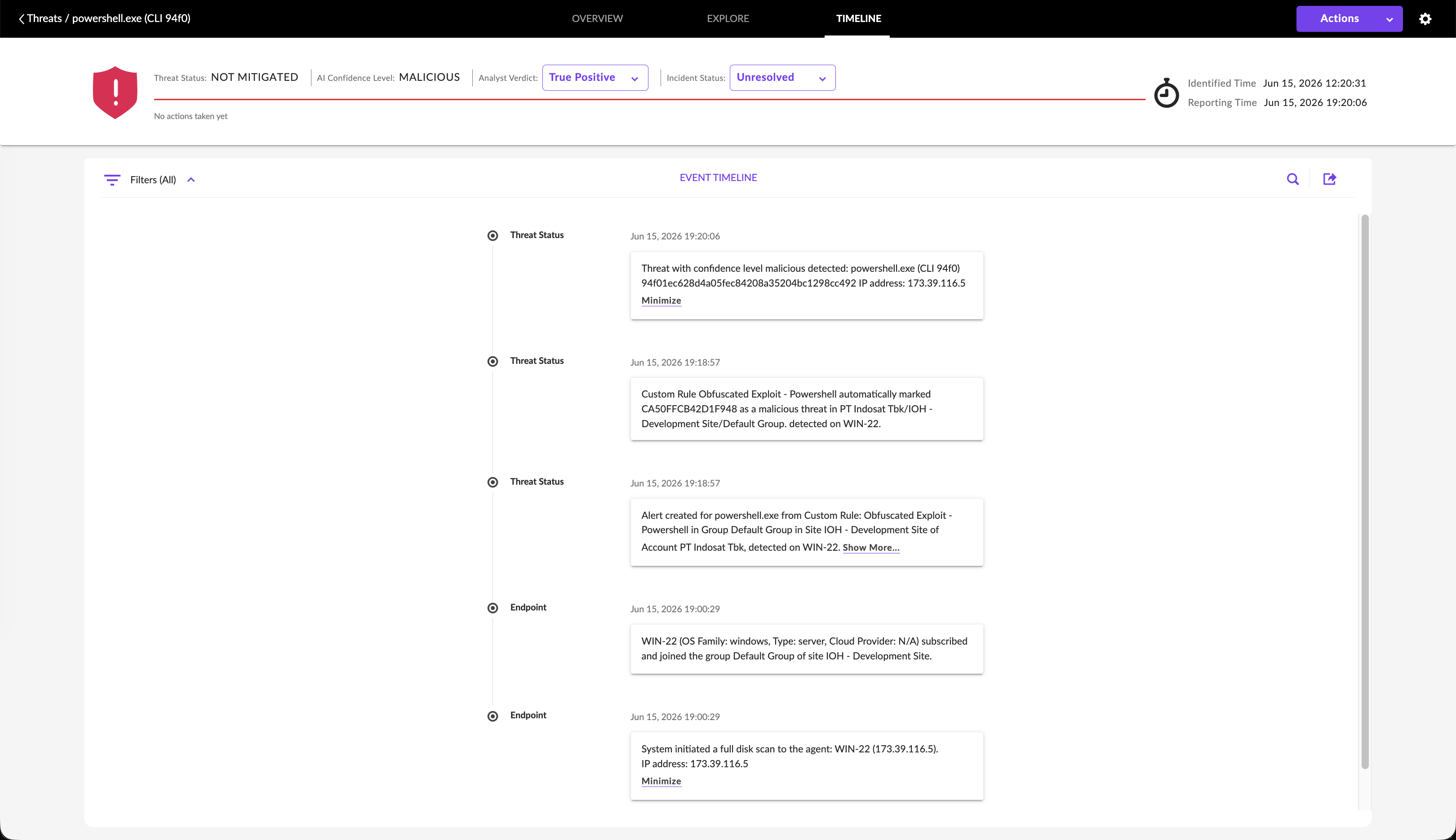
The threat event timeline confirms that a custom rule (“Obfuscated Exploit - Powershell”) successfully marked the storyline CA50FFCB42D1F948 as malicious.
Threat Remediation and Blocklisting
To resolve the incident, we open the threat action panel. We select the analyst verdict True Positive and enable mitigation actions. SentinelOne allows us to run a comprehensive response: Kill, Quarantine, Remediate, and Rollback in a single transaction.
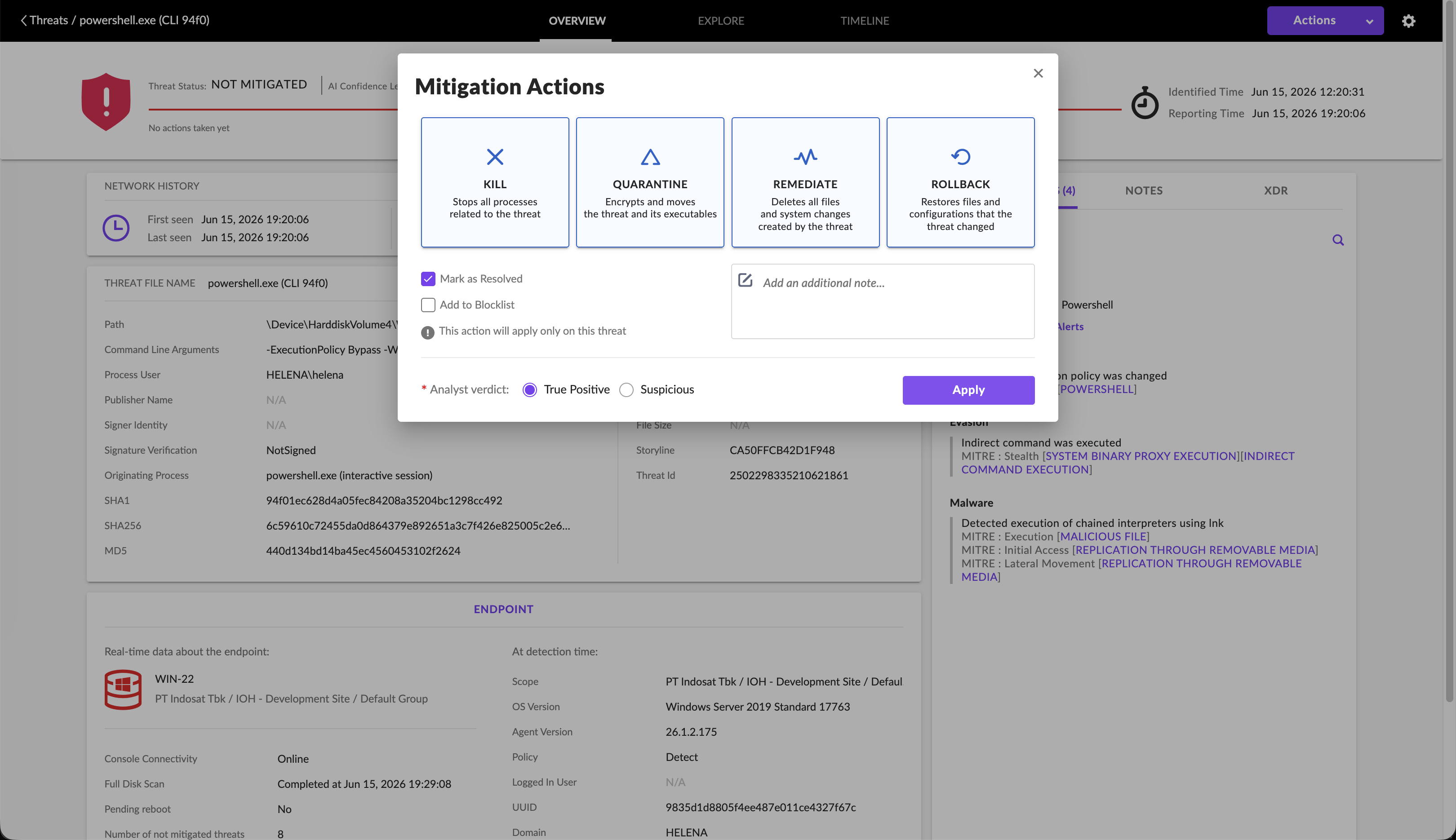
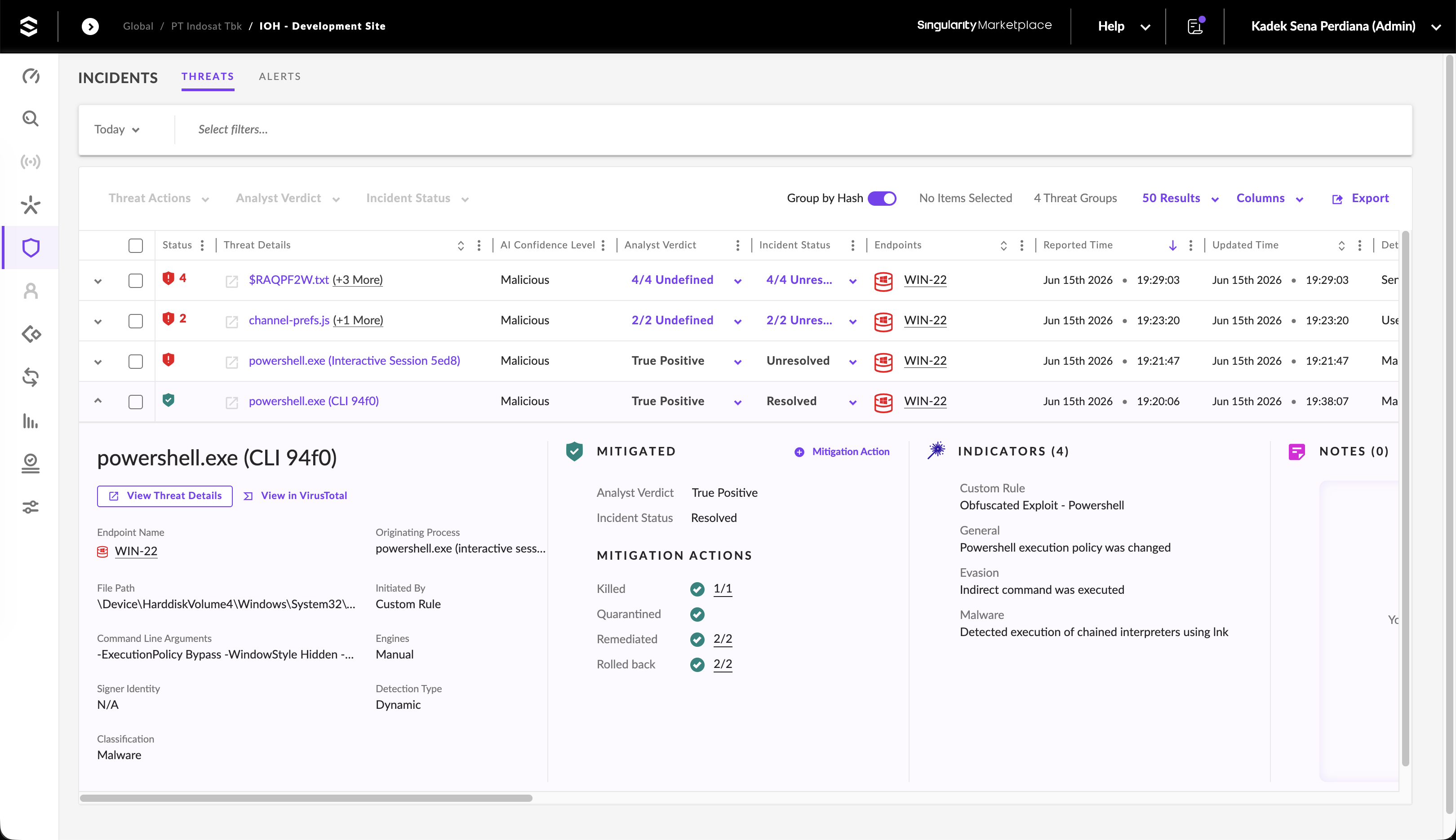
Once applied, the console logs the threat status as MITIGATED and the incident status as Resolved. The actions successfully terminated the processes and cleaned up any system changes.
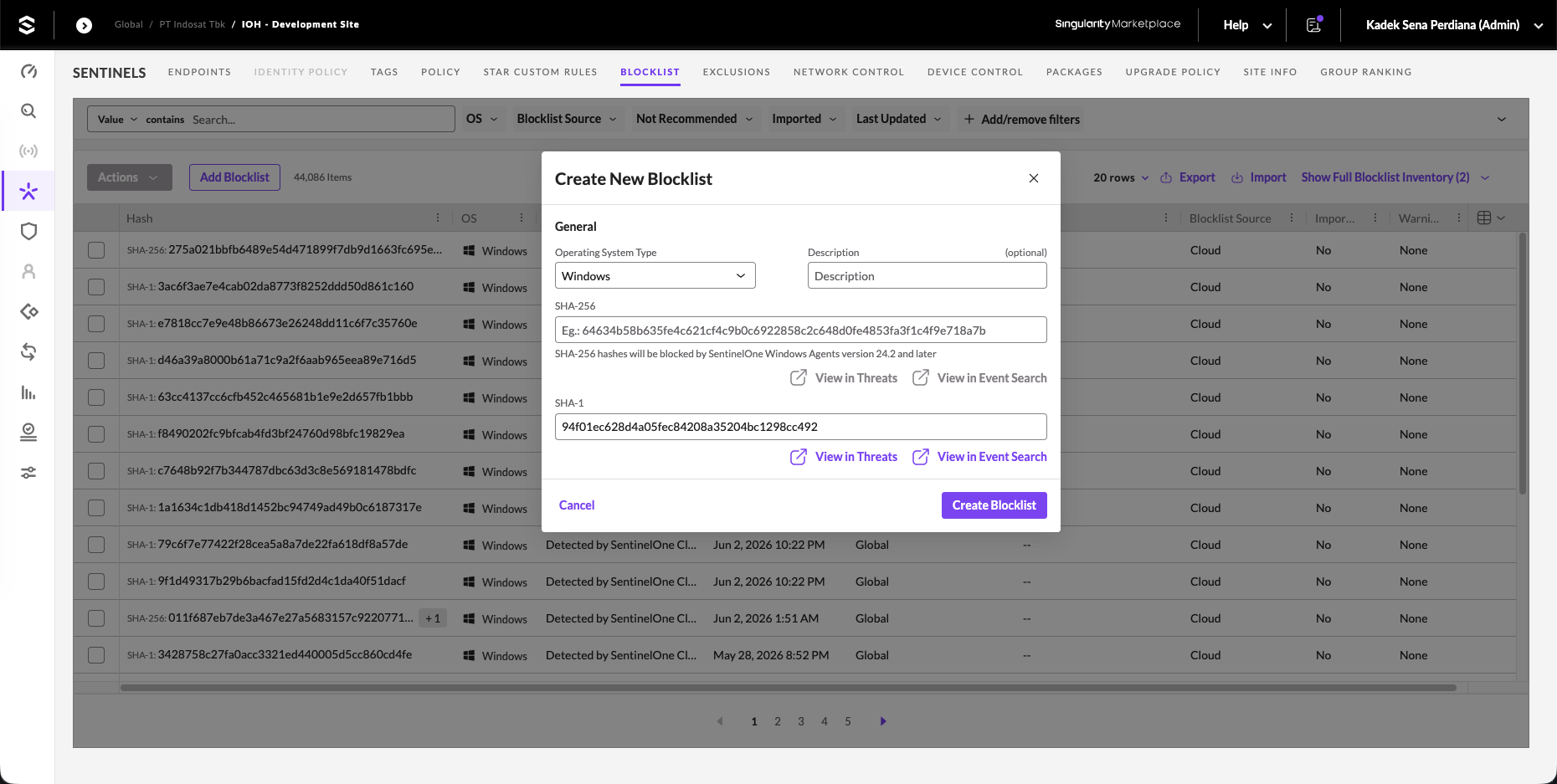
To prevent the threat signature from executing again across our enterprise, we copy the file hash (SHA-1: 94f01ec628d4a05fec84208a35204bc1298cc492) and add it to our global Blocklist under policies.
Outbound Firewall Rules
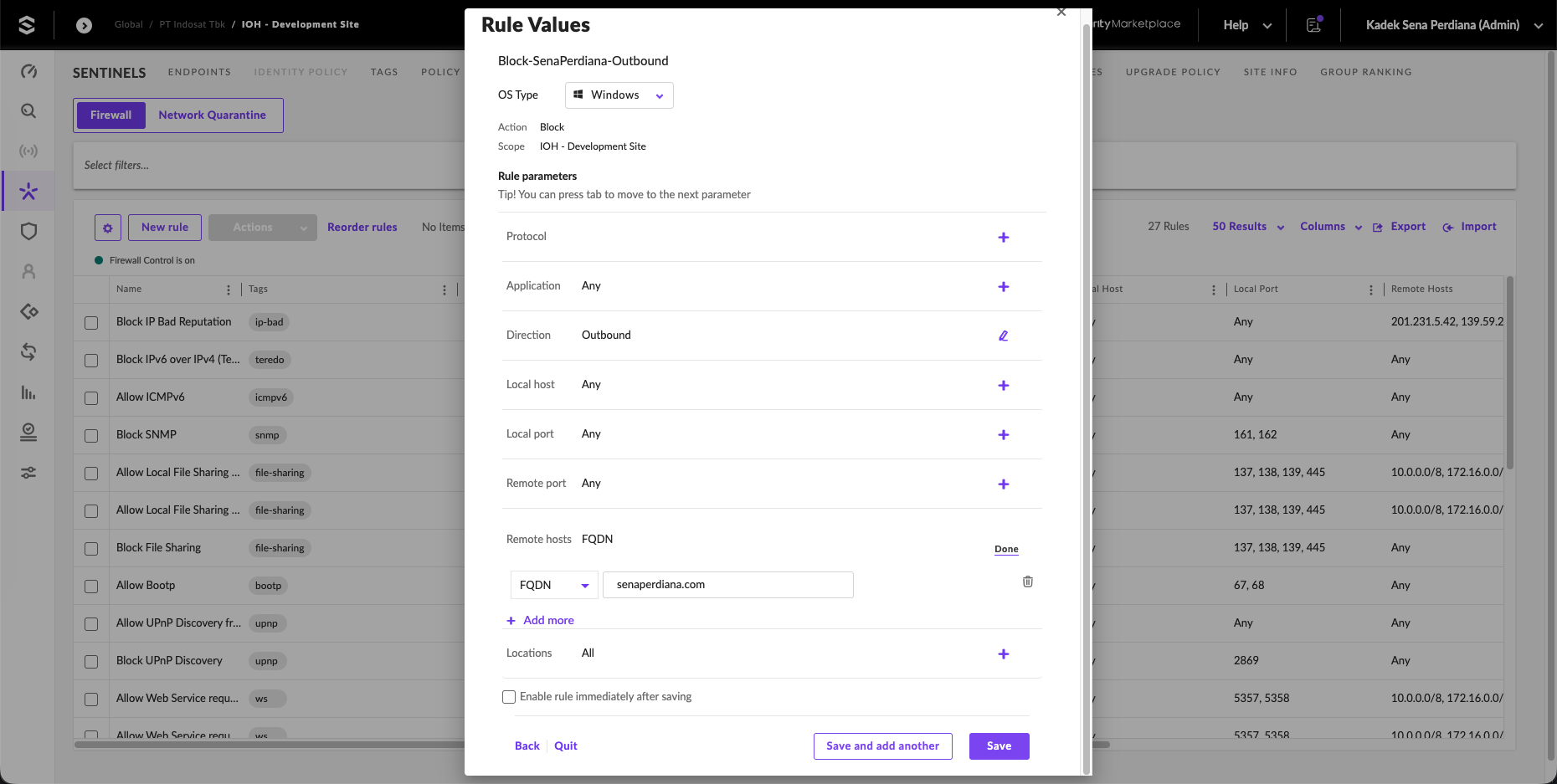
SentinelOne provides local firewall control on agents. We configure a firewall rule to block outbound network connections. Under Network Control, we click New rule and create a rule named Block-SenaPerdiana-Outbound targeting the Windows platform.
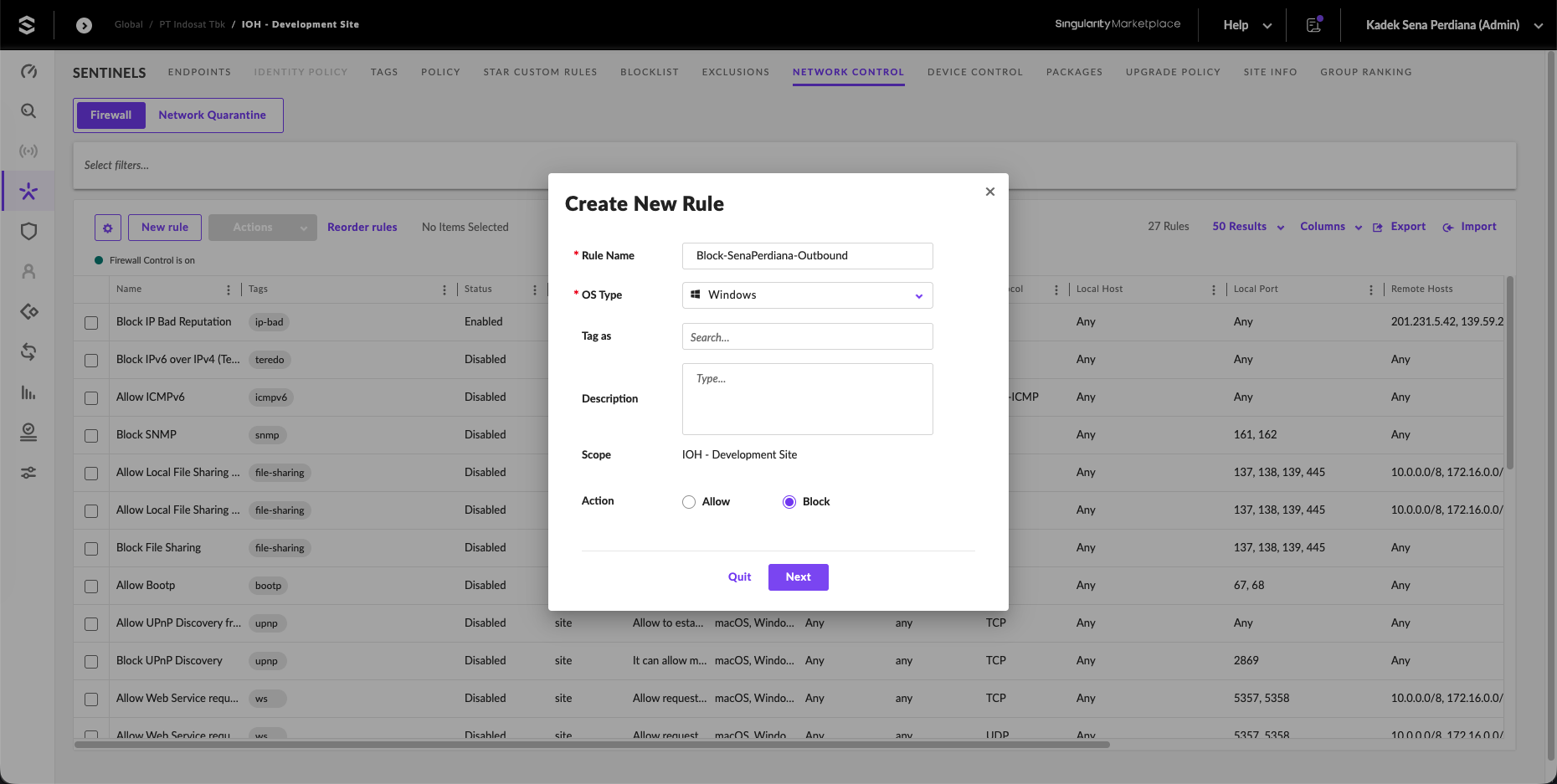
We define the rule parameters:
- Protocol: Any
- Direction: Outbound
- Action: Block
- Remote Hosts FQDN:
senaperdiana.com
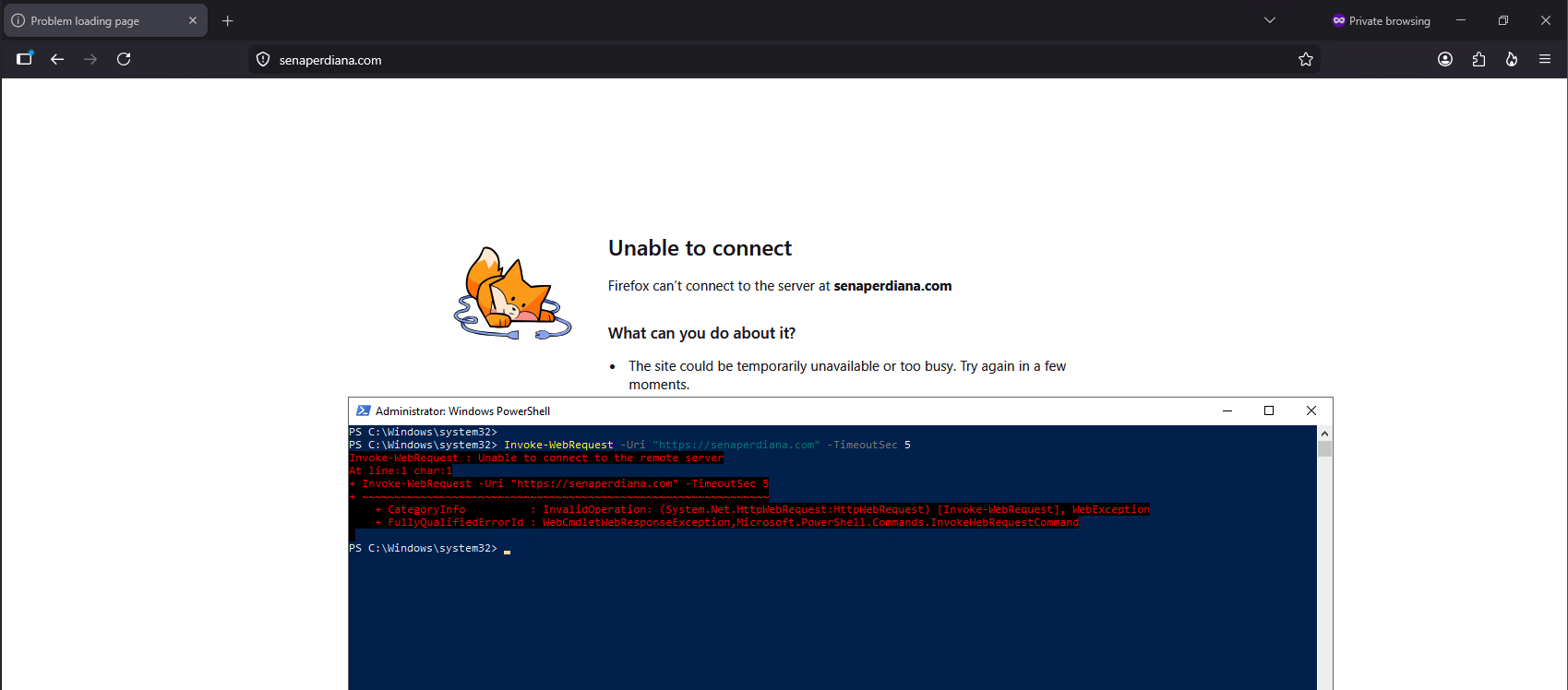
To test the outbound rule on WIN-22, we attempt to browse to senaperdiana.com in Firefox and execute Invoke-WebRequest -Uri "https://senaperdiana.com" in PowerShell. The request times out and Firefox fails to establish a connection, confirming that the agent is enforcing the firewall rule.
XDR with Check Point Firewall
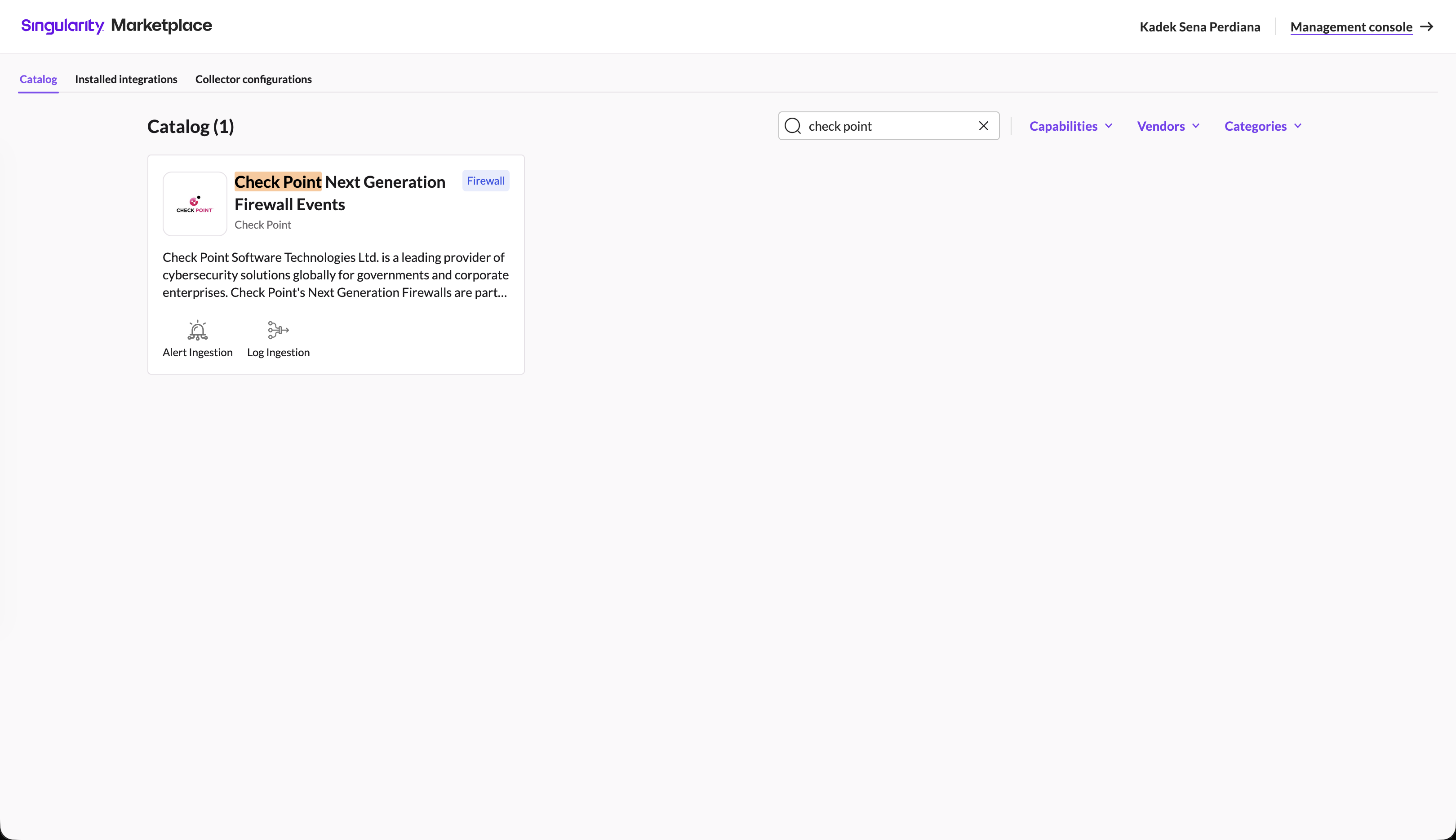
We extend our threat detection capabilities to the network perimeter by integrating Check Point firewall log ingestion, laying the foundation for cross-layer XDR analysis. In the Singularity Marketplace, we search for the Check Point Next Generation Firewall Events integration.
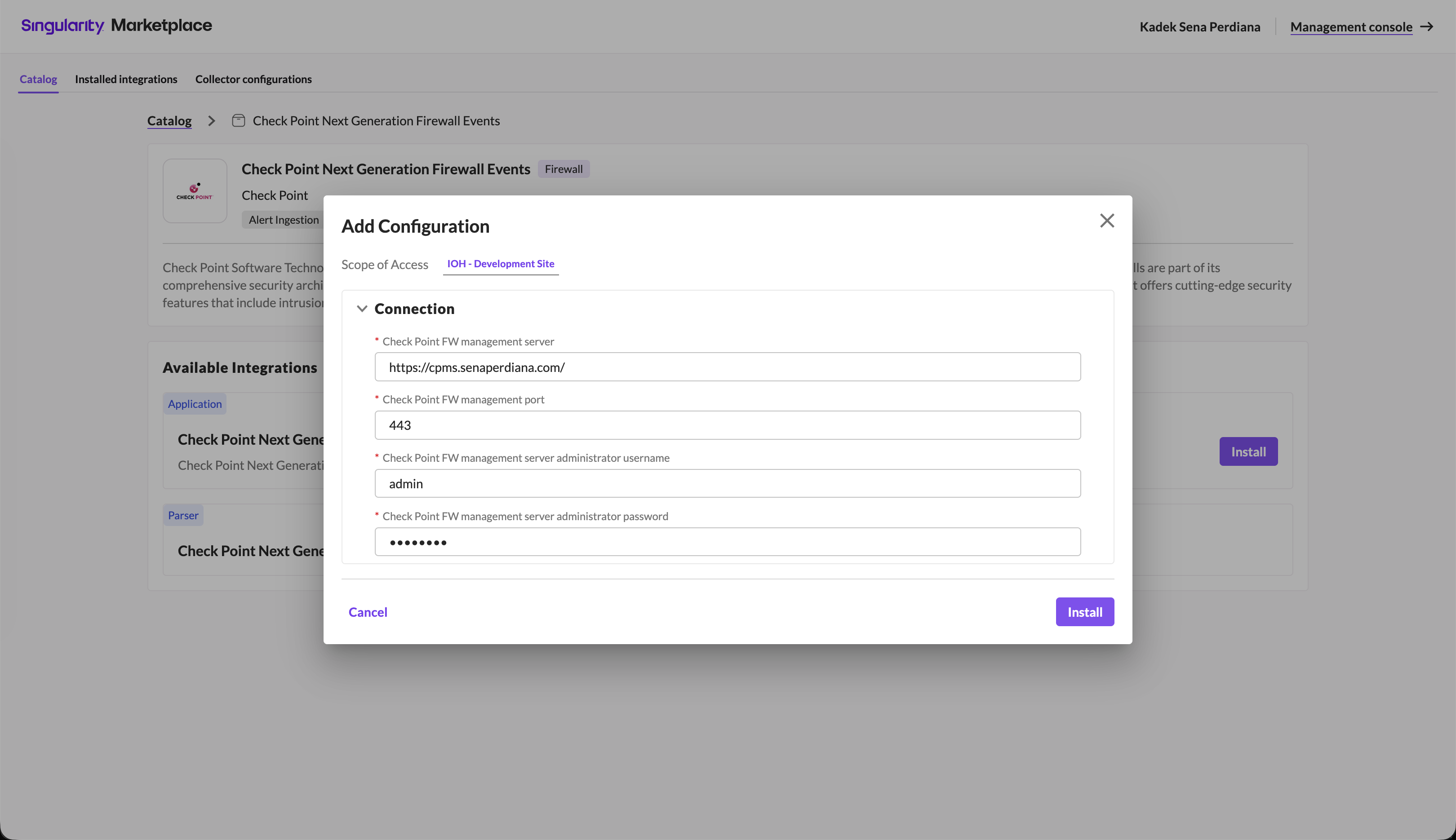
We add a new configuration, targeting our local site scope. We input the Check Point management server URL (https://cpms.senaperdiana.com/), connection port (443), and admin credentials.
The integration installs successfully and transitions to the Active state.
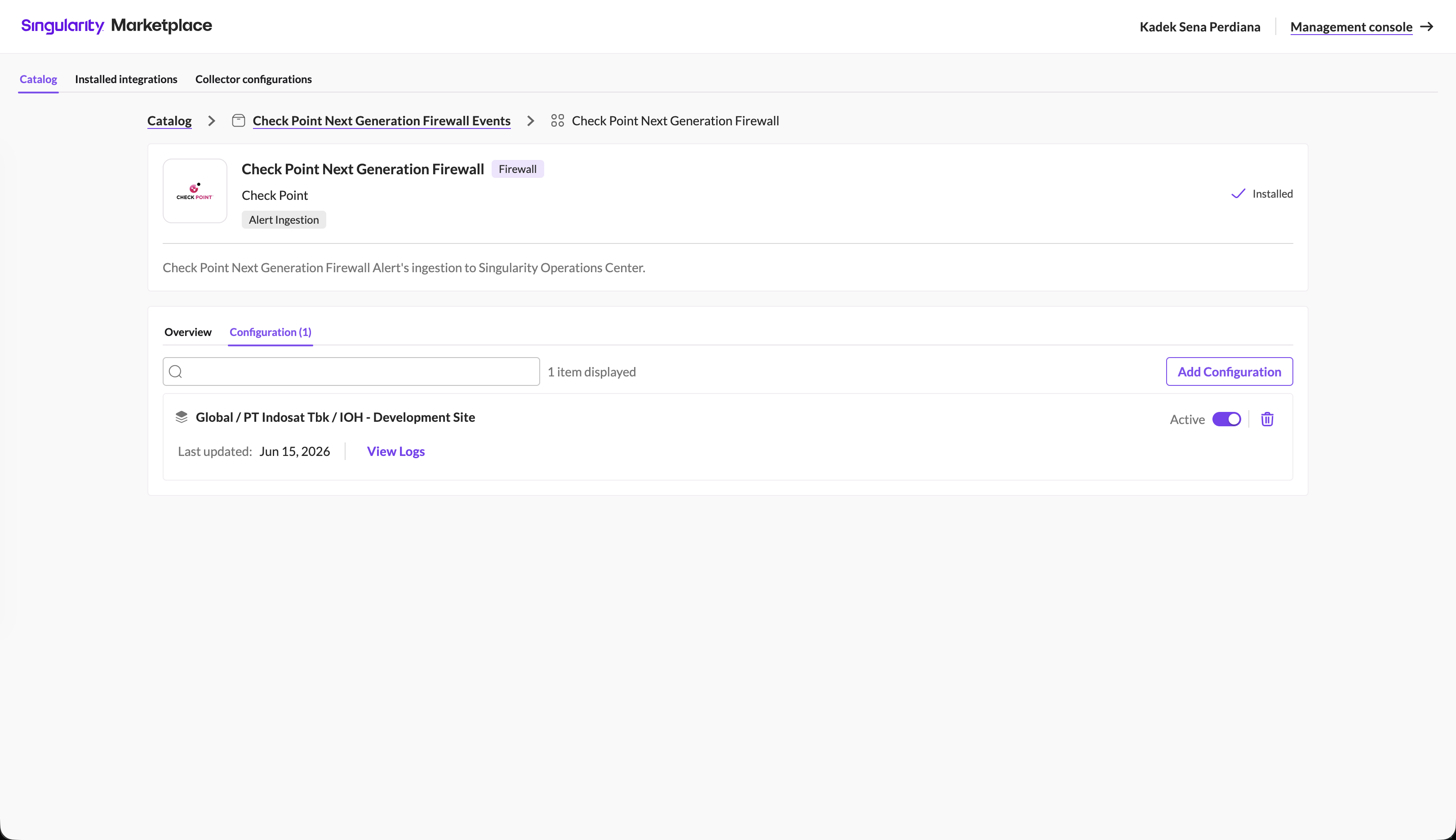
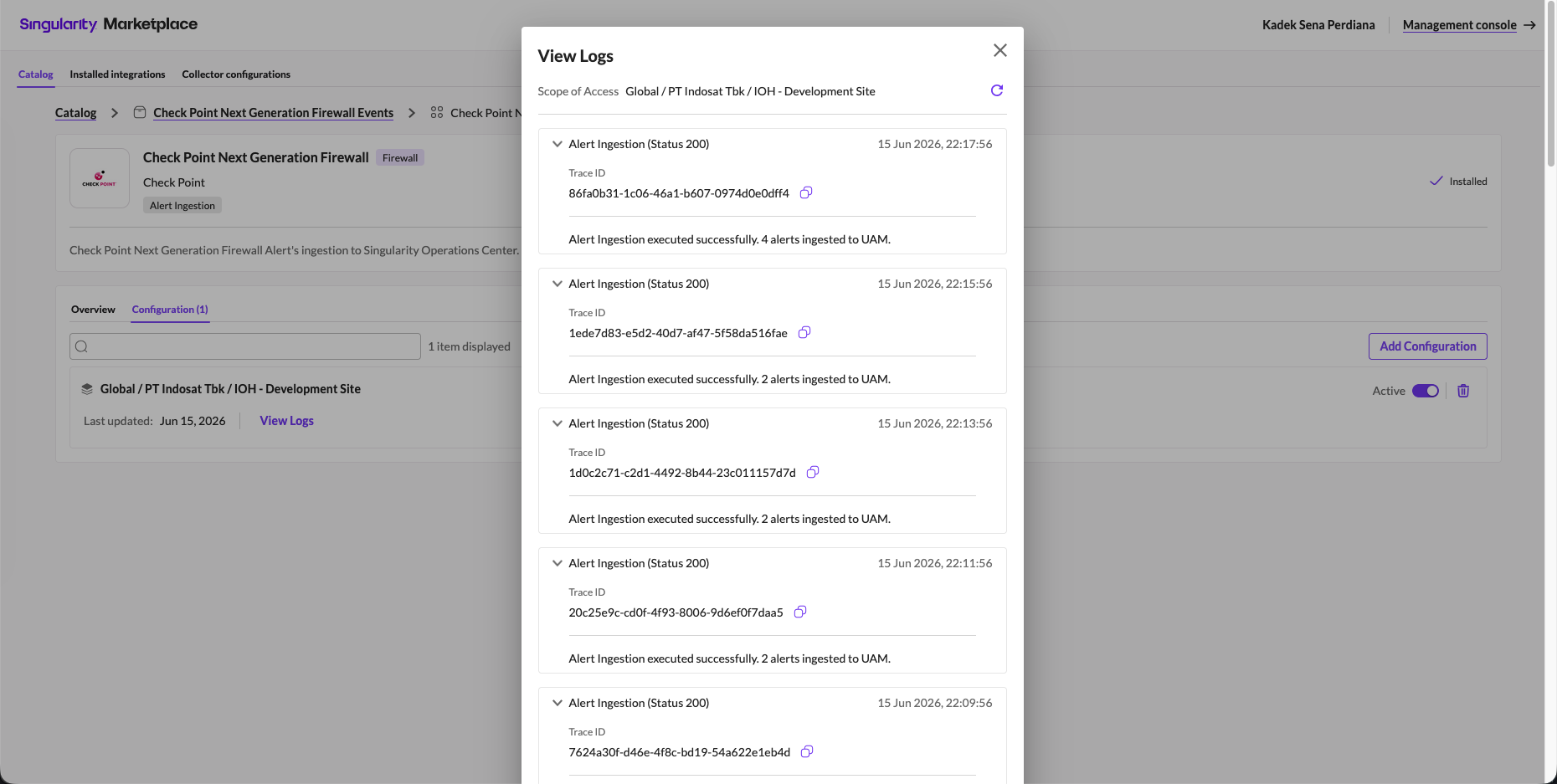
The integration task logs verify successful ingestion of Check Point alerts into the SentinelOne Unified Alert Management (UAM) engine.
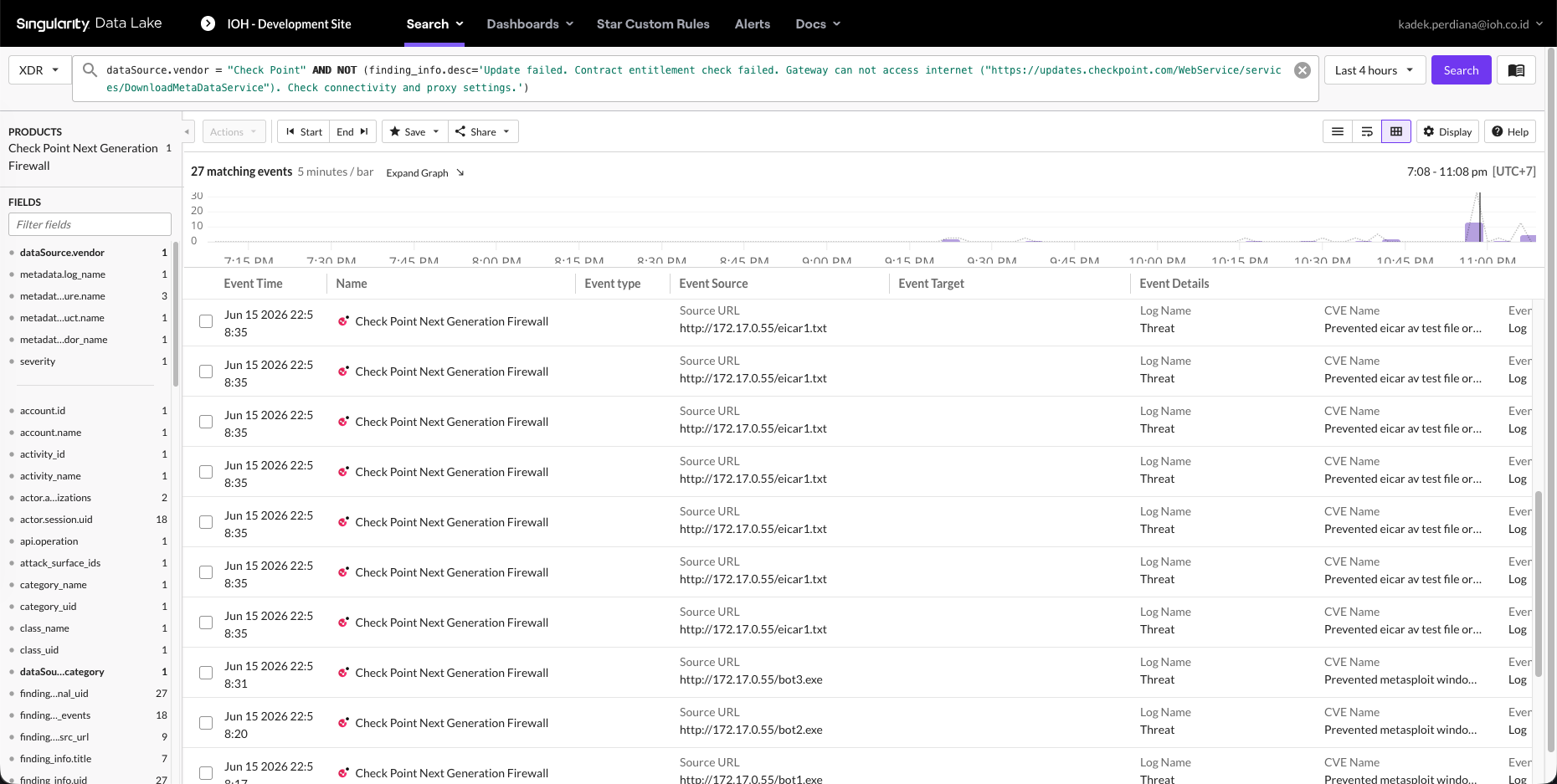
We query the Singularity Data Lake to verify network logs:
dataSource.vendor = "Check Point" AND NOT (...)
The query returns 27 matching firewall alert events, showing logs for blocked malware signatures and EICAR test downloads at the perimeter.
Custom XDR Rules
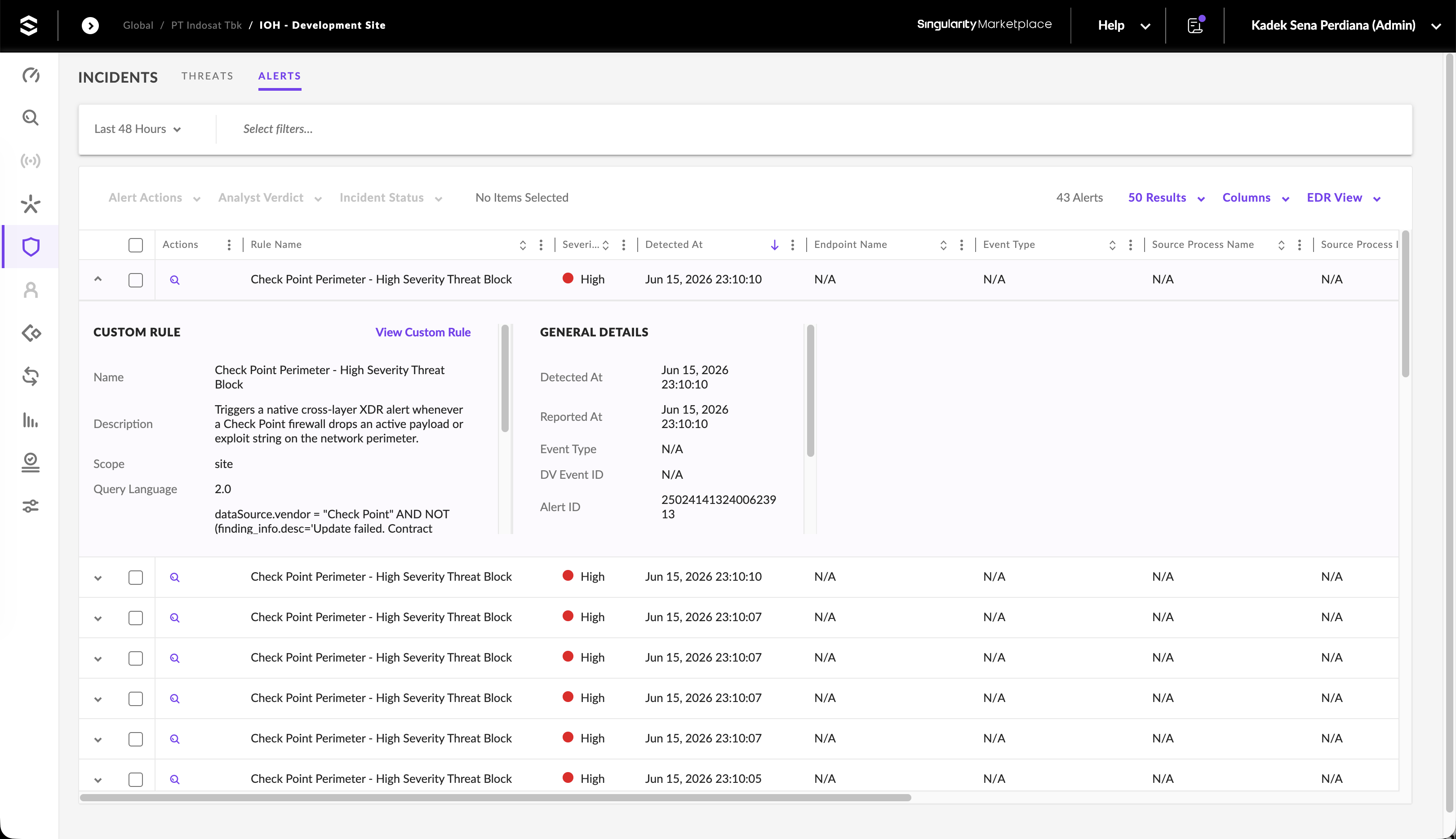
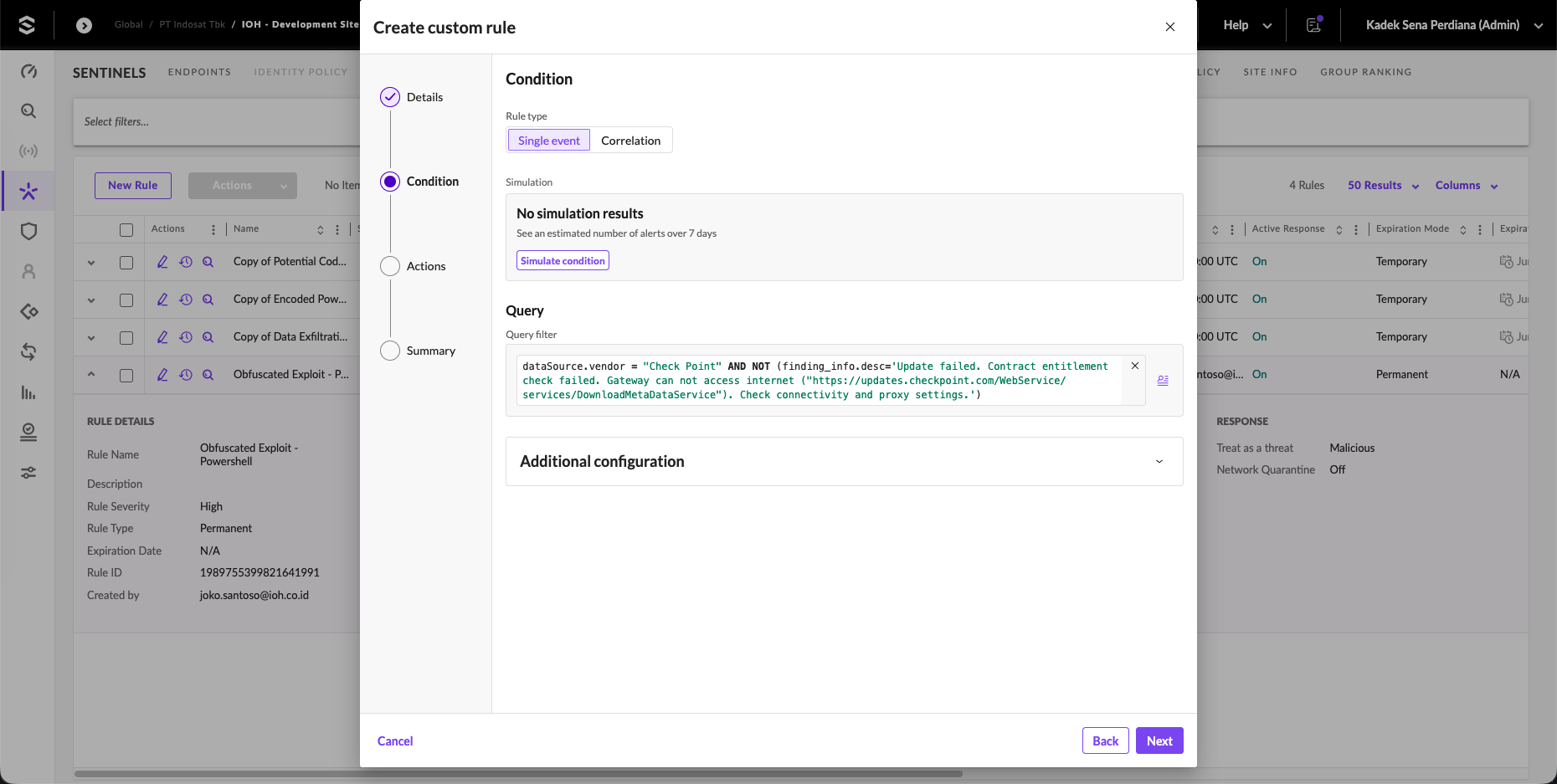
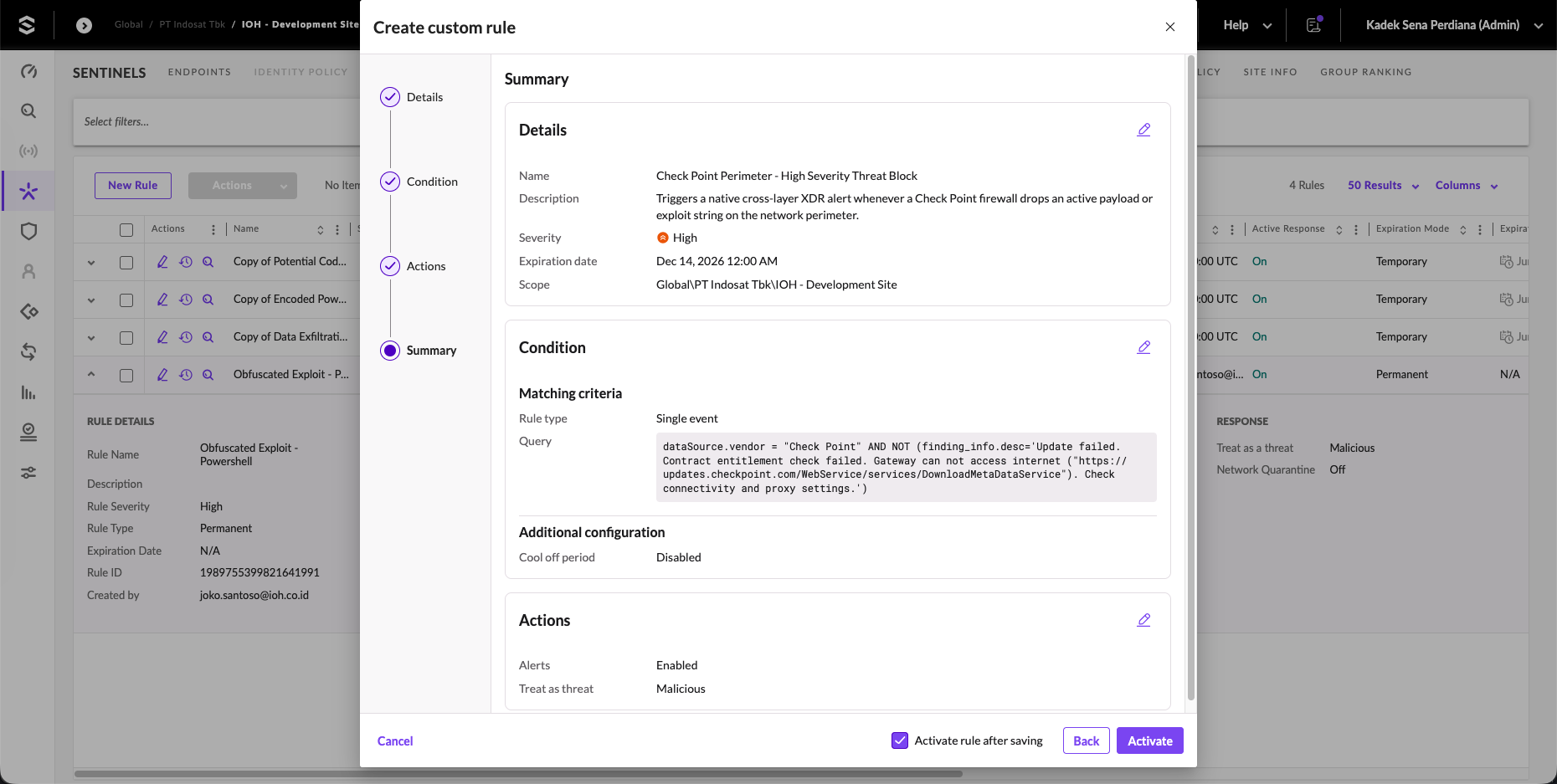
To link network logs with host telemetry, we create a custom correlation rule. Under STAR Custom Rules, we configure a new rule named Check Point Perimeter - High Severity Threat Block with a High severity rating.
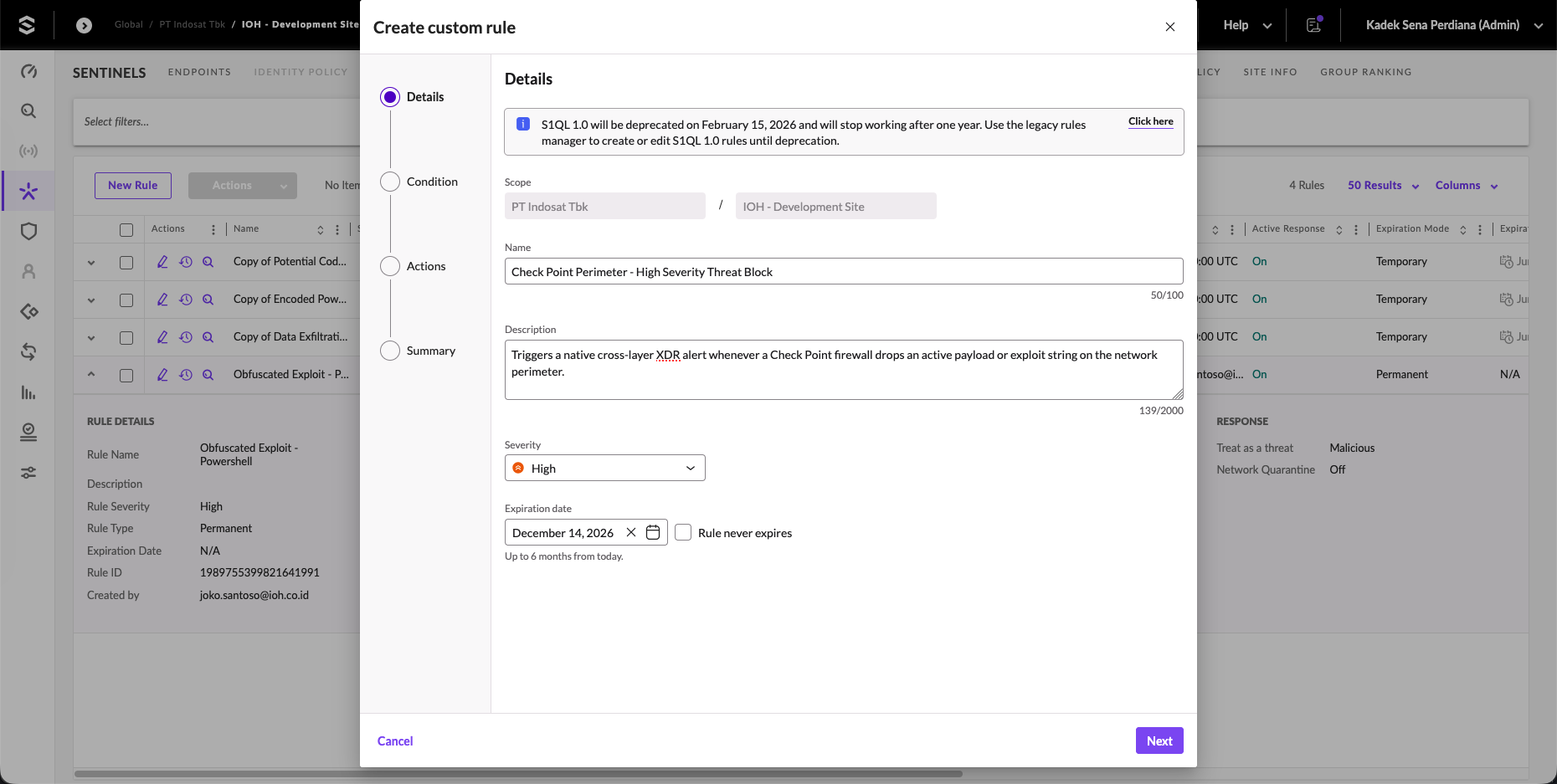
We assign the search query condition, targeting our Check Point firewall logs.
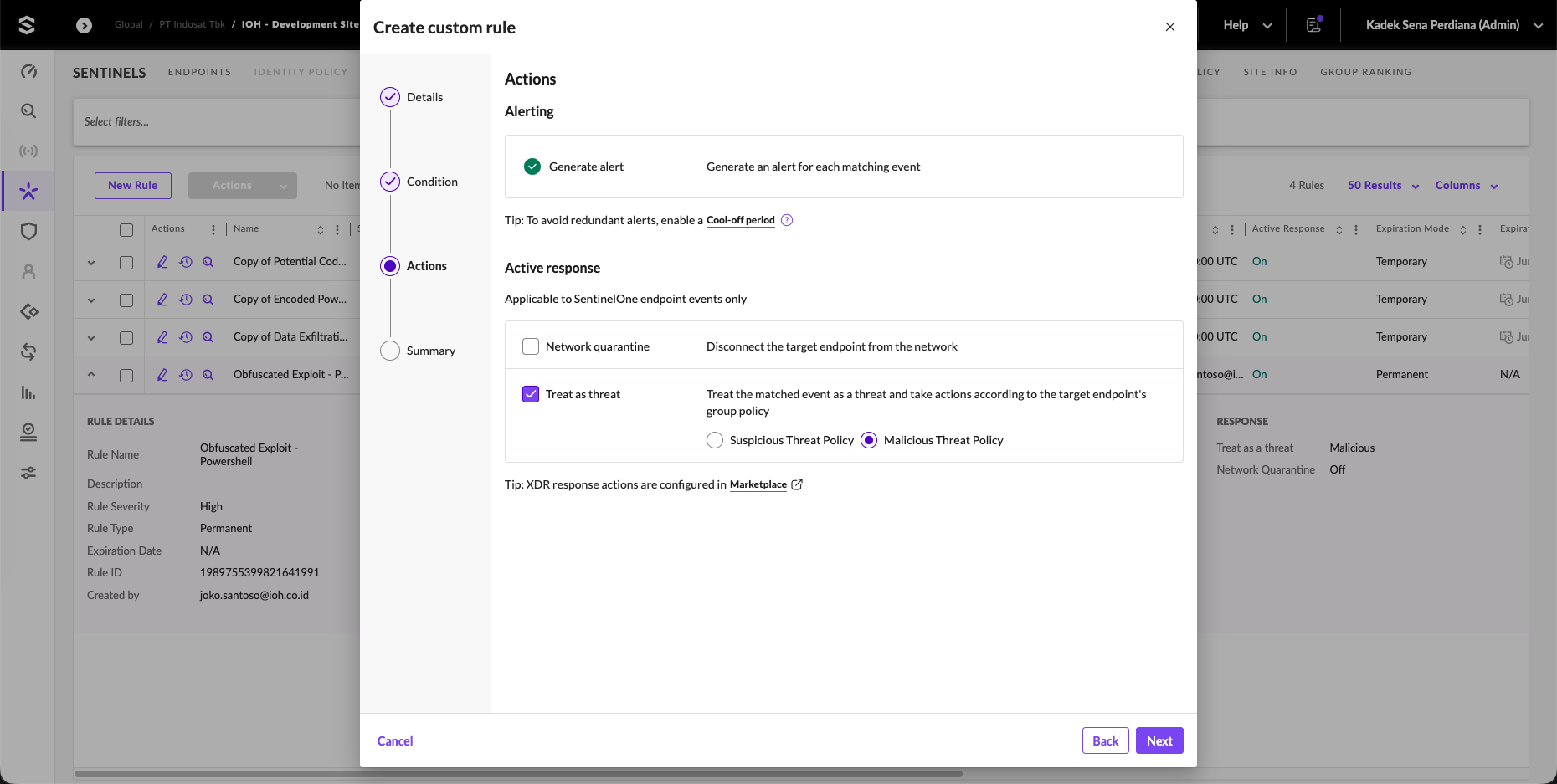
We define the automated response actions. We enable Network quarantine (to isolate any endpoint associated with these alerts) and select Treat as threat to trigger group policy protection levels automatically.
We review the rule configuration summary and click Activate to deploy the rule in the console.
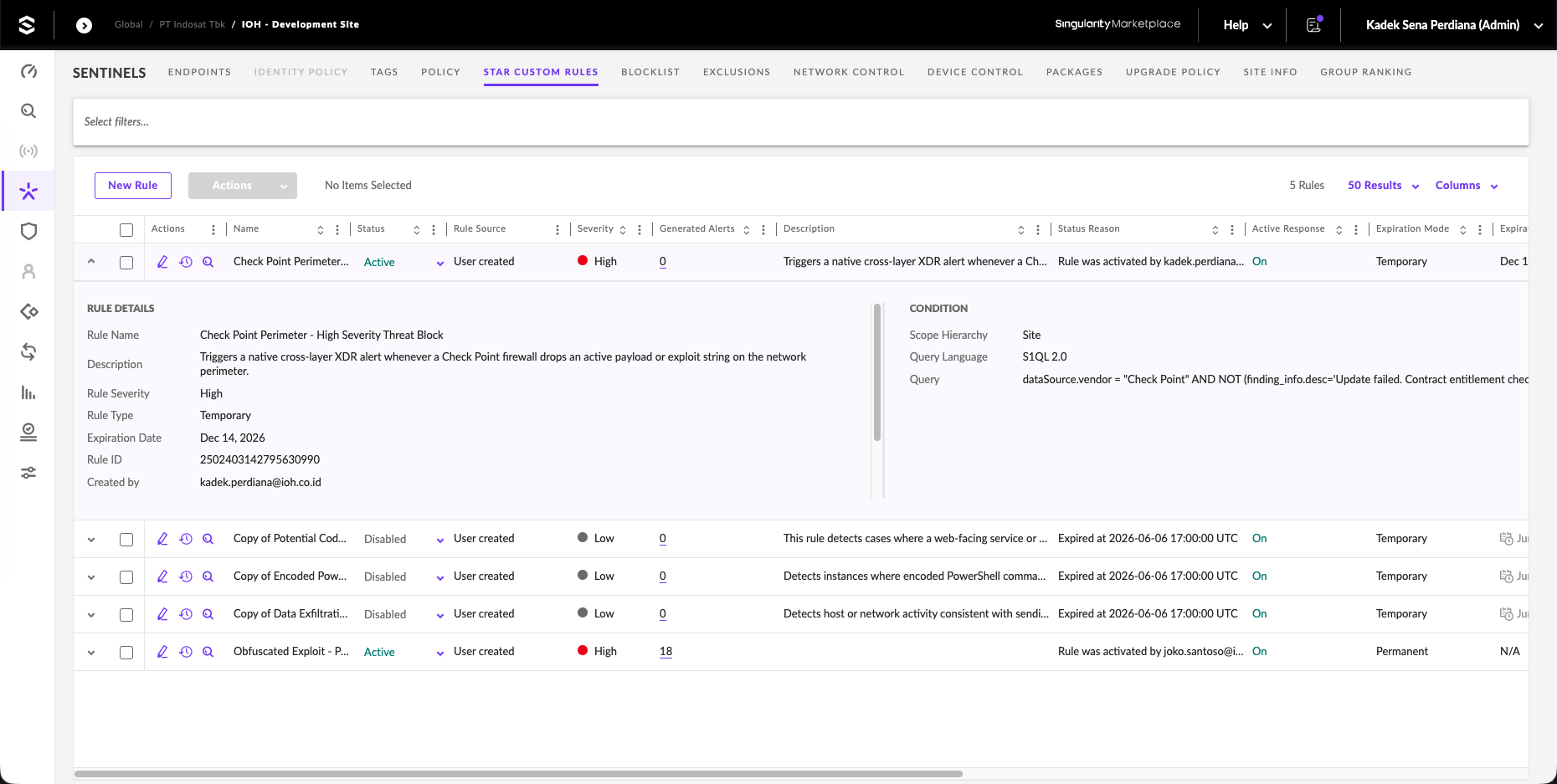
The rules dashboard confirms that the custom XDR block rule is active and running.
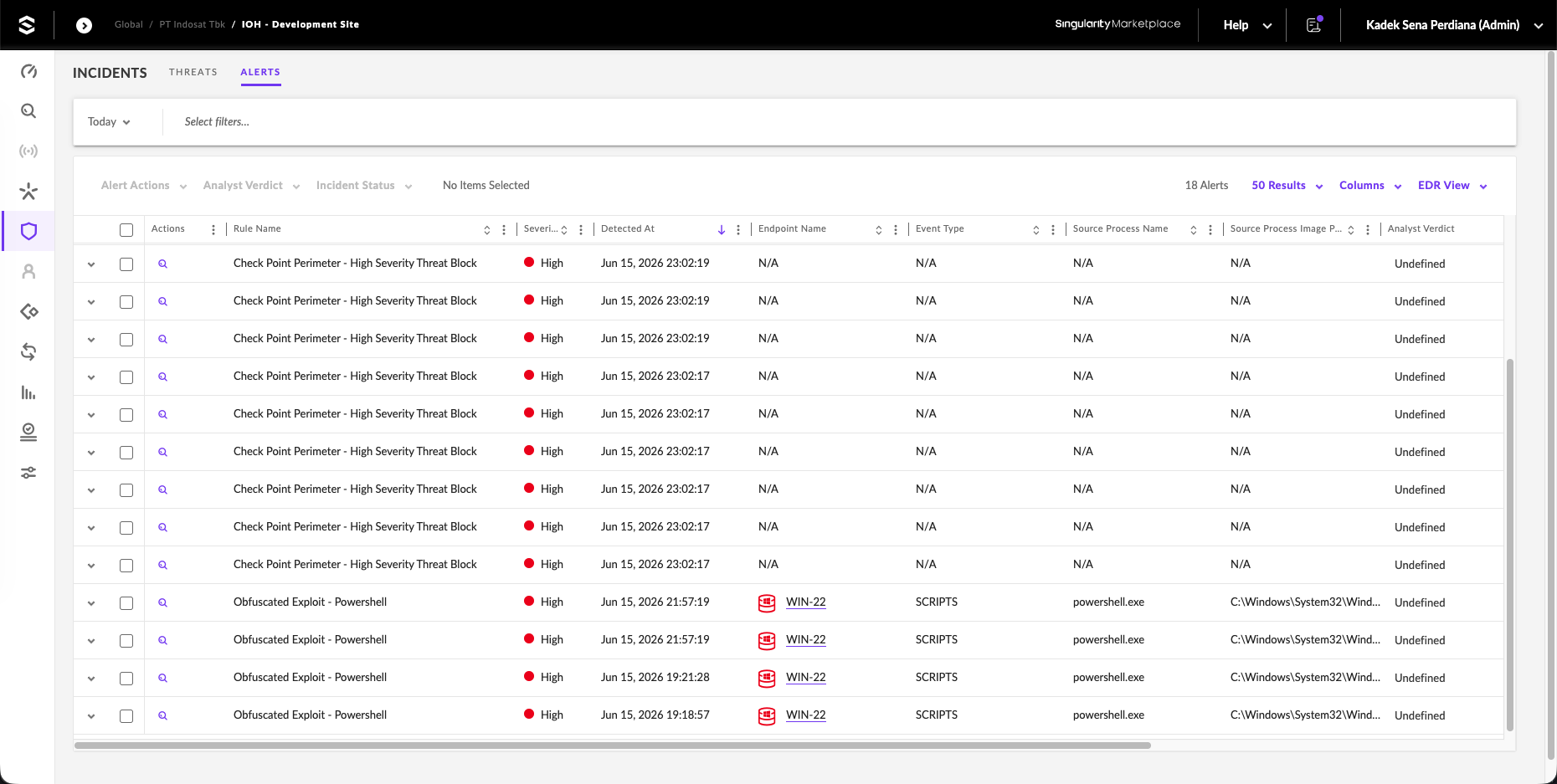
When a network perimeter threat occurs, the custom rule triggers a high-severity alert. The alerts console lists the events, correlating the Check Point Perimeter blocks alongside our Obfuscated Exploit endpoint threats on WIN-22.