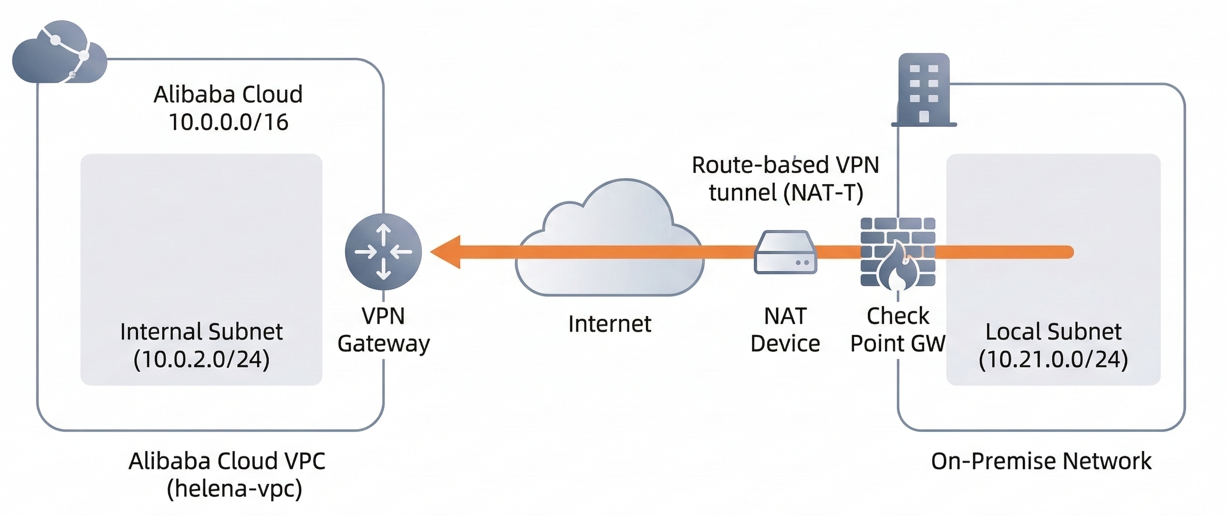
Alibaba Cloud VPN Gateway is a managed service that enables secure, encrypted connections between our VPC and on-premises environments using the IPsec protocol. In this lab, we established a Route-based VPN tunnel between the helena-vpc on Alibaba Cloud and an on-premises Check Point firewall sitting behind a NAT device. This setup allows the two networks to communicate seamlessly across the public internet.
VPC
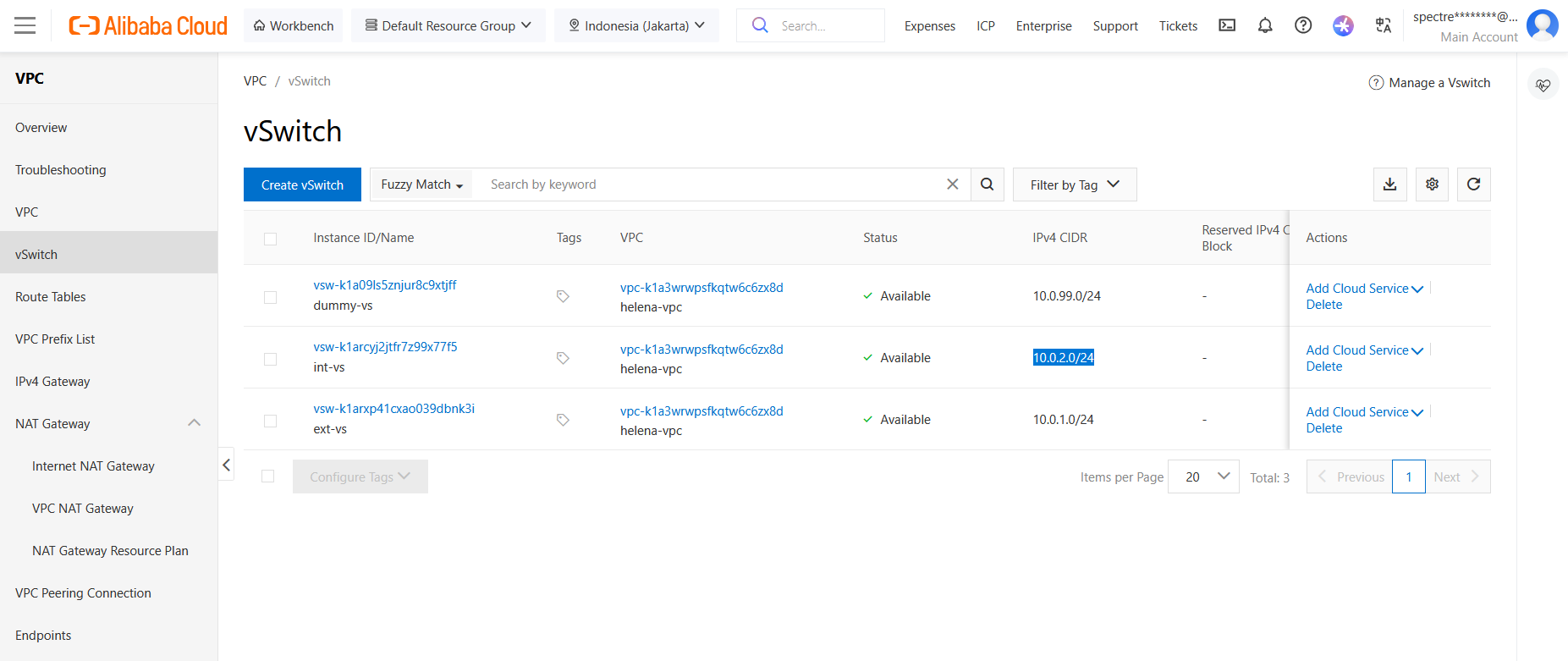
First we prepare the VPC, we will use the int vSwitch (10.0.2.0/24) inside the helena-vpc as alibaba’s protected network. VPN setup requires us to have zone redundancy subnets so we add a dummy vs (10.0.99.0/24) just to satisfy this
VPN Gateway
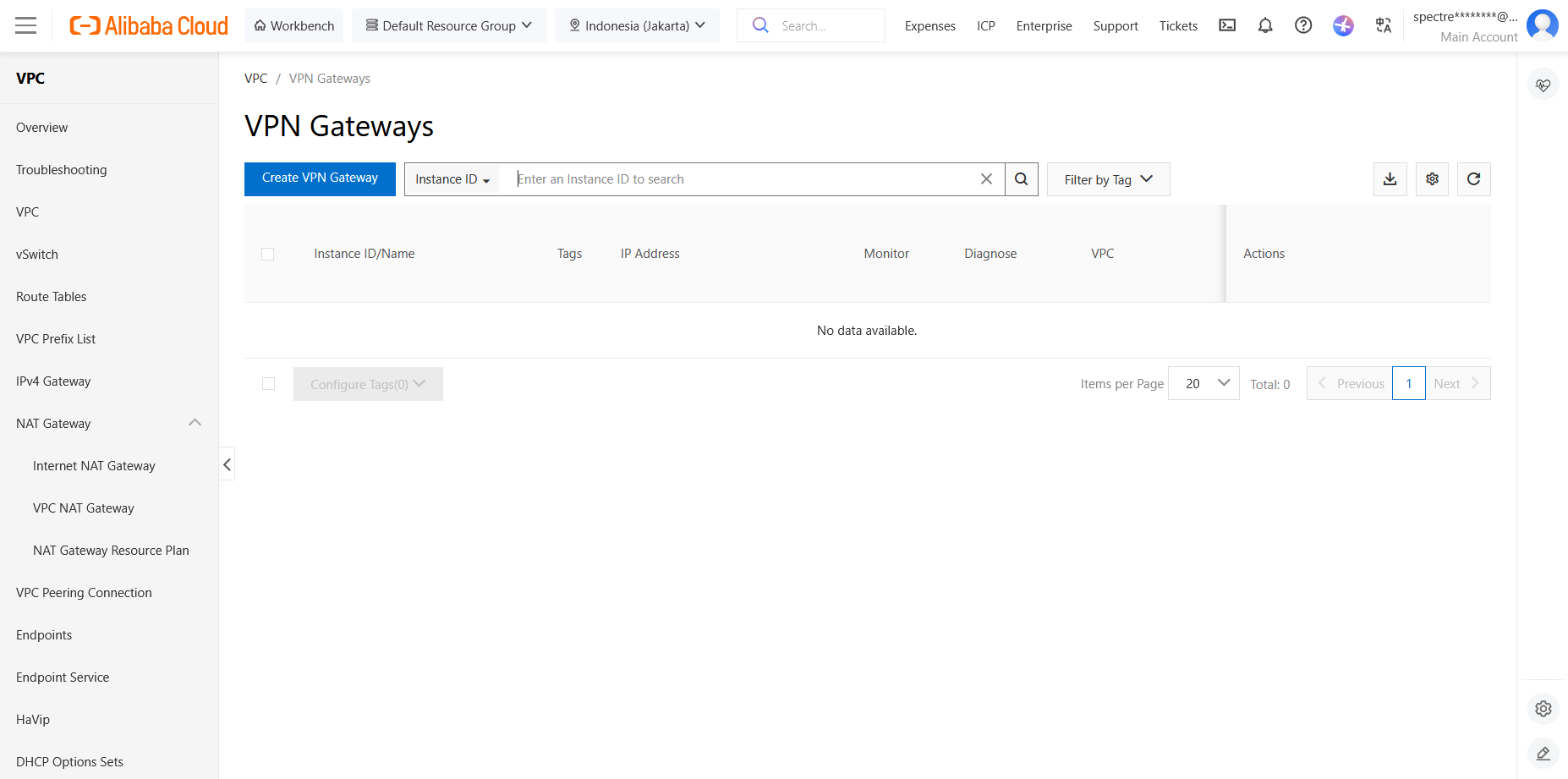
Next we setup the VPN Gateway, create new
We name it VPN_GW and select the Jakarta Region
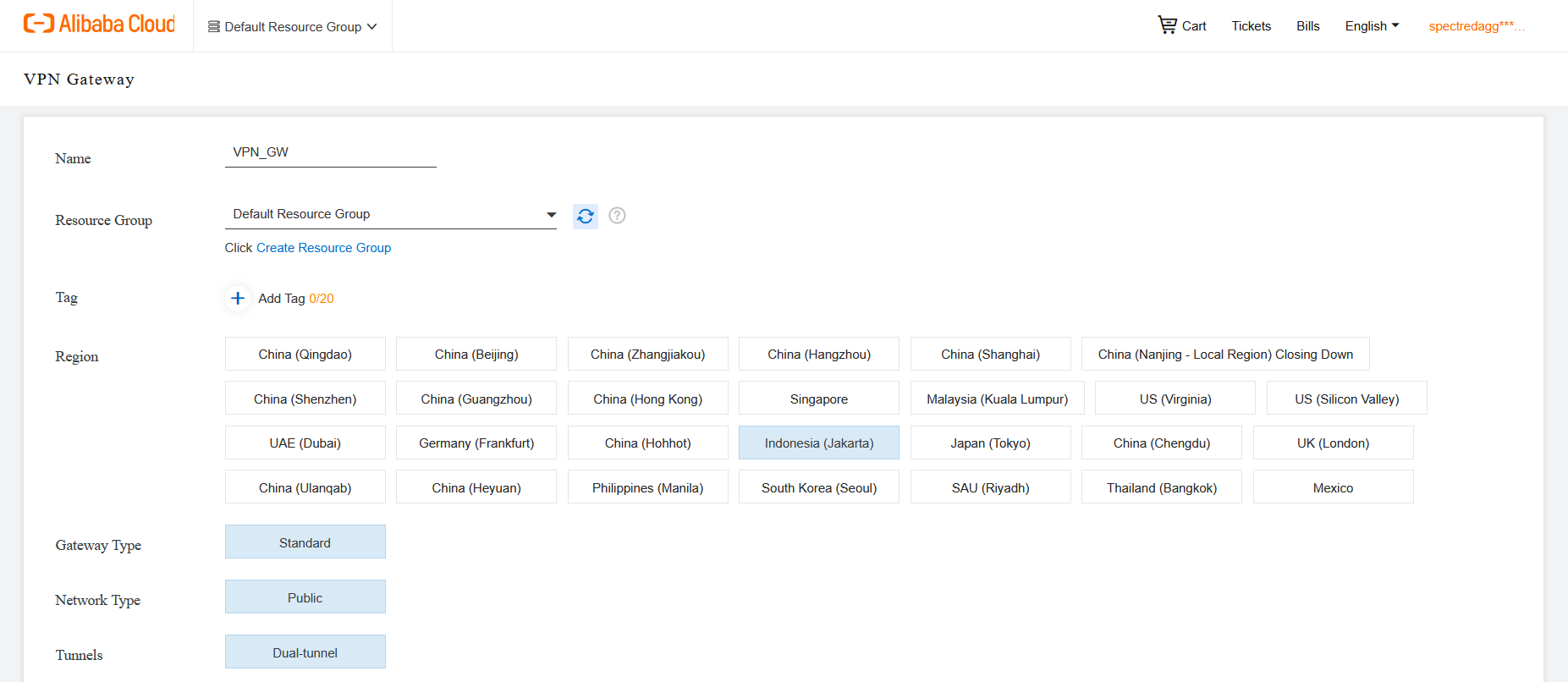
Then we select our VPC and vSwitches
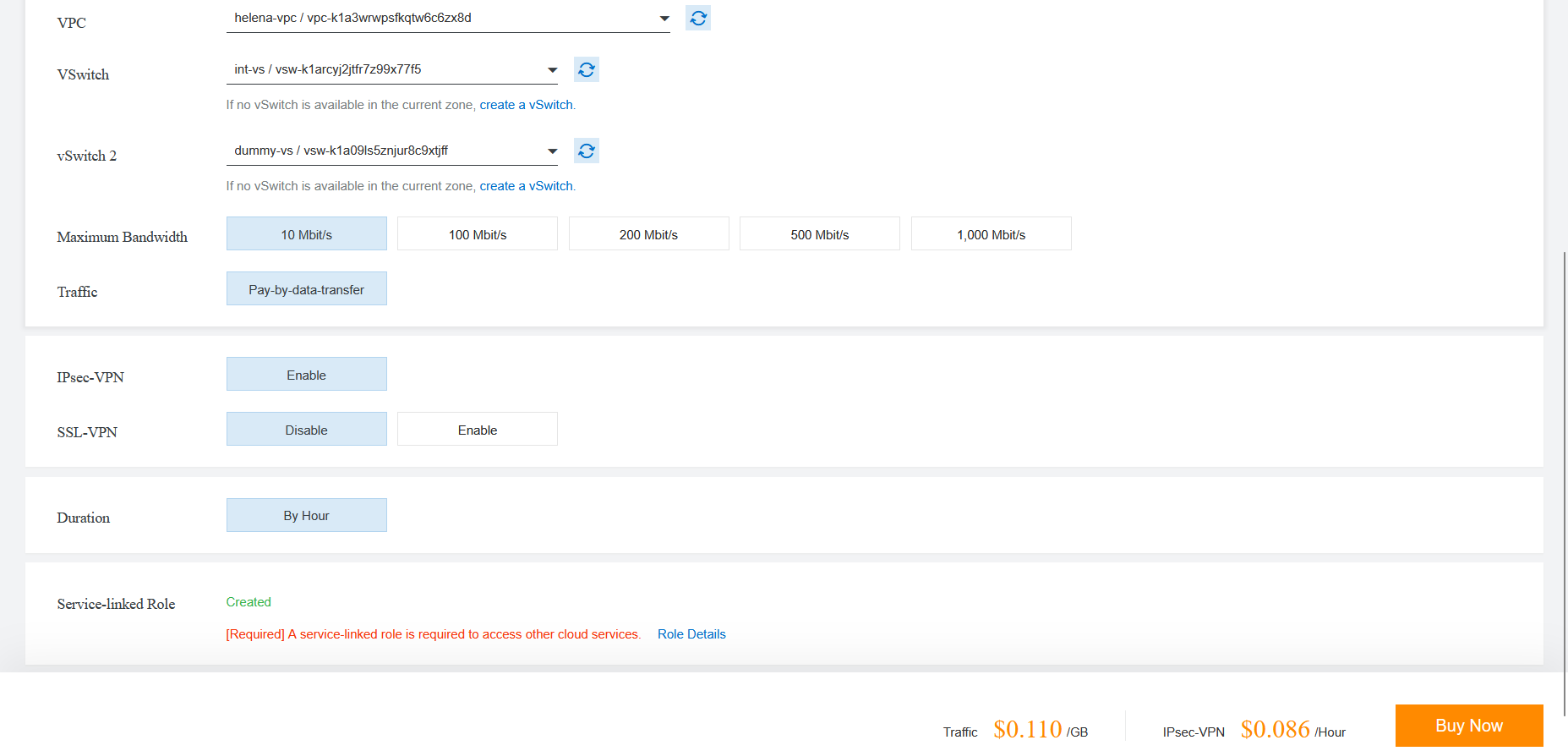
Here’s the configure VPN Gateway, take note of the Public IP Address as we will use it as peer address from the on-prem side
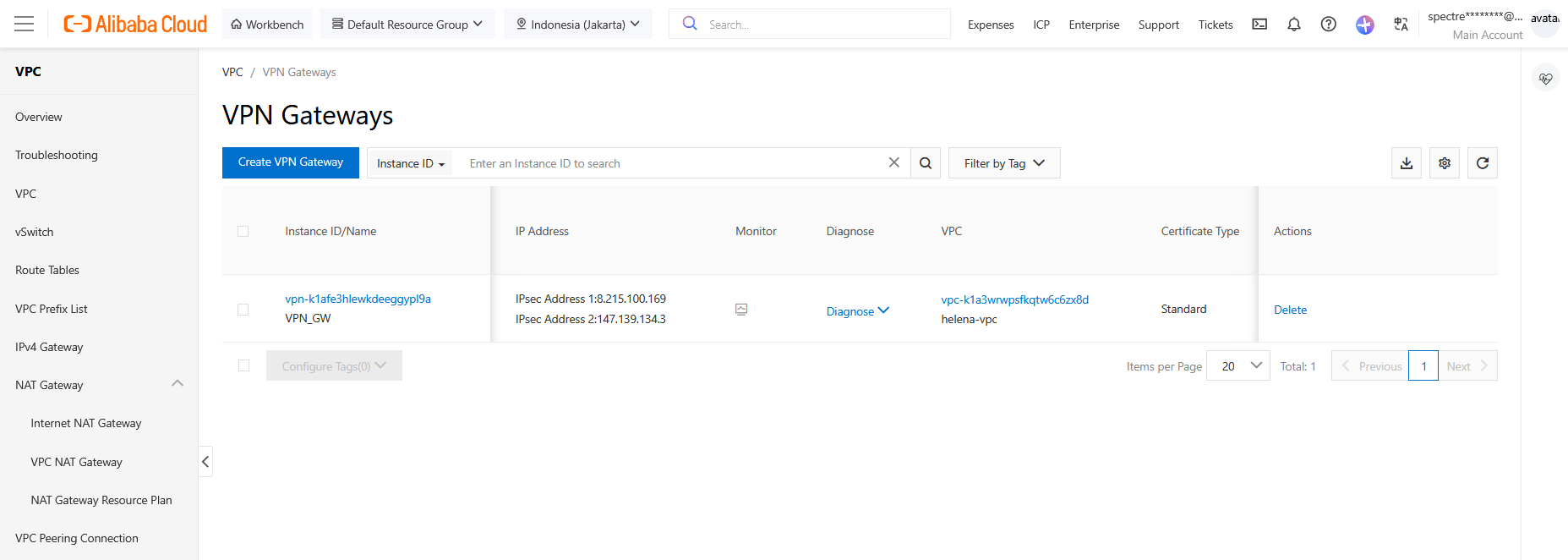
Customer Gateway
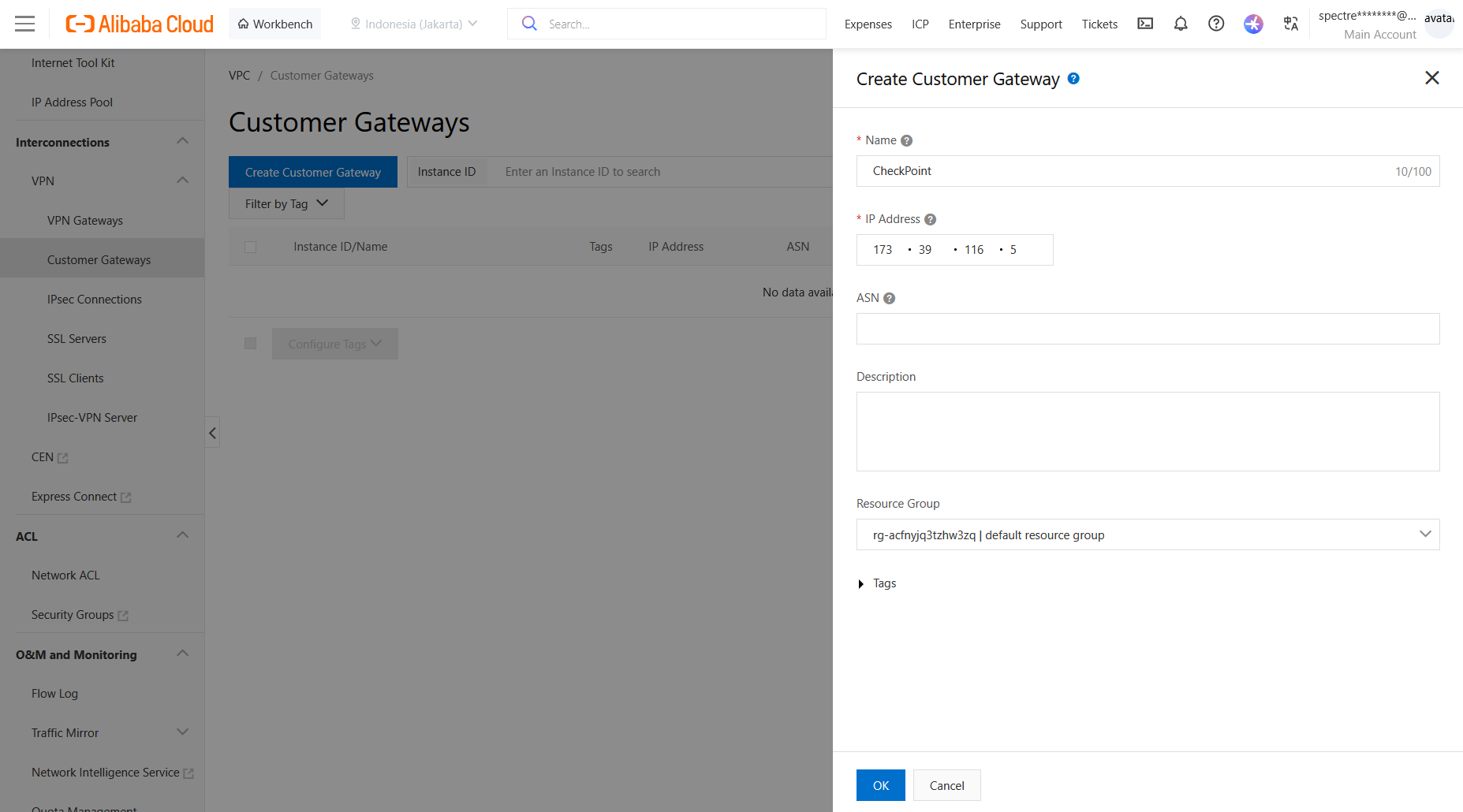
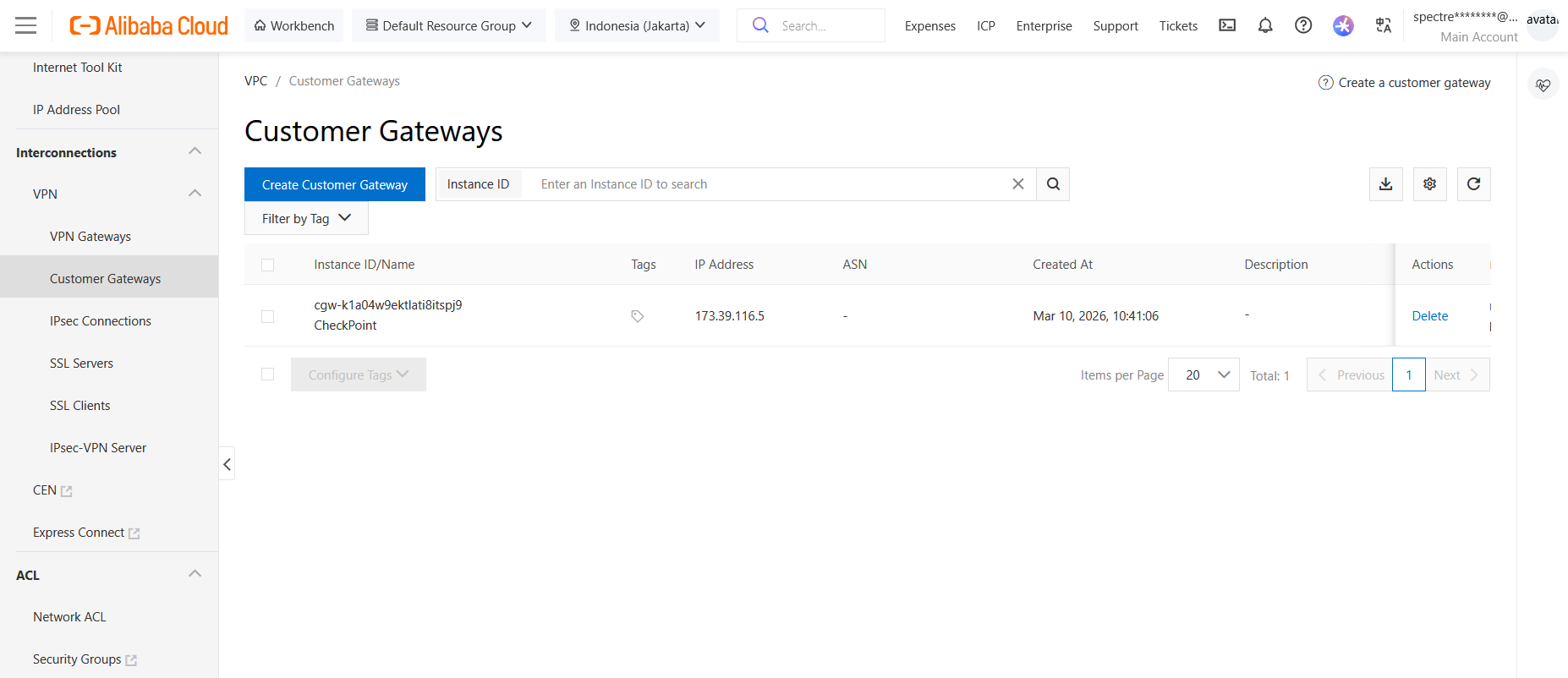
Next we configure the Customer Gateway, which will be our Check Point firewall on on-prem side
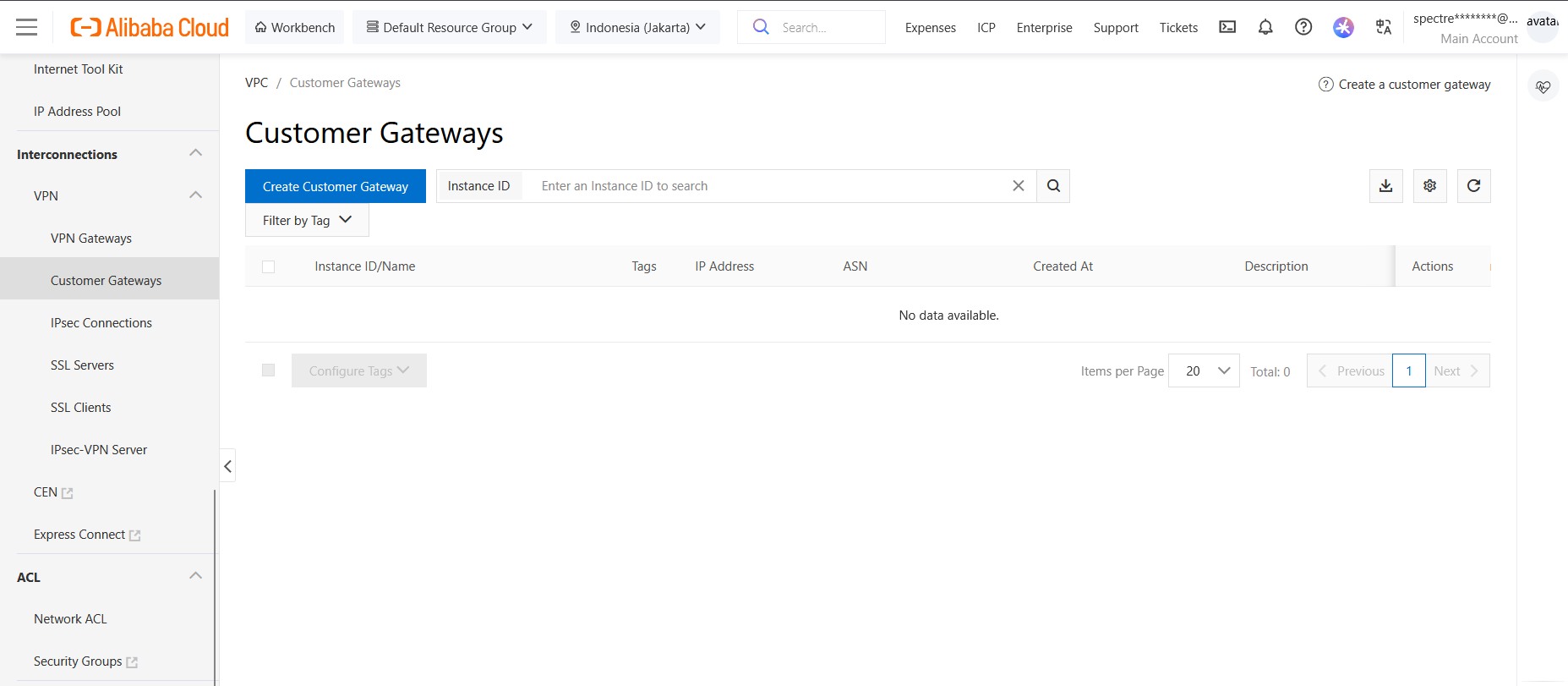
We create new, give it name and insert the CP’s Public IP Address. Note that this device is sitting behind NAT and not directly accessible, so the VPN connection will be initiated from the on-prem side
IPsec Connection
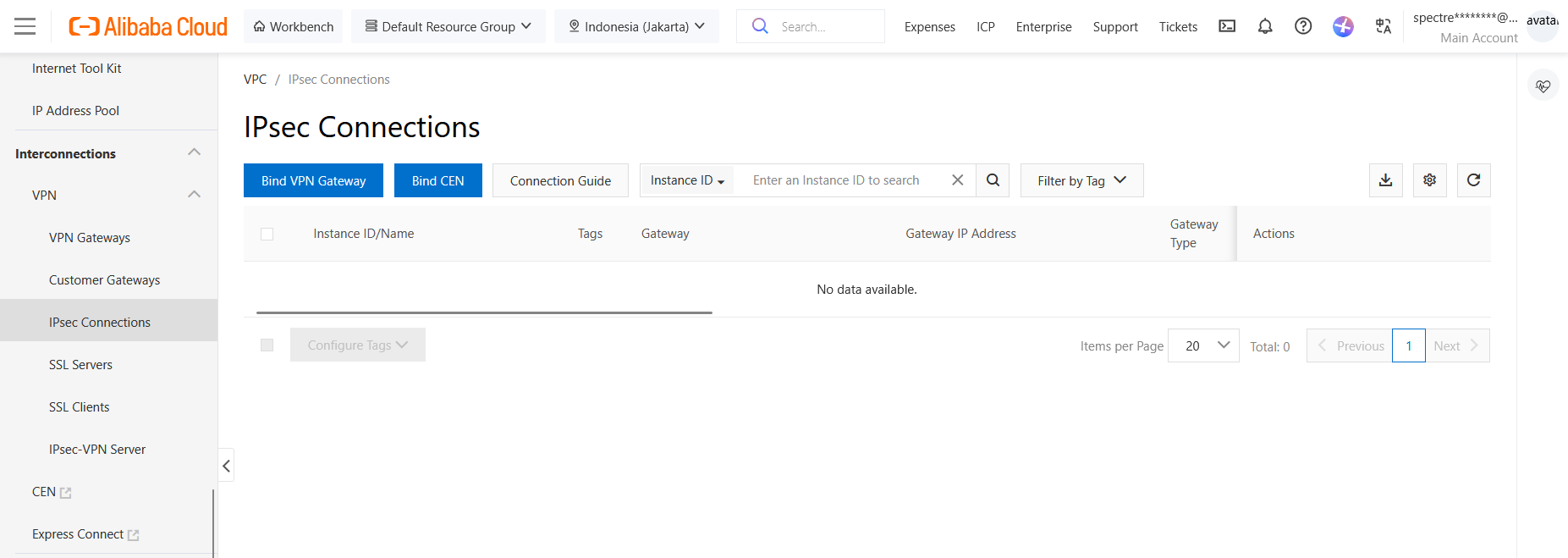
After that we configure the IPsec VPN
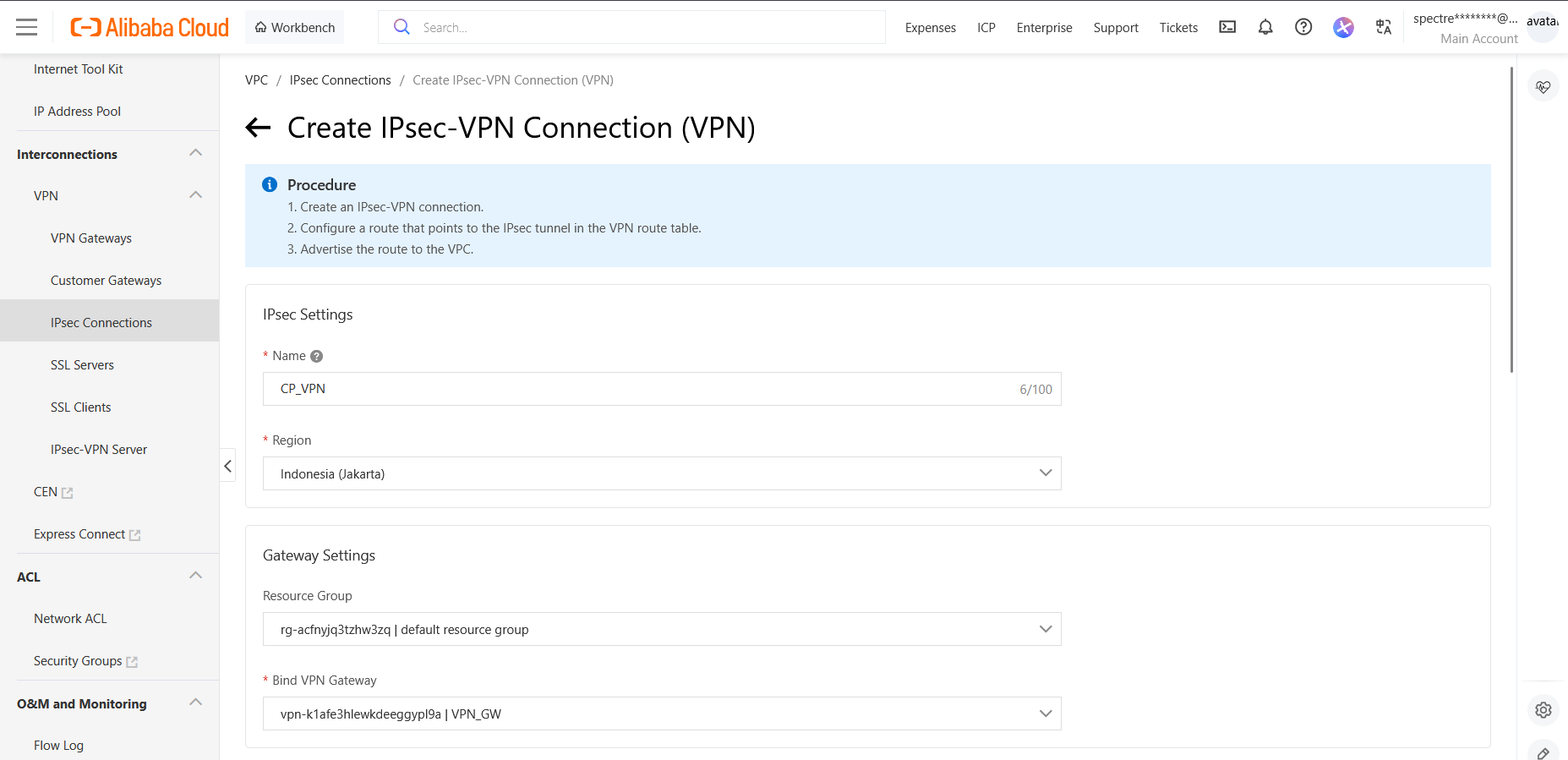
We give it name and bind it to our VPN Gateway
Then we select the Destination Routing Mode and select our Customer Gateway for Primary and Secondary Tunnels
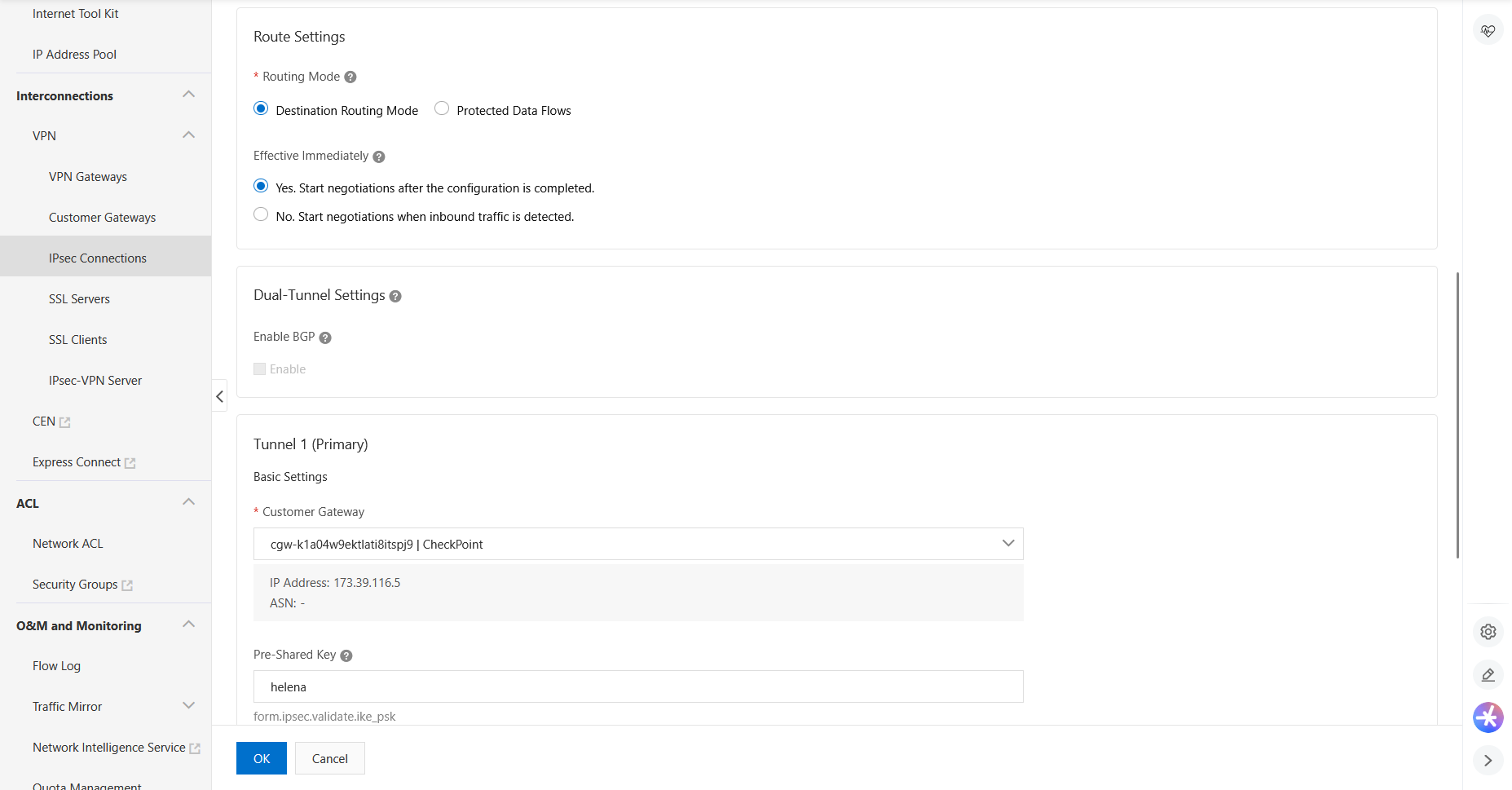
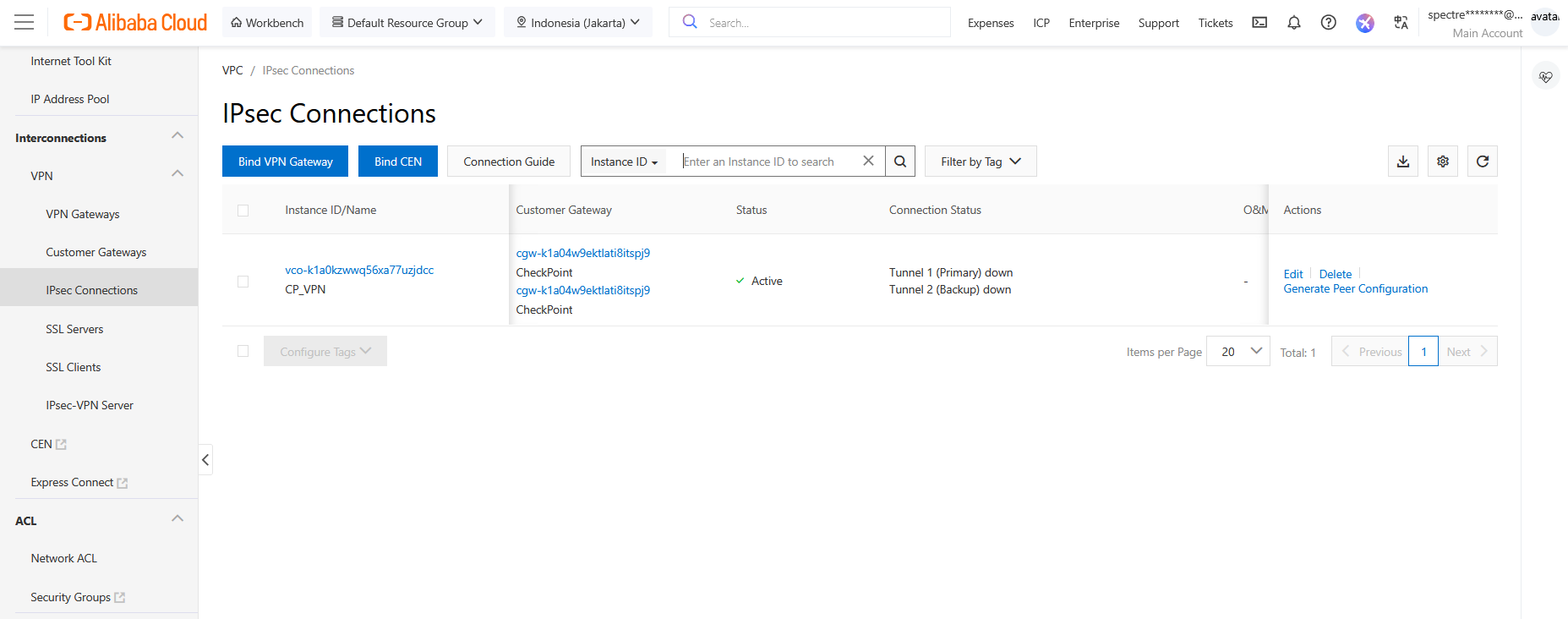
Here’s the IPsec configuration after completing the setup. Notice that we have 2 tunnels by default but we will only use the Primary for simplicity
Routing
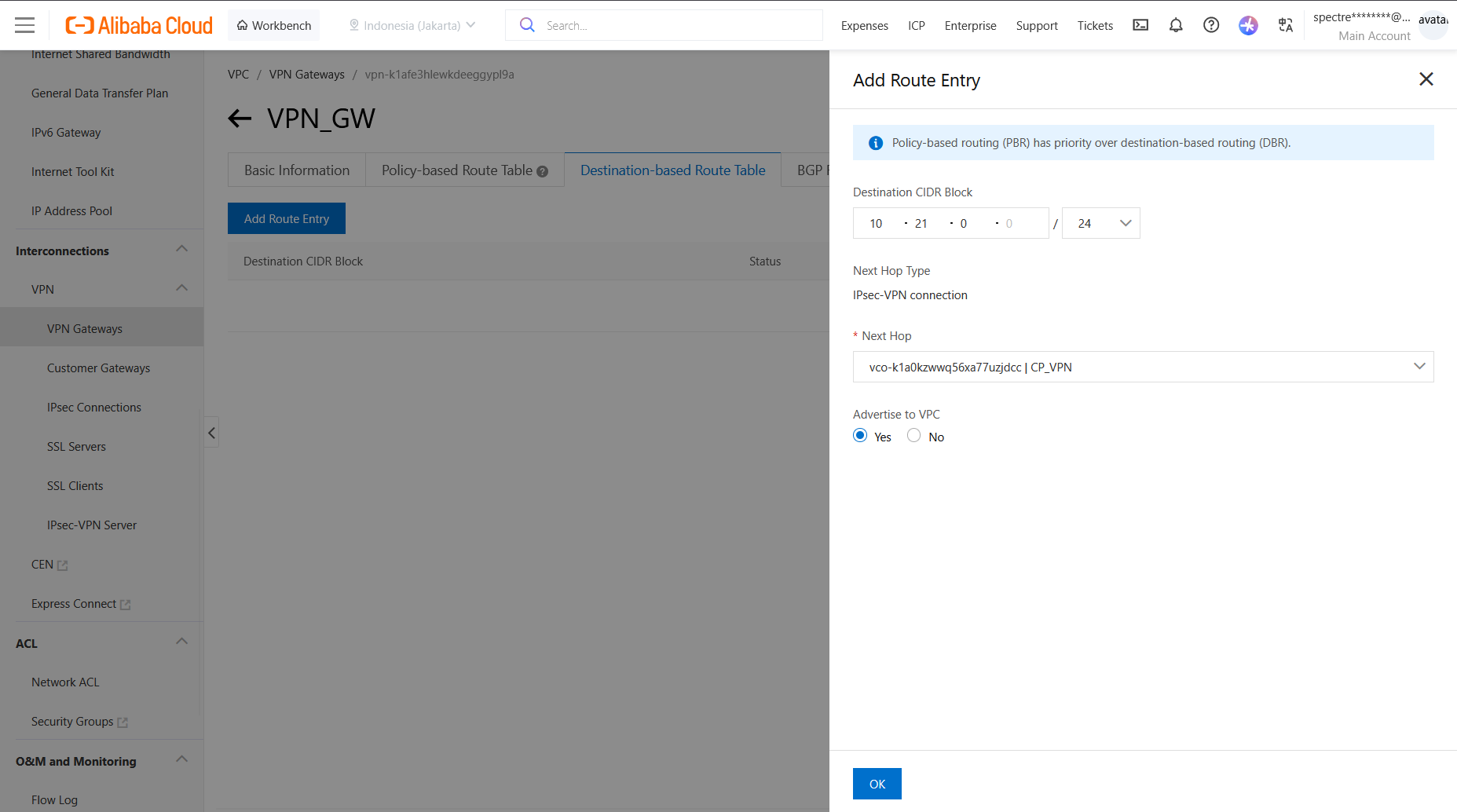
Now back to VPN Gateway, select Destination-based Route Table and add the CP’s internal subnet with our IPsec VPN as the next hop
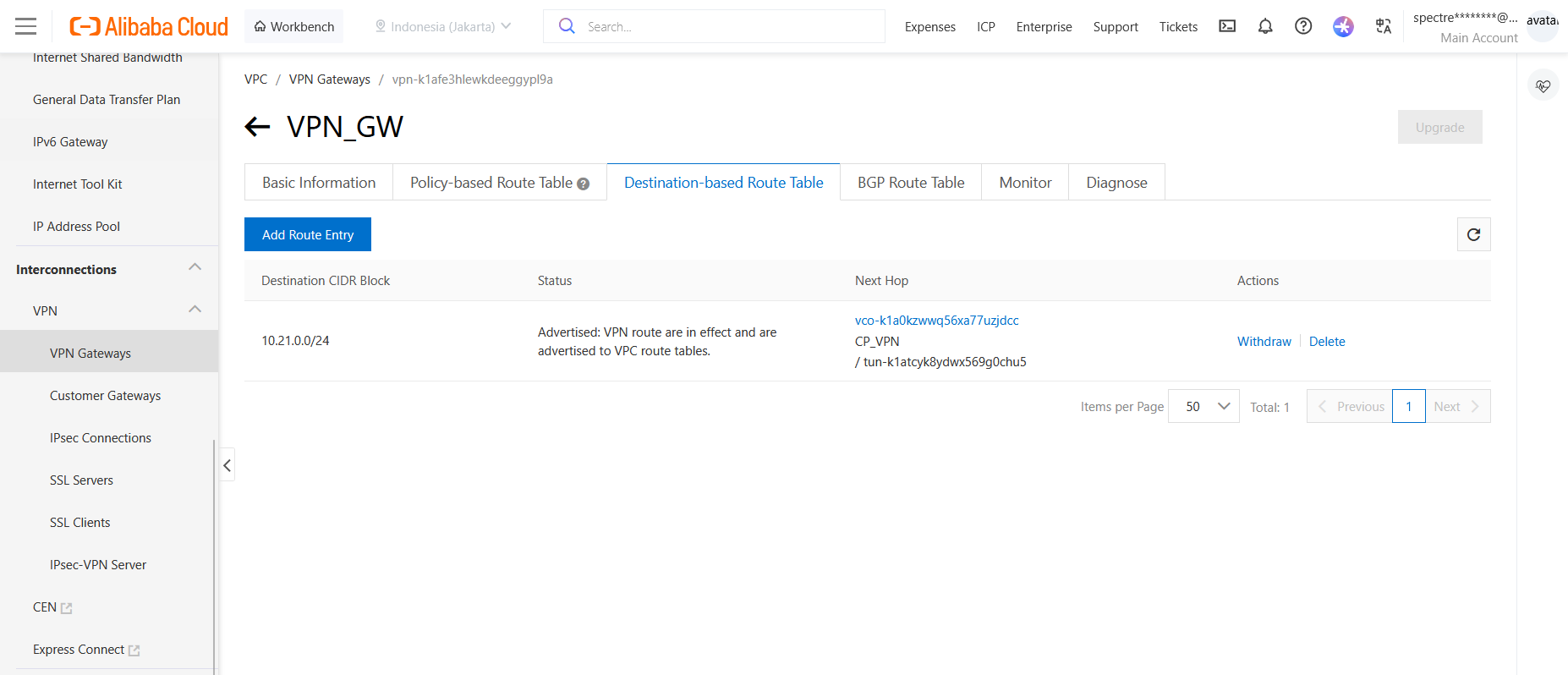
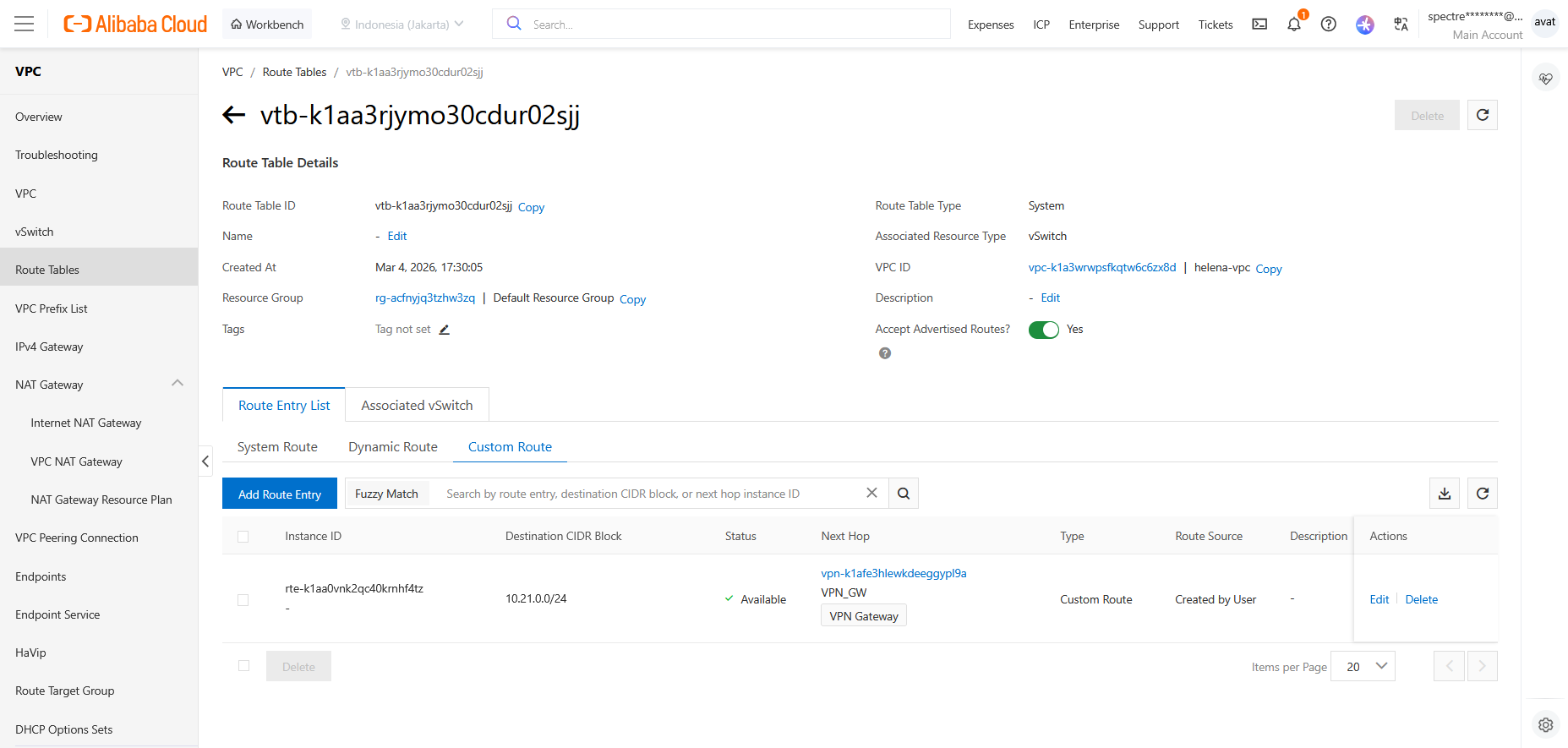
On vSwitch’s Route Tables, we can see the the route to our VPN is automatically created here
Check Point
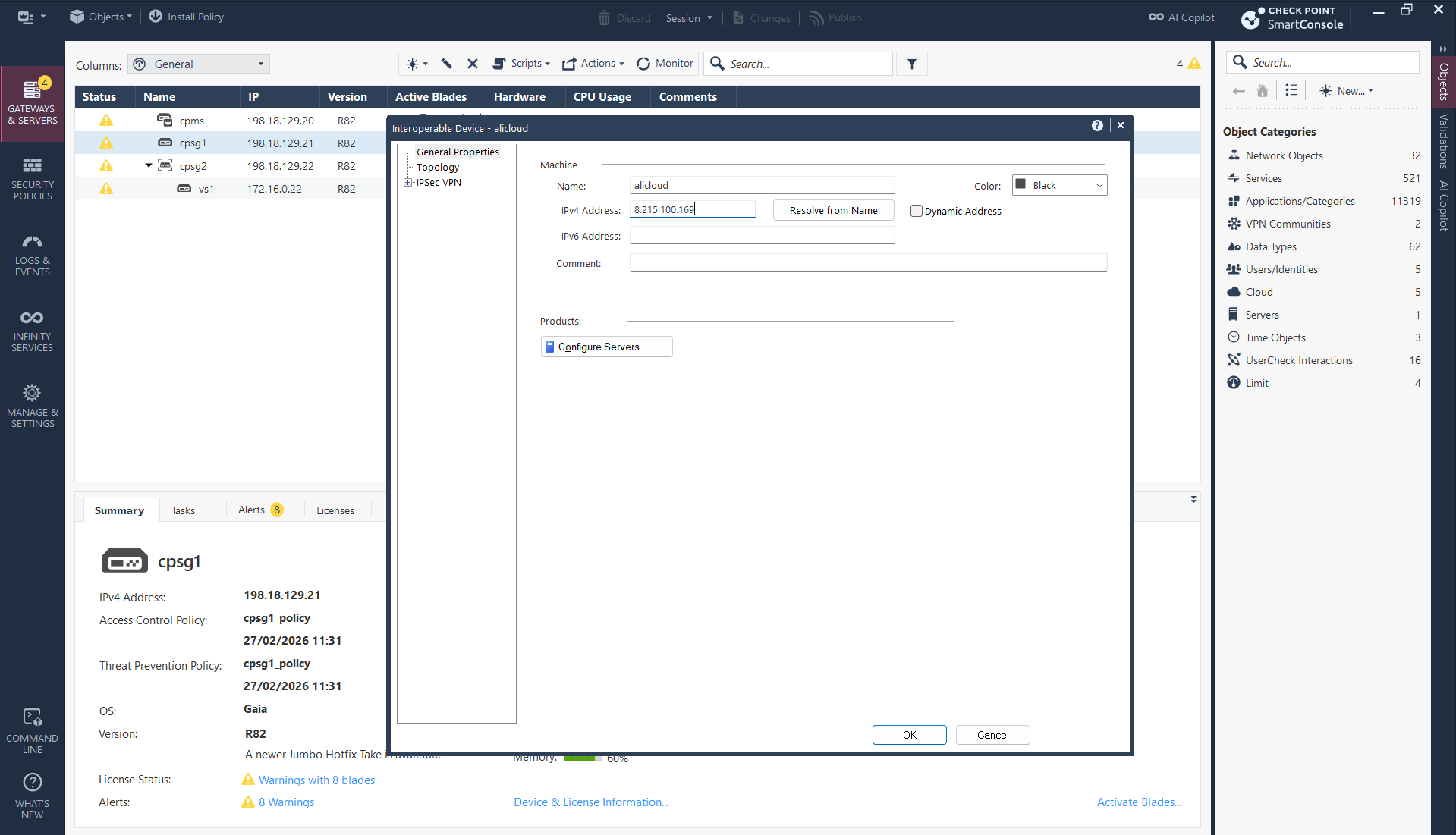
Now we configure the Check Point side, add an Interoperable Device and point it to Alibaba’s Public IP
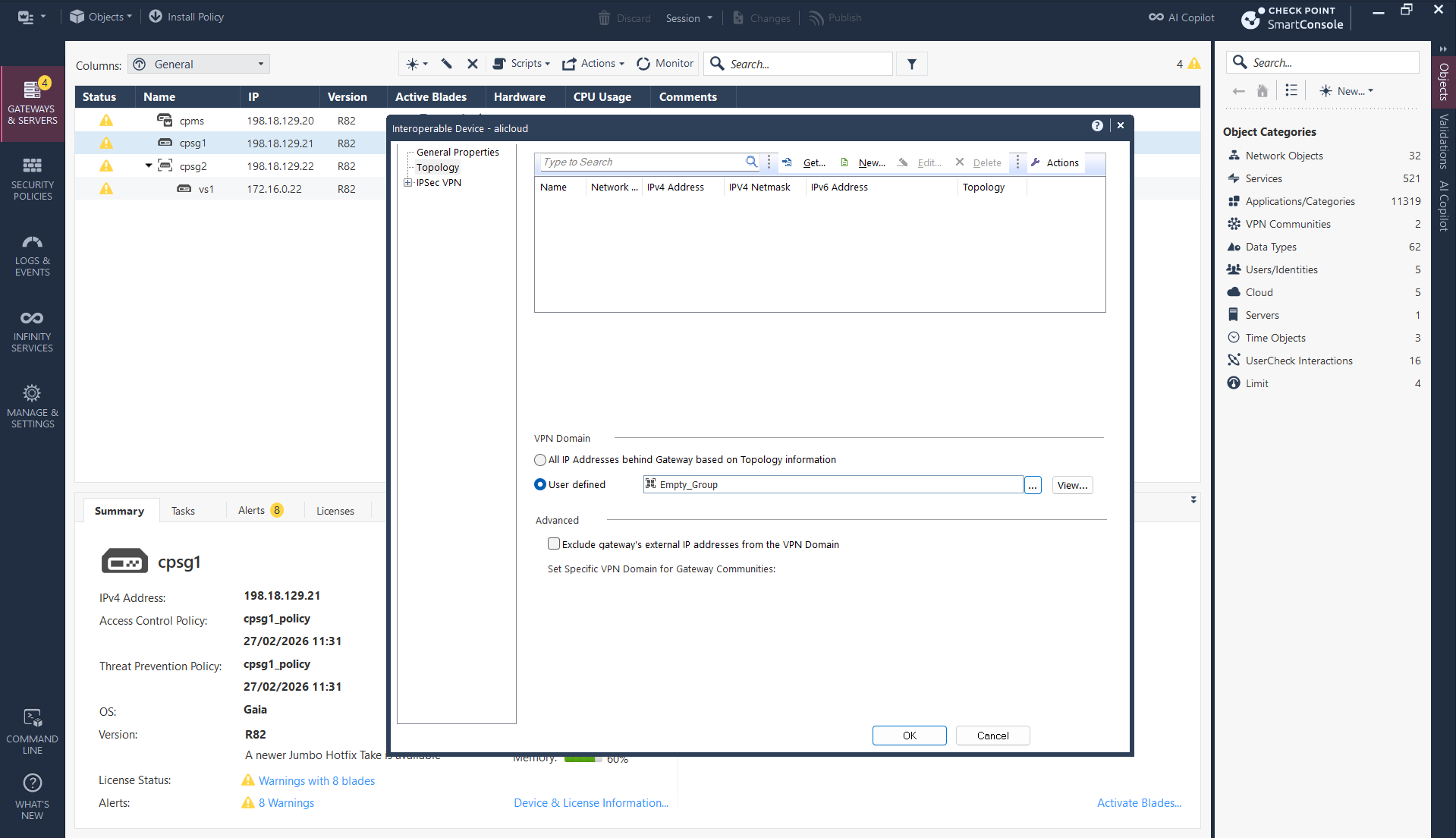
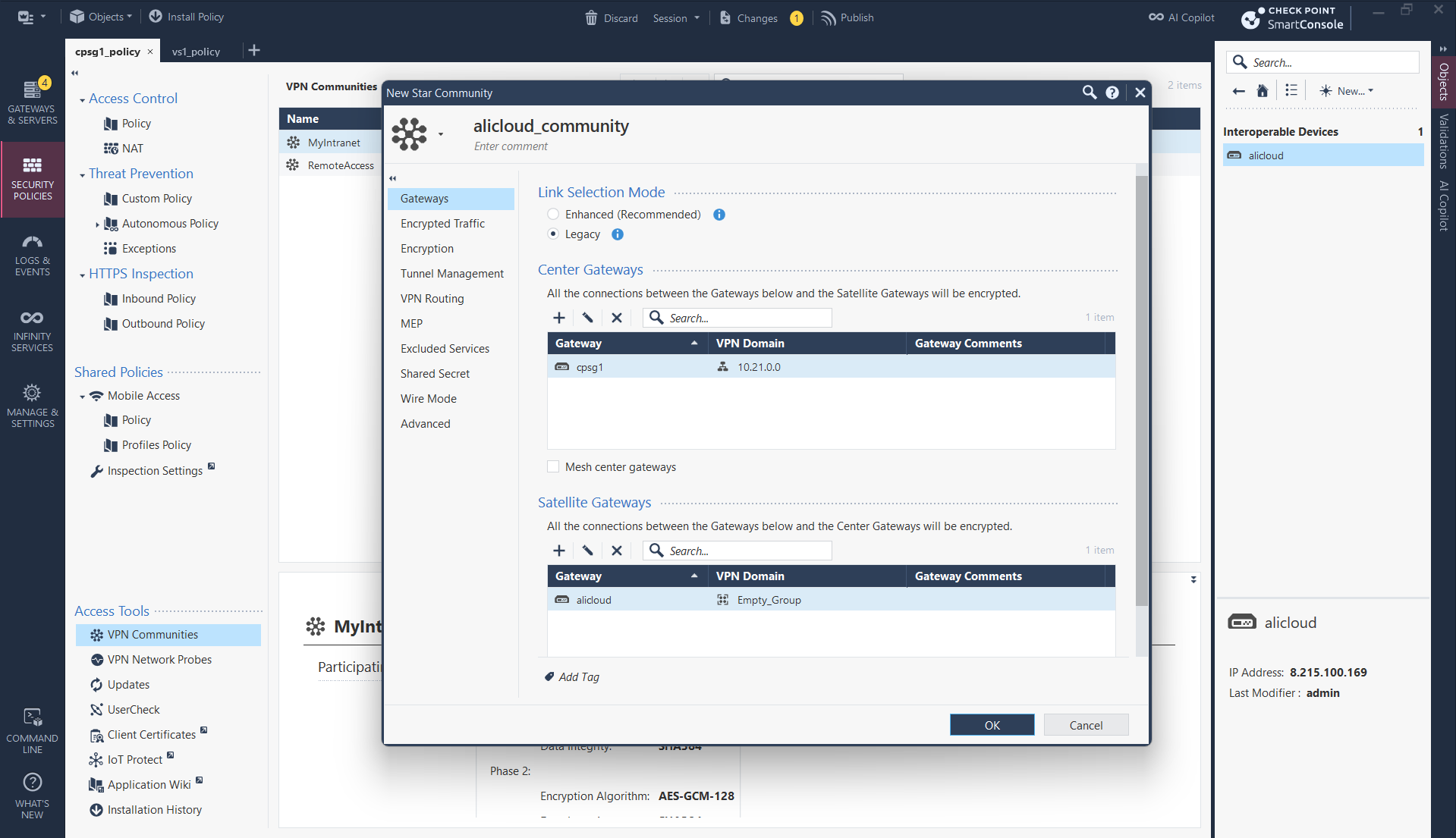
Then create a Star VPN Community
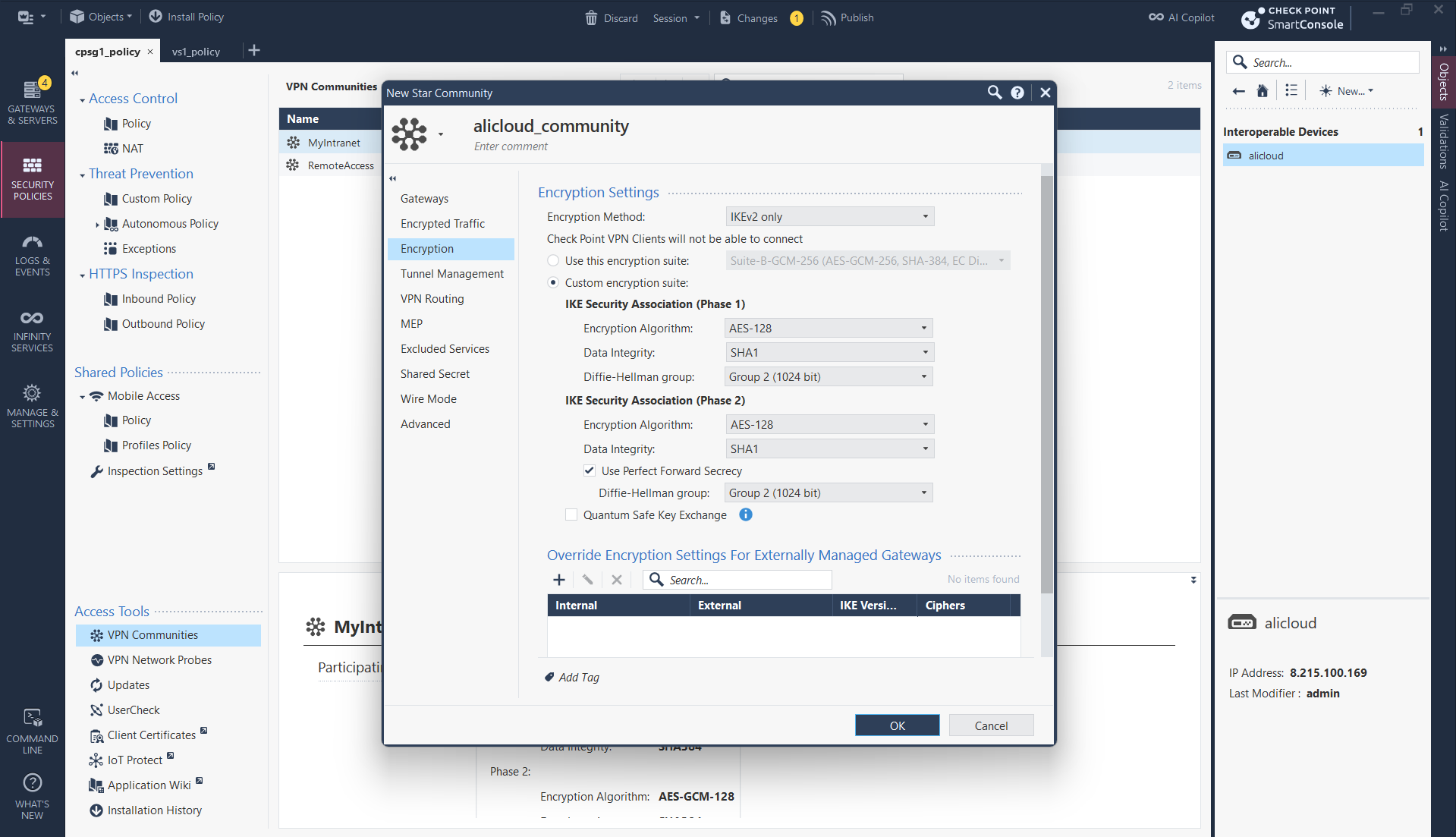
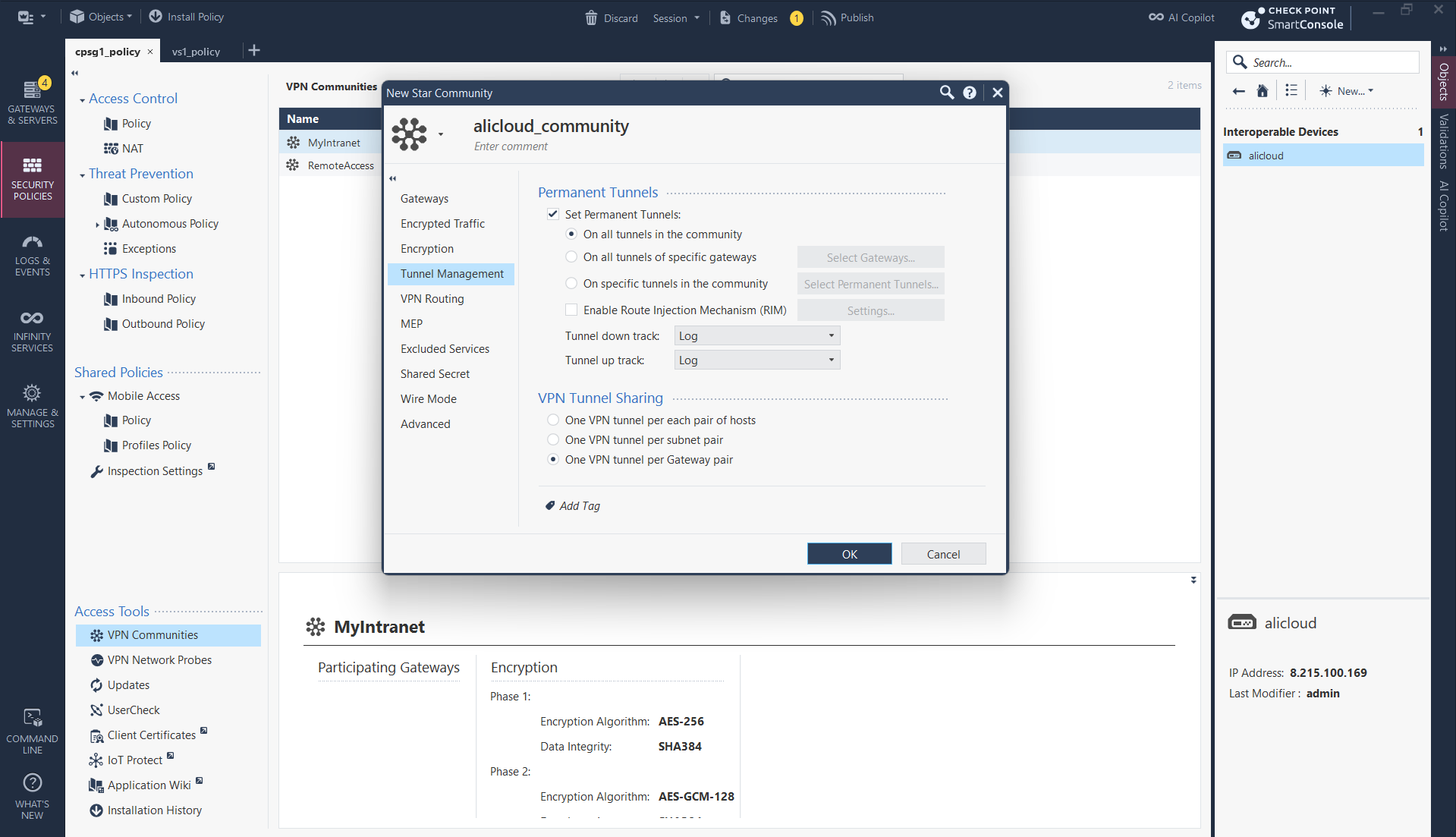
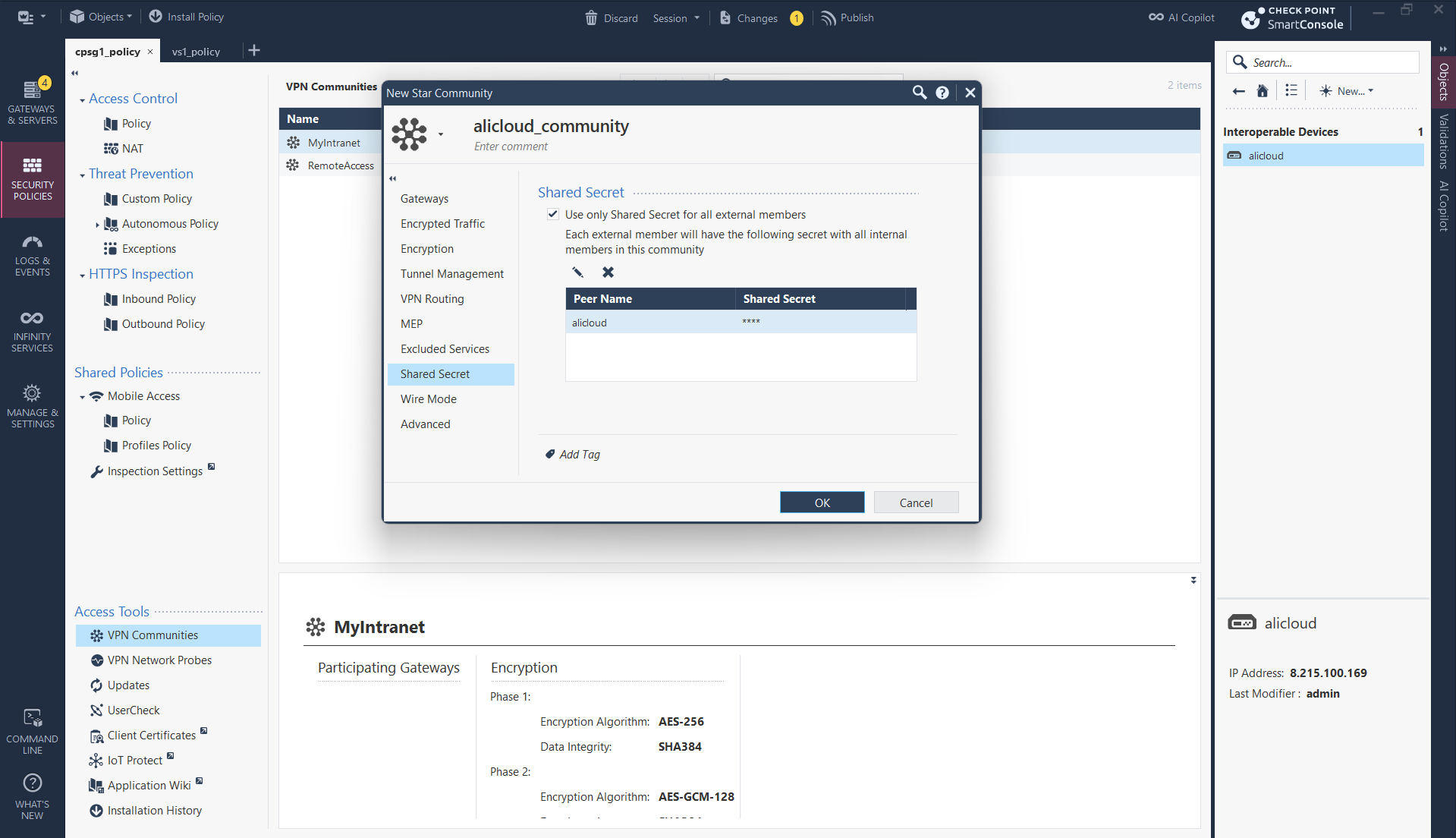
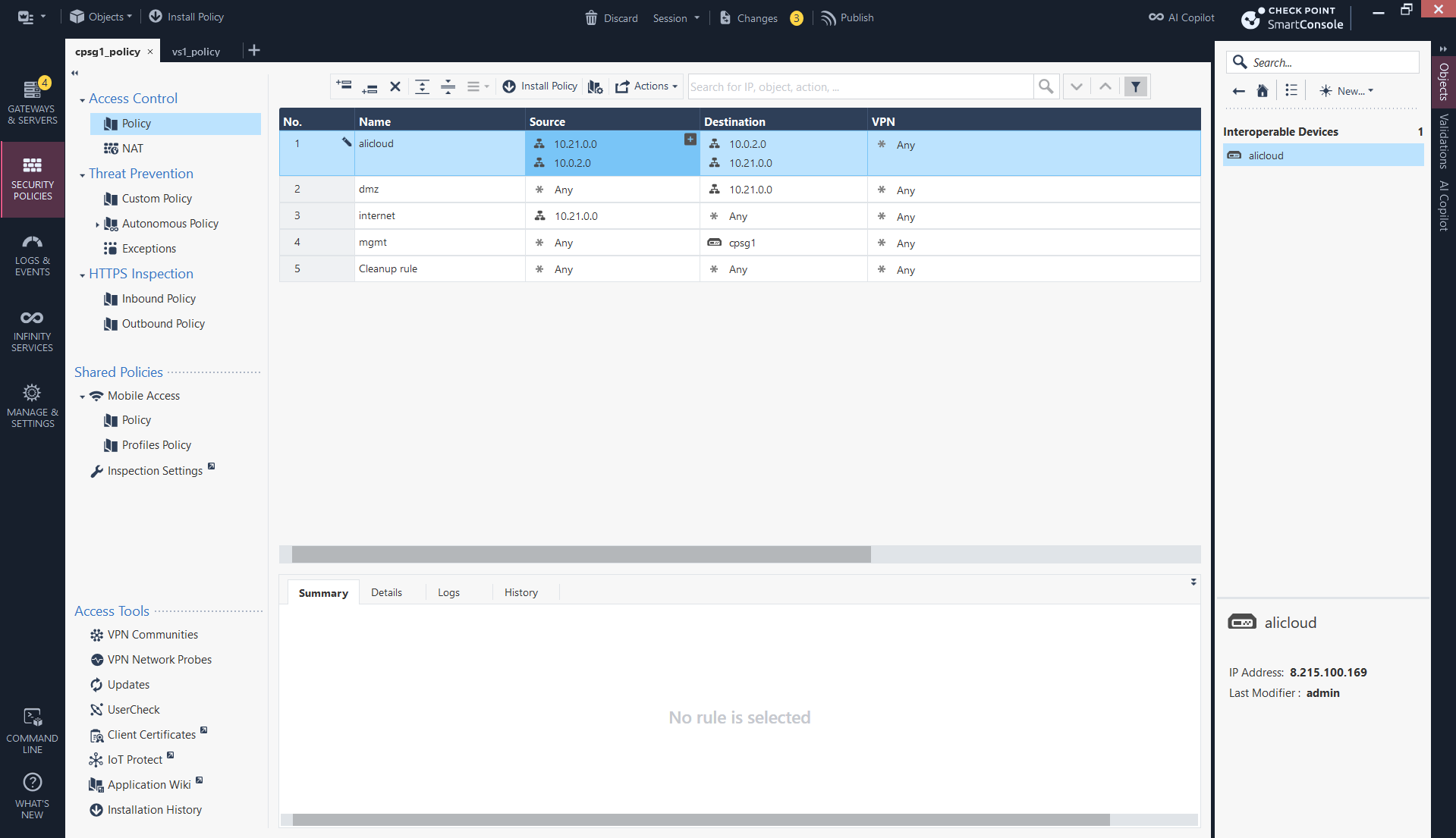
We also need firewall policy to allow traffic between the 2 subnets
Next we create the Tunnel Interface, use the Interoperable Device as the peer and add unused private subnet for p2p communication
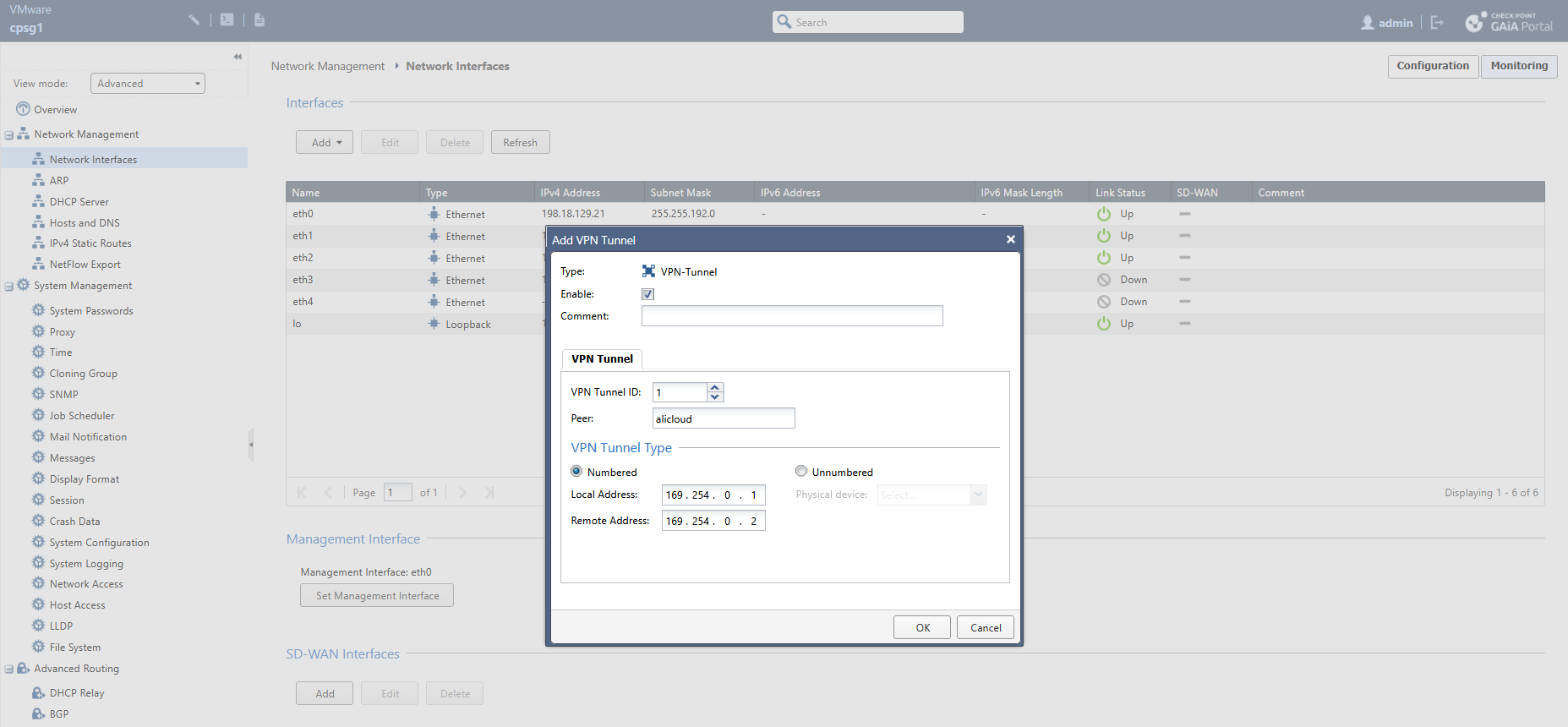
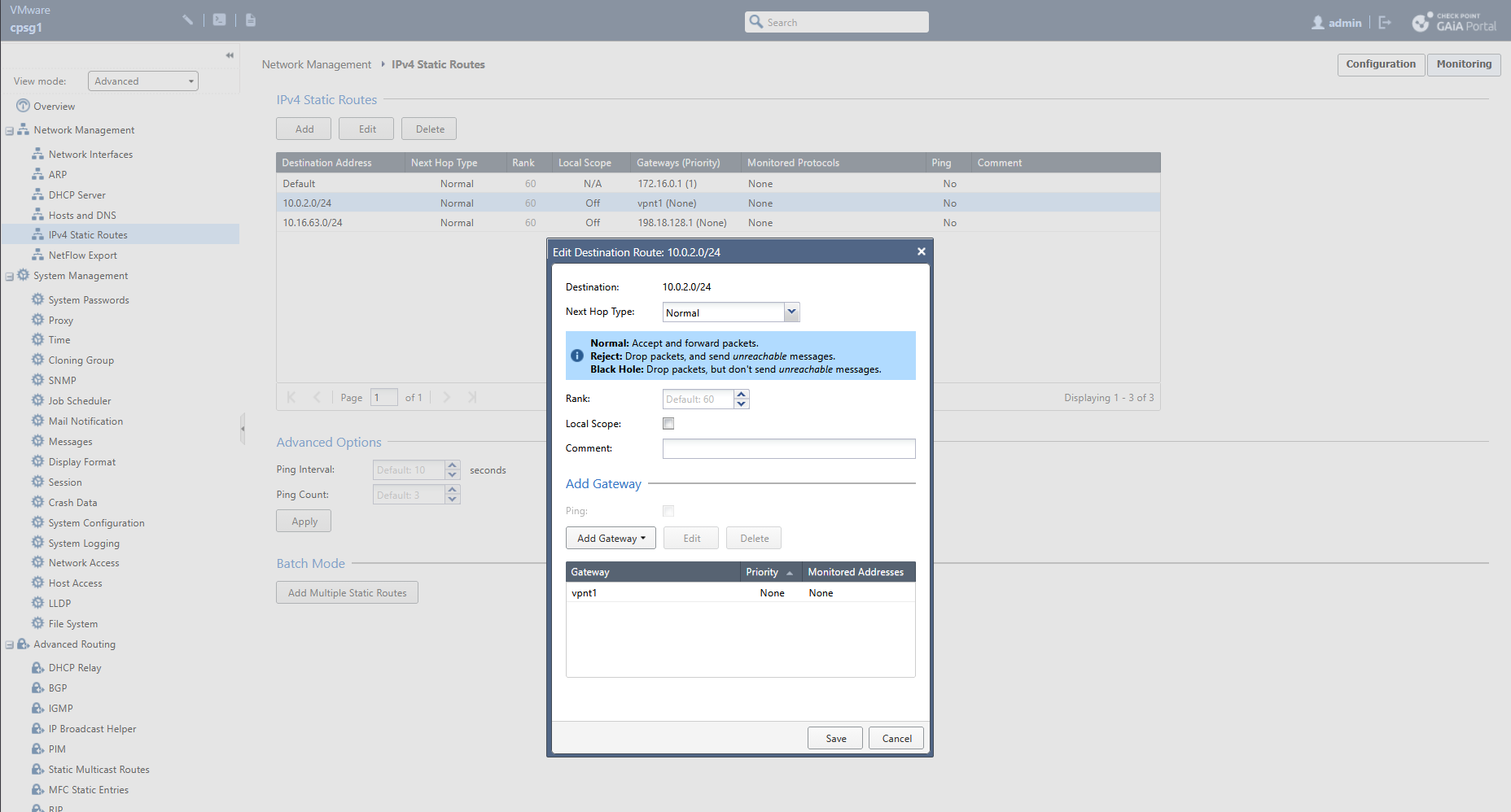
Then we steer the traffic going to 10.0.2.0/24 to use the VTI as the next hop
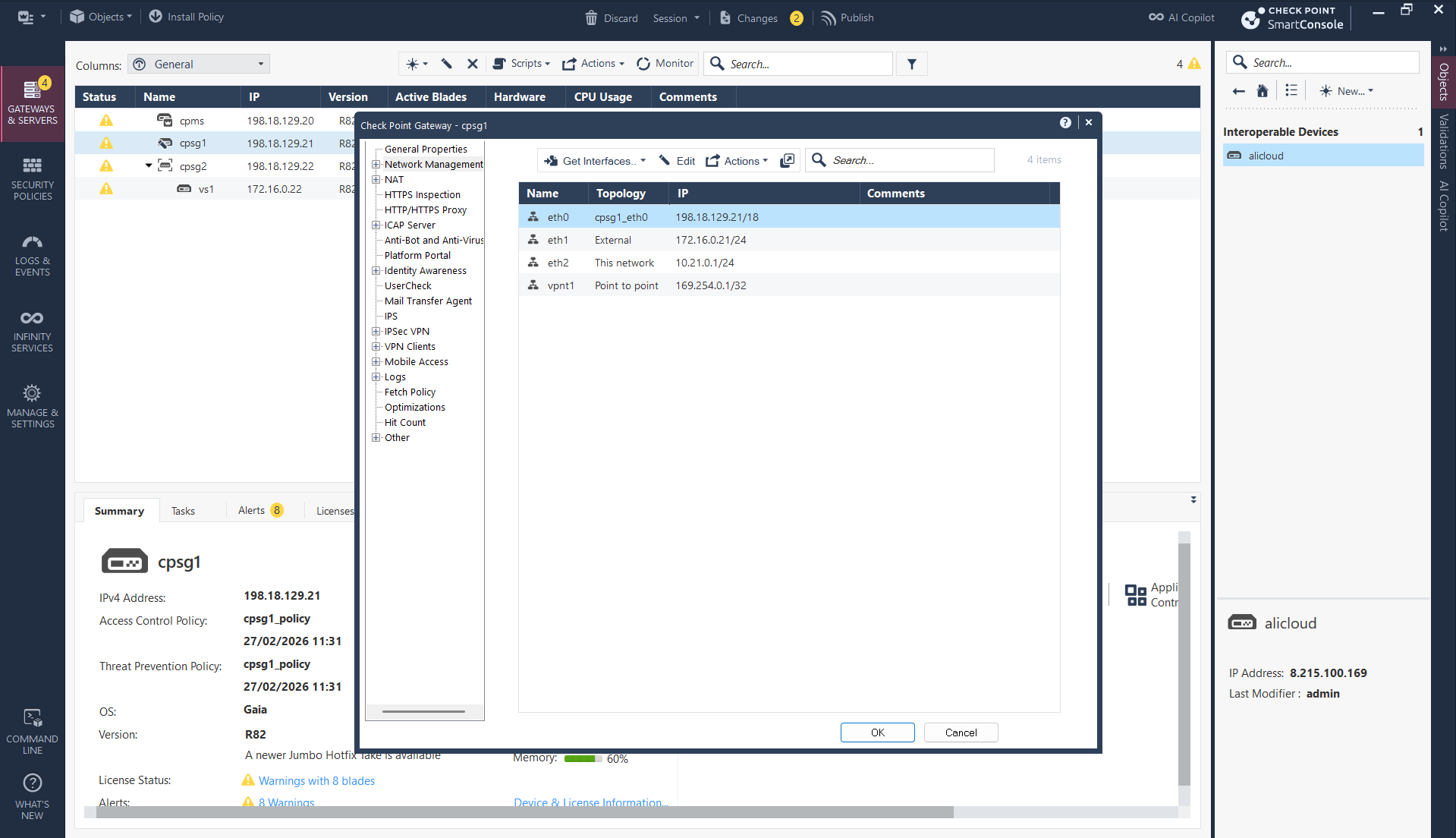
Import the newly made tunnel interface into smartconsole
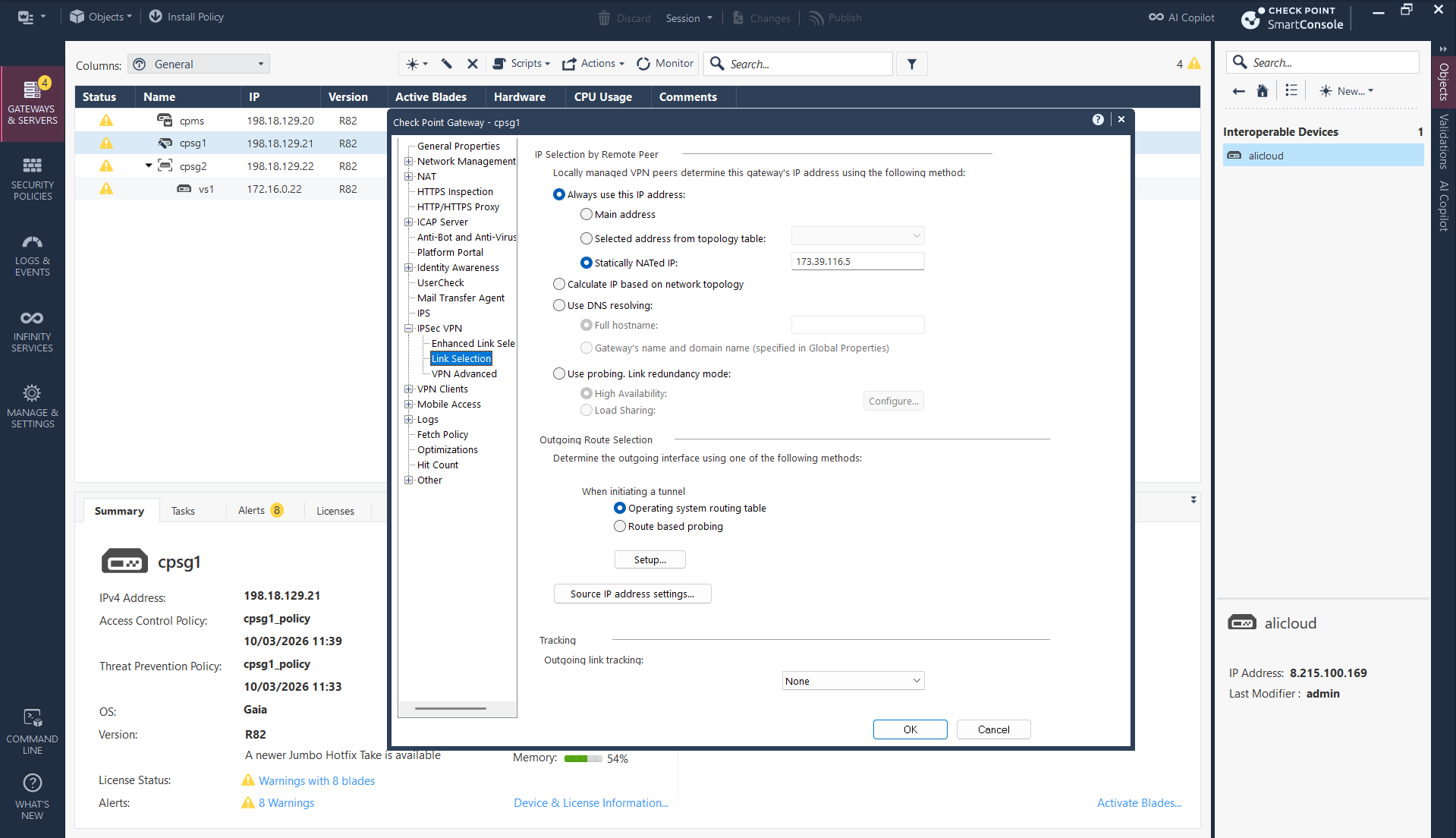
And lastly, because our firewall is sitting behind NAT, we need to manually enter the Public IP as our local id so Alibaba can identify it. That should conclude the CP side configuration
Verification
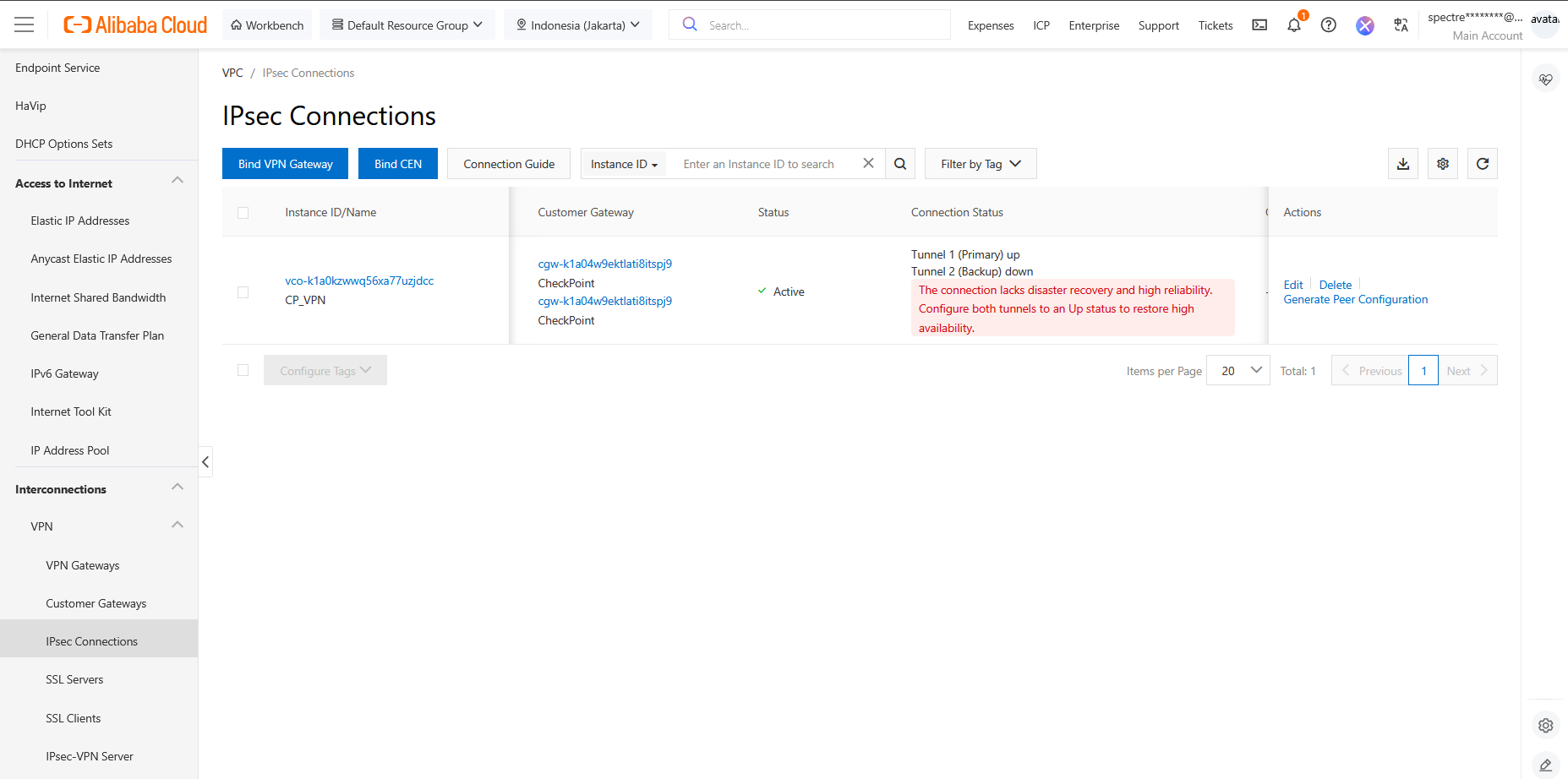
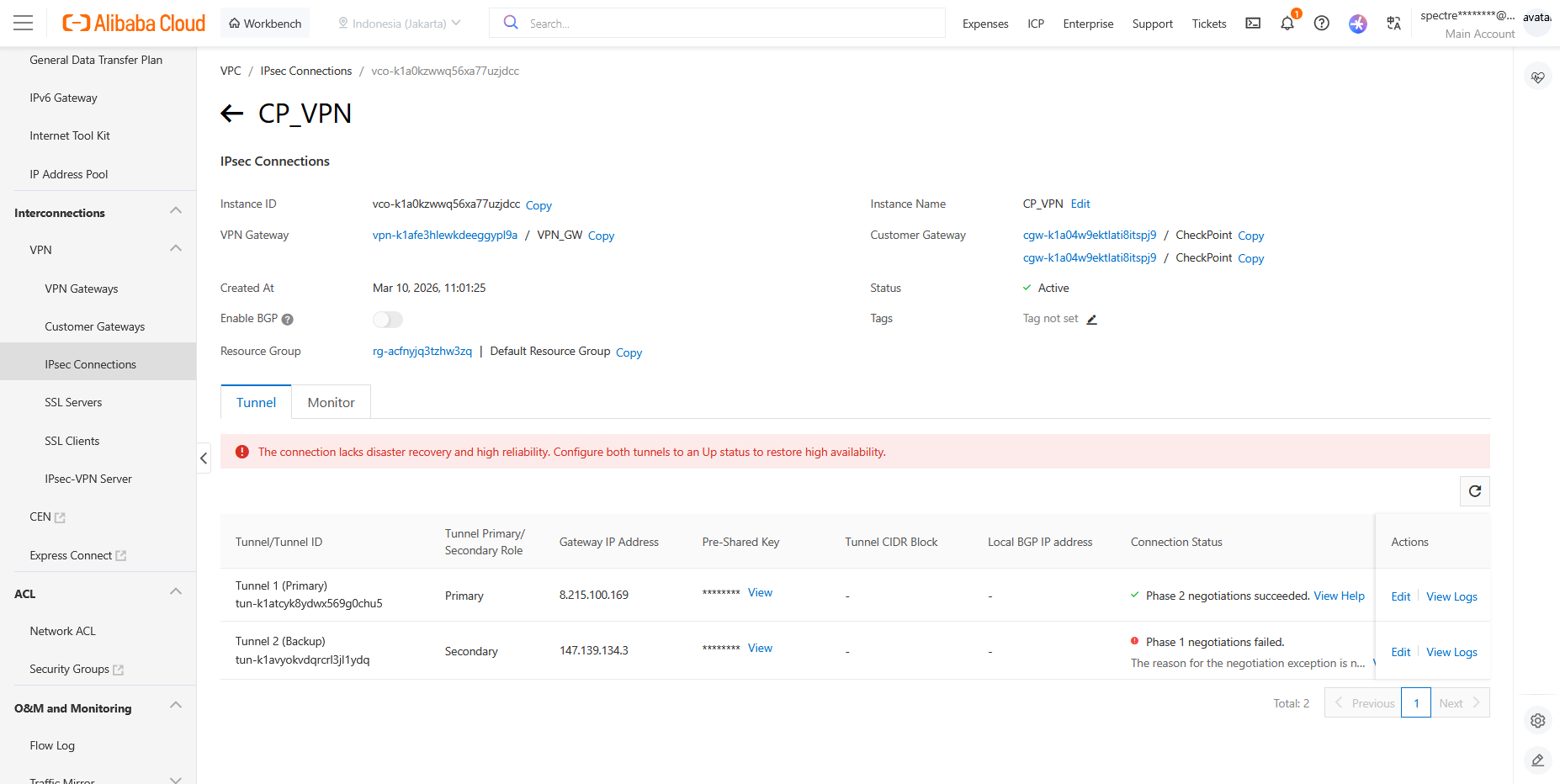
On Alibaba IPsec Connections, we now see that our Primary Tunnel is up
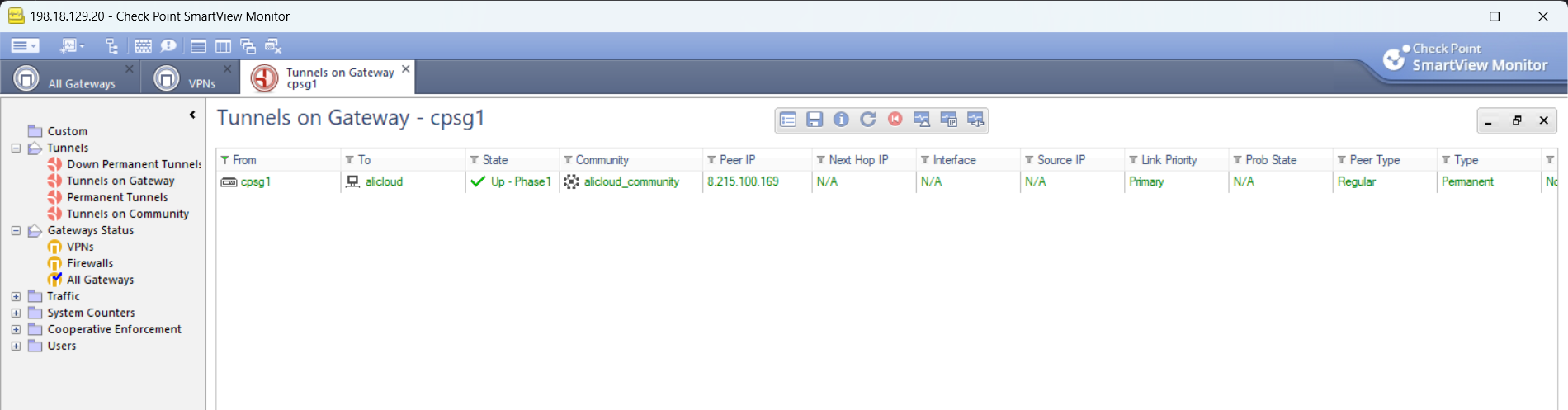
We can also verify it on Check Point side using Smart View
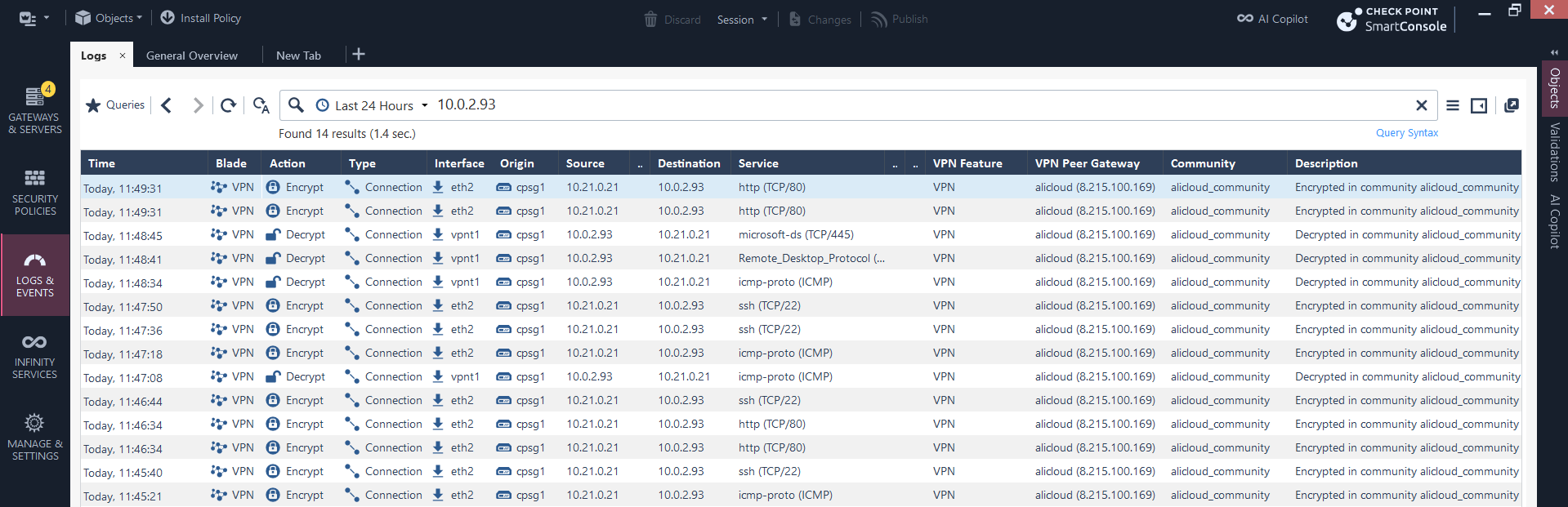
On on-prem side, our client on 10.21.0.21 can connect to 10.0.2.93 that sits on Alibaba Cloud using the configured VPN
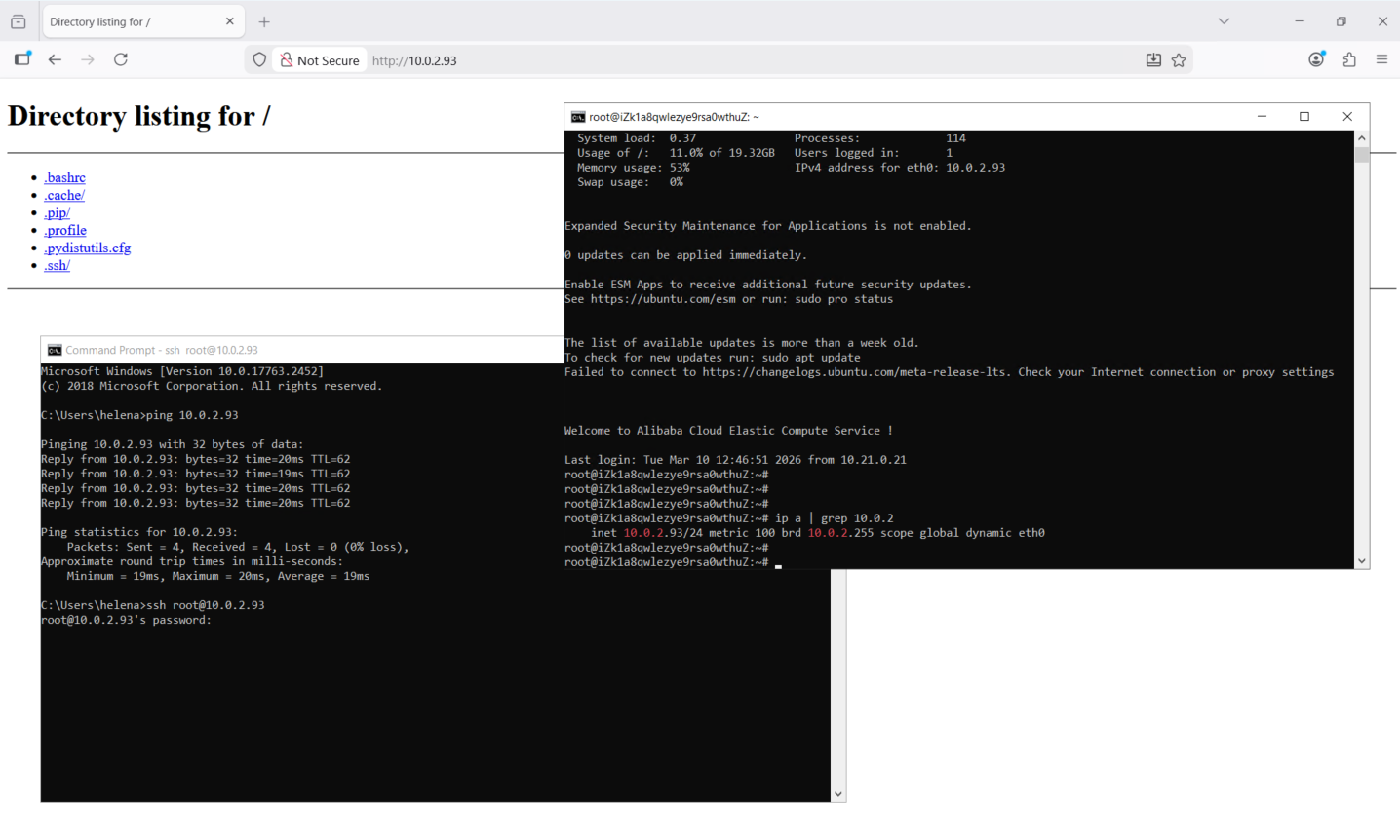
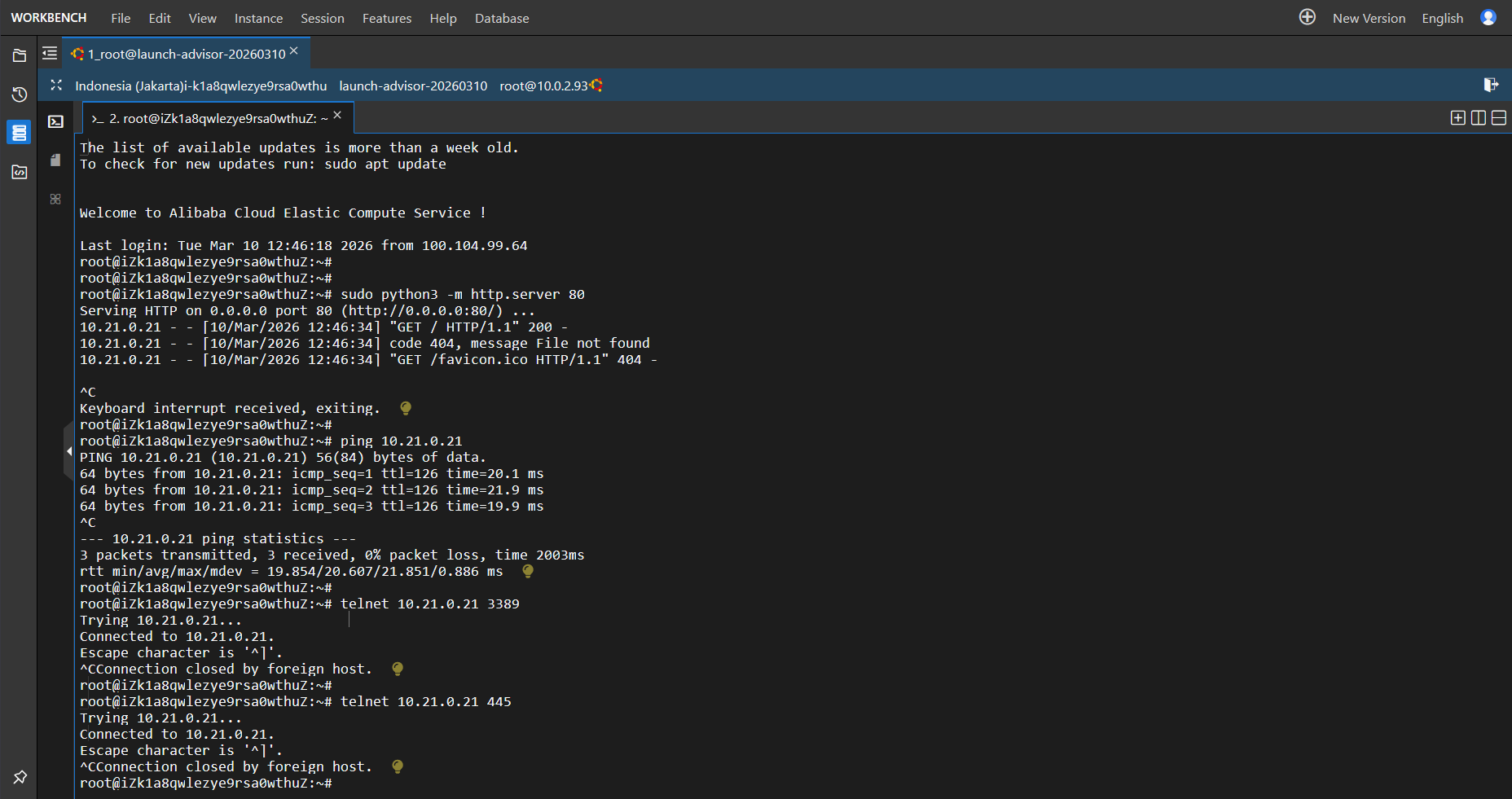
So is for the connection for the other way around, verifying that our VPN is able to connect the 2 subnets
Inside Check Point, the logs for the traffic between these 2 subnets can be observed here