Check Point Multi-Domain Server (MDS) can separate policy management, log storage, and event correlation. An external Multi-Domain Log Server (MLOG) receives and stores gateway logs for a domain, while an external SmartEvent server consumes those logs to correlate activity into events, views, and reports. This separation lets the Domain Management Servers focus on policy administration while logging and analytics can scale independently.
In this lab, we add an MLOG to the Jakarta domain, redirect gateway logging to it, then deploy a separate SmartEvent server to analyze the collected logs.
Existing MDS Deployment
The MDS overview contains the Jakarta and Global domains across MDS-21 (198.18.129.21) and MDS-22 (198.18.129.22). Jakarta is currently managed by Jakarta_Server and Jakarta_Server_2.
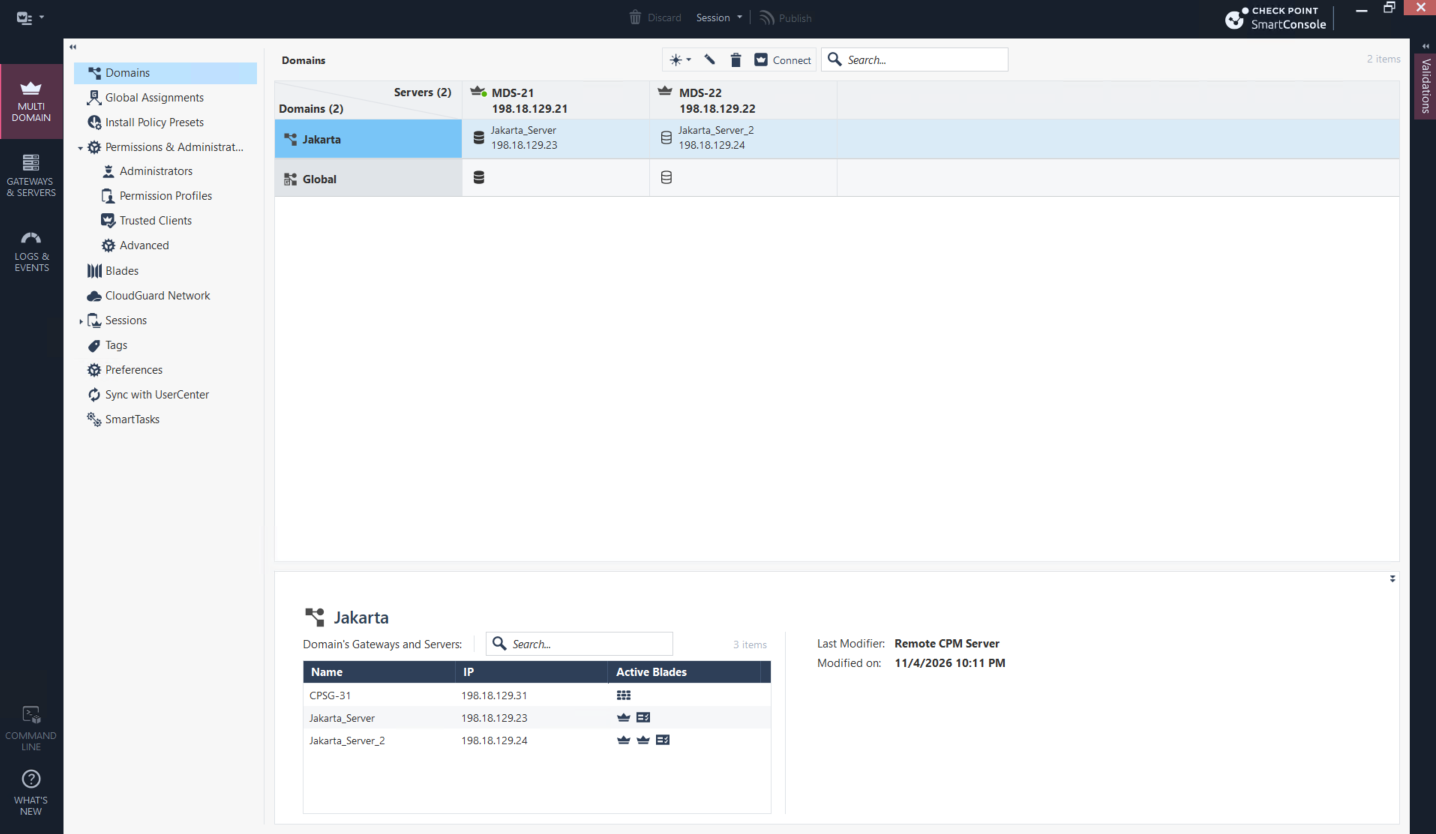
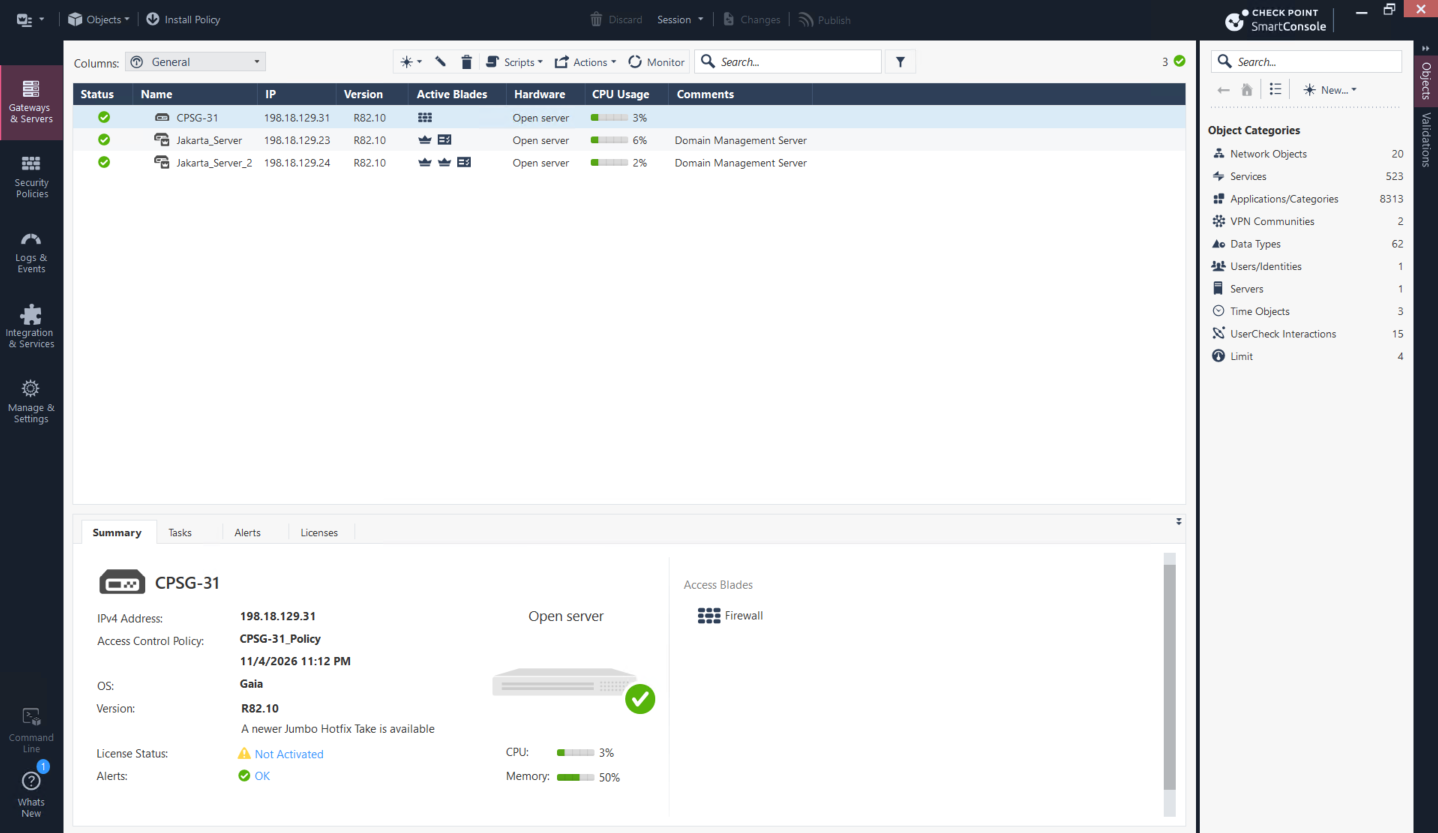
Inside the Jakarta domain, CPSG-31 is managed by the two Domain Management Servers, but there is no dedicated Domain Log Server or SmartEvent server yet. Logging therefore remains on the management tier.
Deploying MLOG
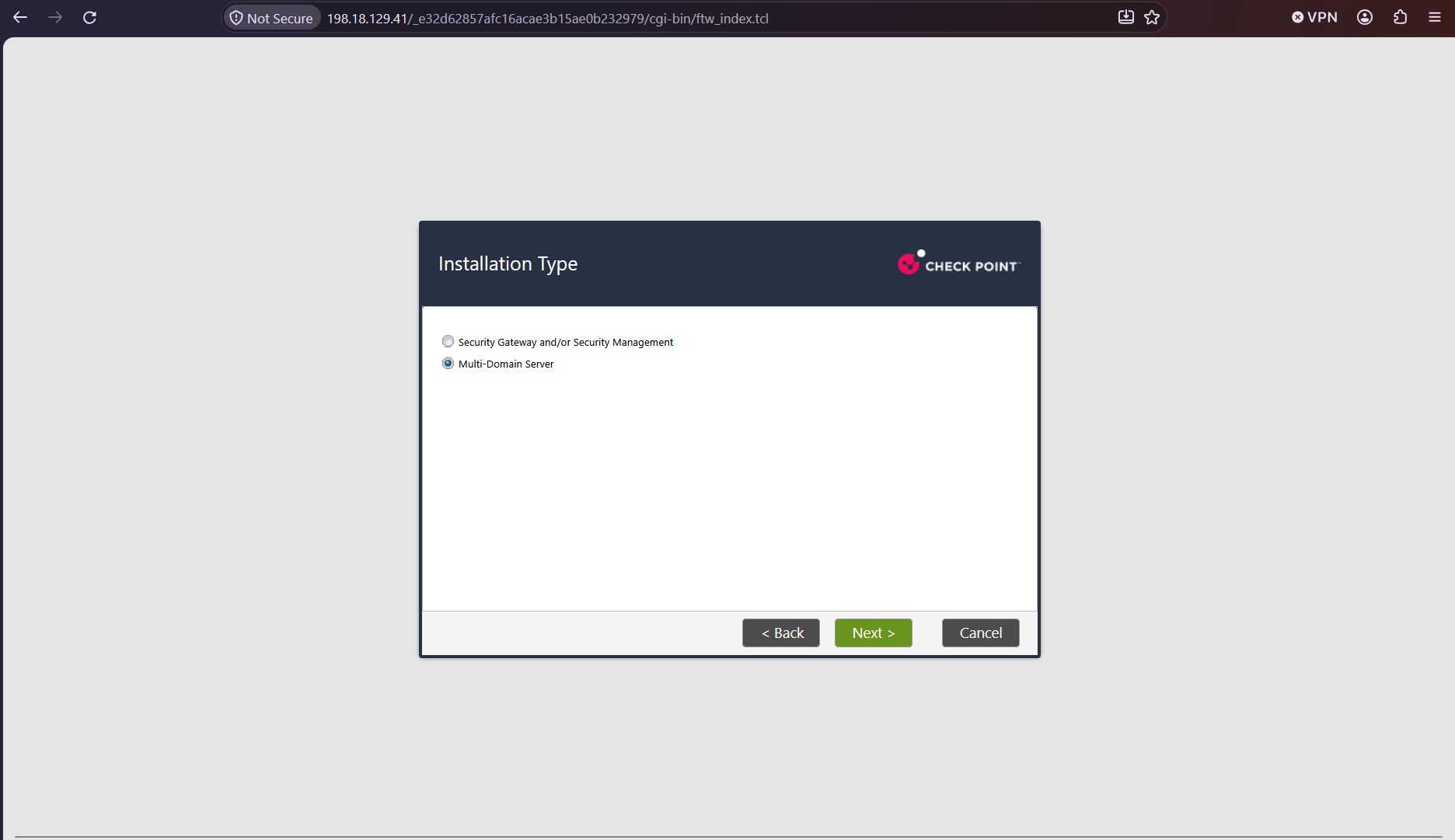
We begin the new appliance installation as a Multi-Domain Server. This makes it eligible to join the existing MDS deployment instead of becoming a standalone Security Management Server.
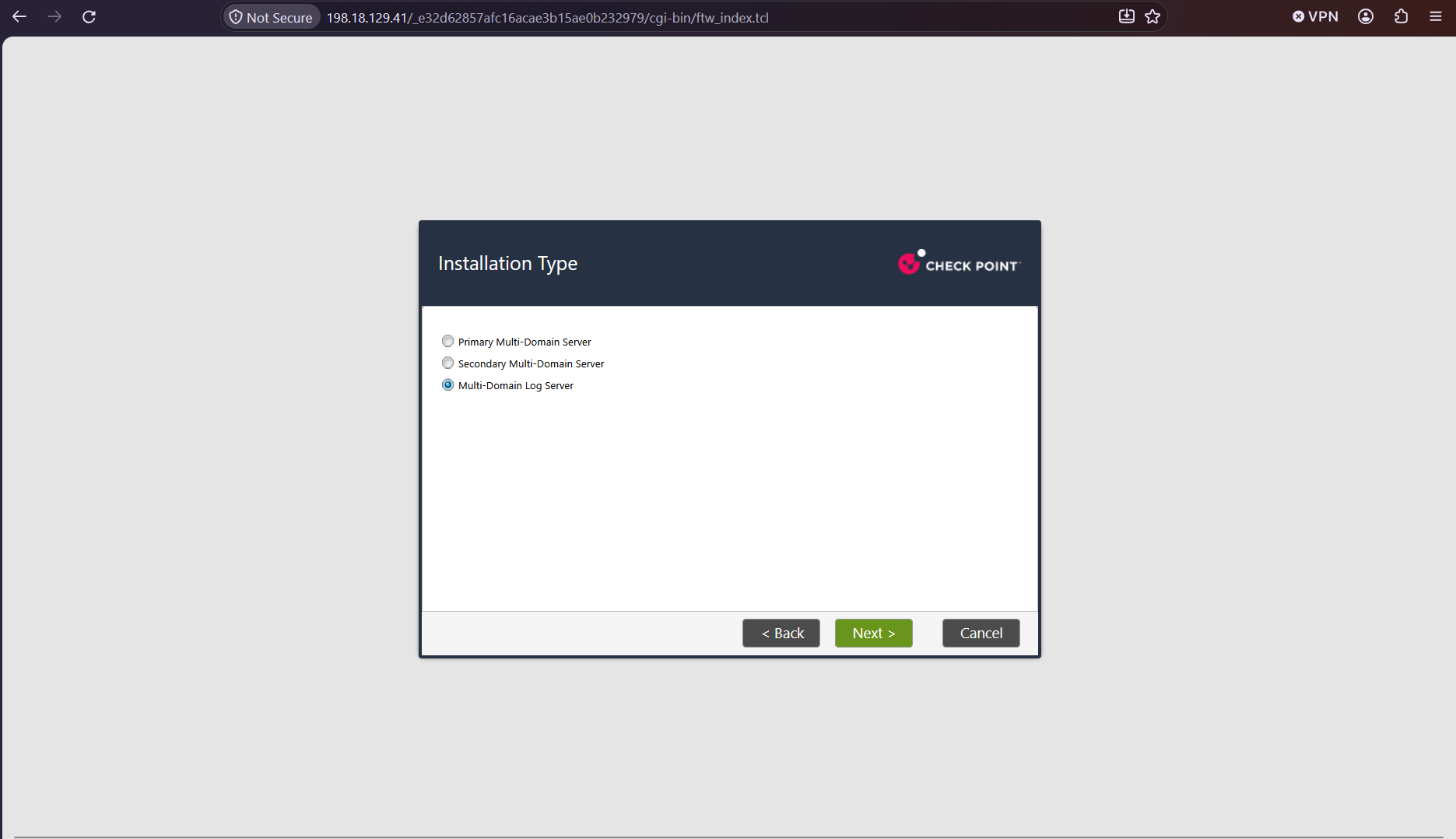
In the MDS role selection, we choose Multi-Domain Log Server rather than a primary or secondary Multi-Domain Server. The appliance is dedicated to logging and does not become another policy-management node.
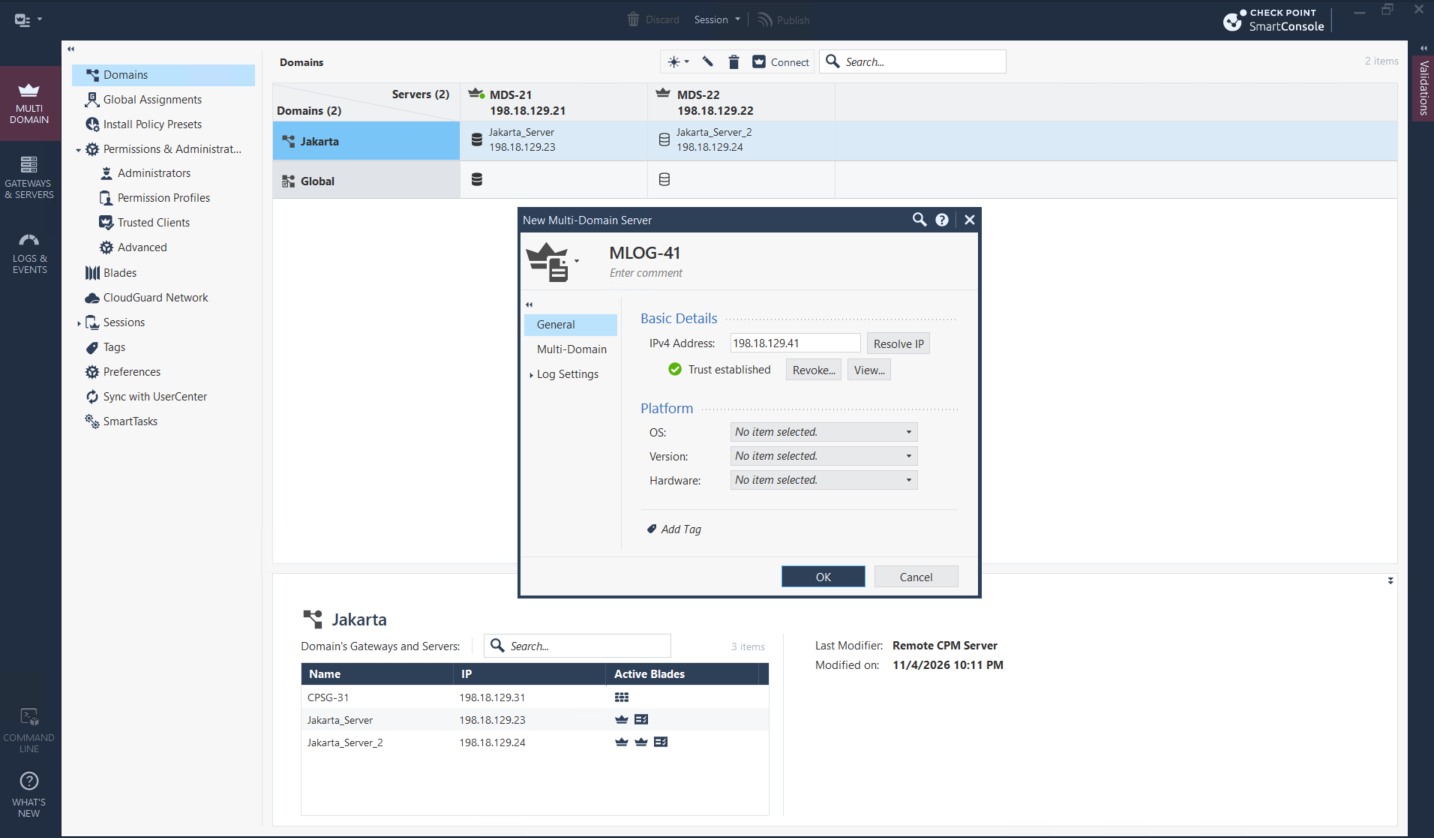
On the MDS, we add MLOG-41 at 198.18.129.41 as a new Multi-Domain Server. The established trust confirms that the new member can communicate with the existing MDS environment.
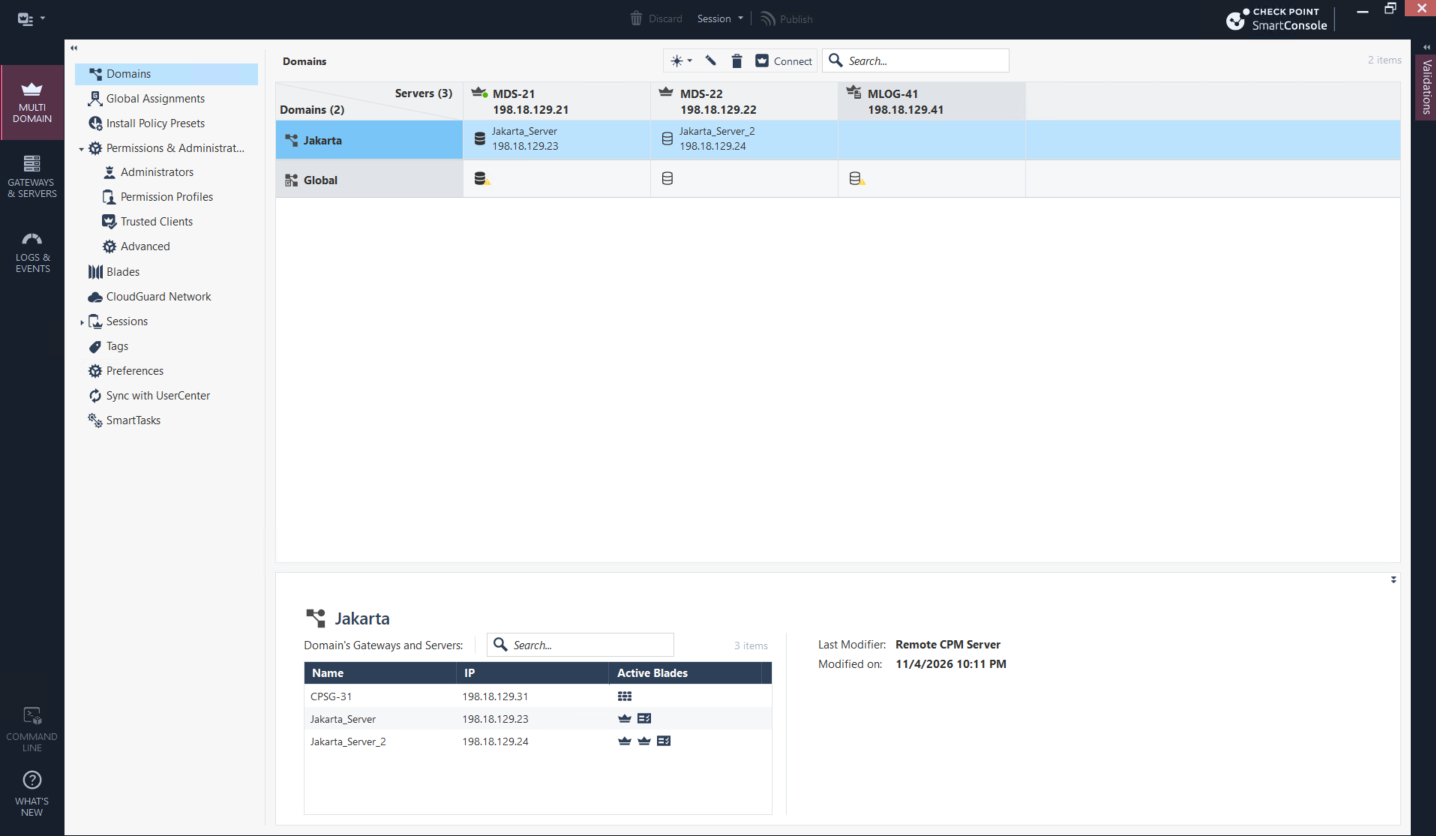
MLOG-41 now appears as the third MDS member, but it is not yet assigned as a log server for Jakarta. Adding it to the MDS inventory and assigning it to a domain are separate steps.
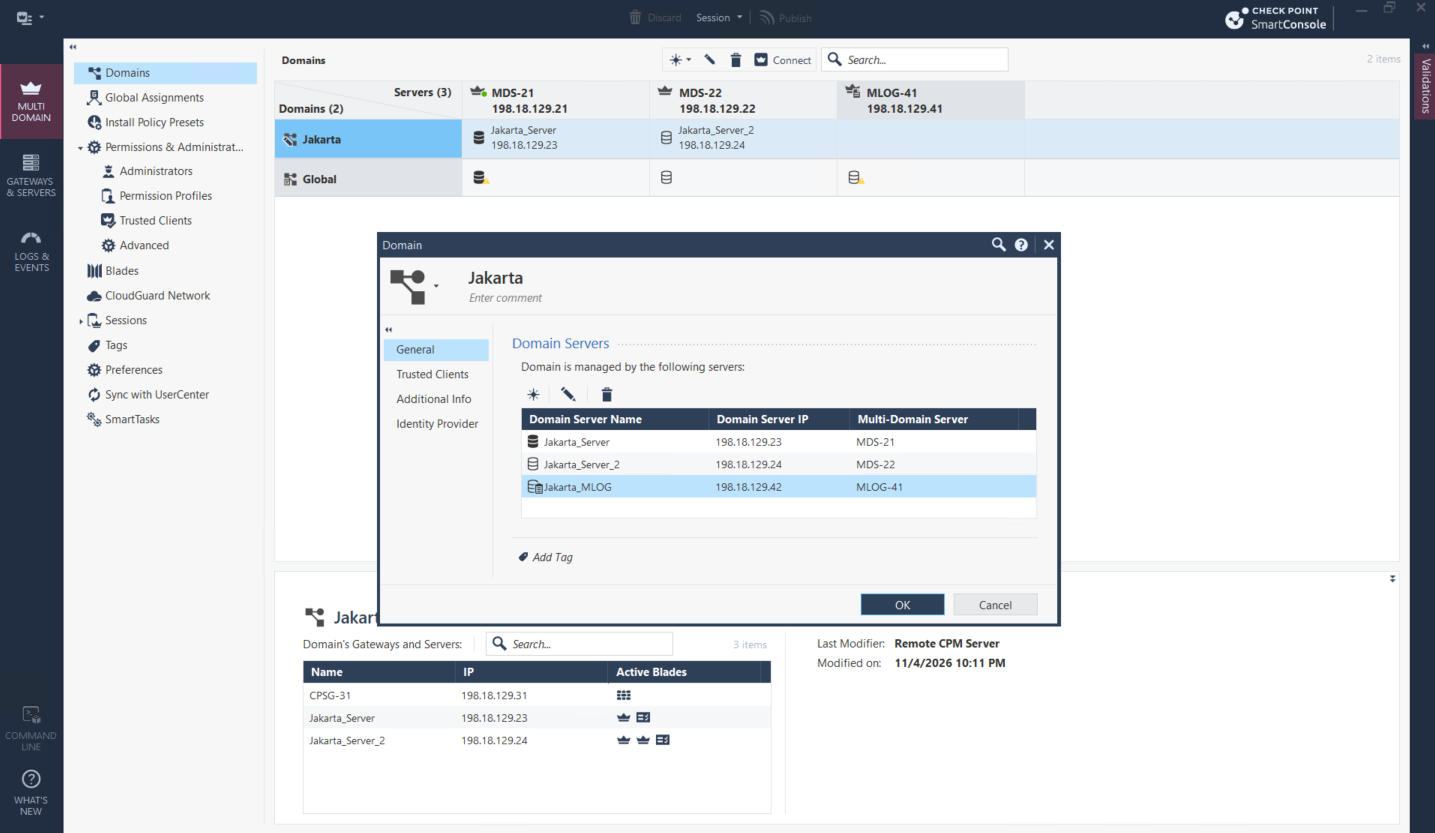
We edit the Jakarta domain and add the Jakarta_MLOG Domain Log Server, hosted by MLOG-41. This creates the Jakarta-specific log-server object at 198.18.129.42.
The MDS high-availability status shows MLOG-41 successfully synchronized with MDS-21 and MDS-22. Jakarta now lists Jakarta_MLOG alongside its two Domain Management Servers.
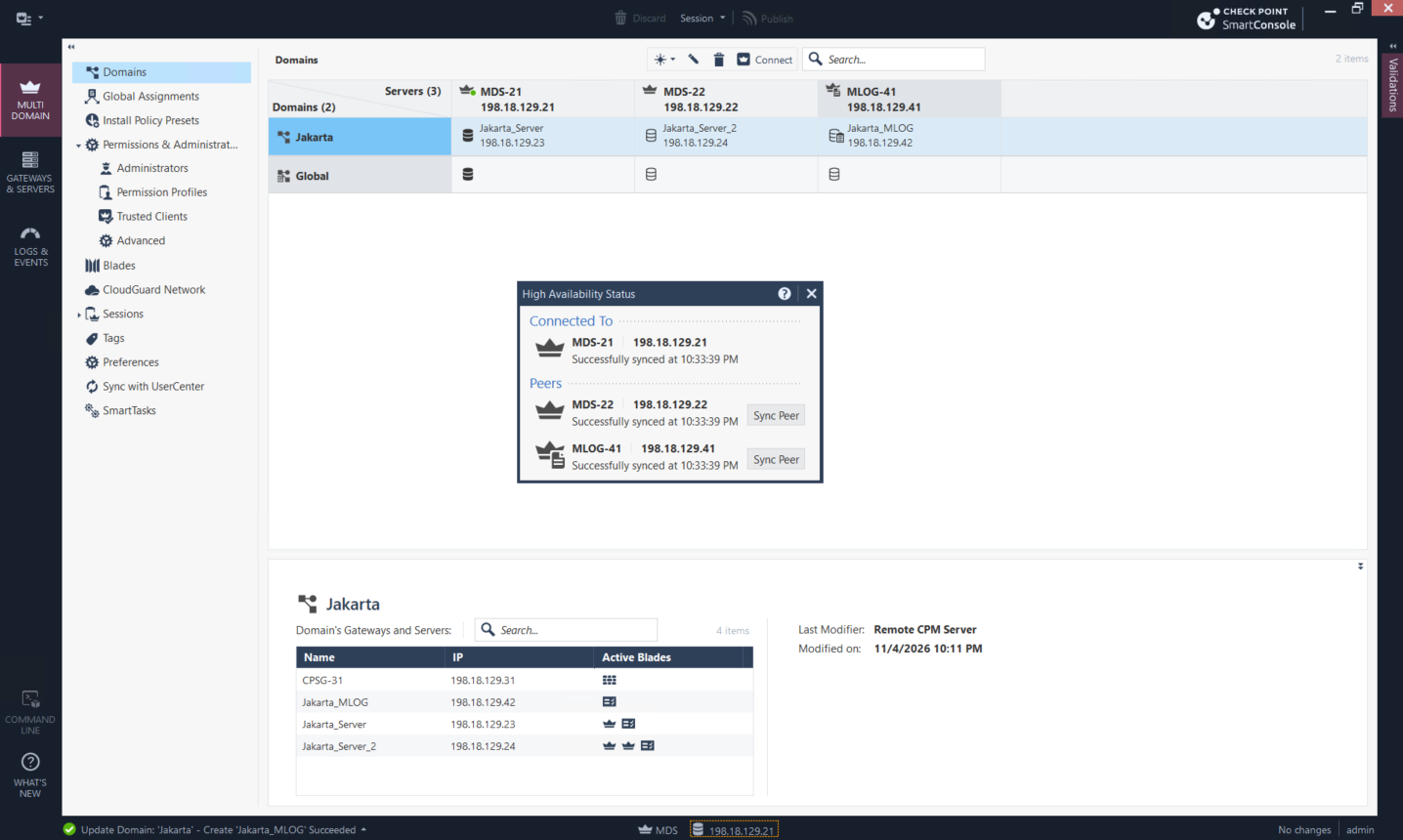
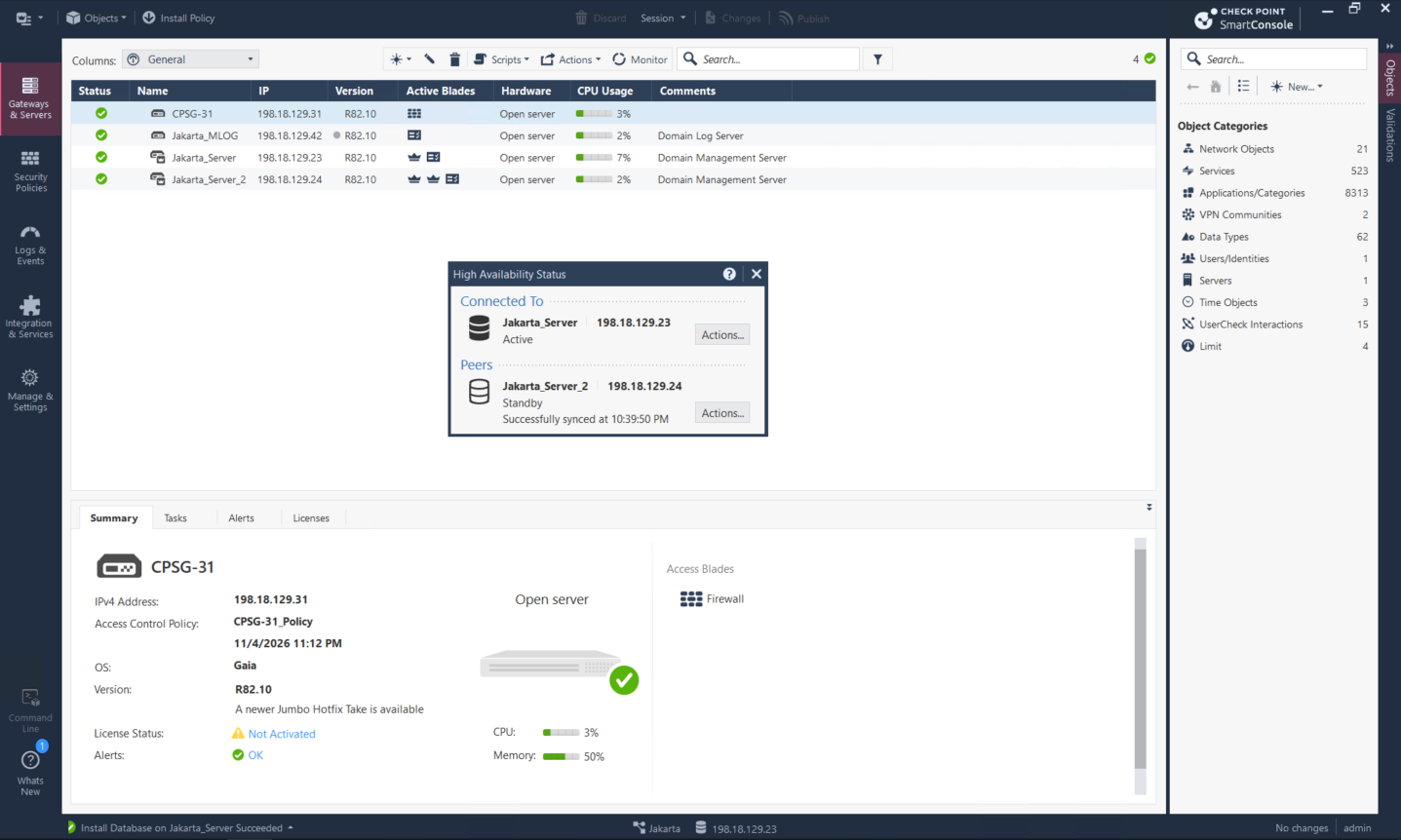
From the Jakarta domain, Jakarta_MLOG is visible with the Domain Log Server blade, while Jakarta_Server remains active and Jakarta_Server_2 remains the standby management server. The roles are now separated without changing the domain’s management HA design.
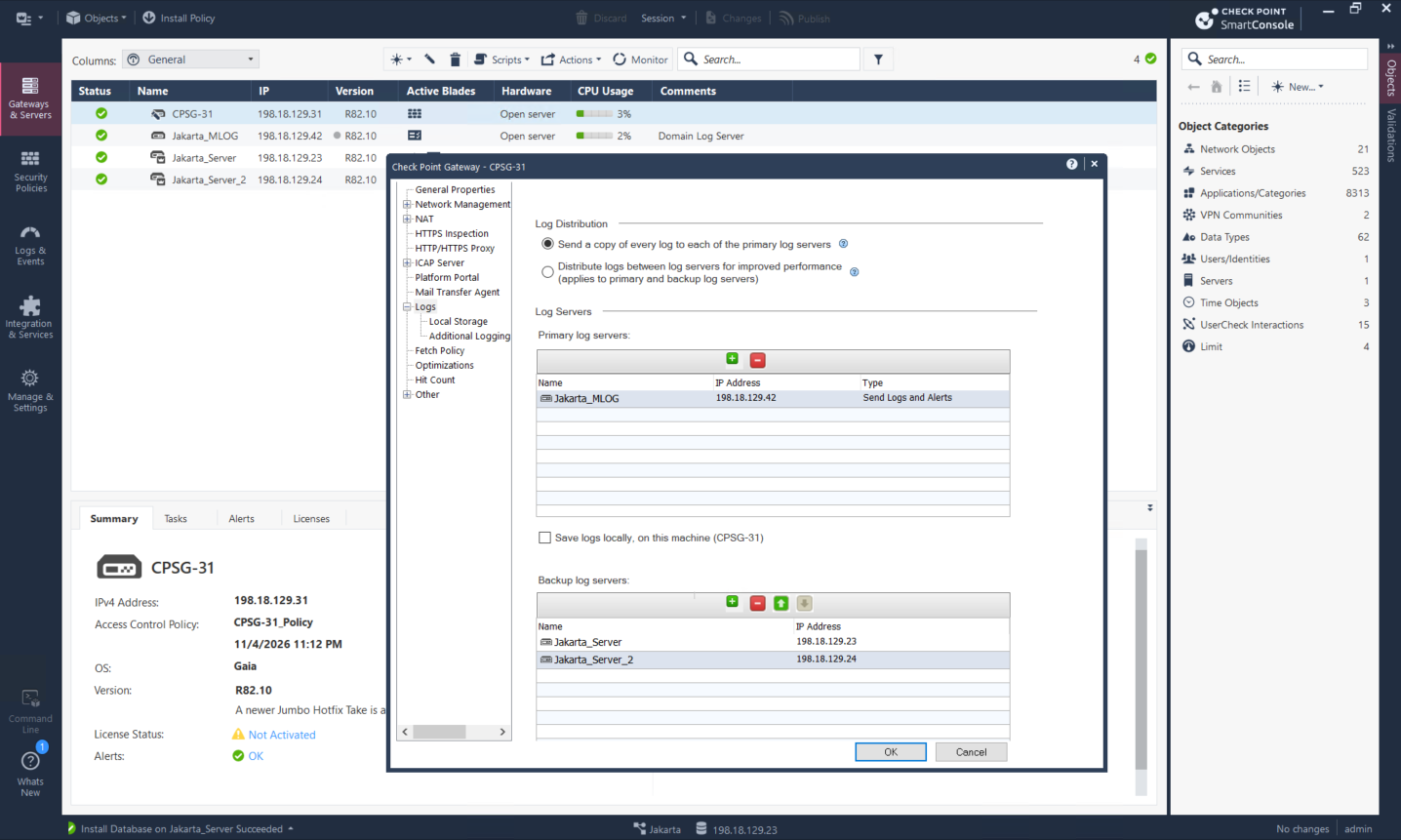
We update CPSG-31 log distribution so Jakarta_MLOG is the primary log server and the two Jakarta Domain Management Servers remain backup log servers. Local storage on the gateway is not selected, so normal log delivery is centralized on the MLOG.
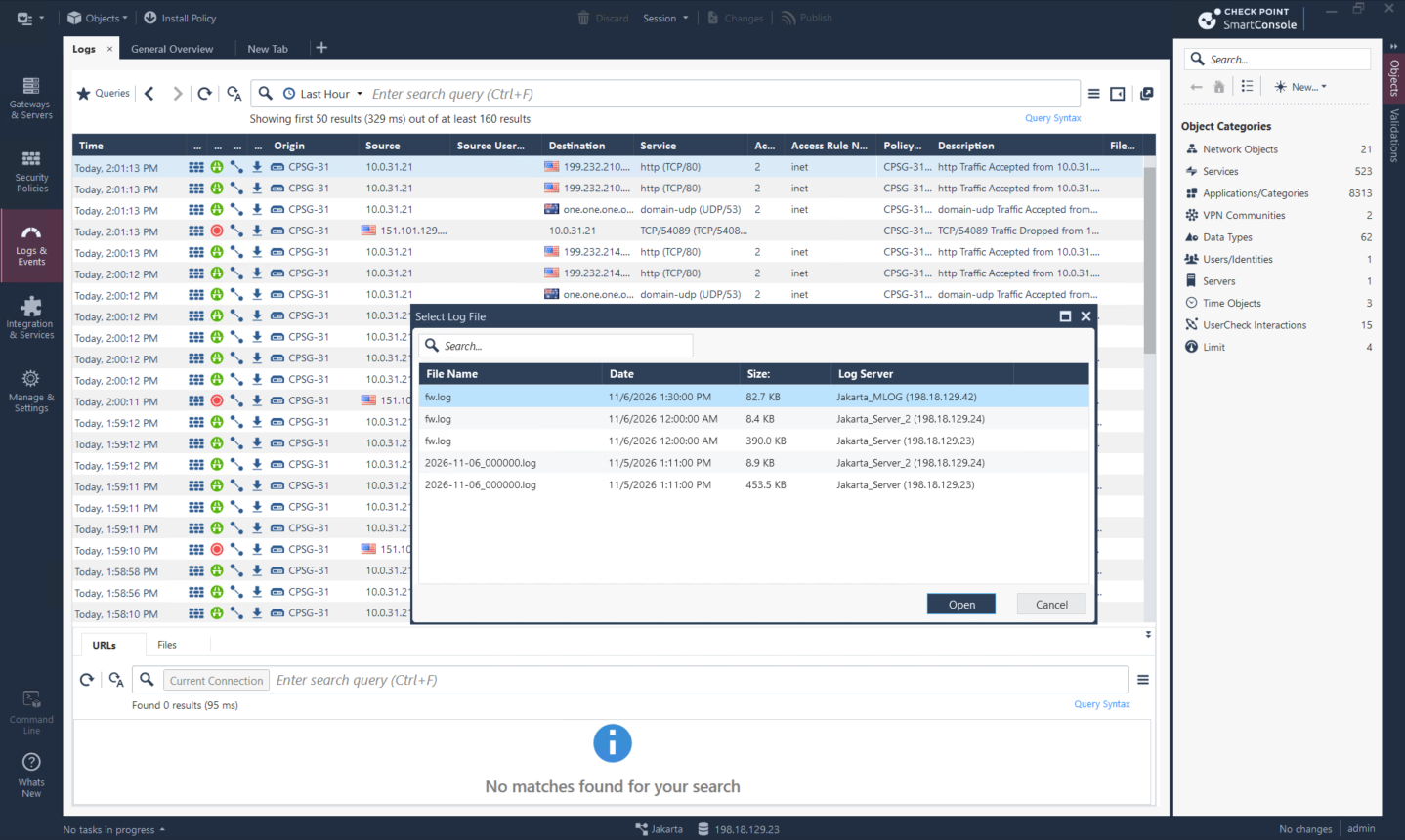
In Logs & Events, the newer fw.log is fetched from Jakarta_MLOG while older files remain on the previous Jakarta management servers. Redirecting future logs does not move existing log files, so queries may span both the new and legacy sources during the transition.
Deploying SmartEvent
We deploy a second appliance using the Security Gateway and/or Security Management installation path, not the Multi-Domain Server path used by MLOG.
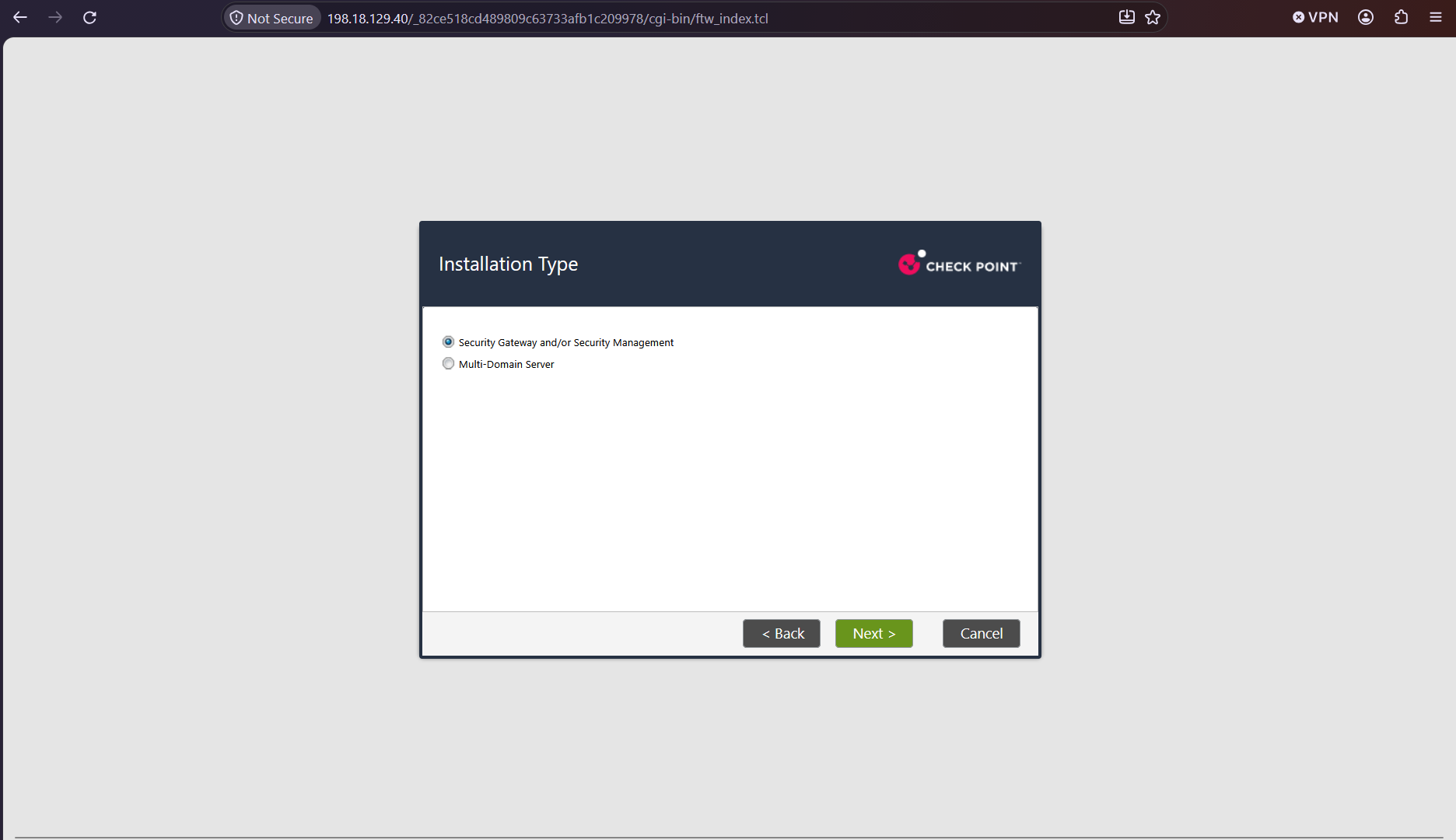
For the Security Management role, we select Log Server / SmartEvent only. This creates an external analytics service without giving the appliance responsibility for domain policy management.
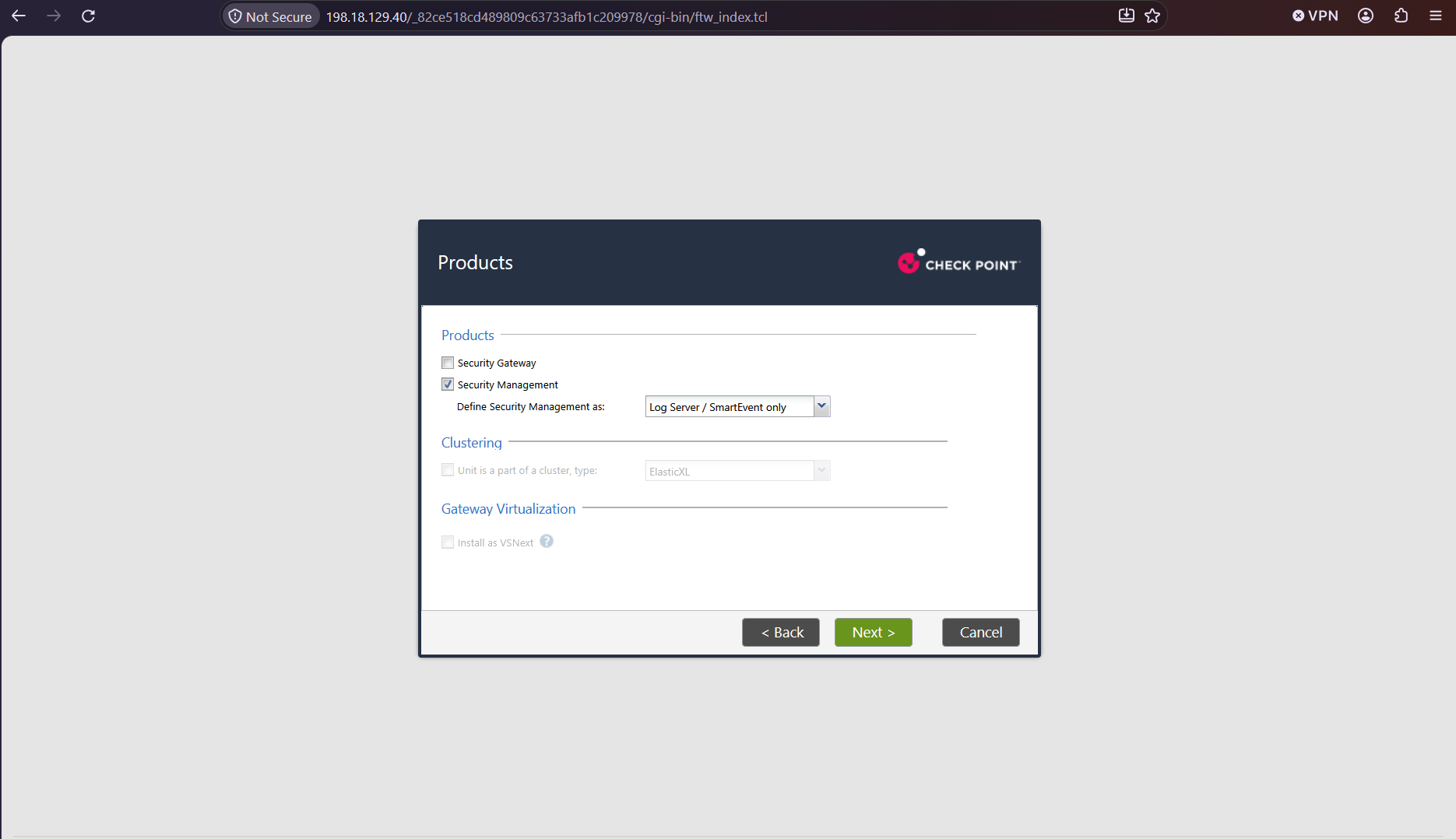
On the Global domain, we add EVENT-40 at 198.18.129.40 and enable Logging & Status, SmartEvent Server, and SmartEvent Correlation Unit. The correlation unit is the component that turns matching log activity into higher-level events.
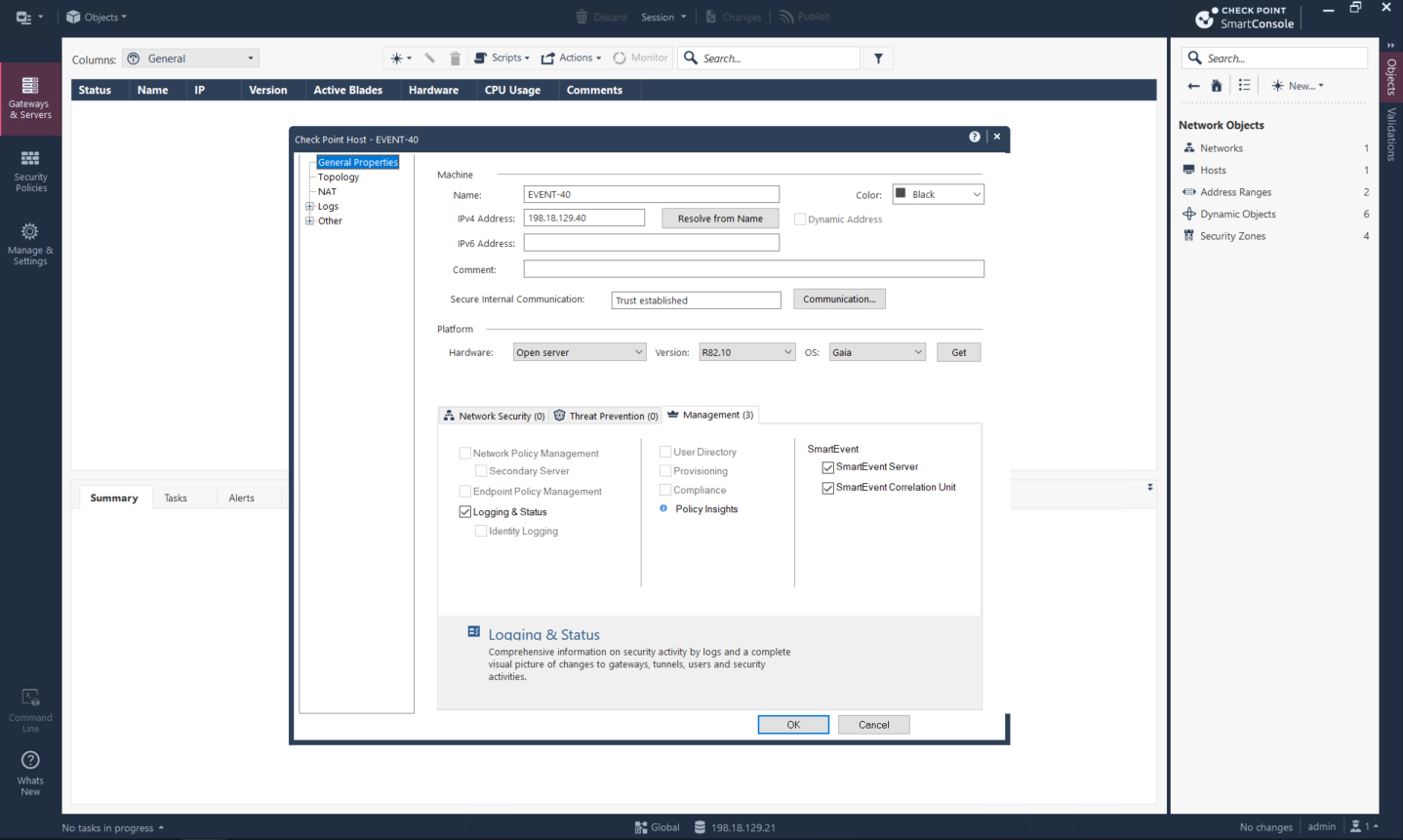
EVENT-40 is now available in Global with the three selected management blades. It is defined globally so it can be shared with managed domains instead of being isolated from their objects and logs.
We create a Global Assignment from Global to Jakarta. No global access-control or threat-prevention policy is selected because this assignment is used to share objects, not to impose a global policy layer.
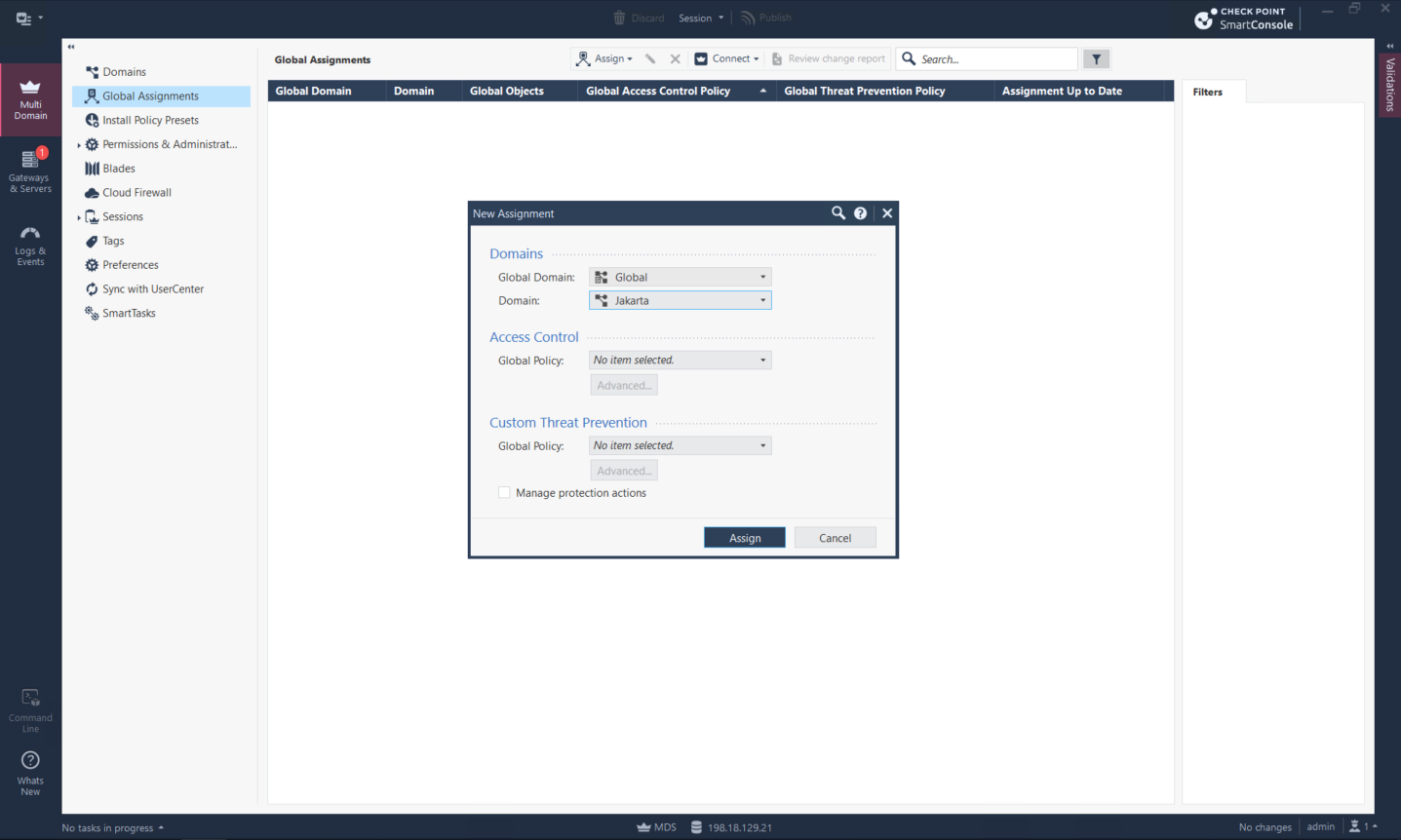
The completed assignment shares All Global Objects with Jakarta and is up to date. The access-control and threat-prevention policy columns remain None.
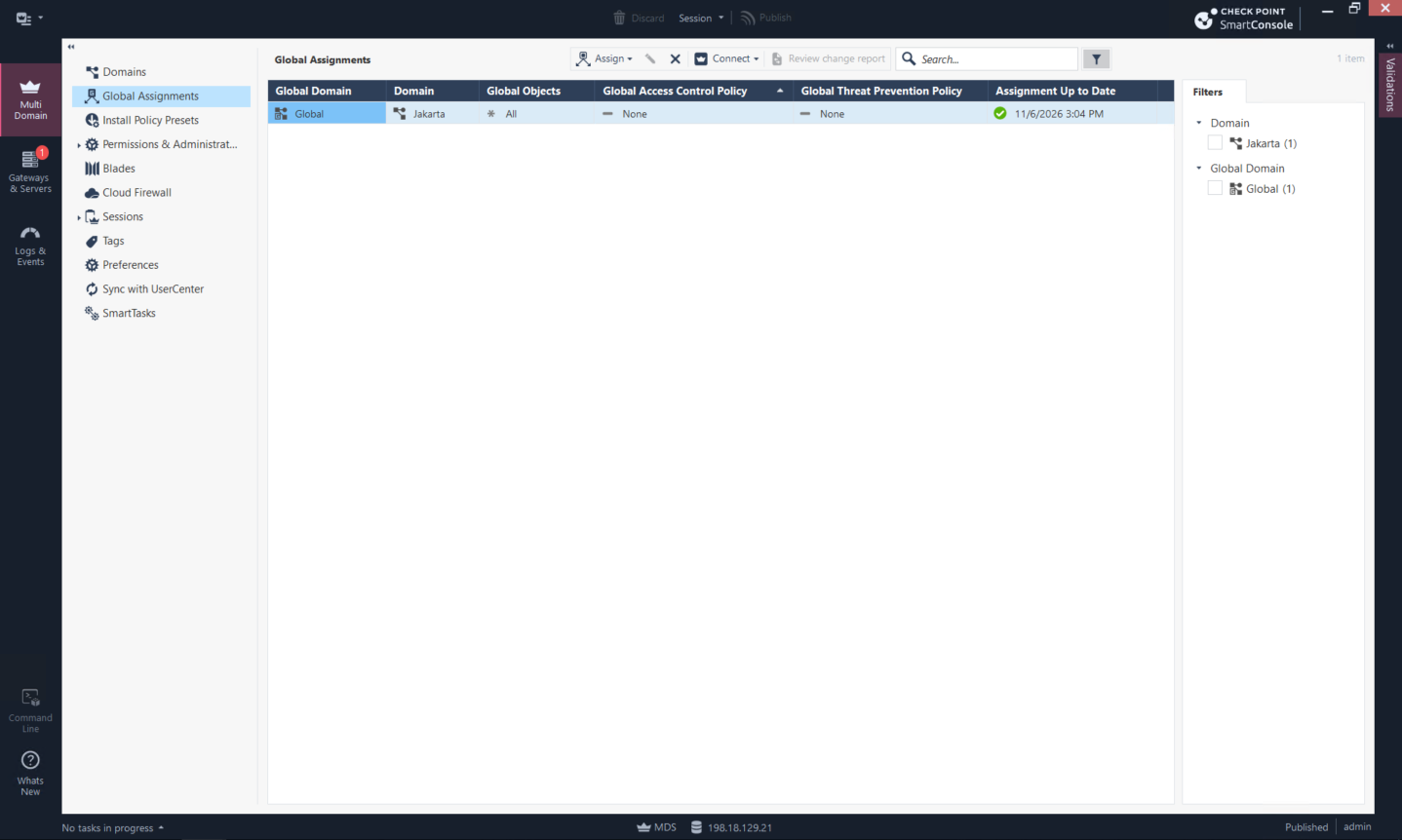
After publishing, EVENT-40 appears in the Jakarta domain together with Jakarta_MLOG and the two Domain Management Servers. The Jakarta SmartConsole can now use the shared SmartEvent server and Global objects.
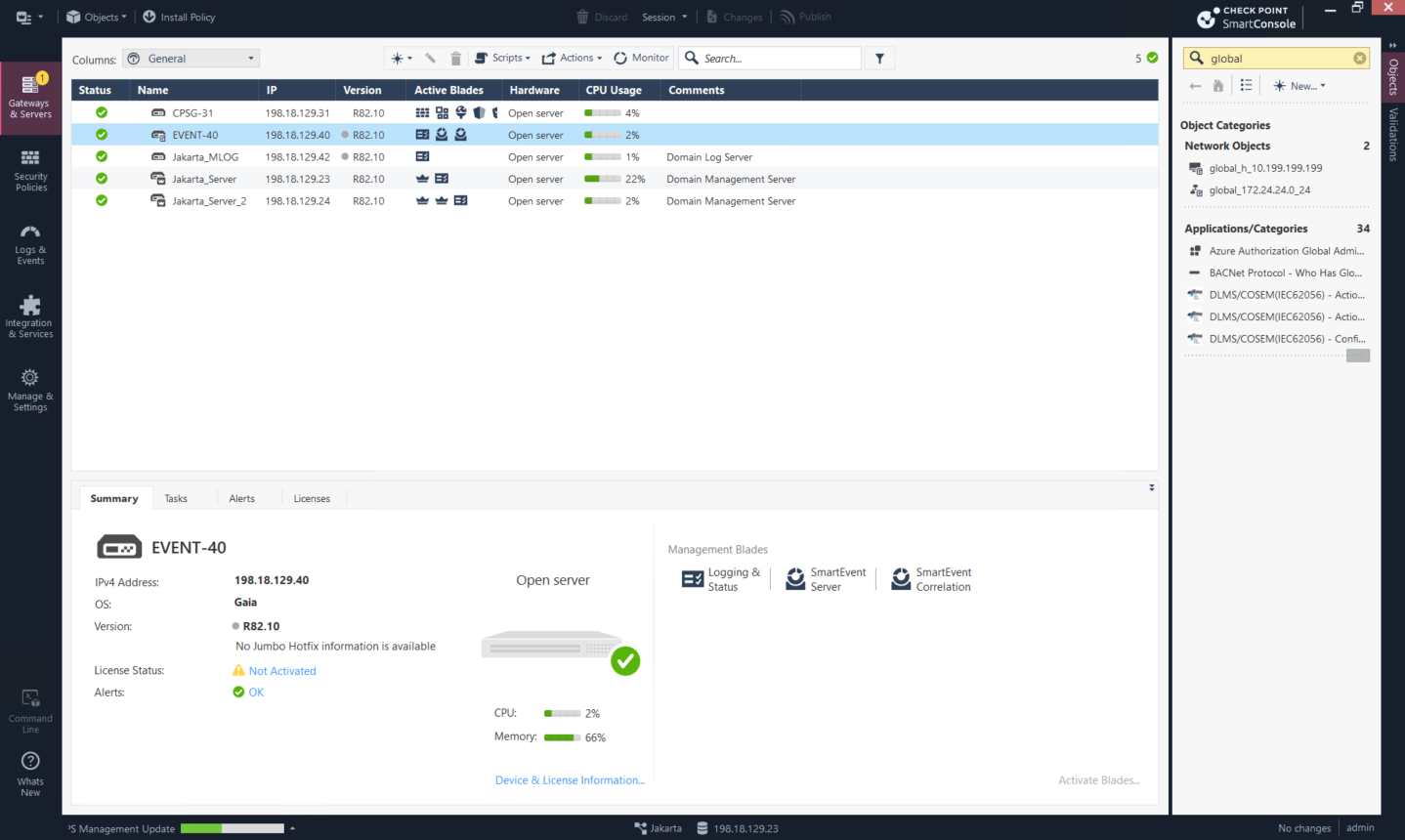
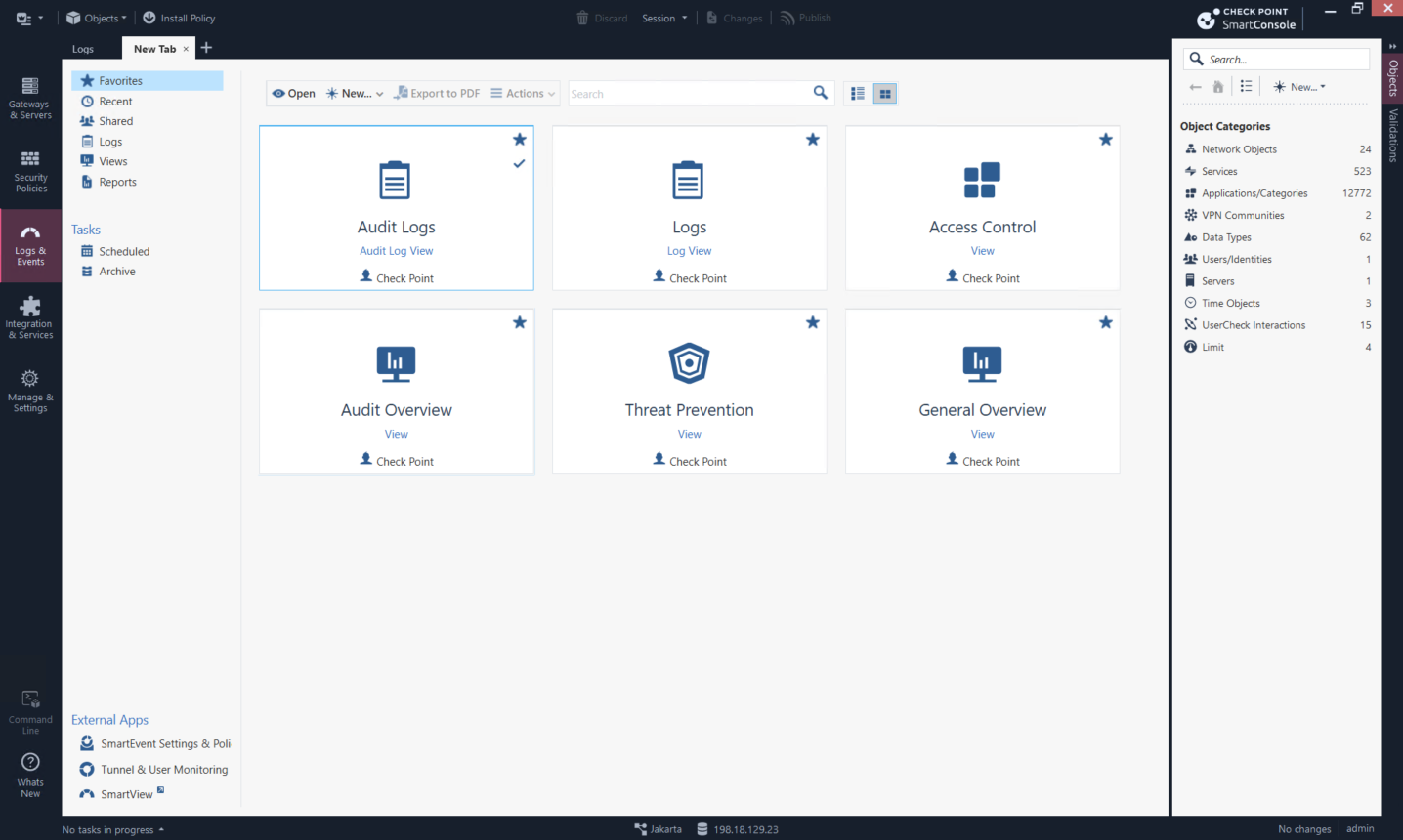
From Logs & Events, we select the external SmartEvent Settings & Policy application. This opens the SmartEvent client where correlation sources, domain context, and the event policy are configured.
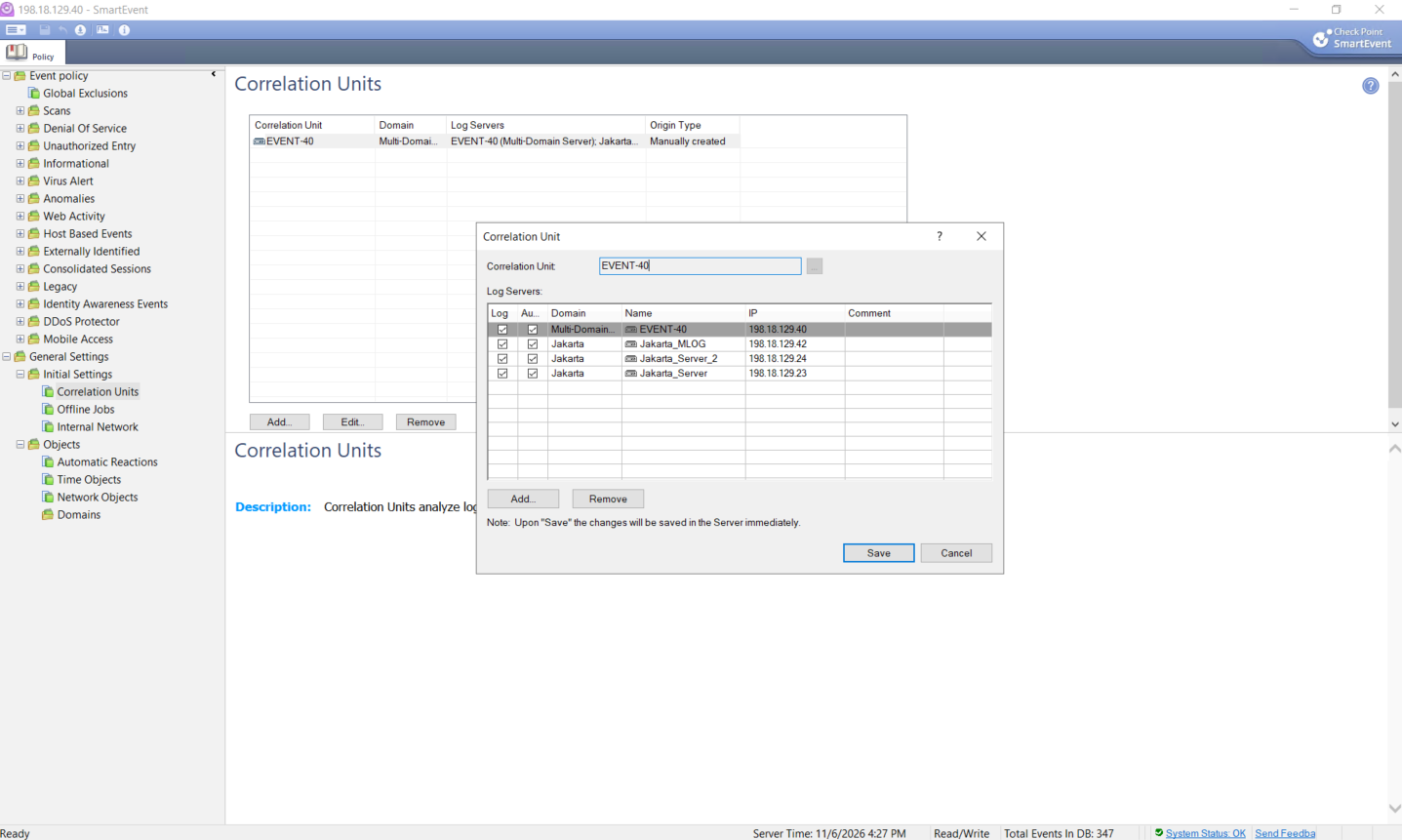
We configure the EVENT-40 correlation unit and include Jakarta_MLOG as a Jakarta log source. The earlier Jakarta log servers are also listed, allowing SmartEvent to retain visibility of the domain’s existing sources during the move to MLOG.
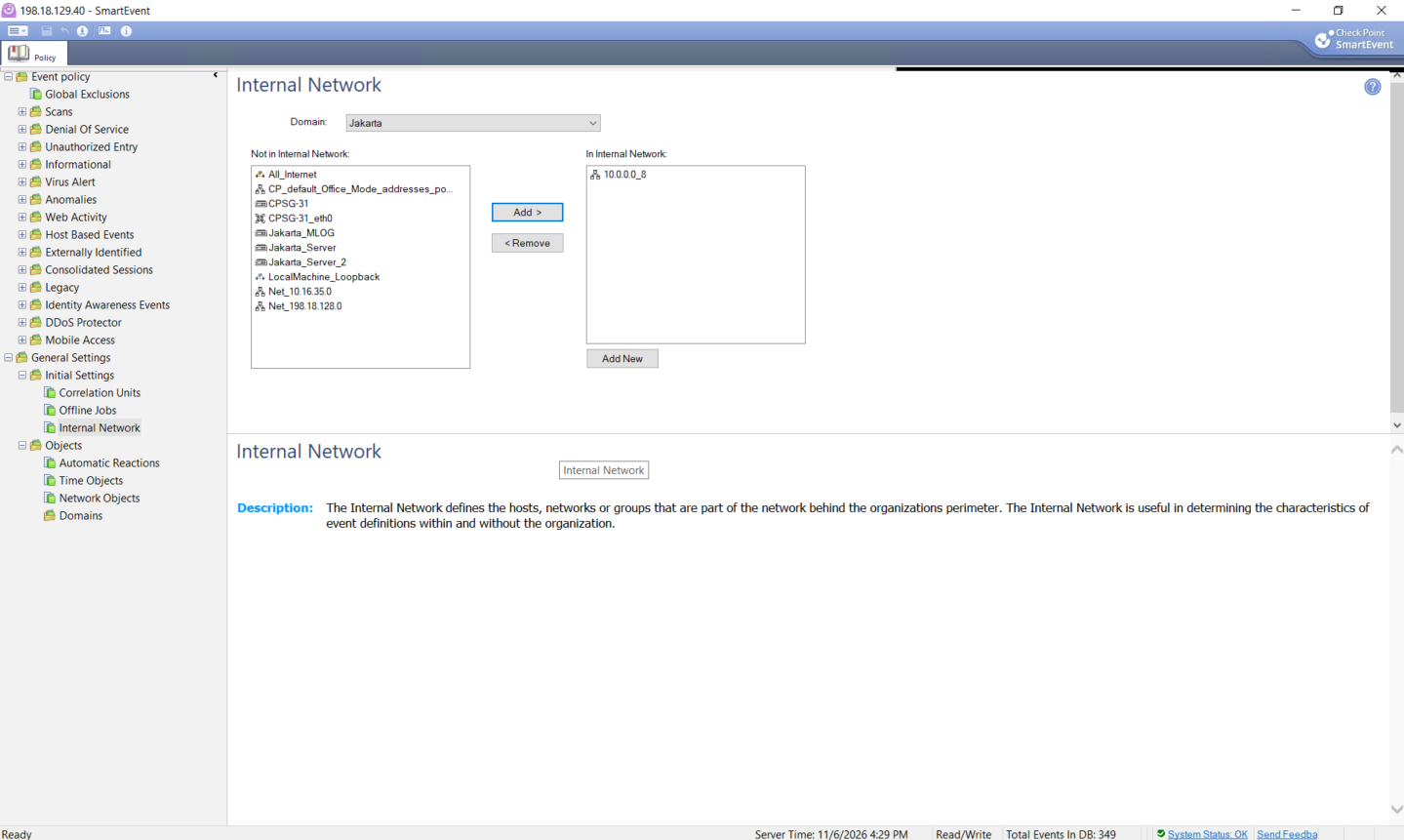
For Jakarta, we declare 10.0.0.0/8 as the internal network. This gives correlation rules a boundary for distinguishing internal assets from external activity.
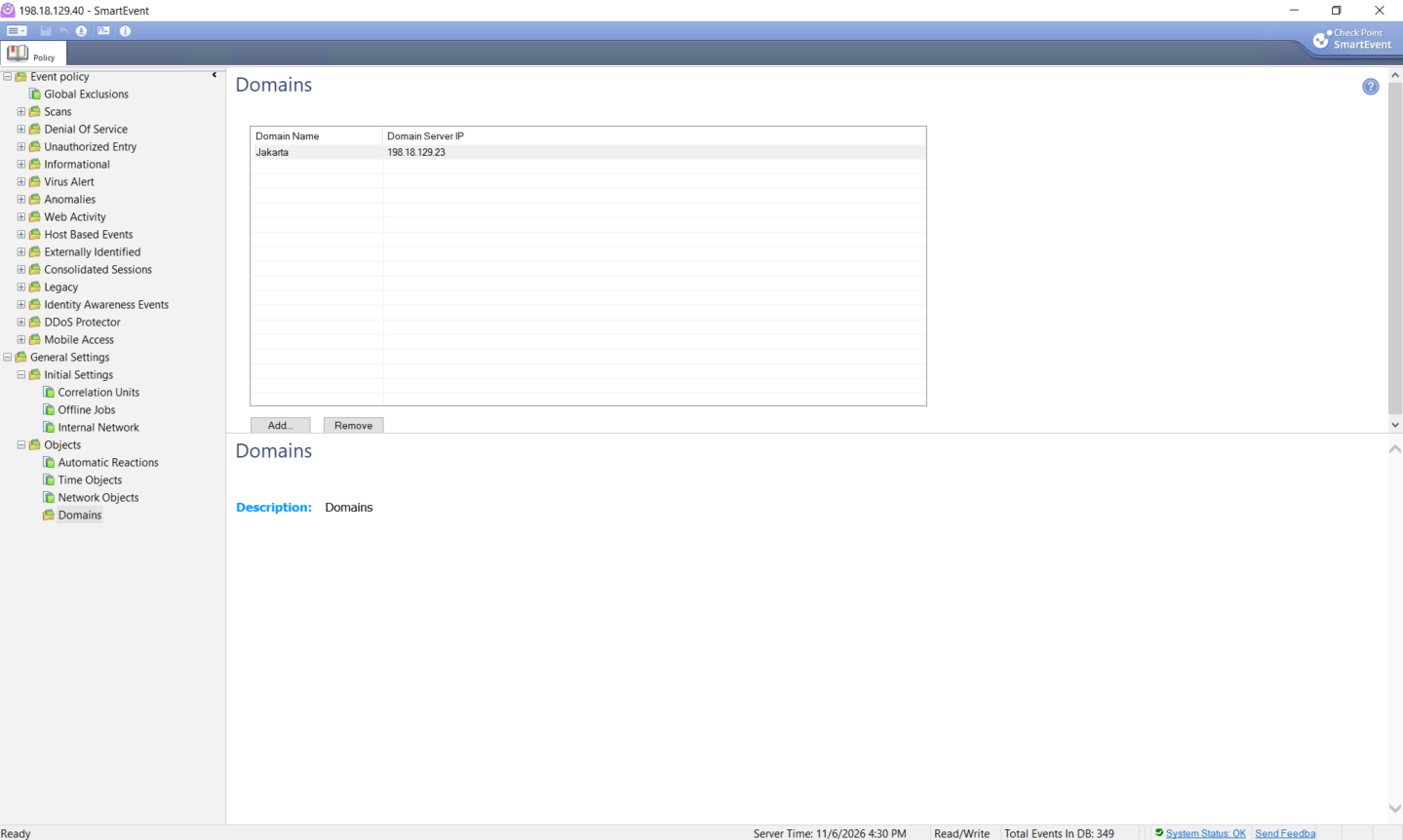
We add the Jakarta domain and point SmartEvent at Jakarta_Server (198.18.129.23). The domain definition gives SmartEvent the management context required to interpret Jakarta objects and logs.
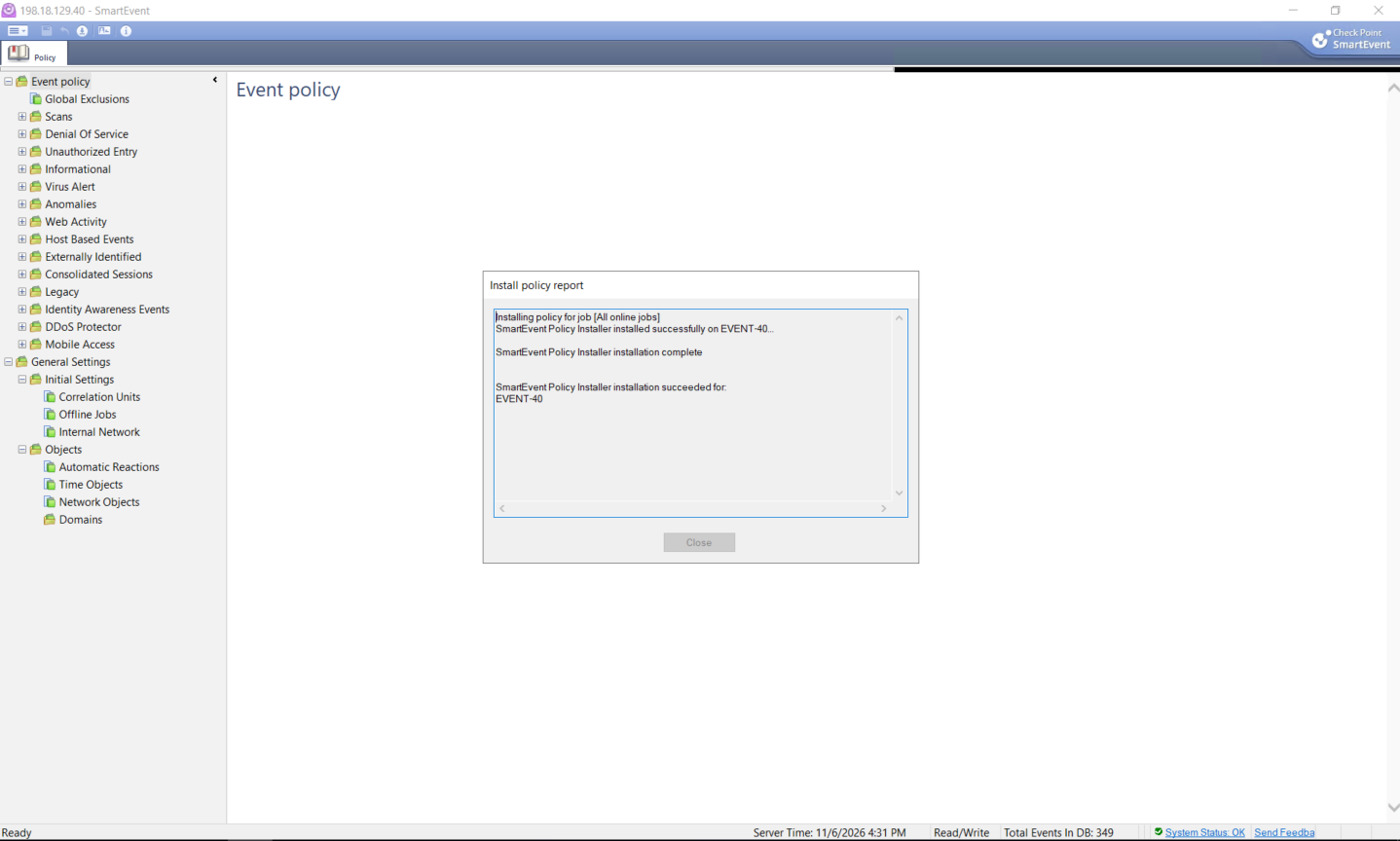
Finally, we install the event policy. The installation report confirms that the SmartEvent Policy Installer completed successfully on EVENT-40.
Reviewing Correlated Events
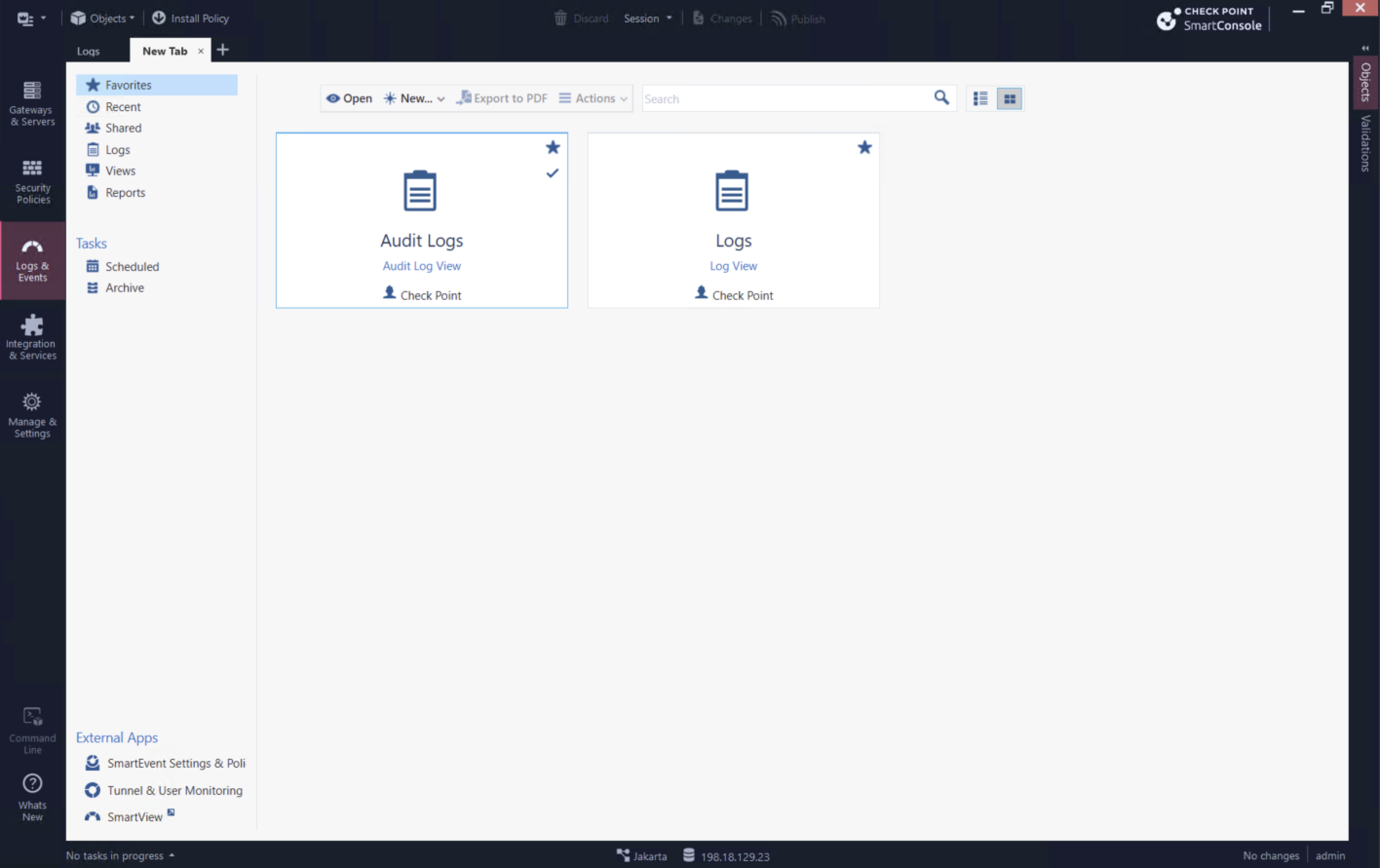
Before SmartEvent is configured, Logs & Events provides the raw Audit Logs and Logs views. These are useful for reviewing individual changes and traffic records, but they do not provide the full catalog of correlated security views.
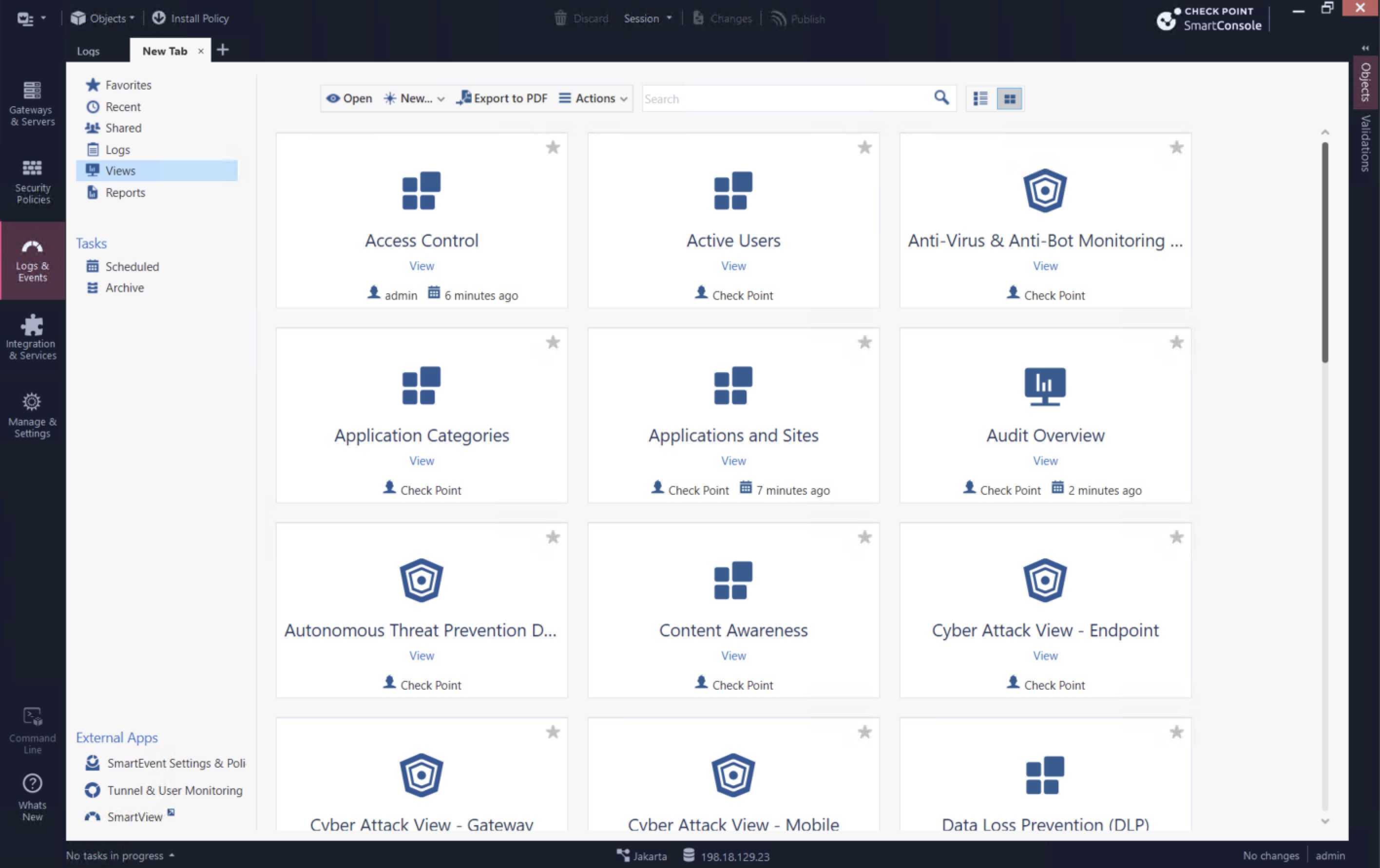
With SmartEvent enabled, the Views catalog adds prebuilt dashboards such as Access Control, Active Users, Application Categories, Audit Overview, Content Awareness, and Cyber Attack views. These turn collected logs into focused operational views and reports instead of requiring each investigation to start with a raw-log query.
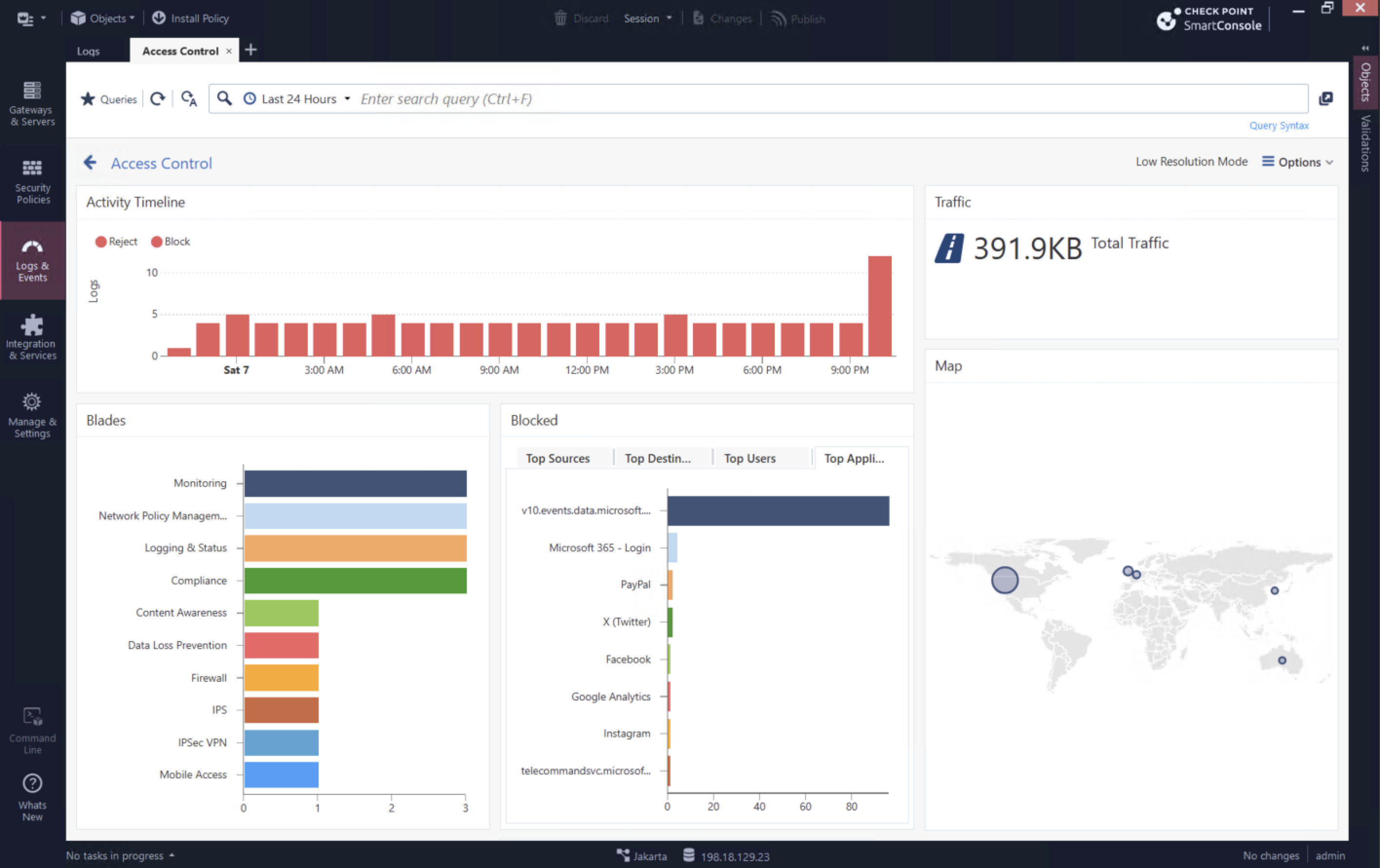
The Access Control view summarizes the last 24 hours with an activity timeline, total traffic, blade distribution, top blocked destinations, and a geographic map. This makes patterns such as repeated blocks or unusual destination activity visible at a glance.
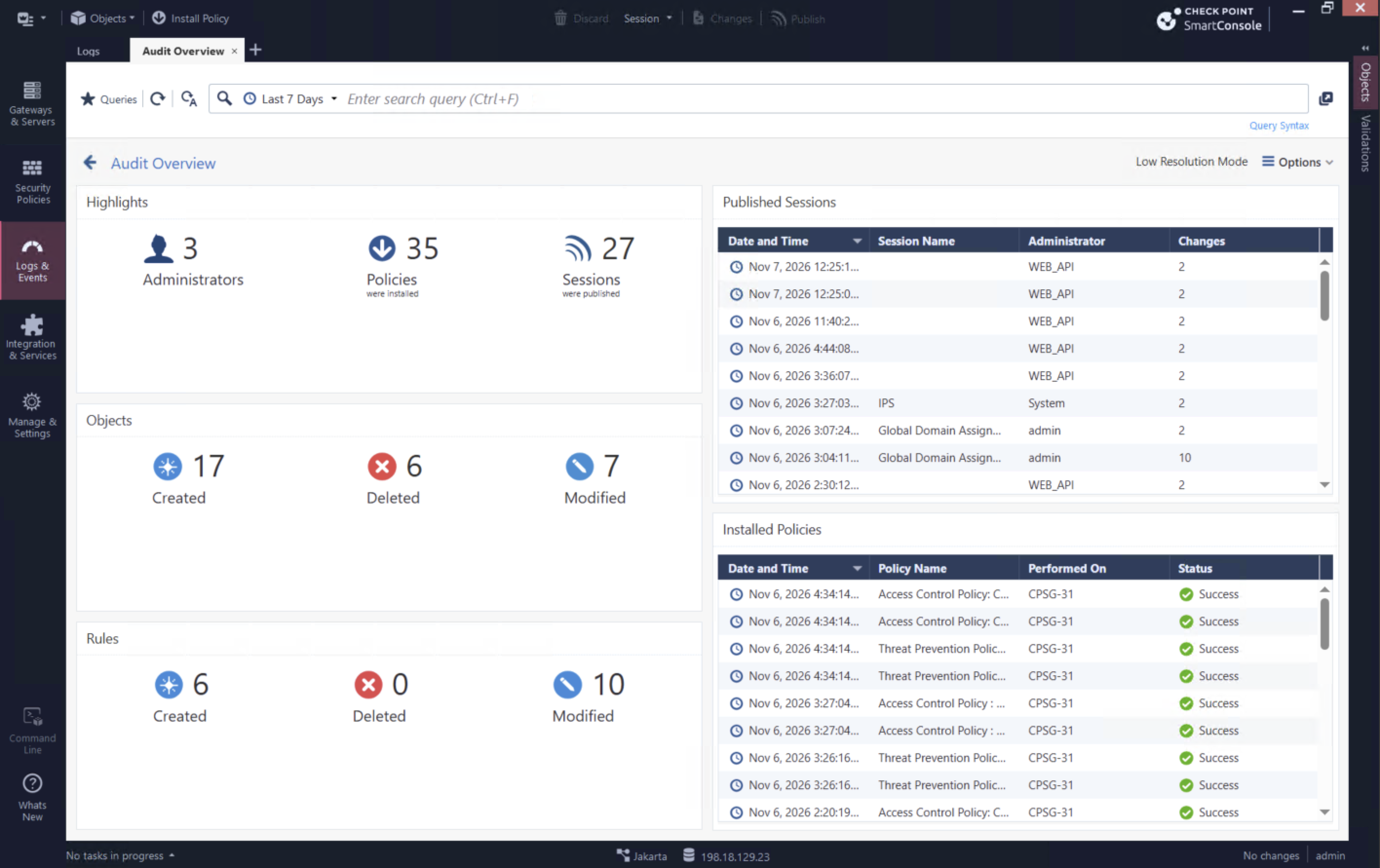
The Audit Overview view focuses on administration rather than network traffic. It summarizes administrators, published sessions, created/modified/deleted objects and rules, and successful policy installations, helping operations teams spot and review management-plane changes.